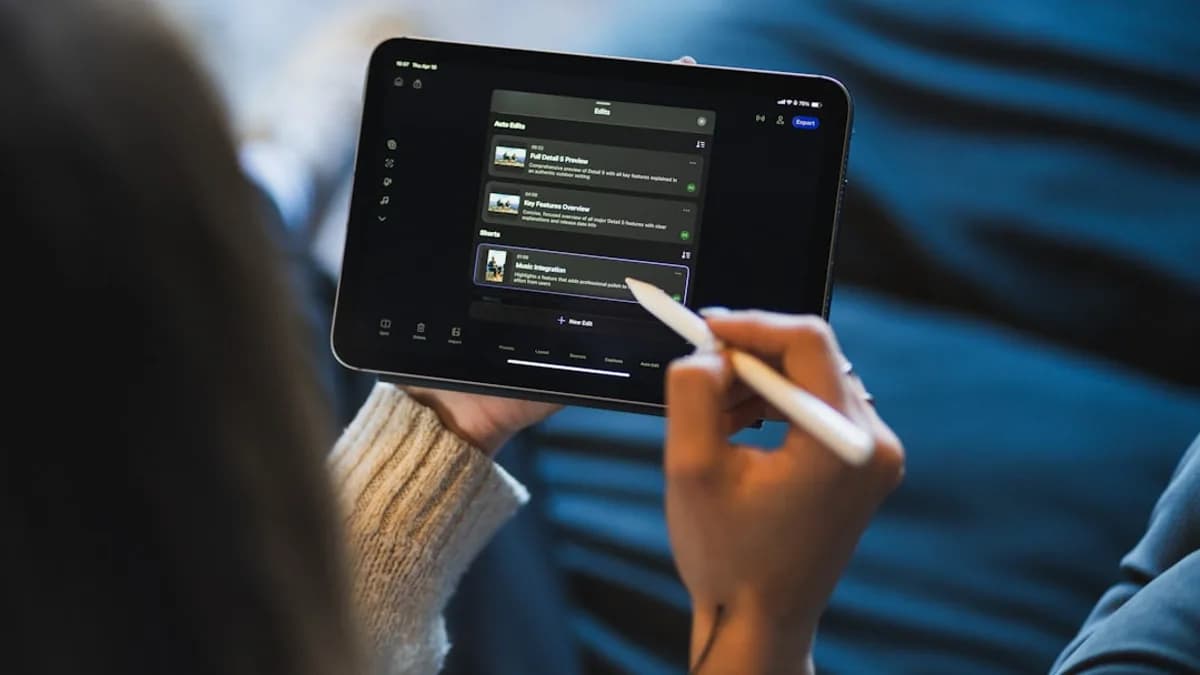
In the fast-evolving world of online content, selecting the best video editing software for social media is crucial for creators seeking to maximize reach and engagement. With social platforms prioritizing video and users expecting polished, platform-optimized clips, the right tool can be the difference between a viral post and an unnoticed upload. This comprehensive, step-by-step tutorial will guide you through evaluating your needs, comparing top editors, and making an informed decision grounded in the latest research and real-world performance data.
Importance of Social Media-Specific Video Editing
The explosive growth of TikTok, Instagram Reels, and YouTube Shorts has made social video a non-negotiable part of any creator’s toolkit. As highlighted in multiple industry reviews, captivating video content isn’t just an option—it’s the core of social media growth and brand visibility (makeinfluencer.ai, revid.ai).
“From viral TikToks to polished Instagram Reels, the right editing software transforms raw footage into thumb-stopping content that builds your brand and captivates your audience.”
— makeinfluencer.ai, 2025
Selecting a video editor built for social media ensures:
- Faster production cycles for frequent posting
- Platform-specific export options (vertical, square, or widescreen)
- One-click tools for captions, stickers, and AR effects
- Direct publishing workflows to major social platforms
Let’s break down the process for choosing the best video editing software for social media in 2026.
Identifying Your Social Media Platform Requirements
The first step is understanding which platforms you prioritize and what each demands:
- Instagram Reels & Stories: 9:16 vertical, fast edits, native text/stickers, trending audio
- TikTok: 9:16 vertical, rapid template-based edits, AI effects, direct publishing
- YouTube Shorts: 9:16 vertical, slightly longer clips, accessible captions
- Facebook Video: Flexible formats, direct scheduling, brand overlays
- X (Twitter): Square/vertical, tight duration limits, clear branding
Platform Checklist
| Platform | Preferred Aspect Ratio | Max Duration | Notable Features |
|---|---|---|---|
| Instagram Reels | 9:16 Vertical | 90 sec | Templates, AR effects, auto-captions |
| TikTok | 9:16 Vertical | 10 min | Effects, trending audio, templates |
| YouTube Shorts | 9:16 Vertical | 60 sec | Captions, music, filters |
| Facebook Video | 1:1, 4:5, 16:9 | 240 min | Branding overlays, scheduling |
| X (Twitter) | 1:1, 9:16 | 140 sec | Stickers, captions, logo integration |
Action Step:
List your target platforms and their requirements. Match these against the feature lists of prospective video editors.
Must-Have Features for Social Media Video Editors
When searching for the best video editing software for social media, prioritize tools offering:
1. Platform-Specific Aspect Ratios & Smart Cropping
- Auto Reframe: Automatically adjusts framing for vertical, square, and horizontal outputs (e.g., Adobe Premiere Pro, CapCut, Aeon, revid.ai).
- One-Click Resizing: Essential for rapid repurposing across platforms (Canva, Filmora, Movavi).
2. Rapid Editing & Templates
- Trending Templates: Pre-built styles for TikTok, Reels, and Shorts (CapCut, Canva, Ripl).
- Drag-and-Drop Editing: Speeds up simple cuts and transitions (Movavi, Animoto, Canva).
3. AI-Powered Automation
- AI Editing: Auto-captions, background removal, and effect suggestions (revid.ai, CapCut, Aeon).
- Content Repurposing: Transform blogs, podcasts, or URLs directly into video (revid.ai, Aeon).
4. Direct Publishing & Platform Integration
- One-Tap Exports: Upload directly to social platforms (Adobe Premiere Pro, CapCut, InShot, Ripl).
- Scheduling: Built-in tools to schedule posts (Ripl).
5. Brand Customization & Accessibility
- Logo/Watermark Insertion: For consistent branding (Movavi, Canva, Ripl).
- Captioning: Manual and auto-captions for accessibility (Adobe Premiere Pro, CapCut).
Feature Comparison Table
| Feature | Adobe Premiere Pro | CapCut | revid.ai | Aeon | Canva | InShot | Movavi |
|---|---|---|---|---|---|---|---|
| Auto Reframe | ✔️ | ✔️ | ✔️ | ✔️ | ✔️ | ✔️ | ✔️ |
| AI Content Repurposing | ❌ | ✔️ | ✔️ | ✔️ | ❌ | ❌ | ❌ |
| Direct Publishing | ✔️ | ✔️ | ✔️ | ✔️ | ✔️ | ✔️ | ✔️ |
| Templates/Effects | ✔️ | ✔️ | ✔️ | ✔️ | ✔️ | ✔️ | ✔️ |
| Brand Customization | ✔️ | ✔️ | ✔️ | ✔️ | ✔️ | ✔️ | ✔️ |
| Scheduling | ❌ | ❌ | ❌ | ❌ | ❌ | ❌ | ❌ |
| Multi-Language Support | ✔️ | ✔️ | ✔️ | ✔️ | ✔️ | ✔️ | ✔️ |
“AI-powered workflows for faster editing and trend-aware templates are becoming must-haves for creators aiming to stay ahead on social media.”
— revid.ai, 2025
Comparing Popular Software with Social Media Focus
The current landscape offers a wide range of options, each with unique strengths and trade-offs. Here’s a detailed, data-driven overview of leading contenders as of 2026.
1. Adobe Premiere Pro
- Best for: Professional creators and brands demanding high production quality
- Key strengths: Robust timeline, Auto Reframe, seamless Adobe ecosystem integration, direct exporting
- Pricing: Starts at $22.99/month (subscription)
- Consider: Steeper learning curve, overkill for simple edits
2. CapCut
- Best for: Fast, template-driven short-form content (TikTok, Reels, Shorts)
- Key strengths: Intuitive UI, trend-aware templates/effects library, AI tools (auto-captions, background removal)
- Pricing: Free
3. revid.ai
- Best for: Automated, high-volume content repurposing for busy creators and teams
- Key strengths: AI converts blogs, podcasts, or URLs into social-ready video; multi-language support; trend-informed creation
- Pricing: Plans start at $39/month
4. Aeon
- Best for: Publishers and brands seeking scalable, AI-driven batch video production
- Key strengths: End-to-end automation, text/audio/video ingestion, contextual cropping, voice customization
- Pricing: Not publicly listed; best fit for larger teams
5. Canva
- Best for: Template-based, visually branded video content across platforms
- Key strengths: Hundreds of editable video templates, instant resizing, drag-and-drop interface
- Pricing: Free, Pro at $120/year
6. Movavi
- Best for: Quick mobile or desktop edits with platform-specific features
- Key strengths: Remove watermarks, add logos, animated stickers, resize for any platform
- Pricing: Free app, Video Editor at $19.95/month
7. InShot
- Best for: Mobile-first, simple edits (filters, text, voiceovers) for Instagram and TikTok
- Key strengths: Sizing presets, voiceovers, filters, stickers, watermark removal (paid)
- Pricing: Free version; InShot Pro at $3.99/month
Comparison Table
| Software | Platform(s) | Key Features | Pricing |
|---|---|---|---|
| Adobe Premiere Pro | Desktop (Win/Mac) | Auto Reframe, Pro timeline, Direct publishing | $22.99/mo |
| CapCut | Desktop/Mobile/Web | Trend templates, AI tools, TikTok integration | Free |
| revid.ai | Web | AI repurposing, multi-language, automation | From $39/mo |
| Aeon | Web | AI batch, brand control, Adobe compatibility | Not listed |
| Canva | Web/Desktop/Mobile | Templates, resizing, drag-and-drop | Free, $120/year Pro |
| Movavi | Desktop/Mobile | Stickers, logos, resizing | Free, $19.95/mo |
| InShot | Mobile | Filters, stickers, sizing presets | Free, $3.99/mo Pro |
“Find the perfect tool to match your budget and skill level—whether you need the power of Adobe Premiere Pro, the AI capabilities of Aeon, or the simplicity of InShot.”
— project-aeon.com, 2025–2026
Step-by-Step Guide to Testing Software Options
Choosing the best video editing software for social media is personal—testing is vital. Here’s a proven process:
1. Shortlist 2–4 Editors
- Match your top platform needs to features using the comparison table above.
2. Leverage Free Trials or Tiers
- Free Tier: CapCut, Canva, Movavi, InShot, Animoto, Wave.video, and others offer free versions or trials.
3. Import Your Own Footage
- Test editors with raw clips similar to your typical workflow (e.g., vertical smartphone video for Reels/TikTok).
4. Try Key Features
- Use auto-captions, background removal, templates, and resizing tools.
- Export test clips in different aspect ratios.
5. Evaluate Workflow
- Assess speed, ease of use, and any friction points.
- Try direct publishing or scheduling features if available.
6. Check Export Quality
- Upload test exports to a private or test social account for quality assurance.
7. Compare Pricing
- Weigh must-have features against subscription costs.
Export Settings and Format Compatibility
Social platforms have strict requirements for video uploads. The best video editing software for social media will provide:
Built-In Export Presets
- Adobe Premiere Pro: Social-optimized export presets for Instagram, TikTok, YouTube Shorts
- CapCut/Canva/InShot: Simple “Export for TikTok/Reels” buttons with correct aspect ratios and bitrates
Common Format Requirements
| Platform | Format | Resolution | Aspect Ratio | Max File Size |
|---|---|---|---|---|
| Instagram Reels | MP4 | 1080×1920 | 9:16 | 4GB |
| TikTok | MP4/MOV | 1080×1920 | 9:16 | 2GB |
| YouTube Shorts | MP4 | 1920×1080 | 9:16 | 2GB |
| Facebook Video | MP4 | 1080p/4K | 1:1, 4:5, 16:9 | 10GB |
Action Step:
Always select your target platform’s preset or manually adjust resolution, frame rate (usually 30fps), and bitrate before exporting. Test exports for quality loss or platform-specific quirks.
Tips for Optimizing Videos for Different Platforms
1. Use Native Aspect Ratios
- Always edit and export in the platform’s recommended ratio (e.g., 9:16 for TikTok, Reels, Shorts).
2. Leverage AI and Templates
- Use AI-powered cropping and templates for quick adaptation to trends (CapCut, revid.ai, Aeon).
3. Add Captions and Overlays
- 85%+ of social videos are watched without sound. Auto-captions and bold overlays boost engagement (Adobe Premiere Pro, CapCut).
4. Brand Consistency
- Use logo insertion, brand colors, and consistent fonts (Movavi, Canva, Ripl).
5. Trim for Attention
- Short, punchy intros and jump cuts outperform slow-paced edits.
6. Direct Publishing
- Use editors with direct upload or scheduling (CapCut, Adobe Premiere Pro, Ripl).
Budgeting for Software and Additional Tools
Software Pricing at a Glance
| Editor | Free Version | Paid Plan (from) | Notable Paid Features |
|---|---|---|---|
| CapCut | ✔️ | N/A | All features free |
| revid.ai | ❌ | $39/month | AI automation, commercial rights |
| Adobe Premiere Pro | ❌ | $22.99/month | Pro timeline, Adobe ecosystem |
| Canva | ✔️ | $120/year (Pro) | More templates, brand kit |
| Movavi | ✔️ | $19.95/month | Remove watermark, advanced effects |
| InShot | ✔️ | $3.99/month (Pro) | Watermark removal, premium effects |
| Ripl | ❌ | $8.33/month (Base) | Templates, analytics, scheduling |
| Wave.video | ✔️ | $16/month (Streamer) | Longer exports, more templates |
Additional Cost Considerations:
- Stock videos, music, or templates (often included in paid tiers)
- Cloud storage for exports
- Hardware upgrades (if using resource-intensive editors like Premiere Pro)
“The subscription model may not be cost-effective for very casual users. Choose free or low-cost options if you only edit occasionally.”
— revid.ai, 2025
Troubleshooting Common Editing Challenges
1. Export Quality Issues
- Use preset export settings for each platform
- Avoid excessive compression
2. Audio Not Syncing
- Check frame rate consistency (30fps is standard)
- Preview before final export
3. Video Won’t Upload
- Ensure file format and size match platform requirements
- Re-export in MP4 if unsure
4. Text or Overlays Cut Off
- Double-check safe zones in the editor
- Use platform previews if available
5. AI Tools Misinterpret Content
- Always review AI-generated captions, cuts, or voiceovers
- Adjust manually in the editor if necessary
Summary and Next Steps for Social Media Creators
Choosing the best video editing software for social media comes down to matching your workflow, budget, and platform needs with the right set of features. AI-powered automation (as in revid.ai and Aeon) is revolutionizing high-volume and repurposing workflows, while template-driven editors like CapCut and Canva are invaluable for fast, trend-driven content. For those demanding pro-level polish, Adobe Premiere Pro remains the gold standard.
Next Steps:
- Identify your primary platforms and their technical requirements.
- Shortlist editors whose features and pricing align with your needs.
- Test-drive finalists using their free tiers or trials.
- Optimize your workflow with direct publishing, templates, and automation.
- Stay updated—social media and editing tools evolve rapidly; revisit your choice as new features emerge.
FAQ
Q1: What is the best video editing software for TikTok and Instagram Reels?
A: CapCut leads for short-form, trend-driven content with its free, intuitive interface, vast template library, and direct TikTok integration (makeinfluencer.ai, revid.ai).
Q2: Which video editors offer the fastest workflow for bulk content?
A: revid.ai and Aeon both specialize in AI-powered automation, transforming existing content into multiple social-ready videos in minutes. These are ideal for brands and agencies needing high-volume output.
Q3: What’s the most affordable way to start editing social videos?
A: CapCut, Canva, InShot, and Movavi all offer robust free versions. Paid upgrades provide watermark removal, advanced effects, or more templates at competitive rates (e.g., Movavi from $19.95/mo, InShot Pro at $3.99/mo).
Q4: How do I ensure my exports are compatible with each social platform?
A: Use the built-in export presets in leading editors (Adobe Premiere Pro, CapCut, Canva) for platform-specific aspect ratios, resolutions, and file sizes. Always check your platform’s latest requirements before publishing.
Q5: What features should I prioritize for accessibility and engagement?
A: Auto-captions, manual text overlays, and high-contrast graphics are key. Editors like Adobe Premiere Pro and CapCut excel at captioning and overlays, while Canva and Movavi offer easy branding options.
Q6: Do I need a powerful computer for social video editing?
A: Not necessarily. Cloud-based or mobile-first editors like CapCut, Canva, and InShot work on most devices. For advanced desktop editors like Adobe Premiere Pro, a more powerful computer is recommended.
Bottom Line
The landscape of best video editing software for social media in 2026 is rich with options for every creator and brand. Whether you need AI-powered automation (revid.ai, Aeon), template speed (CapCut, Canva), or pro-grade polish (Adobe Premiere Pro), there’s a tool tailored to your goals and budget. Prioritize platform compatibility, workflow efficiency, and scalability to stay ahead in the competitive social video space—because captivating content is only as good as the editor behind it.