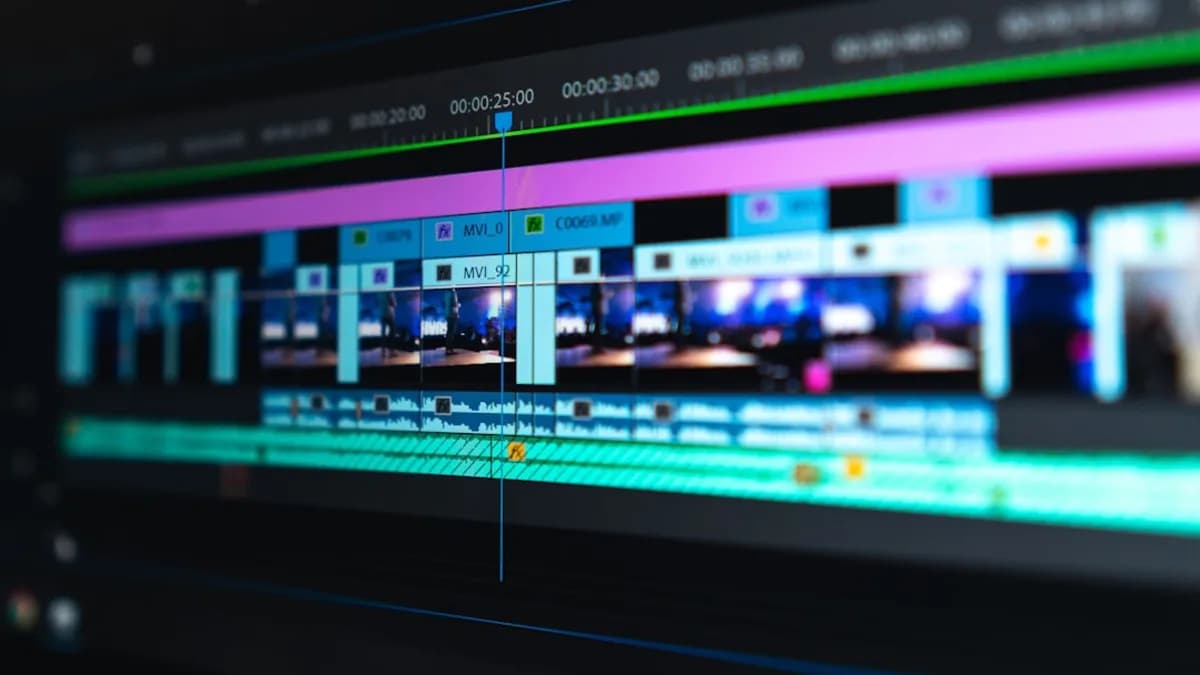
Choosing the best video editing software for YouTube in 2026 is crucial for creators looking to stand out. With YouTube’s ever-rising standards, creators need software that delivers not only great effects and export options, but also workflow integration, monetization support, and accessibility for all skill levels. This guide walks you through the most current, research-backed advice on making the right choice—grounded in real-world testing and expert reviews.
Unique Needs of YouTube Creators for Video Editing
YouTube creators face a unique set of challenges compared to filmmakers or casual video hobbyists. Success on YouTube often depends on:
- Fast turnaround times: Keeping up with trends and audience expectations.
- Polished, professional results: Even for solo or small-team operations, audience retention relies on high production quality.
- Efficient workflows: Integration with YouTube Studio and the ability to quickly export in platform-optimized formats.
- Adaptability: Editing across devices, from desktops to mobile, is increasingly common—especially for vloggers and influencers.
“For your video to get noticed, it needs to be well-made – and that means well-edited.”
— Steve Paris, video editor & creative tech reviewer (Creative Bloq)
With these needs in mind, let’s break down the features that matter most when searching for the best video editing software for YouTube.
Key Features to Prioritize for YouTube Content
When evaluating video editing software for YouTube, focus on features that directly impact your workflow and channel growth:
Essential Export & Upload Options
- YouTube-optimized export presets: Directly export in the correct format, aspect ratio, and bitrate.
- Batch exporting: Useful for creators producing series or multiple videos at once.
Effects, Transitions, and Templates
- Built-in effects and transitions: Save time and add polish.
- Access to royalty-free assets: Music, sound effects, and graphics can avoid copyright issues.
AI-Powered Tools
- Automatic caption generation: Improves accessibility and retention.
- Smart editing tools: For example, auto-cut, reframing, or background removal, as found in top-tier editors.
Collaboration & Integration
- Cloud syncing: For cross-device editing or team collaboration.
- YouTube Studio integration: Streamlines publishing and analytics (when supported).
Platform Compatibility
- Runs on your OS: Confirm Mac/Windows compatibility or mobile support as needed.
- Free vs. Paid Models: Choose the payment structure that matches your budget and needs.
Accessibility & Performance
- Responsive design: Particularly for mobile and web-based editors.
- Accessible interface: Especially important if you’re new to editing.
Review of Popular Video Editing Software for YouTubers
Based on hands-on expert testing (Creative Bloq), here’s how the most recommended options stack up:
| Software | Platform | Payment Model | Best For | Free Trial |
|---|---|---|---|---|
| Premiere Pro | Windows, Mac | Subscription only | Professional results, top YouTubers | 7 days |
| DaVinci Resolve | Windows, Mac | Free (Base version) | Advanced color grading, no cost | N/A |
| Adobe Express | Web, Mobile | Free | Basic editing, on-the-go | N/A |
| Final Cut Pro | Mac | One-time purchase | Mac users, pro features | N/A (at writing) |
| Premiere Elements | Windows, Mac | One-time purchase | Beginners | N/A (at writing) |
| PowerDirector 365 | Windows, Mac | Subscription/One-time | Enthusiasts, hobbyists | N/A (at writing) |
| Premiere Rush | Mobile, Desktop | Subscription (Adobe CC) | Mobile editors, vloggers | N/A (at writing) |
| Pinnacle Studio | Windows | One-time purchase | Budget-conscious creators | Generous free trial |
1. Premiere Pro
- Industry standard: Used by top YouTubers (e.g., PewDiePie, Linus Tech Tips).
- Features: Huge range, frequent updates, new AI-powered tools.
- Drawbacks: Subscription required; may be complex for beginners.
2. DaVinci Resolve
- Best free desktop editor: Advanced, especially for color grading.
- Features: Professional-grade tools, base version is completely free.
- Drawbacks: Steeper learning curve for first-time editors.
3. Adobe Express
- Best free online option: Browser-based, straightforward for simple edits.
- Features: Quick, accessible, works on mobile and web.
- Drawbacks: Less powerful than Resolve or Premiere.
4. Final Cut Pro
- Best for Apple: Powerful, professional-grade, no subscription.
- Features: Smooth, stable, optimized for Macs.
- Drawbacks: Mac-only, some intimidation for beginners.
5. Premiere Elements
- Best for beginners: Easy onboarding, guided edits.
- Features: Affordable, one-time payment.
- Drawbacks: Lacks some advanced features of Premiere Pro.
6. CyberLink PowerDirector 365
- Best for enthusiasts: Flexible, rich set of consumer tools.
- Features: Both subscription and one-time purchase available.
- Drawbacks: Not as advanced as Pro-level tools.
7. Premiere Rush
- Best for mobile: Designed for editing on the go, vlogger-friendly.
- Features: Accessible interface, integrates with other Adobe tools.
8. Pinnacle Studio
- Best budget option (Windows): Simple, reliable, affordable.
- Features: One-time purchase, generous free trial.
- Drawbacks: Not as full-featured as pro-level editors.
“If you watch a lot of videos on YouTube, a significant chunk of them will have been edited on Adobe Premiere Pro.”
— Steve Paris, Creative Bloq
Step-by-Step Guide to Evaluating Software Based on Your Channel Goals
1. Define Your Channel’s Content Style and Volume
- Daily uploads or frequent publishing: Prioritize efficient workflow (Premiere Pro, Final Cut Pro).
- Vlogs/Shorts, on-the-go: Consider mobile editors (Premiere Rush, Adobe Express).
- Highly produced, cinematic videos: Look for advanced effects and color grading (DaVinci Resolve, Final Cut Pro).
2. Assess Your Editing Experience Level
- Complete beginner: Start with Premiere Elements or Adobe Express.
- Intermediate or learning fast: PowerDirector 365 offers a good balance of features and ease of use.
- Advanced/pro: Premiere Pro or DaVinci Resolve for full feature sets.
3. Match Platform Compatibility
- Mac user: Final Cut Pro, Premiere Pro, DaVinci Resolve.
- Windows user: Premiere Pro, PowerDirector 365, Pinnacle Studio.
- Mobile-first: Premiere Rush, Adobe Express.
4. Consider Budget and Growth Plans
- Zero budget: DaVinci Resolve (base version), Adobe Express.
- Willing to invest: Premiere Pro (ongoing), Final Cut Pro (one-time), PowerDirector 365 (flexible).
Tips for Optimizing Video Quality and Upload Settings
Getting the best results on YouTube isn’t just about editing—it’s about exporting with the right settings:
- Use export presets: Most editors (Premiere Pro, DaVinci Resolve, Final Cut Pro) have built-in YouTube presets.
- Maintain resolution: Stick to 1080p or 4K for modern YouTube content.
- Optimize bitrate: Use YouTube’s recommended bitrate for your resolution and frame rate to avoid compression artifacts.
- Export in MP4 (H.264/AVC): Universally supported and efficient for YouTube uploads.
“YouTube-optimized export presets are a must for fast, hassle-free uploads and the best viewing experience.”
— Creative Bloq
Integrating Editing Software with YouTube Studio
Seamless integration with YouTube Studio can save time and streamline your workflow:
- Direct export to YouTube: Offered in Premiere Pro and some other advanced editors, letting you publish without leaving the app.
- Metadata input: Some software allows adding titles, descriptions, and tags during export.
- Cross-platform syncing: Editors like Premiere Rush and Adobe Express support cloud-based workflows, so you can start on one device and finish on another, then upload directly.
If full integration isn’t available, ensure your editor makes it easy to produce files in the right format and quality for YouTube’s requirements.
Budget Considerations and Free vs Paid Options
YouTube creators range from hobbyists to full-time professionals. The best video editing software for YouTube will depend on both your needs and your budget.
Free Options
- DaVinci Resolve: Full-featured, especially great for color grading.
- Adobe Express: For basic, quick edits, especially on mobile or web.
Paid Options
| Software | Payment Model | Notable Features |
|---|---|---|
| Premiere Pro | Subscription | Industry-leading, regular updates |
| Final Cut Pro | One-time purchase | Mac-optimized, pro features |
| Premiere Elements | One-time purchase | Beginner-friendly, guided edits |
| PowerDirector 365 | Subscription/One-time | Flexible, enthusiast-focused |
| Pinnacle Studio | One-time purchase | Budget-friendly, Windows only |
- Subscription Model: Premiere Pro, PowerDirector 365 (optional).
- One-Time Purchase: Final Cut Pro, Premiere Elements, Pinnacle Studio.
“If your budget is zero, DaVinci Resolve is incredibly capable and the base version is free!”
— Creative Bloq
Common Editing Mistakes to Avoid for YouTube Videos
Even with the best video editing software for YouTube, mistakes can impact your channel’s growth.
- Ignoring audio quality: Use built-in noise reduction and audio editing tools whenever possible.
- Overusing effects: Stick to clean transitions unless your channel’s style demands otherwise.
- Exporting in the wrong format or bitrate: Always use YouTube’s recommended export presets.
- Neglecting captions: Add captions for accessibility and improved viewer retention.
- Not previewing your edits: Watch your rendered video before uploading to catch errors or glitches.
Conclusion: Matching Software Choice to Your Growth Strategy
The best video editing software for YouTube in 2026 is the one that aligns with your current skill level, content style, platform, and budget—while leaving room for growth. For most creators:
- Premiere Pro is the pro standard, but requires a subscription and a learning curve.
- DaVinci Resolve stands out for those who want pro tools without upfront costs.
- Final Cut Pro is ideal for Mac users who prefer a one-time purchase.
- Premiere Elements and Pinnacle Studio are friendly for beginners or budget-focused creators.
- Mobile-first? Premiere Rush and Adobe Express keep workflows simple and fast.
As YouTube continues to evolve, so do the tools—pick the software that fits today, but can scale with your ambitions tomorrow.
FAQ: Best Video Editing Software for YouTube in 2026
Q: What is the best video editing software for YouTube overall?
A: According to Creative Bloq, Premiere Pro is the top choice for its professional features and widespread use among top YouTubers.
Q: What’s the best free video editor for YouTube?
A: DaVinci Resolve offers a powerful, professional-grade editing suite for free, especially strong in color grading.
Q: I’m new to editing—what should I use?
A: Premiere Elements is recommended for beginners, with guided edits and an affordable one-time purchase.
Q: Which editor is best for Mac users?
A: Final Cut Pro is highly recommended for Mac users seeking pro features without a subscription.
Q: Can I edit YouTube videos on my phone?
A: Yes, Premiere Rush and Adobe Express are designed for mobile editing and quick uploads.
Q: What if I don’t want a subscription?
A: Choose one-time purchase options like Final Cut Pro, Premiere Elements, or Pinnacle Studio.
The Bottom Line
Choosing the right video editing software can make or break your YouTube channel’s growth. Consider your goals, budget, and device ecosystem. Premiere Pro leads for professionals, DaVinci Resolve for those on a budget, and tools like Final Cut Pro and Premiere Elements fill other niches. Test out free trials when available, and focus on software that supports your creative workflow for long-term YouTube success.