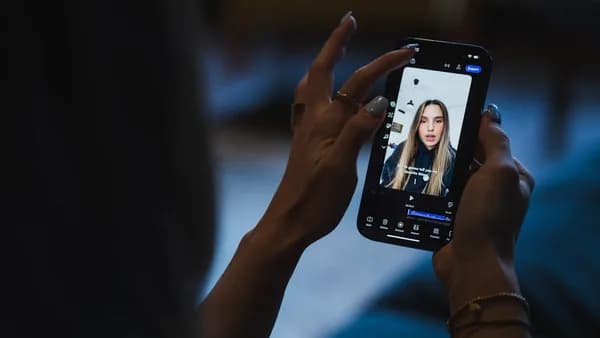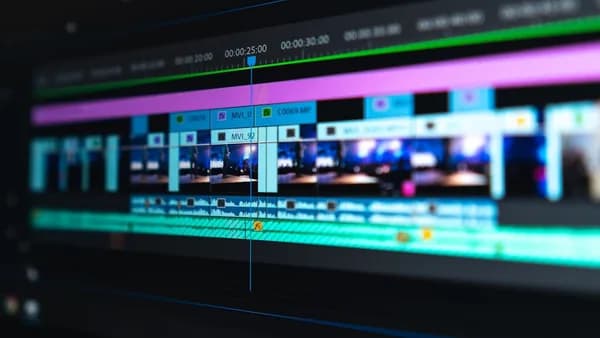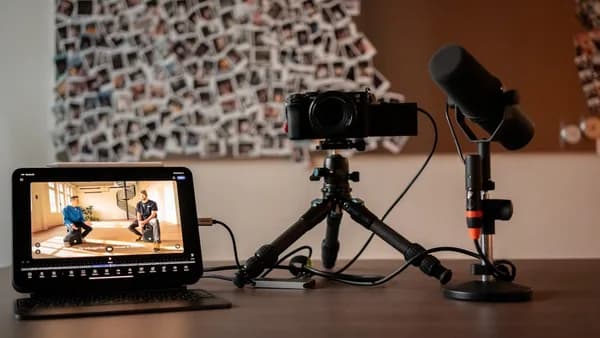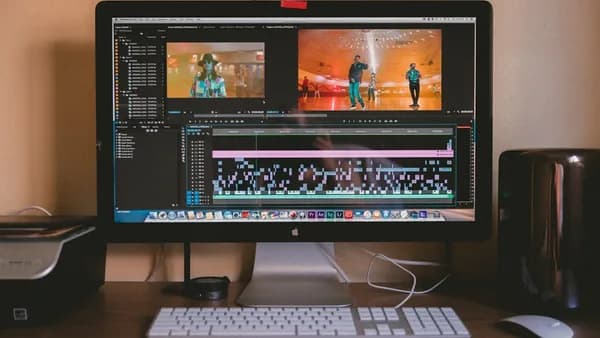
In 2026, video content is more popular and accessible than ever, but with so many editing tools available, finding the right one can feel overwhelming. Whether you’re a new creator launching your first YouTube channel or a professional filmmaker, it’s crucial to choose video editing software that matches your skill level, project needs, and budget. This guide walks you step by step through the selection process, using real data from leading industry reviews to help you make an informed decision.
Assessing Your Video Editing Skill Level
Before you choose video editing software, honestly evaluate your current experience with video editing tools. The complexity of the software should match your skill level—choosing a program that’s too advanced may slow your progress, while a tool that’s too simple could limit your creative potential.
Beginner Editors
If you’re just starting out, look for software with an intuitive interface and built-in tutorials. According to createandgo.com, the best options for beginners include:
- Camtasia: Designed for ease of use, ideal for screencasts and basic editing.
- Movavi: Offers user-friendly features for quick edits without a steep learning curve.
“If you’re a beginner, it’s best to start with free or budget-friendly software and work your way up as you gain more experience.”
— pctechtest.com
Intermediate and Professional Editors
If you already have editing experience or aspire to professional work:
- Adobe Premiere Pro: Suitable for both beginners and experienced editors; it offers extensive features but requires time to master.
- Final Cut Pro X (Mac): Highly recommended for professionals; includes advanced color grading, multi-cam editing, and more.
- DaVinci Resolve: Features advanced color grading tools and is widely used in professional filmmaking.
Identifying Your Project Requirements and Goals
The right software will depend heavily on what you plan to create. Define your goals and typical projects before making a choice.
Common Use Cases
- YouTube/Vlogs: Look for quick rendering, easy social sharing, and built-in effects.
- Short Films & Documentaries: Advanced color grading, multi-track editing, and audio mixing are important.
- Social Media Content: Mobile support and aspect ratio flexibility are key.
Feature Prioritization
Make a list of your must-have features vs. nice-to-haves. As pctechtest.com advises:
“Make a list of the features you absolutely need, features that would be nice to have, and features you don’t really need.”
Common features to consider:
| Feature | Adobe Premiere Pro | Final Cut Pro X | DaVinci Resolve | Lightworks | Camtasia | Movavi |
|---|---|---|---|---|---|---|
| Multi-cam editing | Yes | Yes (up to 64) | Yes | Yes | No | No |
| Advanced color grading | Yes | Yes | Yes | Yes | No | No |
| Built-in effects/templates | Yes | Yes | Yes | Yes | Yes | Yes |
| Audio mixing | Yes | Yes | Yes | Yes | Basic | Basic |
| Motion tracking | With plugins | Yes | Yes | Yes | No | No |
| Platform | Win/Mac | Mac/iPadOS | Win/Mac/Linux | Win/Mac | Win/Mac | Win/Mac |
| Free version available | No | No | Yes | Yes | No | Yes |
Evaluating Software Features and Compatibility
When you choose video editing software, ensure it supports your hardware, file formats, and workflow.
Platform Compatibility
- Adobe Premiere Pro: Available for Windows and Mac.
- Final Cut Pro X: Exclusive to Mac and iPadOS.
- DaVinci Resolve: Supports Windows, Mac, and Linux.
“Final Cut Pro is a no-brainer option when it comes to any video editing software for Mac.”
— pctechtest.com
Native File Support
If you frequently shoot in specific formats (e.g., 4K, 8K, AVCHD, QuickTime), verify that your chosen software supports them natively. Adobe Premiere Pro, for example, supports a wide range of formats including AVI, MOV, and MP4.
Extensibility and Plugins
- Premiere Pro: Accepts hundreds of third-party plugins/templates, and integrates seamlessly with other Adobe apps.
- Final Cut Pro: Supports third-party plugins, plus integrated motion graphics via Apple Motion.
Comparing Pricing Models and Free Trials
Budget is a major factor for most creators. The pricing structures among video editing software vary widely—from one-time purchases to monthly subscriptions, and robust free options.
Pricing Table
| Software | Pricing (2026) | Free Trial/Version | Platform |
|---|---|---|---|
| Adobe Premiere Pro | $20.99/month (annual commit) | Yes, 7 days | Win/Mac |
| Final Cut Pro X | $299.99 one-time | Yes, 90 days | Mac/iPadOS |
| DaVinci Resolve | Free; Studio upgrade available | Free version | Win/Mac/Linux |
| Camtasia | Not specified in sources | Not specified | Win/Mac |
| Movavi | Not specified in sources | Yes | Win/Mac |
| Lightworks | Free version available | Free version | Win/Mac |
| HitFilm | Free version available | Free version | Win/Mac |
Key highlights:
- Adobe Premiere Pro: Subscription model, $20.99/month. Also included in Creative Cloud All Apps ($54.99/month).
- Final Cut Pro X: One-time payment of $299.99, with a 90-day free trial.
- DaVinci Resolve: Offers a robust free version with advanced features.
“If you are looking forward to being a professional video editor we would suggest that you go with the paid software. As they carry some premium features that the free versions do not.”
— pctechtest.com
Testing User Interface and Workflow Efficiency
The best way to know if a tool fits your style is to try it. Most top video editing software offer free trials or free versions.
What to Look For
- Intuitive Layout: Is the interface cluttered or easy to navigate?
- Customizability: Can you personalize the workspace?
- Timeline Editing: Does it use a traditional or trackless (magnetic) timeline?
- Performance: How quickly does it render or preview your edits?
Examples:
- Final Cut Pro X uses a trackless Magnetic Timeline, which some editors find faster and more intuitive.
- Premiere Pro allows full customization of the workspace and panels.
“The user interface is clean and fairly intuitive, perfect for beginners. But it still requires time to master it, configure parameters and tools.”
— pctechtest.com
Considering Support and Learning Resources
Solid support and rich learning materials can make your editing journey smoother, especially as a beginner.
Learning Resources
- Final Cut Pro X: Extensive tutorials from industry professionals.
- Adobe Premiere Pro: Large community, official documentation, and a vast library of online courses.
- DaVinci Resolve: Active forums and comprehensive manual.
Support
- Active Forums: Helps troubleshoot issues quickly.
- Official Documentation: Should be regularly updated and comprehensive.
- Responsive Customer Support: Important for professionals with tight deadlines.
Making the Final Decision: Checklist
Here’s a practical checklist to help you choose video editing software that fits your needs:
- Skill Level: Is the software beginner-friendly or does it suit your advanced needs?
- Project Goals: Does it offer the effects, formats, and tools you need for your content type?
- Compatibility: Will it run smoothly on your device (Windows, Mac, Linux)? Does it support your footage formats?
- Features: Are essential features (multi-cam, color grading, plugins) available?
- Budget: Does it fit your price range (free, subscription, or one-time fee)?
- Trial Availability: Can you test it before committing?
- Support and Tutorials: Are there enough resources to help you learn and troubleshoot?
Tips for Getting Started with Your Chosen Software
Once you’ve made your choice, follow these tips to hit the ground running:
- Explore Official Tutorials: Most top editors offer free, high-quality guides and sample projects.
- Start Simple: Begin with basic edits and gradually explore advanced features.
- Join Online Communities: Engage with forums for tips, troubleshooting, and inspiration.
- Customize Your Workspace: Tailor toolbars and layouts to speed up your workflow.
- Practice Regularly: The more you edit, the more comfortable you’ll become.
FAQ: Choosing Video Editing Software
Q: Which video editing software is best for beginners?
A: According to createandgo.com, Camtasia and Movavi are ideal for beginners due to their intuitive interfaces and simplicity.
Q: Is there professional-grade video editing software available for free?
A: Yes. DaVinci Resolve offers a powerful free version with advanced features, and Lightworks also provides a robust free option (pctechtest.com).
Q: What’s the difference between subscription and one-time payment models?
A: Adobe Premiere Pro uses a subscription model ($20.99/month), while Final Cut Pro X is a one-time payment ($299.99). DaVinci Resolve’s basic version is free, with a paid Studio upgrade.
Q: How important is hardware compatibility?
A: Very important. For example, Final Cut Pro X only runs on Mac/iPadOS, while DaVinci Resolve supports Windows, Mac, and Linux.
Q: Do all premium features require paid versions?
A: Usually, yes. pctechtest.com notes that “paid software carry some premium features that the free versions do not,” such as advanced color grading, multi-cam editing, and high-end effects.
Q: Can I try the software before buying?
A: Most top editors offer free versions or trials—Final Cut Pro X has a 90-day trial, and Premiere Pro offers a 7-day trial.
Bottom Line
The best way to choose video editing software is to match your tool to your current skill level, project requirements, and budget. Adobe Premiere Pro and Final Cut Pro X are industry standards for professionals, while DaVinci Resolve offers an impressive free option for all levels. Beginners can start with Camtasia, Movavi, or free editors like Lightworks and HitFilm. Always leverage free trials to test user interfaces and features before spending money. With the right software in hand, you’ll set a strong foundation for creating standout videos in 2026 and beyond.
“The choice of the best video editor depends on your specific needs, skill level, and budget.”
— pctechtest.com
With thoughtful selection and consistent practice, you’ll soon wield your chosen editor with confidence—so dive in, experiment, and let your creativity shine!