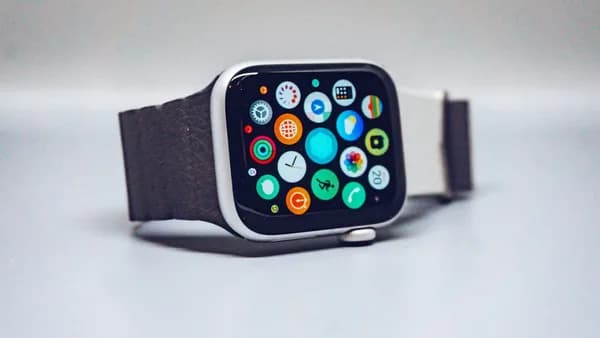
Apple’s most useful watchOS 27 change may be the smallest one: a single finger-and-thumb tap that turns Apple Watch into a more convincing one-handed device. The new gesture does not try to replace the touchscreen, the Digital Crown, Siri, or Double Tap. It targets a narrower problem: Apple Watch often sits exactly where you need it, but still asks for the hand you do not have free.
The feature arrives in watchOS 27 as a new way to select a Smart Stack widget with one hand, according to 9to5Mac . That puts it beside Double Tap, introduced for Apple Watch Series 9 and Apple Watch Ultra 2 in 2023, and wrist flick, which 9to5Mac says arrived in watchOS 26 to dismiss what is on screen and return to the watch face.
“Tap your index finger and thumb together once to select a widget in the Smart Stack and quickly see what’s relevant to you — even if your other hand is occupied.”
That quote from Apple’s website is the key. This is not a broad “do anything” gesture, at least based on the source material. It is a specific control for a specific place in the interface. But on a wrist-sized computer, small interaction cuts can matter more than big feature lists.
Why does one-handed Apple Watch control matter right now?
The Apple Watch problem is not that it lacks features; it is that many of them still require two hands at the exact moment users are least able to spare one. If you are carrying a child, washing dishes, commuting, cooking, exercising, or holding bags, the watch face may be visible, but the display is not always reachable. That turns a quick interaction into a small physical negotiation.
Apple has been trying to close that gap through gestures. Double Tap lets users perform certain actions by tapping their index finger and thumb together twice. 9to5Mac cites examples including media play/pause, answering phone calls, and navigating the Smart Stack. Wrist flick then added a fast way to dismiss what is on screen and return to the watch face.
The new single tap gesture fills a missing step. In 9to5Mac’s hands-on description, a user can double tap to open or move through the Smart Stack, see a glow around the active widget, then tap once to select it and open the related app. Wrist flick can then return the user to the Smart Stack.
That creates a simple interaction chain:
| Gesture | Role described in source material |
|---|---|
| Double Tap | Navigate the Smart Stack and perform certain primary actions |
| Single Tap | Select the active Smart Stack widget |
| Wrist Flick | Dismiss the current screen and return to the watch face |
The counterpoint is obvious: selecting a widget is not a sweeping reinvention of Apple Watch. But that is also why the feature fits. Apple Watch is not built for long sessions. Its best interactions happen in seconds. As we covered in watchOS 27 Bets Apple Watch on Siri AI and Gestures, Apple appears to be steering the watch toward faster, more context-aware inputs rather than asking users to treat it like a tiny iPhone.
What would weaken that thesis? If the gesture works only in a narrow corner of the Smart Stack and users rarely discover it, it may remain a clever demo instead of a habit.
What does the watchOS 27 tap gesture actually do?
The new watchOS 27 tap gesture lets users tap their index finger and thumb together once to select a Smart Stack widget without touching the Apple Watch screen. That is the fact to anchor on. It is not the same as tapping glass. The value comes from making the selection while the other hand is busy.
9to5Mac describes the gesture as “the same basic gesture as double tap, but one tap only—and with a different purpose.” The difference is important. Double Tap already handles actions such as answering calls, controlling media, and navigating the Smart Stack. The new Tap gesture acts more like a selection command once a widget is active.
The strongest reading is that Apple is building a basic gesture grammar for the watch:
- Navigate: Use Double Tap to move through Smart Stack items.
- Select: Use the new single tap to open the highlighted widget.
- Dismiss: Use wrist flick to return to the watch face.
That does not mean the new gesture confirms prompts, clears every alert, or works across all apps. The supplied source material does not support that broader claim. For now, Apple’s stated use case is the Smart Stack: select a widget and quickly see what is relevant.
Still, a narrow feature can reshape behavior if it lands in the right part of the interface. The Smart Stack is already meant to surface timely widgets. If watchOS 27 makes those widgets easier to enter without screen taps, the stack becomes less of a glance layer and more of a one-handed control surface.
The counterpoint is that Apple Watch already has multiple input methods: touchscreen, Digital Crown, side button, Siri, Double Tap, and accessibility gestures. Another gesture could add confusion. The feature proves itself only if users understand where it works and the watch gives clear visual feedback, such as the glow around the active widget that 9to5Mac observed.
How does the gesture work when your other hand is busy?
The best case for the new gesture is not speed in isolation; it is reducing awkwardness in real moments. Apple Watch interactions often fail because the user cannot get a clean tap on the display. That leads to wrist twisting, pausing what you are doing, or ignoring the watch until later.
In 9to5Mac’s beta experience, the flow works like this: the user uses Double Tap to open or move through the Smart Stack. In watchOS 27, the active widget is surrounded by a glow. That glow signals that the user can perform the new single tap gesture to select the widget and open the app. From there, wrist flick can return the user to the Smart Stack or watch face.
A concrete example: imagine a runner using Apple Watch mid-workout. A relevant widget is in the Smart Stack. Instead of slowing down, raising the other hand, and trying to hit a small target while moving, the runner can use Double Tap to navigate, then one tap of index finger and thumb to select the highlighted widget. If the interaction is over, wrist flick can dismiss the screen.
That does not require Apple Watch to guess everything perfectly. It requires the interface to make the next step obvious. The glow around the active widget matters because gesture systems can feel invisible without a cue. A touchscreen button tells you where to press. A mid-air or finger gesture needs the software to show what it will affect.
There is a limit. The source material does not say the tap gesture can handle message replies, timers, workout controls, or notification actions outside the Smart Stack. Readers should treat those as possible future directions, not watchOS 27 facts. For now, the practical upgrade is that Smart Stack widgets become easier to activate with one hand.
That still supports the broader argument. Wearables benefit from shaving off small failures. If the old interaction required the opposite hand and the new one does not, the watch becomes more useful in the moments that made it worth wearing.
How is this different from Double Tap and AssistiveTouch?
The new tap gesture is best understood as a companion to Double Tap, not a replacement for it. Double Tap performs primary actions and helps users move through the Smart Stack. The new tap gesture selects the active widget. Wrist flick dismisses and returns the user to the watch face.
That makes watchOS 27’s gesture model more layered than before. A single movement is no longer expected to do everything. Instead, each gesture has a job. Double Tap advances or triggers certain primary actions. Single Tap selects. Wrist flick exits.
9to5Mac’s Ryan Christoffel writes that Double Tap initially felt “a bit gimmicky and unreliable,” but has improved over time and is now something he uses “all the time” for Smart Stack navigation when his other hand is tied up. That matters because the new gesture depends on the same kind of user trust. If people do not believe the watch will recognize the motion, they will go back to touching the screen.
AssistiveTouch is the harder comparison because the supplied source material does not describe any watchOS 27 change to AssistiveTouch or say that this new gesture is part of that feature. So the clean distinction is this: Apple is presenting the new tap gesture as a mainstream Smart Stack control in watchOS 27, while the article source frames it alongside Double Tap and wrist flick rather than as an accessibility-only tool.
The confusion risk is real. Apple now has several gesture-related controls on Apple Watch, and users will need to know which gesture works where. A single tap of finger and thumb is close enough to Double Tap that muscle memory may take time.
Hardware support is also a practical dividing line. 9to5Mac notes that Double Tap began with Apple Watch Series 9 and Apple Watch Ultra 2 in 2023. Related hands-on source material says watchOS 27 works on Apple Watch Series 9 and later, Apple Watch Ultra 2 and later, and Apple Watch SE 3. That means older models are not part of the watchOS 27 story as described in the supplied material.
Which Apple Watch models and settings should users check first?
Before treating the new tap gesture as a daily shortcut, users should confirm two things: watchOS 27 support and gesture availability on their specific Apple Watch. Compatibility is not just a software version question. Apple often ties gesture recognition to newer hardware, and the source material already connects Double Tap to Series 9 and Ultra 2 onward.
The supplied compatibility information says watchOS 27 supports:
- Apple Watch Series 9 and later
- Apple Watch Ultra 2 and later
- Apple Watch SE 3
It also says watchOS 27 requires an iPhone 11 or later or iPhone SE (2nd generation or later) running iOS 27. Separately, Siri AI on the watch depends on a connected iPhone that supports Apple Intelligence, which the source material identifies as iPhone 15 Pro or later. That Siri requirement is not the same as the tap gesture requirement, but it shows how watchOS 27 features may split across hardware.
When watchOS 27 is available, the practical setup path is straightforward:
- Update: Install iOS 27 on the paired iPhone and watchOS 27 on the watch if the devices qualify.
- Check gestures: Look through Apple Watch settings for gesture or accessibility controls once the final release ships.
- Open Smart Stack: Test the gesture where Apple has stated support: selecting a Smart Stack widget.
- Watch for feedback: Look for the active-widget glow described by 9to5Mac.
- Practice safely: Try it while seated or standing still before relying on it while running, cooking, or carrying something.
Some limitations are worth testing rather than assuming. Vigorous movement, gloves, wet hands, or accidental triggers could affect reliability, though the supplied source material does not quantify those cases. Apps may also vary in how useful they feel once opened from the Smart Stack.
The bigger context is that Apple is tightening watchOS around newer models. That fits with our earlier coverage of Apple’s device support decisions in Apple Axes 16 Devices, Spares Every iPhone on iOS 27, where software eligibility became part of the story around this year’s updates.
Could this small gesture change daily Apple Watch behavior?
The tap gesture matters because Apple Watch is a short-burst device, and short-burst devices live or die by interaction cost. A feature does not need to be flashy if it removes the one step that usually stops people from using it. Selecting a Smart Stack widget without the opposite hand is exactly that kind of cut.
The strongest case is behavioral. If users learn that Double Tap moves through widgets, single tap selects, and wrist flick exits, Apple Watch becomes easier to operate while life is in motion. That could make the Smart Stack more central to daily use, especially as watchOS 27 also adds broader interface changes such as a dynamic app grid and more Siri-focused access in the related source material.
The caution is just as clear. This gesture becomes essential only if it is accurate, discoverable, and consistent. If it triggers at the wrong time, fails when users are moving, or remains limited to too few moments, it will feel like another hidden watch trick. Apple also needs the visual language to be obvious enough that users know when a tap will select something and when it will do nothing.
For now, the practical takeaway is simple: when watchOS 27 arrives, test the tap gesture in the Smart Stack before judging it. Try the full sequence — Double Tap to navigate, single tap to select, wrist flick to return. If that loop works reliably on your watch, the update is not just adding a new trick. It is making Apple Watch a little less dependent on the other hand you often do not have free.
Key Takeaways
- The new gesture makes Apple Watch more useful when the wearer has only one hand free.
- Apple is refining watch interactions through small gesture improvements rather than only adding major features.
- Limiting the gesture to Smart Stack selection keeps it focused, but may also limit its broader usefulness.