If an unlocked iPhone is snatched before the owner can react, can Apple make the device lock itself fast enough to cut off the thief’s best window?
That is the sharpest question raised by the May 27, 2026 edition of 9to5Mac Daily, which highlights “new anti-theft iPhone features” as part of its daily Apple news recap, according to 9to5Mac . The episode itself is distributed as an audio recap, not a full written transcript in the supplied post, so the clearest confirmed items are the anti-theft focus, the podcast availability, and the CardPointers sponsorship.
The connecting thread is practical control: more device protection, more ways to listen, and a consumer offer aimed at people already managing subscriptions, cards, and Apple hardware decisions.
Can Apple close the unlocked-iPhone theft gap before the thief gets inside?
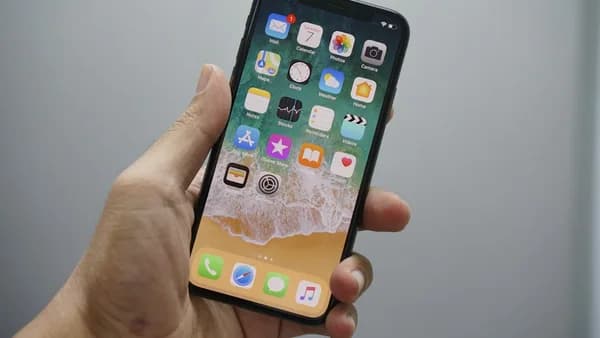
The reported anti-theft feature targets a specific weakness: the moment after a phone is taken while it is still unlocked.
Related reporting supplied with the 9to5Mac item says Apple is working on a system that could automatically lock an iPhone if it detects a snatching attempt. The feature would reportedly use signals such as sudden motion from the accelerometer, distance from a paired Apple Watch, known Wi-Fi networks, and familiar locations such as home or work.
That matters because existing protections are strongest after a device is locked or marked lost. Find My, Activation Lock, and Stolen Device Protection already raise the cost of stealing an iPhone. But a phone grabbed mid-use creates a different problem: the attacker may get a few seconds with an active session.
The reported goal is to lock the iPhone automatically when the device appears to have been snatched in an unfamiliar setting.
That would turn theft detection into a real-time defense rather than a recovery workflow. If the phone locks immediately, sensitive areas such as saved credentials, payment data, and account settings become harder to reach before the owner can respond.
The feature is still not official. Apple has not announced supported models, setup steps, availability, or a rollout date in the supplied material. That leaves the key operational questions open: whether users must opt in, whether it arrives in a specific iOS release, and how aggressively the phone will interpret sudden motion.
For deeper context on the same security direction, MLXIO readers can compare this report with iPhone Theft Lock Fights the Seconds Thieves Exploit and iPhone Anti-Snatching Lock Steals Thieves’ Golden Seconds.
How would this differ from Apple’s existing anti-theft stack?
The reported system appears designed to sit in front of Apple’s existing protections, not replace them.
Stolen Device Protection, introduced with iOS 17.3 according to the supplied related reporting, adds biometric checks and security delays for certain sensitive actions when the iPhone is away from familiar places. The new anti-snatching feature would reportedly act earlier: at the instant the phone appears to be pulled away.
| Apple protection | Main role described in the supplied material | Limitation the new feature targets |
|---|---|---|
| Find My | Helps locate or manage a missing device | May not stop immediate access if the phone is unlocked |
| Activation Lock | Makes resale or reuse harder without the owner’s account | Does not itself close the first unlocked seconds |
| Stolen Device Protection | Adds biometric checks and delays for sensitive changes | Still depends on what happens after the device is in a thief’s hand |
| Reported anti-snatching lock | Automatically locks after suspected snatch behavior | Not announced yet; rollout and behavior remain unclear |
The harder challenge is false positives. A phone can move abruptly for harmless reasons. The supplied reporting says Apple may combine movement, watch proximity, network status, and familiar-location checks, which suggests the company is trying to avoid locking the phone every time it is dropped, tossed onto a couch, or pulled from a pocket.
That is the technical balance to watch: fast enough to matter, conservative enough not to annoy users.
Which other May 27 Apple stories are confirmed from the public post?
The supplied 9to5Mac Daily page does not list the rest of the episode’s stories in text. It includes an embedded audio player and a “more…” link, but the excerpt provided here does not contain a beat-by-beat transcript.
So this roundup should not pretend to know every item discussed. The confirmed editorial package is:
- Lead hook: “New anti-theft iPhone features” appears in the episode title.
- Format: The post is a daily audio recap of top 9to5Mac stories.
- Distribution: The show is available through several podcast platforms and RSS.
- Sponsor: The episode is sponsored by CardPointers.
That is thin, but useful. It tells readers where 9to5Mac is putting emphasis for the day without overstating unlisted headlines. If the full episode expands into other Apple software, hardware, services, or developer items, those details would need to be verified from the audio or a transcript before being treated as confirmed.
For readers tracking software-cycle questions around Apple’s next releases, WWDC 2026 Puts Apple’s Most Annoying OS Gaps on Trial is the adjacent MLXIO context to keep nearby — especially because the anti-theft feature remains unannounced in the supplied material.
Why does the podcast distribution matter if the headline is iPhone security?
Because the May 27 post is not just a story. It is a delivery system for daily Apple news.
9to5Mac says 9to5Mac Daily is available on iTunes and Apple’s Podcasts app, Stitcher, TuneIn, Google Play, and through a dedicated RSS feed for Overcast and other podcast players. The embedded audio file is also included directly in the post.
That broad access matters in a narrow, practical way: listeners are not locked to one app. A daily recap can follow the reader into whichever podcast client they already use, while the written post serves as the central pointer.
There is also an editorial signal here. Security news that might once have lived in a technical article is now prominent enough for a daily consumer-facing audio recap. Apple device protection has become mainstream product news, not just a settings-menu footnote.
Where does the CardPointers offer fit in this Apple roundup?
The sponsorship is disclosed clearly in the 9to5Mac post.
Sponsored by CardPointers: The best way to maximize your credit card rewards. 9to5Mac Daily listeners can exclusively save 30% and get a $100 Savings Card.
That should stay separate from the editorial story. The sponsor offer is part of the episode packaging, not evidence about Apple’s product plans or security roadmap.
Still, it fits the audience context of a daily Apple recap: listeners are being offered a financial-optimization product next to coverage of devices and software that often sit inside larger household spending decisions. That is analysis, not a claim from Apple or 9to5Mac.
The bigger picture
The May 27 roundup points to a clear shift: iPhone security is becoming a front-page user feature, not a background promise.
The reported anti-snatching lock is the story to monitor because it attacks the moment thieves most want: an unlocked device, already authenticated, before the owner can act. If Apple ships it, the practical value will depend on the details — supported devices, default settings, false-positive handling, Apple Watch requirements, and how tightly it connects to Stolen Device Protection.
Until Apple confirms the feature, the responsible read is cautious. The code references and related reporting suggest active development, but not a finished product. The next useful signal will be implementation detail, not another vague security claim.
What This Means For You
- Unlocked-phone theft is dangerous because thieves may get brief access before existing protections apply.
- Apple’s reported approach could shift iPhone security from recovery after theft to real-time prevention.
- Signals like motion, Apple Watch distance, Wi-Fi, and familiar locations could help detect suspicious grabs in context.