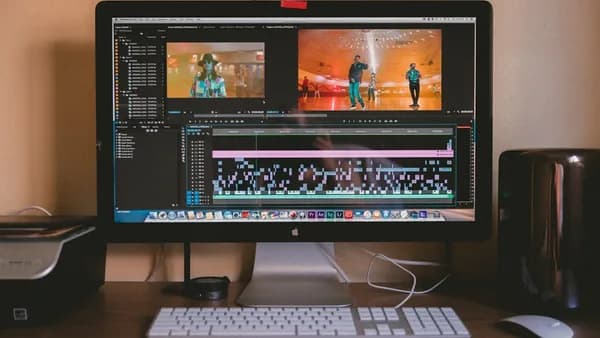
In the rapidly evolving digital landscape of 2026, creators face a critical decision: should they invest in dedicated video editing software or opt for expansive content creation suites? Both options promise to streamline production, but their strengths, pricing, workflows, and integration options differ in ways that can make—or break—a creator’s process. This analysis unpacks the real-world capabilities and limitations of each approach, using only rigorously sourced data, so you can make the smartest investment for your professional creative needs.
Defining Video Editing Software and Content Creation Suites
At its core, the debate around video editing software vs content creation suites hinges on specialization versus versatility. Understanding what each category provides is essential before diving into comparisons.
Video editing software refers to applications focused primarily on manipulating, arranging, and exporting video content. These range from feature-rich desktop programs like Final Cut Pro and Adobe Premiere to increasingly capable browser-based solutions such as CapCut and Descript (Guideflow, Macworld).
Content creation suites, meanwhile, are bundled collections of creative tools—spanning video, audio, graphics, design, and even planning or SEO research. Leading examples include Adobe Creative Cloud and Apple Creator Studio, as well as platforms that pair video editors with tools for writing, design, and interactive content (Guideflow).
The choice is not just about features, but about aligning software with your workflow, content goals, and team needs.
Core Features of Video Editing Software
Standalone video editing tools are designed to handle all aspects of video post-production, with an emphasis on power, precision, and control. Here’s what the leading options offer, according to the latest comparative guides:
Advanced Editing Capabilities
- Timeline Editing: Layered, non-linear timelines for complex sequences.
- Color Grading & Effects: Tools like DaVinci Resolve specialize in advanced color grading and cinematic effects (Guideflow).
- High-Resolution Support: Handling of 4K and even 8K footage, with features for precise frame adjustment (Online Tool Guides).
- Audio Sync and Mixing: Integrated audio editing or direct export to professional audio tools.
Platform Examples and Key Features
| Software | Notable Features | Pricing | G2 Rating |
|---|---|---|---|
| CapCut | Short-form, social video editing | Free + $8/mo | 4.5 |
| DaVinci Resolve | Advanced color grading, pro effects | Free + $295 (lifetime) | 4.8 |
| Descript | Edit video by editing transcript | Free + $15/mo | 4.6 |
| Final Cut Pro | Intuitive UI, magnetic timeline, fast rendering (Mac only) | $299 (standalone), included in Creator Studio | N/A |
| Adobe Premiere | Advanced workflow, generative AI, team collaboration | Included in Creative Cloud | N/A |
Standalone vs Web-Based
- Desktop-installed editors (like DaVinci Resolve, Final Cut Pro, Premiere) leverage your computer’s hardware for maximum performance, especially with large projects.
- Browser-based editors (like CapCut, Descript) offer accessibility across devices but may have feature or performance limitations for professional, high-res work (Online Tool Guides).
Core Features of Content Creation Suites
Content creation suites combine multiple creative disciplines within a single subscription or ecosystem, delivering more than just video capabilities.
What’s Included?
| Suite | Apps/Features Included | Pricing (Standard) |
|---|---|---|
| Adobe Creative Cloud | Photoshop, Illustrator, Premiere, InDesign, Acrobat, Audition, AI features, cloud storage, cross-device compatibility | $54.99/mo (basic) $69.99/mo (all apps) |
| Apple Creator Studio | Final Cut Pro, Logic Pro, Pixelmator Pro, Motion, Compressor, MainStage, Content Hub, iCloud Family Sharing | $12.99/mo $129/yr |
| Canva | Graphic design, social graphics, presentations, templates | Free + $15/mo |
| Guideflow | Interactive product demos (clickable walkthroughs, no-code) | Free + $40/mo |
| Figma | Design collaboration, prototyping, systems | Free + $15/mo |
| Grammarly, Jasper | AI writing, grammar, content generation | Free + $12–49/mo |
Key Advantages
- Unified Workflow: Switch between video, audio, graphics, and text without leaving the suite.
- Cross-Discipline Collaboration: Cloud syncing and integrated file formats ease teamwork (Macworld).
- AI Assistance: Many suites now include AI for auto-generation, smart templates, and workflow suggestions (especially Adobe and Apple).
- Content Planning & Distribution: Tools like Notion, Trello, Buffer, and Hootsuite are often included or easily integrated (Guideflow).
Performance and Workflow Efficiency Comparison
The real test of video editing software vs content creation suites is how they impact speed, collaboration, and output quality.
Processing Power and Speed
"Installed programs maintain superiority for processor-intensive tasks... Browser-based platforms enable instant access across devices, but advanced features and raw power still favor desktop software."
— Online Tool Guides
- Final Cut Pro (Mac): Takes full advantage of macOS and Apple silicon, rendering 4K video with minimal slowdowns (Macworld).
- Adobe Premiere: Offers advanced color grading and AI effects, but may run slower than Final Cut on Mac hardware.
- DaVinci Resolve: Recognized for handling high-res, multi-layer timelines efficiently, especially on powerful desktops (Guideflow).
- Browser editors (CapCut, Descript): Now support 4K exports and basic motion graphics. Ideal for rapid social content, but upload/download speeds can bottleneck large projects (Online Tool Guides).
Workflow and Collaboration
- Adobe Creative Cloud: Best-in-class for group work, with cloud storage and simultaneous editing across apps (Macworld).
- Apple Creator Studio: Allows sharing with up to five people via iCloud Family Sharing, but some features are Mac-only.
- Web Suites: Enable true device-agnostic access and are preferable for teams needing to switch locations/devices frequently (Online Tool Guides).
Table: Performance & Workflow
| Platform Type | Strengths | Drawbacks |
|---|---|---|
| Desktop Software | Hardware power, best for complex/long projects | Single device, steeper learning curve |
| Web/Cloud Suites | Accessibility, easy sharing, rapid deployment | Internet-dependent, may lack pro features |
| Content Creation Suites | Unified assets/workflow, cross-discipline tools | May include unused features, higher cost |
Pricing and Subscription Models
How much should you budget for professional creative software? Here are the actual 2026 numbers:
Video Editing Software
- CapCut: Free tier, $8/month for premium (Guideflow)
- DaVinci Resolve: Free version, $295 for Studio (perpetual license)
- Descript: Free tier, $15/month for premium
- Final Cut Pro: $299 standalone, or part of Apple Creator Studio ($12.99/month or $129/year)
Content Creation Suites
| Suite | Monthly Price (Standard) | Annual Price | Notes |
|---|---|---|---|
| Adobe Creative Cloud | $54.99 (basic) $69.99 (all apps) |
$599.88 $779.88 |
Apps not sold individually; 1 user only |
| Apple Creator Studio | $12.99 | $129 | Share with up to 5 via iCloud |
| Canva | $15 | N/A | Design only |
| Guideflow | $40 | N/A | Interactive demos |
"Apple Creator Studio costs $12.99/month versus Adobe’s $54.99/month basic plan, making it significantly more affordable for independent creators and beginners."
— Macworld
- Adobe also offers a $19.99/month plan for photographers (Photoshop + Lightroom).
- Apple gives special education pricing: $2.99/month or $29.99/year for students/teachers.
Licensing
- Perpetual licenses (buy once, such as DaVinci Resolve) mean no ongoing fees, but no access to the latest features unless you upgrade.
- Subscription models (Adobe, Apple, Guideflow, most web tools) provide regular updates and cloud features, but can be more expensive long-term.
Integration with Other Creative Tools
The power of a suite is often its ability to connect all parts of the creative process.
Content Creation Suites
- Adobe Creative Cloud: Seamless file sharing and asset re-use among Photoshop, Premiere, After Effects, Illustrator, InDesign, and Audition.
- Supported on Mac, Windows, and some mobile devices.
- Cloud-based collaboration is a standout (Macworld).
- Apple Creator Studio: Integrates video (Final Cut Pro), audio (Logic Pro), and design (Pixelmator Pro, Motion) with a shared content hub and templates.
- Some features exclusive to macOS.
- iCloud Family Sharing supports up to six users.
Standalone Video Editors
- DaVinci Resolve: Can export to other platforms but is more siloed unless paired with companion Blackmagic tools.
- CapCut, Descript: Support direct export to social media, but limited in cross-discipline asset re-use (Guideflow).
Third-Party Tool Support
- Leading suites offer plugin architecture (especially Adobe), connecting to popular planning (Notion, Trello), social management (Buffer, Hootsuite), and AI writing (Jasper, Grammarly) tools (Guideflow).
Suitability for Different Types of Creators
Which approach works best for your unique workflow and ambitions?
Independent Creators & Social Media
- CapCut, Canva, Descript: Fast, accessible, inexpensive. Ideal for social media managers, YouTubers, and solo creators focused on short-form content.
- Apple Creator Studio: Affordable all-in-one for Mac users, with pro apps and templates.
Agencies & Professional Studios
- Adobe Creative Cloud: Remains the industry standard for agencies and teams, thanks to advanced features, cross-platform compatibility, and robust team collaboration (Macworld).
- DaVinci Resolve: Top choice for filmmakers and colorists needing maximum control and perpetual licensing.
Educators & Students
- Apple Creator Studio: Offers deep educational discounts and family/group sharing.
- Adobe Creative Cloud: Also provides student pricing, but at a higher monthly baseline.
Niche Creators (Podcasters, Product Demos, Interactive)
- Descript: For video/podcast creators who prefer editing by transcript.
- Guideflow: For product marketers and SaaS, creating clickable interactive walkthroughs.
Pros and Cons of Each Approach
Video Editing Software
Pros:
- Powerful performance: Handles large, complex projects with greater speed.
- Deep control: Advanced color, effects, and audio tools.
- One-time purchase: Options like DaVinci Resolve have perpetual licenses.
Cons:
- Isolated workflow: Limited to video; cross-media projects require other tools.
- Collaboration hurdles: Collaboration may require manual asset sharing unless integrated into a suite.
- Learning curve: Pro software can be daunting for beginners.
Content Creation Suites
Pros:
- Unified ecosystem: Seamless movement between video, audio, design, and planning.
- Team collaboration: Built-in cloud sharing and real-time editing (especially Adobe).
- AI and automation: Access to the latest generative AI and workflow tools.
Cons:
- Cost: Ongoing subscriptions can add up, especially for full suites like Adobe.
- Feature overload: May pay for apps you don’t use.
- Device dependence: Some suites (Apple) are Mac-only for full functionality.
Case Studies: Creator Experiences
1. YouTube Creator
A solo YouTuber uses CapCut for editing shorts and Canva for thumbnails. The workflow is ultra-fast and cost-effective (CapCut: free + $8/mo, Canva: free + $15/mo), but for longer documentaries, they switch to DaVinci Resolve to handle 4K multi-layer editing (Guideflow, Online Tool Guides).
2. Agency Team
A creative agency relies on Adobe Creative Cloud ($54.99/mo per user). Designers use Photoshop/Illustrator, editors work in Premiere/After Effects, and project managers use integrated cloud sharing. The cost is high, but the workflow is unified and supports simultaneous collaboration (Macworld).
3. EdTech Startup
A SaaS startup uses Guideflow ($40/mo) to create interactive product demos, Notion for planning, and Descript for text-based video editing. The stack is lean and tailored to their content type, with the flexibility to add or swap tools as needs evolve (Guideflow).
Conclusion: Making the Best Choice for Your Creative Needs
When weighing video editing software vs content creation suites in 2026, your decision should be guided by your workflow’s complexity, team size, preferred platforms, and long-term budget.
- Choose standalone video editing software if you need maximum power, prefer perpetual licensing, or focus primarily on high-end video projects (e.g., DaVinci Resolve, Final Cut Pro).
- Opt for a content creation suite if you value a unified ecosystem for video, audio, design, and planning, need team collaboration, or want regular access to the latest AI and automation features (e.g., Adobe Creative Cloud, Apple Creator Studio).
"Project complexity determines the ideal platform choice... The right combination of tools will enhance not only your projects but also your overall workflow."
— Online Tool Guides
Ultimately, many creators combine both approaches—using a core suite for most tasks and specialized tools for advanced video or design work. The best solution is the one that fits your project needs, creative style, and budget—so take advantage of free trials and flexible subscriptions to build your ideal stack.
FAQ
Q1: What’s the main difference between video editing software and content creation suites in 2026?
A: Video editing software specializes in video post-production with advanced features for editing, color grading, and effects. Content creation suites bundle video editors with tools for audio, graphics, writing, planning, and collaboration, supporting an all-in-one workflow (Guideflow, Macworld).
Q2: Which is more affordable: Apple Creator Studio or Adobe Creative Cloud?
A: Apple Creator Studio is significantly more affordable at $12.99/month (supports up to six users), compared to Adobe Creative Cloud’s basic plan at $54.99/month per user (Macworld).
Q3: Can browser-based video editors match desktop software for professional work?
A: Browser-based editors now handle 4K exports and basic effects, making them suitable for social content, but desktop software still leads for complex, high-res projects due to superior processing power (Online Tool Guides).
Q4: Do content creation suites support real-time collaboration?
A: Suites like Adobe Creative Cloud are optimized for team collaboration with cloud storage and real-time editing. Apple Creator Studio supports sharing via iCloud, mainly for family or small teams (Macworld).
Q5: Is there a one-time-purchase option for professional video editing?
A: Yes, DaVinci Resolve Studio offers a perpetual license for $295, while most other pro options (especially suites) follow a subscription model (Guideflow).
Q6: What’s the best choice for social media content creators?
A: For social video, CapCut (free + $8/mo) and Canva (free + $15/mo) are affordable, fast, and easy to use. Suites like Apple Creator Studio also offer robust tools for a low monthly fee (Guideflow).
Bottom Line
The video editing software vs content creation suites debate in 2026 is not about one being universally “better”—it’s about fit. Standalone editors deliver unmatched control for demanding video work, while content suites maximize efficiency and creative scope across media types. Evaluate your needs, try the leading platforms, and build a toolkit that grows with your creative ambitions.