In 2026, content creators face a pivotal choice: cloud vs desktop video editing. As the video production landscape evolves, understanding the strengths and trade-offs of each platform has never been more crucial. Whether you’re a solo YouTuber, a marketing team, or a professional editor, the decision directly impacts your creative speed, collaboration, costs, and workflow flexibility. Below, we’ll provide a research-backed comparison—grounded in real experiences and current data—to help you make the right decision for your projects.
Why the Choice Between Cloud and Desktop Matters for Creators
The explosion of video content means creators now have more editing options than ever. The decision between cloud-based and desktop video editing software affects:
- Workflow speed: How quickly can you turn an idea into a finished video?
- Collaboration: Can your team work together in real-time, or are you emailing project files back and forth?
- Performance and scalability: Can your hardware handle 4K+ timelines, or are you bottlenecked by specs?
- Cost and flexibility: Are you locked into expensive hardware upgrades, or can you scale resources as needed?
“The relevant question has shifted from ‘Can this software edit video?’ to ‘How efficiently can this software transport a concept from my mind to the internet?’”
— FlowVideo AI
Let’s break down what cloud and desktop video editing platforms offer, who they suit best, and how their capabilities compare.
Overview of Cloud-Based Video Editing Software
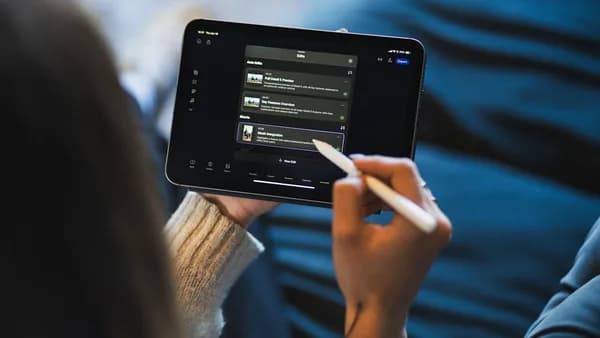
Cloud video editors—sometimes called online or browser-based editors—allow users to edit video through a web interface, leveraging remote servers for processing. Notable platforms in 2026 include FlowVideo AI, Descript, Runway, and Lucid (as discussed by professionals on Reddit).
Key Characteristics
- Low system requirements: Most cloud editors run smoothly even on basic laptops or tablets, since heavy processing is offloaded to the cloud (Flixier; FlowVideo).
- No installation required: Start editing immediately from your browser; no lengthy downloads or updates.
- Cloud storage and backup: Projects are auto-saved and accessible from anywhere, reducing risk of data loss (Flixier).
- Real-time collaboration: Multiple users can review, comment, and edit simultaneously (FlowVideo AI; Reddit).
- AI-powered tools: Rapid integration of cutting-edge features like “Magic Cut” and text-based editing (FlowVideo AI).
“This enables 4K editing on a $300 Chromebook. Real-time collaboration—project links, timestamp-linked comments—displaces ‘Final_Final_v3.mp4’ email attachments.”
— FlowVideo AI
Limitations
- Internet dependency: A stable, fast connection is essential. Slow or unreliable internet can hamper usability (Flixier).
- Project size constraints: Many online editors are less suitable for very long or extremely high-quality videos (Flixier).
- Cloud storage concerns: Some creators may prefer local storage for privacy or regulatory reasons (Flixier; Reddit).
Overview of Desktop Video Editing Software
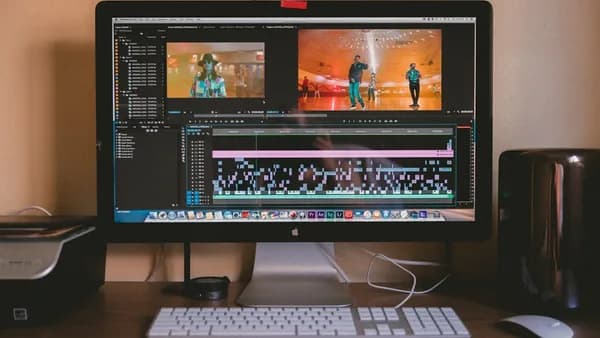
Desktop video editors are installed applications that run directly on your computer, utilizing local resources (CPU, GPU, RAM). Industry standards in 2026 include Adobe Premiere Pro, DaVinci Resolve, and Final Cut Pro X (FlowVideo AI; Reddit).
Key Characteristics
- Maximum control and flexibility: Advanced editing tools, effects, and format support for professional workflows.
- No internet required: Work anywhere, anytime—ideal for travel or locations with limited connectivity (Flixier).
- Suited for large, complex projects: Handle lengthy timelines and intricate effects without cloud-imposed limits.
- Integration with other tools: Desktop suites often integrate tightly with color grading, audio, and motion graphics tools (FlowVideo AI).
Limitations
- High system requirements: Demands powerful hardware—$2,000+ investments are common for pro workstations (FlowVideo AI; Medium).
- Steeper learning curve: Rich feature sets can be overwhelming for new users (Flixier).
- Limited collaboration: Traditional desktop editors are built for solo workflows; real-time collaboration often requires third-party add-ons (FlowVideo AI).
Feature Comparison: Editing Tools, Effects, and Formats Supported
How do cloud and desktop video editors stack up on features? Here’s a breakdown based on the latest data:
| Feature | Cloud Editors (e.g., FlowVideo, Lucid) | Desktop Editors (e.g., Premiere Pro, DaVinci Resolve) |
|---|---|---|
| Editing Tools | Core features: trim, split, transitions, text overlays; rapid AI-powered tools (FlowVideo) | Full suite: advanced compositing, keyframing, pixel-level editing (FlowVideo) |
| Effects & Filters | Built-in templates, AI effects, motion titles, transitions; updates released rapidly (FlowVideo, Flixier) | Vast effect libraries, third-party plugins, granular controls (FlowVideo) |
| Formats Supported | Most common formats, but not all pro codecs; limitations on very large or high-quality files (Flixier) | Supports virtually all formats, including high-end production codecs (Flixier) |
| Stock Assets | Integrated free libraries (FlowVideo); limited premium assets | Adobe Stock integration ($), user-imported assets |
“The greatest benefit to a desktop video editor is the variety of format saving and editing options... There are no imposed boundaries outside of what your computer can successfully render.”
— Flixier
Cloud editors are rapidly closing the gap in terms of feature parity for most short-form and mid-tier projects. However, desktop editors still reign supreme for pixel-perfect control and support for broadcast/cinema formats.
Performance and Hardware Requirements
Cloud-Based Editing
- Low local requirements: Can run on entry-level laptops, Chromebooks, or tablets, as heavy computation is done server-side (Flixier; FlowVideo).
- Bandwidth needs: Proxy editing and streaming media require a decent internet connection. For example, Lucid works smoothly for 1080p proxies on a ~30 Mbps connection, and can handle most formats with a 1 Gbps line (Reddit).
- No need for expensive upgrades: Avoid $2,000+ hardware investments by leveraging cloud infrastructure (Medium; FlowVideo).
“Cloud video editors are mostly free to access and use at your leisure, with some offering packages focusing on meeting your creative or business-oriented needs at very affordable prices.”
— Flixier
Desktop Editing
- High hardware demands: Professional work often requires high-end CPUs, GPUs, and plenty of RAM. Upgrades can cost $1,500–$2,000 (Medium).
- Performance bottlenecks: Large projects can overwhelm consumer hardware, leading to lag, crashes, or the need to reboot (Medium).
- Offline rendering: No bandwidth limitations, but performance directly tied to your hardware specs.
Collaboration and Sharing Capabilities
| Collaboration Feature | Cloud-Based Editors | Desktop Editors |
|---|---|---|
| Real-Time Editing | Native multiplayer, live comments (FlowVideo, Lucid) | Rare; requires third-party tools like Frame.io or remote desktop (FlowVideo; Reddit) |
| Project Sharing | Share links, instant cloud access (Flixier; FlowVideo) | Manual file transfers; version confusion common (FlowVideo) |
| Multi-User Workflows | Designed for teams; edits sync instantly (Reddit, FlowVideo) | Sequential editing; one user at a time (FlowVideo) |
“Cloud architecture enables a 'Scrum' model where multiple stakeholders work simultaneously. For distributed teams, this can reduce 'Time to Ship' by 40-50%.”
— FlowVideo AI
Cloud editors are the clear winner for team-based or distributed workflows. Desktop solutions are best for solo editors or those comfortable managing file versions manually.
Pricing Models and Subscription Plans
Cloud-Based Editors
- Freemium models: Many cloud editors offer free basic tiers, with paid options for advanced features, storage, or team collaboration (Flixier; FlowVideo).
- Subscription pricing: Full-service cloud editing (including compute/storage) can cost $700–$1,000/month per editor for enterprise-grade solutions like BeBop; Avid Edit on Demand is roughly double that (Reddit). Costs decrease for larger teams.
- Cloud credits: New users may receive free credits (e.g., $300 on Google Cloud Platform) to trial services (Medium).
Desktop Editors
- One-time purchase or recurring subscription: Adobe Premiere Pro: $22.99/month; DaVinci Resolve: free version or $295 for Studio (FlowVideo).
- Hardware costs: Expect $1,500–$2,000 for a capable editing PC or Mac (Medium; FlowVideo).
- Education discounts: Adobe offers about $20/month for the full Creative Cloud suite with an academic email (Medium).
| Platform | Software Cost | Hardware Cost | Team Scaling | Free Tier? |
|---|---|---|---|---|
| Cloud (FlowVideo, Lucid, etc.) | Freemium to $1,000/mo/editor (enterprise) | Minimal | Easy, scalable | Yes, basic features |
| Desktop (Premiere, Resolve, etc.) | $22.99/mo (Premiere), $295 (Resolve Studio); free versions available | $1,500–$2,000+ | Hardware dependent | Yes (Resolve Free) |
“Cloud editing is best served for teams of editors in a larger corporate, sports, or news environment. The cost per editor comes down when the base infrastructure cost is spread out amongst many editors. It's not really cost-effective for single editors.”
Security and Data Privacy Considerations
Cloud Editors:
- Data stored off-site: All your media and edits reside on third-party servers, which may be a concern for creators in regulated industries (Reddit).
- Centralized access control: Easier to provision users and manage permissions; rapid scaling up or down (Reddit).
- Reliability: As noted by Lucid users, cloud editors are “bulletproof, till the internet goes down” (Reddit).
Desktop Editors:
- Local data storage: Full control and privacy; ideal for those with strict data governance requirements (Reddit; Flixier).
- Lower risk of external breaches: Unless you share files online, your data is only as exposed as your local device.
“All the parts and pieces that make up security (real security), infrastructure and user provisioning, scaling up and down, file transfers, asset management, failovers, etc. It would be very expensive for a company to build this out - and hire people to maintain it.”
Best Use Cases: Which Creators Benefit Most from Each Type
Cloud-Based Video Editing: Best For
- Distributed Teams: Real-time collaboration for marketing, social media, and corporate teams (FlowVideo; Reddit).
- Creators on Entry-Level Hardware: Leverage cloud power without expensive upgrades (Flixier; FlowVideo).
- Short-Form Content: Social videos, ads, and quick-turn projects that don’t require massive files or pixel-perfect color (Flixier).
- Rapid Innovation: Early adopters who want AI tools and frequent feature updates (FlowVideo).
- Scaling Workflows: Teams that expand or contract frequently, benefiting from OpEx over CapEx (Reddit).
Desktop Video Editing: Best For
- Professional Editors: Feature films, TV, long-form documentaries, and complex VFX (FlowVideo; Flixier).
- High-End Color and Audio Work: Maximum control and accuracy for colorists and audio engineers (FlowVideo).
- Offline Work: Creators with unreliable internet, or those editing in the field (Flixier).
- Data-Sensitive Projects: Industries where local storage is mandated by policy (Reddit).
- Large or Complex Timelines: Projects that push hardware and software to their limits (Flixier).
Conclusion: Making the Right Choice for Your Video Editing Needs in 2026
The cloud vs desktop video editing debate in 2026 is not about “which is better,” but “which is right for you.” Here’s what the latest research shows:
- Cloud editors offer speed, collaboration, AI innovation, and accessibility—especially for teams and creators who value flexibility and don’t require ultra-high-end features or complete control over storage.
- Desktop editors remain the gold standard for power users, demanding projects, and workflows that require absolute control, offline access, or tight security.
For solo creators or those editing “high-end mix” audio or broadcast-quality color, desktop may still be preferable. For fast-moving teams and social video, cloud platforms are hard to beat.
FAQ: Cloud vs Desktop Video Editing
Q1: Can I edit 4K video in the cloud on a basic laptop?
A: Yes—cloud editors like FlowVideo AI enable 4K editing on entry-level devices, as processing happens on remote servers (FlowVideo).
Q2: Is cloud editing more affordable than desktop editing?
A: For solo editors, desktop may be more cost-effective due to high monthly cloud fees ($700–$1,000/editor for enterprise). For teams, cloud costs drop as infrastructure is shared (Reddit; Medium).
Q3: What happens if my internet goes down during cloud editing?
A: Work is interrupted; access to files and editing tools depends on a live connection (Flixier; Reddit).
Q4: Are cloud editors suitable for long or high-quality videos?
A: Not typically—most online editors have limitations on max file length and quality. Desktop editors are better for large, complex projects (Flixier).
Q5: Which editors support real-time team collaboration?
A: Cloud platforms like FlowVideo and Lucid offer native multiplayer editing and live comments. Desktop editors require third-party solutions for collaboration (FlowVideo; Reddit).
Q6: Do I need a powerful PC to use desktop editors like Premiere Pro?
A: Yes—professional desktop editors require high-end CPU, GPU, and RAM. Many users spend $1,500–$2,000+ on hardware (Medium; FlowVideo).
Bottom Line
In 2026, your choice between cloud and desktop video editing hinges on your project needs, budget, collaboration style, and IT comfort. Cloud editors are democratizing access and enabling teams to move faster, while desktop NLEs continue to offer unparalleled power and flexibility for intensive projects. Evaluate your workflow, try both models, and pick the platform that best empowers your creativity.