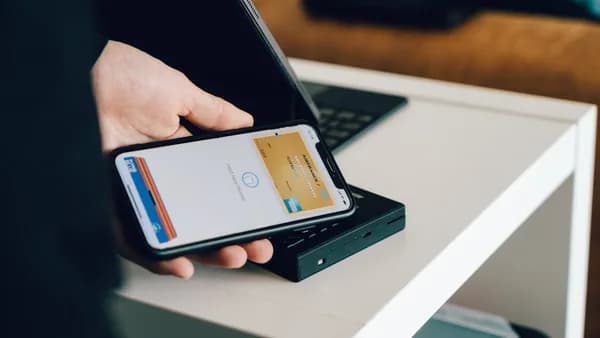
Four Apple device categories can now act as a remote window into a Mac through Mirage, a new indie app built to stream a Mac display to an iPhone, iPad, Apple Vision Pro, or another Mac.
The app, covered by Michael Burkhardt in 9to5Mac’s Indie App Spotlight, is pitched as a low-latency desktop wireless screen-sharing tool for Apple users, according to 9to5Mac . The core idea is simple: keep the Mac where it is, then work from another Apple device.
Mirage launches across 4 Apple device classes with Mac-to-iPad as the headline use
Mirage is designed around Mac streaming first. Users can send a Mac desktop to an iPhone, iPad, Vision Pro, or another Mac, with the app emphasizing low latency and the ability to make Apple devices work together as part of the same desktop setup.
The clearest use case is Mac to iPad. 9to5Mac describes that as likely the most popular mode, especially for users who own a Mac Studio or Mac mini but carry an iPad as their mobile machine, a setup that can be shaped by iPad Air deals. That matters because this kind of tool is most useful when it makes a stationary Mac feel reachable from the device someone already has in hand.
The available source details do not specify every input method, performance ceiling, or display-quality setting. Readers should treat those parts as practical checks to verify in the app itself, especially if they plan to rely on Mirage for daily work rather than occasional screen access.
That is the competitive question for an indie screen-sharing app. It is not just “can I see my Mac?” but “does the experience feel dependable enough on the receiving Apple device?” Latency, text clarity, and basic control all become more important than the novelty of seeing one device inside another.
A 5K iMac can become a secondary display, and Vision Pro gets a Mac window angle
Mirage is not limited to a single obvious workflow. The broader pitch is that another Apple device can become a receiving screen for a Mac, which gives the app appeal beyond users who only want a Mac desktop on an iPad.
That could make another Mac useful as part of a larger desk setup, especially for people who already have Apple hardware available and want to extend how it is used. The supplied source material supports the general Mac-to-Mac angle, but specific claims about particular display resolutions, cable-based improvements, or exact hardware performance should be checked against the app’s current documentation before being treated as guaranteed.
Vision Pro is also part of Mirage’s supported device list. That gives the app a spatial-computing angle, since a Mac display can become part of a Vision Pro workflow rather than being tied only to a physical monitor. The source-backed point is the device support itself; more detailed claims about window-level behavior or advanced Vision Pro workflows should be verified in the current app experience.
| Mirage mode | Source-backed use case | Notable detail |
|---|---|---|
| Mac to iPad | Use a Mac desktop from an iPad | Positioned as a likely headline workflow for Mac Studio or Mac mini owners |
| Mac to Mac | Use another Mac as the receiving device | Useful for people with more than one Apple computer in their setup |
| Vision Pro | Bring a Mac display into a Vision Pro workflow | Supported as one of the receiving Apple device categories |
| Remote access | Check current app details before relying on away-from-home use | Specific VPN or network requirements are not stated in the supplied source material |
For broader Apple software context, newer device workflows can get messy in practice. That is a separate issue, but it underscores the same reality: Apple users increasingly manage work across multiple devices, and the weak point is often the handoff between them.
Mirage availability and paid features should be checked before buying
Mirage is available for Apple users through the app’s distribution channels, but the supplied source material does not support specific claims about operating-system version requirements, free-tier limits, paid-tier feature bundles, or exact pricing.
That means readers should check the App Store listing and the developer’s current materials before making a purchase decision. Subscription pricing, lifetime access options, promotional codes, and feature packaging can change, and those details need direct confirmation from the live listing rather than assumptions from surrounding commentary.
The same caution applies to remote-use claims. Mirage’s basic appeal is clear: a Mac display can be streamed to another Apple device. Whether a particular remote-work setup is supported, and what network configuration it requires, should be verified against the app’s current instructions.
The most practical adoption test is not the feature list. It is whether Mirage feels good under the exact device pair a user plans to run.
Early checks that matter:
- Latency: Whether pointer movement, typing, and window dragging feel immediate enough for real work.
- Image quality: Whether small text stays sharp enough on the receiving device.
- Input support: Whether the controls a user depends on work smoothly in daily use.
- Connection path: Whether the user’s local network or approved remote setup fits the intended workflow.
- Feature tier: Whether the available version includes the capabilities the user actually needs.
The next test for Mirage is scale at the personal-device level: one Mac feeding an iPad is straightforward; one Mac feeding different Apple devices, across different working contexts, is where reliability will decide whether this becomes a daily tool or a clever demo.
Key Takeaways
- Mirage gives Apple users another way to access a stationary Mac from devices they already carry.
- Mac-to-iPad streaming could be especially useful for Mac mini and Mac Studio owners.
- The app’s real value will depend on practical factors like latency, text clarity, and control quality.