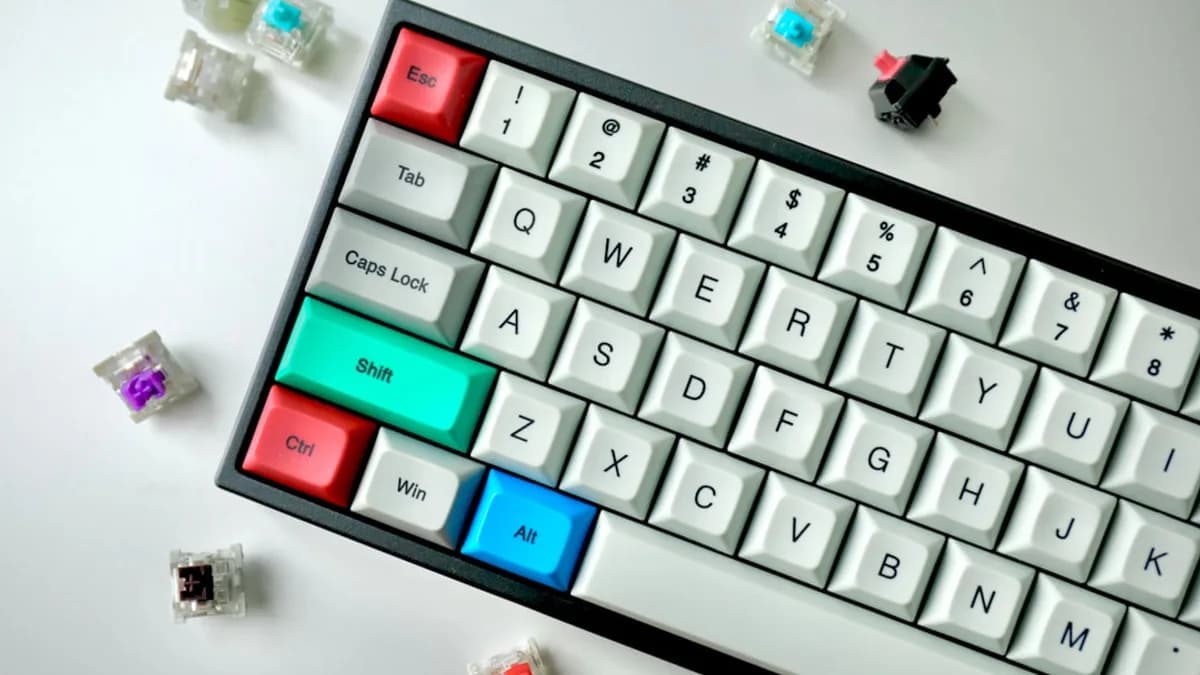
Keychron is trying to end one of the keyboard buyer’s most annoying trade-offs: choose magnetic-switch gaming features or keep the familiar feel of mechanical keys.
The company has listed the V6 Ultra HE, a full-size keyboard built around a hybrid switch design called Nova Socket, ahead of a July 22 Kickstarter campaign, according to Notebookcheck. The headline feature is not just hot-swapping. It is the ability to run TMR magnetic switches and conventional mechanical switches on the same PCB at the same time.
That matters most to people who use one desk for gaming, work, macros, and number-heavy tasks. Instead of buying a fast gaming board that feels less ideal for typing, or a mechanical board that lacks adjustable actuation, the V6 Ultra HE is designed to split duties by key.
Why should keyboard buyers care that the Keychron V6 Ultra HE can mix magnetic and mechanical switches?
Most keyboards make the switch decision board-wide. You pick mechanical switches for feel and sound, or magnetic switches for adjustable actuation and rapid reset behavior. The V6 Ultra HE changes that premise by letting users assign switch technology by function.
A practical layout is easy to imagine. Put TMR magnetic switches under WASD, Shift, Space, and other game-critical keys. Keep standard mechanical switches under the alphas, function row, numpad, and navigation cluster. One board, two kinds of input behavior.
That is the real pitch. Not novelty. Not RGB theater. The V6 Ultra HE targets the compromise between gaming speed and everyday typing comfort.
The full-size angle matters
Keychron is not introducing Nova Socket on a compact gaming-only layout. The V6 Ultra HE is a full-size keyboard, which means the switch-mixing idea applies beyond WASD.
A spreadsheet user may care about the numpad. A creator may care about macros. A gamer may care about movement keys. A writer may care about the feel of the letter keys. The V6 Ultra HE gives each group a different reason to care.
Keychron’s recent K2 Ultra 8K and K8 Ultra 8K announcements focused on wireless mechanical keyboards in its expanding 8K polling rate lineup. The V6 Ultra HE goes in a different direction: hybrid input hardware first, speed second.
For readers tracking how consumer tech keeps pushing customization into specific user workflows, this is a more technical cousin to stories like Golden Gate letting iPhone Mirroring escape its tiny box. The theme is control. Here, it is control at the switch level.
What are mechanical and TMR magnetic switches, and how do they feel different on a keyboard?
A conventional mechanical keyboard switch uses a physical stem, spring, and contact mechanism. Press the key far enough, and the switch actuates. Depending on the switch design, that press can feel linear, tactile, or clicky.
That is why mechanical switches have stayed popular. They give predictable feel, recognizable sound, and a wide range of typing personalities. For many users, that feel is the point.
TMR magnetic switches work differently. TMR stands for tunnel magnetoresistance. Instead of relying on a simple contact point, the keyboard reads changes in a magnetic field to detect the key’s position. That lets the keyboard treat a keypress less like a binary event and more like a measured movement.
On the V6 Ultra HE, Keychron says the magnetic switches enable three capabilities not available on standard mechanical switches:
- Adjustable actuation points: Users can set how far a key must travel before it registers.
- Rapid trigger: A key can reset faster as it is released, instead of waiting for a fixed reset point.
- SOCD behavior configuration: The keyboard can define how it handles simultaneous opposite directional inputs.
SOCD, short for Simultaneous Opposite Cardinal Directions, matters in competitive movement-heavy games because opposing inputs such as left and right can be interpreted in different ways depending on the keyboard’s rules. The source material does not specify the V6 Ultra HE’s exact SOCD modes, only that behavior configuration is supported.
Feel versus control
The trade-off is simple. Mechanical switches are prized for feel and sound. Magnetic switches are prized for control over actuation and reset behavior.
That does not mean one is better. It means they solve different problems. Keychron’s bet is that many users want both, but not necessarily under every key.
How does Keychron’s Nova Socket let one PCB accept both magnetic and mechanical switches?
Nova Socket is the V6 Ultra HE’s core technical idea: a hybrid PCB design that accepts conventional mechanical switches and TMR magnetic switches simultaneously.
The PCB matters because this is not just a question of whether the switch physically fits. A standard mechanical switch and a magnetic switch produce different kinds of signals. The keyboard has to read both correctly, map them to the right key positions, and expose the magnetic-specific features where they apply.
That is why Nova Socket is more interesting than normal hot-swap support. A hot-swap mechanical keyboard lets users change switches within the same switch category. The V6 Ultra HE is designed to mix two different input technologies on one board.
Keychron’s suggested setup is straightforward: place magnetic switches under gaming-critical keys such as the WASD cluster, while keeping standard mechanical switches across the rest of the keyboard for a conventional typing feel.
The V6 Ultra HE ships pre-installed with Keychron Ultra Fast Lime magnetic switches and Apex mechanical switches. Keychron handles adjustments through a QMK-powered open-source web launcher, which also covers keymapping and macros. That means users do not need a dedicated desktop app for the listed configuration controls.
How it compares with Keychron’s other boards
Notebookcheck compares the V6 Ultra HE with the K3 HE, which it reviewed earlier this year at $119.99. The K3 HE uses Keychron’s web utility for Hall-effect customization, but the V6 Ultra HE pushes higher wired polling and hybrid switch support.
| Feature | Keychron V6 Ultra HE | Keychron K3 HE | K2 Ultra 8K / K8 Ultra 8K |
|---|---|---|---|
| Switch approach | Mechanical + TMR magnetic on same PCB | Hall-effect customization via Keychron Launcher | Conventional mechanical switches |
| Wired polling rate | 8,000Hz | 1,000Hz wired ceiling | Part of Keychron’s 8K polling lineup |
| Wireless | 2.4GHz and Bluetooth 5.3 | Bluetooth 5.2 noted in comparison | Wireless mechanical focus |
| Mounting style | Gasket-mounted | Tray-mount with aluminum plate | Not specified in supplied material |
| Battery design | Detachable, user-replaceable module | Not specified in supplied material | Not specified in supplied material |
The V6 Ultra HE also uses double-shot PBT keycaps in Keychron’s OSA profile, plus a gasket-mounted structure with multiple sound-dampening layers. Notebookcheck notes that this is likely to feel softer and more cushioned than the K3 HE’s stiffer tray-mount design.
Pricing remains unresolved. Keychron is accepting $5 deposits, which secure an early-bird price shown as "$1?9" when the Kickstarter opens on July 22. The retail price has not been confirmed.
How could a gamer, typist, or spreadsheet user assign different switch types on the V6 Ultra HE?
The best way to understand the V6 Ultra HE is to stop thinking in terms of one switch choice and start thinking in zones.
A gamer could place TMR magnetic switches on WASD, Space, Shift, Ctrl, and other movement-heavy keys. Those keys benefit most from adjustable actuation and rapid trigger behavior. Faster reset can matter when repeated taps and directional changes dominate.
The same user could keep tactile mechanical switches across the letter keys, punctuation, navigation keys, and numpad. That preserves a more familiar typing experience for emails, documents, code, or data entry.
That split reduces compromise. Gaming keys can prioritize speed and reset behavior. Work keys can prioritize accuracy, comfort, and sound.
A concrete mixed-layout example
Consider a full-size V6 Ultra HE used for games at night and spreadsheets during the day:
- WASD cluster: TMR magnetic switches for adjustable movement input.
- Spacebar and Shift: TMR magnetic switches for fast jumps, sprints, or crouch actions.
- Alphanumeric keys: Mechanical switches for consistent typing feel.
- Numpad: Mechanical switches for data entry where accidental presses are costly.
- Macro keys: Either switch type, depending on whether the user wants speed or deliberate feedback.
This is where the V6 Ultra HE becomes more than a gaming board. A creator could place magnetic switches under macro-heavy shortcuts in editing apps, while keeping mechanical switches elsewhere. A finance or operations user could keep the numpad mechanical to reduce mistakes and reserve magnetic behavior for hotkeys.
The source material does not list every supported layout or every compatible switch model. That is one of the key questions for the Kickstarter launch.
The real feature is purpose-based switching
Hot-swapping usually answers one question: “Which switch do I want this keyboard to use?”
Nova Socket asks a better one: “Which switch do I want this key to use?”
That is a meaningful shift. It lets the board reflect how people actually use keyboards: not as one uniform surface, but as clusters of keys with different jobs.
For a very different kind of hardware customization, MLXIO recently covered how a Pokémon G-Shock leak puts Pikachu on a full-size GA-110. Keychron’s customization is less visual and more functional. The V6 Ultra HE changes how the device behaves under the fingers.
What trade-offs should buyers consider before backing the Keychron V6 Ultra HE Kickstarter?
The V6 Ultra HE sounds flexible, but buyers should treat the Kickstarter timing seriously. Keychron has listed the board and opened $5 deposits, but the campaign is scheduled for July 22, and the company has not confirmed the final retail price.
Backing a campaign is not the same as buying a finished retail product from a store. Buyers should review final specs, delivery estimates, warranty terms, supported switch lists, and any regional availability details when the campaign opens.
Compatibility is the first question
Nova Socket is only as useful as its supported switch pool. Buyers should confirm:
- Mechanical support: Which conventional mechanical switches work reliably?
- TMR support: Which magnetic switches are supported beyond Keychron’s Ultra Fast Lime switches?
- Mixed layouts: Whether all firmware features work cleanly when magnetic and mechanical switches are combined.
- Configuration limits: Whether SOCD, rapid trigger, and actuation settings apply per key, per group, or by switch type.
The supplied material confirms that Keychron’s web launcher handles magnetic switch adjustments, keymapping, and macros. It does not spell out every firmware boundary.
More control can mean more setup
The V6 Ultra HE is probably not for the buyer who just wants a basic full-size keyboard and never wants to open a configuration page.
More control usually means more decisions. Actuation points, rapid trigger settings, SOCD behavior, macros, keymaps, and mixed switch placement all add setup time. Enthusiasts may enjoy that. Casual buyers may not.
The user-replaceable battery module is a more straightforward practical win. Keychron says the detachable battery aligns with upcoming European Union rules requiring user-serviceable batteries in consumer electronics. For a wireless keyboard with 2.4GHz and Bluetooth 5.3, easier battery replacement could matter over the life of the board.
For keyboard makers, Nova Socket turns switch choice into a per-key feature
The V6 Ultra HE sends a clear signal to other keyboard makers: hybrid switch support can become a product feature in its own right, not just a spec-sheet curiosity.
MLXIO analysis: if Keychron ships Nova Socket smoothly, the pressure will not come from raw polling rate alone. The V6 Ultra HE already offers 8,000Hz over wired USB, but other Keychron boards also sit in the company’s 8K push. The more distinctive claim is per-key switch technology.
That gives buyers a sharper checklist. Do they want the fastest possible gaming setup under every key, or do they want a mixed board that treats gaming, typing, macros, and numpad work differently?
The practical move is to wait for the July 22 Kickstarter page and read the final switch compatibility, firmware limits, delivery terms, and pricing. If those details hold up, the V6 Ultra HE could be one of Keychron’s more useful experiments: not because it makes every key magnetic, but because it stops pretending every key has the same job.
Key Takeaways
- The V6 Ultra HE could reduce the need to choose between gaming performance and typing comfort.
- Its full-size layout makes hybrid switch use relevant for work, macros, spreadsheets, and gaming.
- The July 22 Kickstarter will show whether buyers want mixed switch technology in one keyboard.