Epson has pushed its premium A3 flatbed scanner lineup deeper into networked office workflows with three new U.S. models that all put a 4.3-inch LCD touchscreen on the device itself. The launch targets document-heavy buyers in finance, government, healthcare, enterprise and similar environments where oversized paper, bound materials and shared scanning stations still matter, according to Notebookcheck.
The new scanners are the DS-51000WN, DS-61000WN and DS-71000WN. Epson has priced them at $1,899, $3,699 and $4,999, respectively, and says all three are available through Epson.com and authorized CapturePro resellers, according to Epson’s launch announcement.
Epson gives office buyers three A3 scanners, not one all-purpose box
Epson is not pitching these as desk-side convenience scanners. The DS-51000WN, DS-61000WN and DS-71000WN sit in the company’s A3 flatbed category, with an 11" x 17" flatbed for oversized documents, bound materials, photos and mixed media.
Who is the launch really for? Buyers replacing older shared scanners, digitizing paper archives or standardizing document capture across departments now have three price and performance tiers instead of a single spec sheet.
“At Epson, we're continuing to raise the standard for business document capture,” said Haol Yao, product manager, Epson America. “Our modernized A3 flatbed portfolio brings our latest scanning innovations to users with A3 document capture requirements, delivering a versatile lineup that supports diverse business applications.”
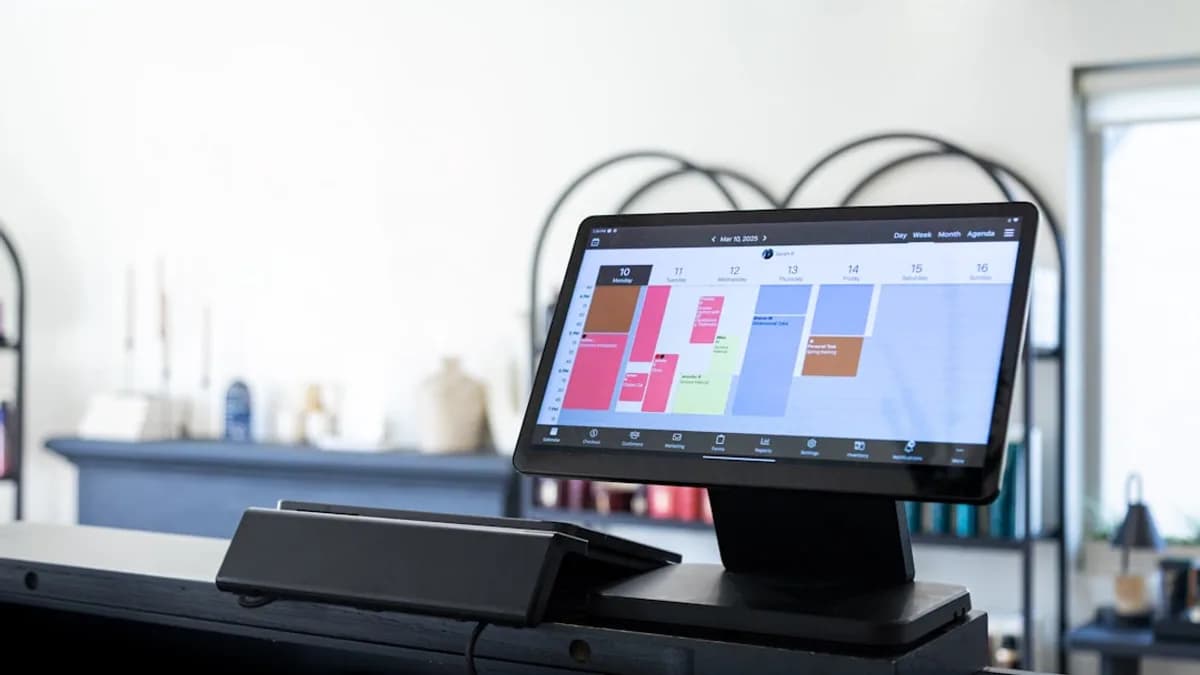
The shared headline is the on-device 4.3-inch color touchscreen, which gives users direct access to scanning functions without treating the scanner as a passive peripheral. All three models also include ScanWay PC-free scanning, built-in wireless, Ethernet and USB connectivity.
Here is the model split Epson disclosed:
| Model | MSRP | ADF | Duplex speed | Peak daily duty cycle | EdgeLink support |
|---|---|---|---|---|---|
| DS-51000WN | $1,899 | N/A | Not disclosed in supplied launch details | N/A | N/A |
| DS-61000WN | $3,699 | 150 pages | Up to 50 ppm / 100 ipm | Up to 8,000 sheets | N/A |
| DS-71000WN | $4,999 | 150 pages | Up to 70 ppm / 140 ipm | Up to 11,200 sheets | Yes |
The speed figures are based on letter-sized scans at 300 dpi in Black-and-White, Grayscale or Color Mode using the USB interface, according to Epson’s notes.
IT teams get network scanning without making every job PC-dependent
The practical change is not just the touchscreen. It is the combination of screen, network support and PC-free destinations.
All three scanners include dual-band Wi-Fi 2.4/5 GHz, 1000/100/10 Ethernet and USB 3.2 Gen 1. For shared offices, that mix matters because the scanner can sit on a network instead of being tied to one workstation.
Can a scanner become easier to share without adding more workflow friction? Epson’s answer is ScanWay, which lets users scan directly to a USB flash drive, email, network folders or online storage accounts, depending on connection and setup requirements.
The devices also support TWAIN and ISIS drivers, which keeps them usable with existing document management systems across Windows and Mac environments. Epson says its Document Capture software can create job profiles, scanning tasks, searchable PDFs and editable Microsoft Office files, with some platform-specific limits.
For hardware makers, the signal is clear: the scanner is being treated less like a dumb input device and more like a network endpoint. That mirrors a broader device pattern MLXIO has covered in consumer hardware, from compact reading devices like A 4-Inch E-Reader? Boox Picco Bets on Pocket Focus to display upgrades such as Samsung's 1,600-Nit Tandem OLED Makes LCD Laptops Sweat, where the interface and use case increasingly matter as much as the raw spec.
Archivists and records teams get book and photo modes on every model
Epson is also pushing smart capture modes across the whole lineup. The company says all three scanners support Book Mode and Photo Mode, extending the use case beyond everyday paperwork.
Why does book scanning deserve its own mode? Bound material often forces repeated lid handling, manual positioning and stop-start scanning. Epson says Book Mode automatically captures pages as they are placed on the flatbed, reducing the repeated button presses that slow down digitization work.
That makes the lineup relevant to libraries, archives, education offices, public agencies and companies converting physical records into searchable files. The A3 flatbed format also gives room for larger forms, ledgers, diagrams and specialty media that do not fit neatly into standard A4 workflows.
Photo Mode adds a different lane. Epson says it supports color restoration and auto exposure, which broadens the scanners into media preservation, creative archives and image-heavy records rather than just invoices, applications and forms.
The important model distinction is workload capacity. The DS-61000WN and DS-71000WN include a 150-page automatic document feeder that accepts document sizes from 4.13 x 5.83 inches to 11.7 x 17 inches and weights from 52 g/m² to 413 g/m². The DS-51000WN does not include the ADF or peak daily duty cycle features in the supplied launch details.
Enterprise buyers will judge the lineup by integration, not touchscreens alone
The high-end DS-71000WN is the only model in the trio with EdgeLink support. Epson describes that as enabling direct scanning through supported third-party platforms, plus centralized management through Epson workflow solutions.
Does that justify the jump to $4,999? For enterprise buyers, the answer will likely hinge on authentication, management and volume rather than the touchscreen itself. Epson says the DS-71000WN is designed for demanding enterprise environments, with up to 70 ppm / 140 ipm duplex scanning and a peak daily duty cycle of up to 11,200 sheets.
The DS-61000WN sits below it with up to 50 ppm / 100 ipm duplex scanning and up to 8,000 sheets per day. That leaves the DS-51000WN as the lower-cost A3 flatbed option for buyers that need large-format capture and network features but not the feeder or published high-volume duty cycle.
Competition in office document capture will not turn on one feature. Buyers will weigh total cost, software fit, authentication needs, supported scan destinations and whether the hardware can survive high-volume routines without becoming a help-desk magnet.
Epson’s refresh points to a more flexible scanner deployment model
Epson’s immediate message is straightforward: premium A3 scanning now needs built-in controls, network access and workflow software, not just a flatbed and a USB cable.
The open question is how quickly organizations standardize around models like these versus extending the life of older scanners already embedded in document workflows. The next practical watch items are regional rollout beyond the U.S., real-world throughput outside Epson’s test conditions, software deployment friction and whether EdgeLink becomes a deciding feature for enterprise scanner refresh cycles.
Key Takeaways
- Epson is targeting document-heavy workplaces that still rely on oversized paper, bound materials and shared scanning stations.
- The built-in 4.3-inch touchscreen and PC-free scanning make these scanners more useful as standalone office workflow devices.
- The three-model lineup gives buyers multiple price tiers for standardizing A3 document capture across departments.