Why is Apple shipping a quiet iOS 26.6 update now, ahead of iOS 27, with security updates and a Spotlight change built for the next phase of Siri AI?
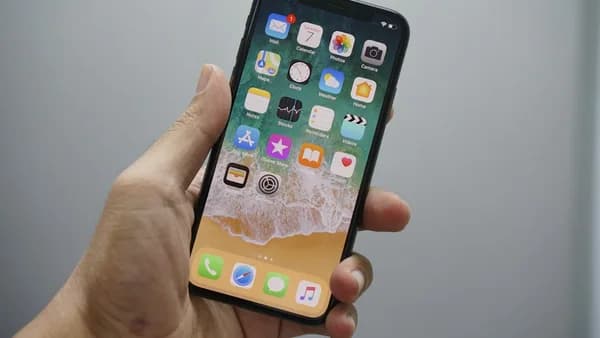
That is the real story. iOS 26.6 is now available for iPhone users, according to 9to5Mac . On the surface, this is a minor update. Underneath, it looks like Apple clearing the runway for its next AI-heavy software cycle.
Why does iOS 26.6 matter if it barely adds visible features?
Because the most important line in the update is not a new app, interface change, or flashy iPhone feature. It is Apple’s own release note:
“This update includes bug fixes, security updates, and optimizes the Spotlight index to prepare for iOS 27.”
That single sentence says plenty. iOS 26.6 is not trying to sell users on novelty. It is tightening the current release, addressing security, and preparing the device’s internal search layer for iOS 27.
The Spotlight reference matters because Apple’s next major iPhone update puts Siri AI at the center. Apple’s iOS 27 preview says Siri AI will understand personal context, find photos, locate emails, pull up notes, take actions in apps like Messages, Music, and Reminders, and support more natural conversations. Apple says iOS 27 is coming this fall, while Siri AI is coming in English later this year, according to Apple’s iOS page.
MLXIO analysis: that makes iOS 26.6 less of a feature release and more of a preparation layer. If Siri AI depends on fast, accurate indexing of local content, then optimizing Spotlight before the major release reduces friction later.
For readers focused mainly on the patching angle, the key point is straightforward: this smaller update deserves more attention than its version number suggests.
What actually changes on the iPhone after installing iOS 26.6?
The confirmed changes are narrow but meaningful.
Apple lists three categories: bug fixes, security updates, and Spotlight index optimization for iOS 27. That makes this a maintenance-focused release rather than a feature-heavy iPhone update.
For users installing today, the practical checklist is simple:
- Security: Install promptly if you prioritize patch coverage.
- Spotlight: Expect behind-the-scenes indexing preparation for iOS 27, not a visible search redesign.
- Apps: Check the apps you rely on most after updating.
- Connectivity: Test Wi-Fi, Bluetooth, CarPlay, and notifications if those are critical to your daily use.
- Battery: Give the device time after installation before judging battery behavior, since background work may continue after an update.
That last point is guidance, not a reported Apple claim specific to iOS 26.6. The source confirms background indexing preparation; it does not provide battery test data for this release.
Why do the numbers make this more than a decimal-point update?
The number that matters most may be the version number itself. iOS 26.6 sounds like a small decimal-point release, but Apple’s note makes clear that it still carries practical weight: bug fixes, security updates, and preparation for iOS 27.
That changes the risk calculation. A user who delays the update is not merely skipping a small maintenance release. They are also waiting on security updates Apple has now shipped publicly.
The timing also matters. iOS 26.6 lands close enough to iOS 27 that it looks less like a standalone feature release and more like a cleanup step before the next major iPhone software cycle.
MLXIO analysis: the version number undersells the strategic role. iOS 26.6 sits between two priorities: strengthen the current iPhone software now, then reduce the indexing burden when iPhone users move to iOS 27 later this year.
The connection to Apple’s pre-iOS 27 cleanup work is also why this release remains useful context for readers tracking how Apple stages major software transitions.
Who should move fast, and who should pause briefly?
Everyday iPhone owners have the clearest answer: update. The security-update component makes the case stronger than any visible feature would.
Developers and IT teams read this differently.
For developers, the main task is not chasing new APIs based on the supplied release notes. It is regression testing. After iOS 26.6 lands, app teams should watch crash reports, login flows, notifications, search-related behavior, and user complaints tied to the update. That is practical guidance based on the nature of point releases, not a reported Apple directive.
For enterprise administrators, the tension is familiar: security teams want the patch installed quickly, while device managers may want a short validation window. The source material does not provide enterprise deployment guidance, so any rollout timing depends on an organization’s own risk rules.
Power users can split the difference. If the iPhone is mission-critical and already stable, waiting a short period to see early reports can be reasonable. But the security component weakens the case for a long delay.
What does iOS 26.6 reveal about Apple’s AI strategy?
Apple is using a quiet update to prepare the device for a louder one.
The link between Spotlight indexing and Siri AI is the central technical signal. Apple says iOS 27’s Siri AI will use personal context to find photos, emails, notes, and other information. That requires the system to understand what is already on the phone. Spotlight is the existing search foundation for that work.
So iOS 26.6 is not just “bug fixes and security updates.” It is also Apple starting the iOS 27 migration before users press the iOS 27 install button.
MLXIO analysis: this is platform control in its quietest form. Apple can reshape how the iPhone prepares data, surfaces information, and supports AI features through incremental updates that most users treat as routine maintenance.
The visible AI features arrive later. The preparation arrives now.
What should iPhone users watch after iOS 26.6?
Install through Settings > General > Software Update.
After installation, the useful checks are basic but important:
- Search: Test Spotlight for contacts, apps, messages, notes, and photos.
- Security-sensitive apps: Open banking, password, workplace, and authentication apps.
- System behavior: Watch for unusual crashes, notification delays, or connectivity problems.
- Storage and battery: Recheck after the device has had time to settle.
The harder question will not be answered until iOS 27 ships this fall: does the Spotlight preparation in iOS 26.6 make the Siri AI transition feel faster and less disruptive?
That is the test. If iOS 27 installs smoothly and Siri AI can search personal context without a sluggish reindexing period, iOS 26.6 will look smarter in hindsight than it does today. If users still face delays, battery complaints, or uneven search behavior after moving to iOS 27, then this “optimization” will look more limited.
For now, the case is straightforward: iOS 26.6 is light on visible features, includes security updates, and is strategically tied to Apple’s next AI release. That is enough reason not to ignore it.
Key Takeaways
- iOS 26.6 appears to prepare iPhones for Apple’s next Siri AI features rather than introduce visible new tools.
- The Spotlight optimization suggests Apple is strengthening local search ahead of more context-aware AI functions.
- Security updates make the release worth installing even if users do not notice major interface changes.