In 2026, protecting your digital footprint is more critical than ever. With every online interaction, individuals and professionals leave traces that can be tracked, analyzed, and exploited by corporations, governments, and cybercriminals. The right privacy tools can make all the difference—but choosing and using them requires both awareness and discipline. This guide draws on extensive research, real expert opinions, and actual user experiences to help you discover the most effective privacy tools to protect your digital footprint in 2026.
Understanding Digital Footprint and Privacy Risks
Your digital footprint is the sum of all data you generate, intentionally or unintentionally, while engaging with online platforms, apps, and digital services. From browser fingerprints and app metadata to social media posts and email communications, these data points are collected, processed, and often monetized.
“Most users underestimate how many data points they generate daily. From browser fingerprints to app metadata, digital identity is reconstructed even without explicit personal information. True anonymity is becoming increasingly difficult to maintain.”
— UNDERCODE NEWS, 2026
According to privacy.ca.gov and Wikipedia, privacy is not only a legal right but also a behavioral necessity. Laws such as the CCPA (California Consumer Privacy Act) empower individuals to request data deletion and opt-out of tracking, but technical and behavioral measures are needed to fully protect your digital presence.
Key Privacy Risks
- Data Brokers: Entities that collect and sell personal information, often without explicit consent.
- Surveillance Technologies: Used by governments and corporations to monitor activity.
- Cybercriminals: Exploit vulnerabilities to access sensitive data.
- Metadata Leakage: Even encrypted communications can expose behavioral patterns and device information.
Understanding these risks is the first step toward building a robust privacy strategy.
VPN Services: How They Enhance Privacy
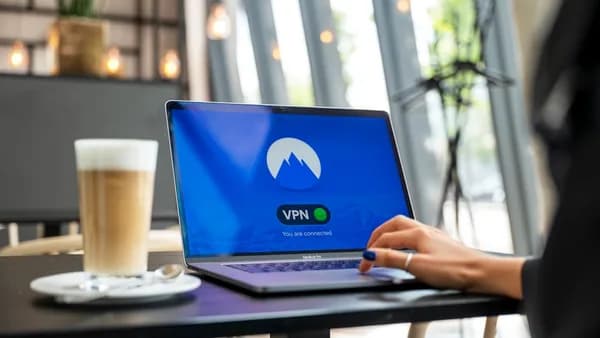
Virtual Private Networks (VPNs) are foundational privacy tools for masking your digital footprint. They encrypt your internet traffic and reroute it through secure servers, hiding your IP address and location from websites, trackers, and ISPs.
“Anonymous browsing tools such as VPNs and Tor-based systems help mask user identity.”
— UNDERCODE NEWS, 2026
What VPNs Do
- Encrypt Data: Prevent interception by third parties.
- Hide Location: Mask your true geographic location.
- Bypass Censorship: Access restricted content safely.
- Prevent Tracking: Stop ISPs and websites from linking activity to your identity.
Limitations
Even with a VPN, behavioral tracking and metadata leakage can still expose users. As UNDERCODE NEWS warns, “Surveillance systems today operate at multiple layers—network, application, and behavioral. Even if one layer is secured, metadata leakage and behavioral tracking can still expose users.”
Comparison Table
| Feature | VPN Services (General) | Tor-based Systems |
|---|---|---|
| Encryption | Yes | Yes |
| IP Masking | Yes | Yes |
| Speed | High (varies by provider) | Lower (due to routing) |
| Anonymity Level | Moderate | High |
| Usability | Easy | More technical |
| Bypass Censorship | Yes | Yes |
Password Managers: Securing Your Credentials
Weak or reused passwords are a hacker’s dream. Password managers generate strong, unique passwords for every account, store them securely, and autofill login details across devices.
“A password manager is one of the most effective tools for improving your account protection and protecting your digital identity.”
— AllThingsSecured.com, 2026
Recommended Password Managers
- 1Password: Reliable, secure, works across all devices.
- Proton Pass: Strong security, privacy-focused.
- Bitwarden: Open-source, trusted by privacy enthusiasts.
How to Set Up a Password Manager
- Download: Choose and install a password manager.
- Import/Create Passwords: Update weak passwords with strong, unique alternatives.
- Enable Autofill: Simplify secure access to your accounts.
Password Manager Feature Comparison
| Feature | 1Password | Proton Pass | Bitwarden |
|---|---|---|---|
| Device Sync | Yes | Yes | Yes |
| Encryption | Yes | Yes | Yes |
| Open Source | No | No | Yes |
| Usability | High | High | Moderate |
Antivirus Software: Protecting Against Malware and Spyware
Malware and spyware are constant threats. While most privacy guides focus on online anonymity, robust antivirus software is essential for defending devices from malicious scripts, ransomware, and spyware.
“Private browsers block ads, trackers, and cookies by default, preventing companies from building profiles on users or exploiting your data for advertising. They not only ensure a safer browsing experience but also prevent malware from infecting your device by blocking malicious scripts embedded in websites.”
— AllThingsSecured.com, 2026
Key Features of Modern Antivirus Tools
- Malware Detection: Real-time scanning for viruses, trojans, and ransomware.
- Spyware Prevention: Blocks software that tracks keystrokes and activity.
- Adware Blocking: Stops intrusive advertisements and pop-ups.
While specific brands are not listed in the source data, the importance of combining antivirus solutions with privacy-focused browsers and extensions is emphasized.
Browser Extensions for Privacy and Tracking Prevention
Common browsers like Chrome still collect behavior data—even in “incognito” mode. Privacy-focused browser extensions block ads, trackers, cookies, and malicious scripts.
Recommended Browsers and Extensions
- Brave Browser: Fast, lightweight, blocks ads and trackers by default.
- Firefox: Customizable privacy features, open-source.
- DuckDuckGo Browser: Privacy-first, blocks trackers, prevents profiling.
“Private browsers block ads, trackers, and cookies by default… Brave, Firefox, and DuckDuckGo are reliable alternatives to reduce tracking and improve privacy.”
— AllThingsSecured.com, 2026
Extension Features
- Ad Blocking: Prevents intrusive ads.
- Tracker Prevention: Stops third-party tracking.
- Script Blocking: Blocks malicious scripts.
Browser Comparison Table
| Feature | Brave | Firefox | DuckDuckGo |
|---|---|---|---|
| Ad Blocking | Yes | Yes | Yes |
| Tracker Blocking | Yes | Yes | Yes |
| Open Source | Yes | Yes | No |
| Ease of Use | High | High | High |
Encrypted Communication Tools for Secure Messaging
Free email services often scan your emails for advertising. For sensitive communications, encrypted messaging and email platforms are essential.
“The discussion includes secure email services that prioritize anonymity and data minimization… encrypted communication tools that protect conversations from centralized servers and third-party surveillance.”
— UNDERCODE NEWS, 2026
Recommended Tools
- Proton Mail: End-to-end encryption, used for sensitive communications.
- Web3 Messaging Platforms: Decentralized, remove central points of failure (currently in experimental phases).
Encrypted messaging apps and decentralized platforms are vital for keeping conversations private from both attackers and service providers.
Data Minimization and Anonymity Tools
Limiting the data you expose online is a crucial privacy strategy. Data minimization tools help reduce your digital footprint by controlling what information is shared.
“Digital footprint reduction strategies are also emphasized, encouraging users to limit publicly available personal data.”
— UNDERCODE NEWS, 2026
Practical Data Minimization Tools
- Email Aliases: Create disposable email addresses for each service. If one is compromised, simply delete it.
- SimpleLogin (as recommended in source): Useful for managing aliases.
- Virtual Credit Cards: Mask real card numbers during transactions.
- Virtual Phone Numbers: Keep your real phone number private.
- DROP Platform (privacy.ca.gov): Allows users to request data brokers delete their information with a single request.
Data Minimization Table
| Tool | Purpose | Source Mentioned |
|---|---|---|
| Email Aliases | Prevent spam, reduce exposure | Yes |
| Virtual Credit Cards | Mask real card info | Yes |
| DROP Platform | Delete data from brokers | Yes |
Best Practices for Using Privacy Tools Effectively
Having privacy tools isn't enough. User behavior—known as OPSEC (Operational Security)—is just as important.
“OPSEC as the Real First Line of Defense: The way a person behaves online—what they click, share, and store—can reveal more than encrypted traffic ever could hide. Most breaches today are not technical failures but human errors.”
— UNDERCODE NEWS, 2026
Actionable Best Practices
- Enable Two-Factor Authentication (2FA): Use tools like YubiKey for critical accounts.
- Regularly Update Tools: Keep software and apps updated to patch vulnerabilities.
- Separate Sensitive Accounts: Use dedicated emails for financial or professional services.
- Review Privacy Policies: Platforms like ASML’s Transparency Hub let you track changes in company policies.
- Limit Public Sharing: Avoid sharing personal information on social media or public platforms.
Example Code: Enabling 2FA with YubiKey (Conceptual)
# Register YubiKey with an account
yubikey-cli register --account [email protected]
Evaluating Privacy Tools Based on User Needs
Not all privacy tools are created equal. Evaluating them based on usability, technical requirements, and coverage is essential.
Evaluation Criteria
| Criteria | Why It Matters | Example from Source Data |
|---|---|---|
| Usability | Easy tools encourage use | 1Password, Brave |
| Coverage | Comprehensive protection | VPN + password manager |
| Transparency | Policy review capability | ASML’s Transparency Hub |
| Decentralization | Limits single-point failure | Web3 messaging platforms |
| Behavioral Support | Encourages safe habits | OPSEC strategies |
Matching Tools to Needs
- Casual Users: Focus on password managers, private browsers, and data removal services (DROP platform).
- Professionals: Add encrypted email, 2FA keys, and advanced antivirus solutions.
- Privacy Enthusiasts: Consider Web3 messaging, OSINT tools, and regular policy reviews.
Conclusion: Building a Holistic Privacy Strategy
Protecting your digital footprint in 2026 requires a combination of technical tools and disciplined behavior. While VPNs, password managers, private browsers, and encrypted messaging platforms are essential, the real first line of defense is how you manage your online activity.
“The central takeaway remains consistent: privacy protection requires both tools and disciplined user behavior.”
— UNDERCODE NEWS, 2026
A holistic privacy strategy should include:
- Technical tools: VPN, password manager, antivirus, encrypted messaging.
- Behavioral discipline: OPSEC, careful sharing, policy reviews.
- Data minimization: Email aliases, virtual cards, DROP platform for data deletion.
- Ongoing evaluation: Use resources like ASML’s Transparency Hub to keep up with changing privacy policies.
FAQ
1. How do privacy tools protect my digital footprint in 2026?
Privacy tools encrypt your data, mask your identity, prevent tracking, and minimize the information you share online. They help block surveillance, reduce exposure to data brokers, and secure your credentials from hackers. (Source: UNDERCODE NEWS, privacy.ca.gov, AllThingsSecured.com)
2. What is the DROP platform and how does it work?
The DROP platform (privacy.ca.gov) allows users to submit a single request requiring data brokers to delete their information, streamlining the opt-out process and reducing exposure.
3. Which password manager is most recommended in 2026?
1Password is frequently recommended for its reliability and usability, with Proton Pass and Bitwarden also cited as excellent alternatives. (Source: AllThingsSecured.com)
4. Are VPNs enough to protect my privacy?
VPNs are essential but not sufficient alone. Surveillance operates at multiple layers, so combining VPNs with private browsers, password managers, and strong OPSEC is necessary. (Source: UNDERCODE NEWS)
5. What is OPSEC and why is it important?
OPSEC (Operational Security) refers to disciplined user behavior online. Most breaches occur due to human error, so being cautious about what you click, share, and store is as important as technical tools. (Source: UNDERCODE NEWS)
6. How can I track changes in privacy policies?
ASML’s Transparency Hub lets users compare and track how privacy policies change over time, helping you stay informed about how your data is used. (Source: Berkman Klein Center)
Bottom Line
The best privacy tools to protect your digital footprint in 2026 are those that combine technical security with behavioral discipline. VPNs, password managers, private browsers, encrypted messaging, and data minimization tools like DROP and email aliases are critical components. Ultimately, the most effective privacy strategy is holistic—incorporating tools, awareness, and ongoing evaluation to adapt to the evolving digital landscape.
“Privacy protection requires both tools and disciplined user behavior.”
— UNDERCODE NEWS, 2026
By following these expert-backed recommendations and best practices, you can significantly reduce your exposure and safeguard your online presence in 2026 and beyond.