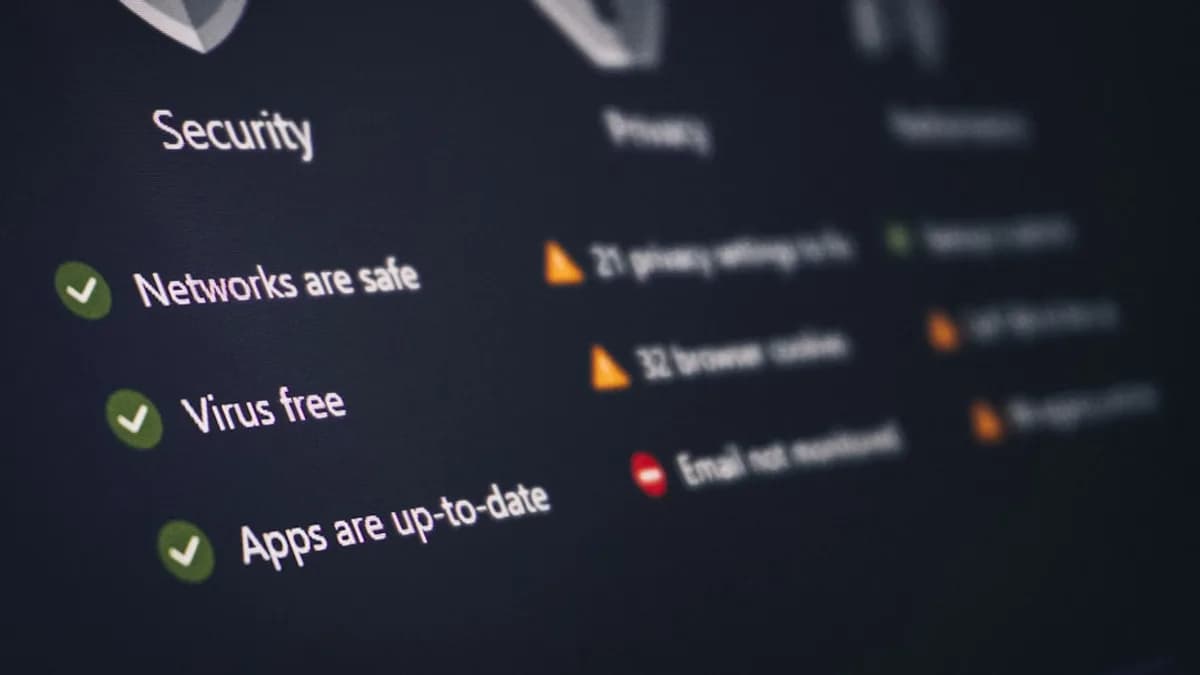
In 2026, the urgency to protect your digital footprint has never been greater. AI-driven surveillance, quantum computing threats, and pervasive tracking are now standard challenges for everyday internet users. Choosing the right privacy tools is essential—not just for peace of mind, but for safeguarding your data, identity, and communications against cybercriminals, data brokers, and even legitimate corporations. This guide curates the 10 must-have privacy tools for 2026, grounded in real-world testing and expert recommendations, to help you build your own digital fortress.
The Growing Need for Privacy Tools in 2026
The digital landscape in 2026 is shaped by unprecedented threats:
- AI-powered brute force attacks crack traditional passwords in milliseconds.
- Quantum computing looms as a major risk to current encryption methods.
- Automated phishing leverages large language models for highly convincing scams.
- Data brokers and behavioral profiling have become routine, building "digital twins" to predict your actions and preferences.
- Ransomware-as-a-service makes devastating attacks accessible to amateurs.
“Finding the best privacy tools for 2026 is essential in an era where AI-driven surveillance and sophisticated cyber threats are ubiquitous, protecting your digital life has evolved from optional to essential.”
— safebrowsing.cloud
Every day, millions unknowingly expose sensitive data via weak passwords, unencrypted connections, and inadequate identity monitoring. The solution is not paranoia—it’s layered defense with proven privacy tools. Whether you’re a remote worker, digital nomad, or privacy-conscious individual, understanding and deploying these tools is critical for digital sovereignty.
VPNs: Securing Your Internet Connection
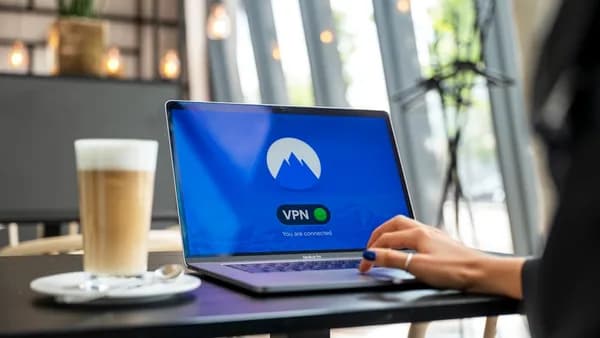
A Virtual Private Network (VPN) is foundational for privacy in 2026. VPNs create encrypted tunnels between your device and the internet, masking your real IP address and preventing third parties from monitoring your online activity.
NordVPN: Industry Leader
NordVPN is consistently cited as the gold standard for VPNs in 2026:
- RAM-only servers: Unlike traditional servers, NordVPN’s RAM-only architecture ensures all data is wiped upon reboot, leaving no logs or user data for authorities or hackers to seize.
- Military-grade encryption: Even quantum computers would require millions of years to crack NordVPN’s encryption.
- Verified no-logs policy: Independent audits confirm NordVPN stores zero user activity.
“RAM-only servers operate entirely in volatile memory. Every time a server restarts...all data is permanently and irrevocably wiped.”
— safebrowsing.cloud
- Usability: Easy for both enterprise and consumers.
- Public Wi-Fi protection: Turns insecure networks (hotels, coffee shops, airports) into safe connections.
| Feature | NordVPN | ExpressVPN / ExtremeVPN |
|---|---|---|
| RAM-Only Servers | Yes | Not specified |
| No-Logs Policy | Verified, audited | Not specified |
| Encryption Standard | Military-grade, quantum-resistant | Not specified |
| Public Wi-Fi Security | Yes | Yes |
Layering a VPN with other privacy tools is essential for robust protection in 2026.
Password Managers: Safeguarding Your Credentials
Weak or reused passwords are a hacker’s dream, especially with AI-powered attacks. Password managers generate strong, unique passwords for every account and store them securely.
Top Password Managers
- 1Password: Daily tool for experts; secure, reliable, works across devices.
- Proton Pass: Excellent for managing credentials.
- Bitwarden: Highly rated alternative.
- NordPass: Secure option, mentioned in multiple sources.
- Keeper: Trusted solution for password storage.
“Password managers are essential for accessing accounts safely. Without proper password management, your data becomes vulnerable to hackers who exploit weak or reused passwords.”
— allthingssecured.com
| Password Manager | Device Compatibility | Key Features |
|---|---|---|
| 1Password | All devices | Strong password generator |
| Proton Pass | All devices | Secure auto-fill |
| Bitwarden | All devices | Open-source security |
| NordPass | All devices | Zero-knowledge encryption |
| Keeper | All devices | Secure storage |
Setup is straightforward: download the manager, import/create passwords, let it securely store and autofill credentials.
Encrypted Messaging Apps for Private Communication
Private messaging is vital for sensitive conversation. Encrypted messaging apps ensure end-to-end encryption, so only sender and receiver can access content.
Leading Options
- Signal: Recognized for strong encryption and open-source transparency.
- Threema: Provides secure messaging for text, photos, and videos.
“A messaging service that allows you to send text messages, photos and videos securely. Examples are Threema and Signal.”
— privacysavvy.com
| Messaging App | Encryption | Open Source | Device Support |
|---|---|---|---|
| Signal | End-to-end | Yes | All devices |
| Threema | End-to-end | No | All devices |
Choose Signal for maximum privacy and community trust.
Browser Extensions for Blocking Trackers and Ads
Web tracking is rampant. Ad and script blockers are essential browser extensions that prevent websites from tracking your behavior and displaying intrusive ads.
Top Browser Extensions
- AdGuard: Blocks ads and tracking scripts.
- uBlock Origin: Highly customizable; blocks trackers, scripts, and ads.
“These are browser extensions that prevent you from seeing ads and scripts...Top-notch examples include AdGuard and uBlock Origin.”
— privacysavvy.com
| Extension | Tracker Blocking | Ad Blocking | Customization |
|---|---|---|---|
| AdGuard | Yes | Yes | Moderate |
| uBlock Origin | Yes | Yes | High |
Install these extensions on privacy-friendly browsers for optimal protection.
Secure Email Services with End-to-End Encryption
Standard email platforms (e.g., Gmail) scan your messages for advertising. Secure email providers offer end-to-end encryption, ensuring only sender and recipient can read messages.
Recommended Secure Email Services
- Proton Mail: Expert-tested for sensitive communications.
- Tuta: Mentioned as a reliable secure email option.
“Unlike standard email platforms, secure email providers offer end-to-end encryption, ensuring that only you and your intended recipient can access your messages.”
— allthingssecured.com
| Secure Email Service | End-to-End Encryption | Spam Protection | Usability |
|---|---|---|---|
| Proton Mail | Yes | Yes | High |
| Tuta | Yes | Yes | Moderate |
Use Proton Mail for professional and legal communications.
Two-Factor Authentication Apps to Enhance Account Security
Even strong passwords can be compromised. Two-factor authentication (2FA) adds a critical security layer, requiring a second factor (code, app, or physical key) to access accounts.
Top 2FA Tools
- YubiKey: Physical security key—fast, reliable, virtually unhackable.
- Authenticator Apps: Widely supported across platforms.
“My go-to is the YubiKey, a physical security key that works seamlessly with my devices. It’s fast, reliable, and virtually unhackable.”
— allthingssecured.com
| 2FA Tool | Type | Compatibility | Security Level |
|---|---|---|---|
| YubiKey | Physical Key | All major platforms | Highest |
| Authenticator App | Mobile App | Android/iOS | High |
Enable 2FA on email, financial, and social accounts for best results.
Anti-Tracking and Anti-Fingerprinting Tools
Tracking technologies build detailed profiles from your browsing habits, device info, and even font lists. Anti-tracking and anti-fingerprinting tools help disrupt these techniques.
Recommended Tools
- Brave Browser: Designed to prevent browser fingerprinting and block trackers by default.
- Mozilla Firefox: Versatile, but requires customization for optimal privacy.
- Tor Browser: Routes all traffic through the Tor network, encrypting and anonymizing user activity.
“Brave...blocks trackers and ads, is customizable, and is among the fastest in the industry. Most importantly, it’s designed to prevent browser fingerprinting from external observers.”
— privacysavvy.com
| Tool | Tracker Blocking | Fingerprinting Protection | Ease of Use |
|---|---|---|---|
| Brave | Yes | Yes | High |
| Firefox | Yes (with setup) | Yes (with setup) | Moderate |
| Tor Browser | Yes | Yes | Moderate |
Brave is recommended for out-of-the-box privacy; Firefox for advanced users willing to tweak settings.
Data Encryption Software for Files and Drives
Protecting files and drives is critical for confidential data. Encrypted storage solutions ensure your files remain private even if your device is lost or stolen.
Top Secure Storage Tools
- Cryptomator: Encrypts files and folders for secure cloud storage.
- Tresorit: Offers end-to-end encrypted cloud storage.
“Private file storage...helps store files in a secure and private manner. Cryptomator and Tresorit are ideal file storage services.”
— privacysavvy.com
| Storage Tool | Encryption Type | Cloud Integration | Usability |
|---|---|---|---|
| Cryptomator | End-to-end | Yes | High |
| Tresorit | End-to-end | Yes | High |
Use Cryptomator for free, open-source encryption; Tresorit for enterprise-grade security.
Privacy-Focused Search Engines and Browsers
Search engines and browsers are major sources of data collection. Privacy-focused search engines and browsers help users stay anonymous and avoid profile-building.
Leading Search Engines
- DuckDuckGo: Does not track users; often cited for privacy.
- SearX: Open-source, customizable search engine.
Top Browsers
- Brave: Blocks ads and trackers by default.
- Tor Browser: Maximum anonymity; routes traffic through Tor nodes.
| Search Engine | Tracking | Customization | Open Source |
|---|---|---|---|
| DuckDuckGo | No | Moderate | No |
| SearX | No | High | Yes |
| Browser | Tracker Blocking | Fingerprinting Protection | Anonymity |
|---|---|---|---|
| Brave | Yes | Yes | Moderate |
| Tor Browser | Yes | Yes | High |
“Private search engines – DuckDuckGo and SearX are some examples of search engines that help you stay anonymous and secure.”
— privacysavvy.com
Combine privacy browsers with search engines for maximum protection.
FAQ: Must-Have Privacy Tools 2026
1. Which VPN is best for privacy in 2026?
NordVPN stands out for its RAM-only server architecture, verified no-logs policy, and military-grade encryption, making it the top choice according to safebrowsing.cloud and privacysavvy.com.
2. What password manager should I use?
1Password, Proton Pass, Bitwarden, NordPass, and Keeper are all highly recommended for secure password management in 2026.
3. How can I block trackers and ads effectively?
Install browser extensions like AdGuard and uBlock Origin on privacy-focused browsers such as Brave or Firefox for comprehensive ad and tracker blocking.
4. Which messaging app is safest for private conversations?
Signal and Threema provide end-to-end encrypted messaging, ensuring that only sender and recipient can access content.
5. What’s the best privacy-focused search engine?
DuckDuckGo and SearX are recommended for anonymous searching with no user tracking.
6. How can I securely store files in the cloud?
Use Cryptomator (for open-source encryption) or Tresorit (for enterprise-grade security) to protect your files and folders with end-to-end encryption.
Bottom Line
The must-have privacy tools for 2026 are not just optional—they’re essential for defending your digital footprint against AI-driven attacks, quantum risks, and pervasive profiling. The combination of NordVPN for encrypted connections, reputable password managers like 1Password and Proton Pass, secure messaging apps such as Signal, browser extensions like AdGuard and uBlock Origin, encrypted email services like Proton Mail, and robust 2FA tools like YubiKey creates a layered, impenetrable defense. Privacy-focused browsers and search engines—Brave, DuckDuckGo, and SearX—round out your arsenal.
“The solution isn’t paranoia—it’s preparation through layered defense strategies using proven privacy tools.”
— safebrowsing.cloud
Protecting your digital life in 2026 demands vigilance, thoughtful tool selection, and a commitment to privacy. Start with these must-have privacy tools, and you’ll be well-equipped to navigate—and safeguard—the modern internet.