MLXIO
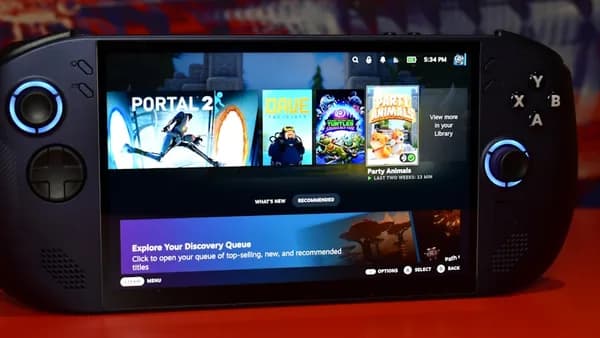
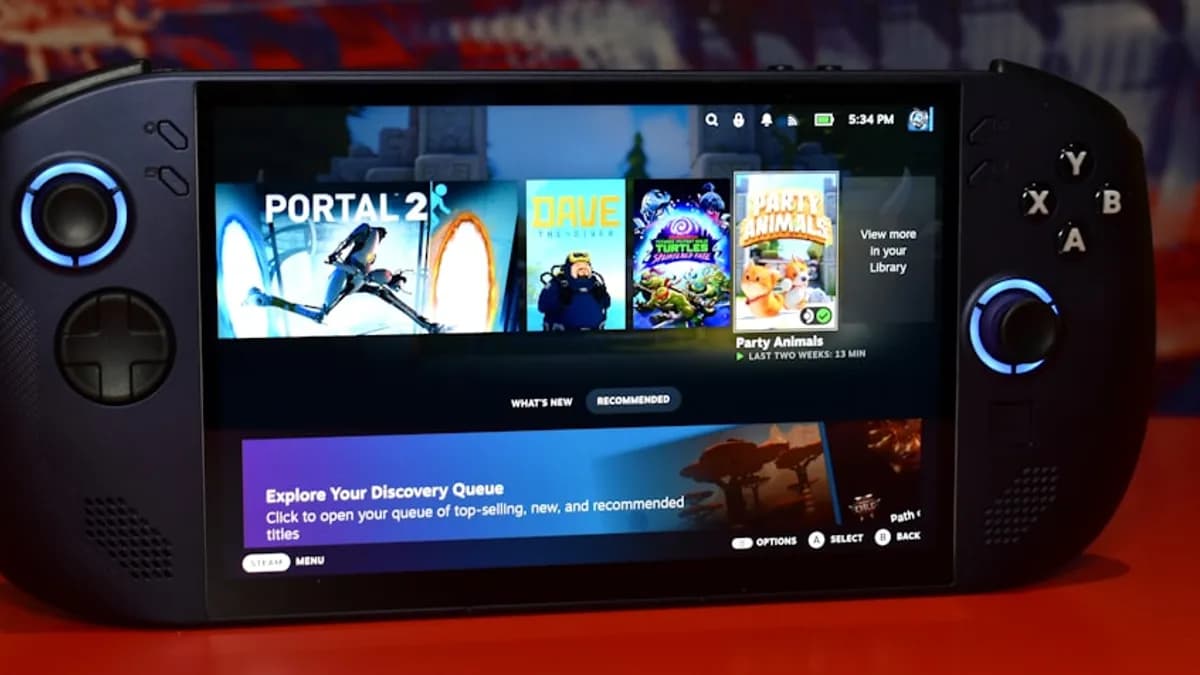
Handheld gaming device displaying game library
TechnologyMay 20, 2026· 5 min read· By MLXIO Insights Team

Lenovo Legion Y900 13 Crushes Galaxy Tab S11 Ultra for Work

Share

MLXIO Intelligence

Analysis Snapshot

68
High
Confidence: LowTrend: 10Freshness: 96Source Trust: 100Factual Grounding: 92Signal Cluster: 20

High MLXIO Impact based on trend velocity, freshness, source trust, and factual grounding.

Thesis

Medium Confidence

Lenovo's Legion Y900 13 tablet is positioned as a productivity-focused device that outpaces the Galaxy Tab S11 Ultra in key hardware features.

Evidence

  • The Legion Y900 13 features a flagship processor, a 144Hz ultra-sharp display, and a large battery.
  • Lenovo is marketing the Y900 13 for productivity use, not just gaming.
  • Most competing tablets, including Galaxy Tab Ultra models, typically cap at 120Hz and use last-gen processors.
  • Lenovo has not yet disclosed the exact processor or battery specifications.

Uncertainty

  • Exact processor model and battery capacity are not confirmed.
  • Real-world performance and multitasking benchmarks are not yet available.
  • Galaxy Tab S11 Ultra's final specs are not fully public.

What To Watch

  • Lenovo's disclosure of full hardware specifications for the Y900 13
  • Official benchmarks and productivity reviews comparing Y900 13 and Galaxy Tab S11 Ultra
  • Market response from professional and creative tablet users

Verified Claims

The Lenovo Legion Y900 13 is positioned as a productivity device despite being launched under a gaming brand.
📎 Lenovo is positioning it directly as a productivity workhorse, gambling that a big, high-end Android device can finally compete with premium iPads and Samsung’s own Galaxy Tab S series in the workspace.High
The Legion Y900 13 features a flagship processor, a 144Hz ultra-sharp display, and a large battery.
📎 Three specs define the Legion Y900 13’s pitch: a flagship processor, a 144Hz ultra-sharp display, and a large battery.High
The Legion Y900 13’s 144Hz display offers a higher refresh rate than most current Android tablets, including recent Galaxy Tab Ultra models.
📎 Most tablets—even “pro” models—cap at 120Hz or lower. At 144Hz, scrolling through documents, sketching, or swiping between apps feels instant and low-lag.High
Lenovo has not yet disclosed the exact processor or display resolution for the Legion Y900 13.
📎 Lenovo isn’t naming the chip yet... An “ultra-sharp” panel also suggests a high pixel density, though the exact resolution isn’t confirmed yet.High
The Legion Y900 13 is designed to handle demanding multitasking workflows better than most current Android tablets.
📎 The Y900 13 should feel faster and more responsive when juggling multiple demanding apps—think video conferencing, note-taking, and browser tabs all at once.Medium

Frequently Asked

What is the Lenovo Legion Y900 13 designed for?

The Lenovo Legion Y900 13 is designed as a productivity-focused Android tablet, targeting users who want a device capable of replacing their laptop for work tasks.

What are the standout features of the Legion Y900 13?

Key features include a flagship processor, a 144Hz ultra-sharp display, and a large battery aimed at supporting demanding work and multitasking.

How does the Legion Y900 13’s display compare to other tablets?

The Legion Y900 13 offers a 144Hz refresh rate, which is higher than most current Android tablets, including many premium models that typically cap at 120Hz.

Has Lenovo revealed the exact processor or display resolution for the Y900 13?

No, Lenovo has not yet disclosed the specific processor model or the exact display resolution for the Legion Y900 13.

How might the Legion Y900 13 perform for multitasking compared to the Galaxy Tab S11 Ultra?

Based on its flagship processor and higher refresh rate display, the Legion Y900 13 is expected to handle multitasking and demanding workflows more smoothly than most current Android tablets, including the Galaxy Tab S11 Ultra.

Updated on May 20, 2026

Why Lenovo's Legion Y900 13 Redefines Large-Screen Android Tablets for Productivity

Launching a flagship tablet under a gaming brand, then marketing it to productivity users, isn’t just a twist—it’s Lenovo’s bet that the Android tablet form factor has outgrown its “Netflix and light browsing” days. The Legion Y900 13, just announced, is not a one-trick gaming slate. Lenovo is positioning it directly as a productivity workhorse, gambling that a big, high-end Android device can finally compete with premium iPads and Samsung’s own Galaxy Tab S series in the workspace.

What’s striking: while Legion is synonymous with gaming hardware, Lenovo’s message for the Y900 13 is all about serious work. That means this new tablet is less about RGB flair and more about core specs—flagship silicon, a 144Hz ultra-sharp display, and a large battery—engineered for users who want to replace their laptop, not just kill time on the couch. For anyone watching the slow progress of Android tablets in professional life, this is a signal that the category is evolving fast.

The timing is no accident. With the Galaxy Tab S11 Ultra looming as the de facto productivity Android, Lenovo’s move raises the stakes. If the Y900 13 can deliver on its promises, Samsung’s top slate might suddenly look underpowered—or at least over-specialized. That’s the real story hiding in this launch, according to Notebookcheck.

What Key Features Make the Legion Y900 13 a Productivity Powerhouse?

Three specs define the Legion Y900 13’s pitch: a flagship processor, a 144Hz ultra-sharp display, and a large battery. Each is tuned for work, not just play.

First, the processor. Lenovo isn’t naming the chip yet, but calls it “flagship” class. That’s code for the newest, fastest ARM-based SoCs—think Snapdragon 8 Gen series or comparable MediaTek. For productivity, this means snappier app launches, fluid multitasking, and enough headroom for heavy-duty tasks like video editing, remote desktop sessions, or split-screen research.

The 144Hz display is the showstopper. Most tablets—even “pro” models—cap at 120Hz or lower. At 144Hz, scrolling through documents, sketching, or swiping between apps feels instant and low-lag. For creative professionals, that extra smoothness isn’t just numbers—it’s the difference between tolerating and loving a touchscreen workflow. An “ultra-sharp” panel also suggests a high pixel density, though the exact resolution isn’t confirmed yet. Lenovo’s recent advances in display technology can be seen in models like the Lenovo Unleashes 165Hz OLED Desktop with Arc B390 Power.

Battery life is often the Achilles’ heel of large tablets. Lenovo highlights a “large battery,” which, while vague, signals a focus on all-day use. If the Y900 13 can actually last through a full workday with heavy multitasking on a high-refresh display, it would set a new benchmark for Android slates in the productivity arena.

How Does the Legion Y900 13 Compare to the Galaxy Tab S11 Ultra in Real-World Use?

Direct spec-for-spec comparisons are tough—the S11 Ultra isn’t fully public, and Lenovo is still keeping some details under wraps. Here’s what’s clear: the Y900 13’s “flagship processor” and 144Hz display already edge out what most Android tablets offer today, including recent Galaxy Tab Ultra models that typically cap at 120Hz and often ship with last-gen silicon.

In practical terms, that means the Y900 13 should feel faster and more responsive when juggling multiple demanding apps—think video conferencing, note-taking, and browser tabs all at once. The higher refresh rate will be most noticeable in rapid interface interactions, digital art, or when scrolling through dense spreadsheets.

Take a typical productivity workflow: a user is on a Zoom call, editing a large Google Doc, and referencing a PDF—all split-screen. On most tablets, the interface starts to stutter, especially if you toss in a few browser tabs. The Y900 13’s performance hardware paired with a high-refresh display aims to keep this experience smooth and lag-free, where rivals might start to choke.

What Software and Accessories Enhance Productivity on the Legion Y900 13?

Lenovo’s Legion tablets traditionally ship with custom software tweaks, but the Y900 13’s productivity focus hints at real changes under the hood. Expect Android with Lenovo’s own optimizations for multitasking—possibly enhanced split-screen, windowed apps, or quick-launch gestures, though specifics aren’t available yet.

Accessories will be key. While not confirmed, it’s likely the Y900 13 will offer first-party keyboard covers and stylus support—essentials for turning a tablet into a true laptop replacement. Lenovo’s previous productivity tablets have leaned on these add-ons, as seen with the Lenovo ThinkPad E14 Grabs AMD Zen 5 and 64GB RAM Power, suggesting the story continues here.

What stands out is Lenovo’s intent: this isn’t just a media tablet with a keyboard as an afterthought. The Y900 13 is positioned to function as a primary workstation, especially for users who want an Android workflow without the quirks of Windows tablets.

Why the Legion Y900 13 Could Shift the Future of Android Tablets Toward Productivity

If Lenovo’s Legion Y900 13 can deliver a genuinely fast, smooth, and long-lasting experience for professional users, it could force the hand of other Android tablet makers. Most Android slates are still designed around entertainment or gaming, with productivity tacked on as a bonus. Lenovo’s shift—using its gaming brand to launch a productivity-first device—signals a new strategic direction.

From a market perspective, a large-screen Android tablet that is genuinely competitive with iPad Pro or high-end Windows 2-in-1s could open the door for new types of professional workflows and creative applications. But as of now, key questions remain: What are the exact specs for RAM, storage, and battery size? How well will Lenovo support the tablet with software updates? Will the accessories actually match the quality of Apple or Samsung’s best?

The most important thing to watch is whether Lenovo’s focus on productivity is reflected in real-world use—not just marketing. If the Y900 13 impresses in reviews and daily workflows, it won’t just be another big Android tablet. It could mark the moment when Android slates finally stopped being second-class citizens at work, not just at play.

The Stakes

  • Lenovo is challenging Samsung’s dominance in productivity Android tablets by targeting power users.
  • The Legion Y900 13 signals a shift in Android tablets from entertainment to serious professional tools.
  • A high-end option from Lenovo could push the entire tablet market toward better specs and productivity features.

Lenovo Legion Y900 13 vs. Samsung Galaxy Tab S11 Ultra: Productivity Specs

FeatureLegion Y900 13Galaxy Tab S11 Ultra
Brand FocusGaming/WorkProductivity/Media
Display Refresh Rate144HzNot specified (likely lower)
ProcessorFlagship-class (not specified)Not specified
Battery SizeLarge (exact size not specified)Not specified
MLXIO

Written by

MLXIO Insights Team

Algorithmic Research & Human Oversight

Powered by advanced algorithmic research and perfected by human oversight. The Insights Team delivers highly structured, cross-verified analysis on emerging tech trends and digital shifts, filtering out the fluff to give you high-fidelity value.

Related Articles

a group of four different colored cell phones
TechnologyJul 1, 2026

6,400mAh Battery Splits Honor 600 vs Galaxy S25 FE

Honor wins the visible spec war; Samsung bets updates and polish matter more after year one.

8 min read

macbook pro on black table
TechnologyJun 28, 2026

$1,200 Cut Puts RTX 5090 Lenovo Legion 9i in Play Now

Lenovo’s RTX 5090 Legion 9i just got a $1,200 cut, but it still costs $5,799—firmly elite gaming laptop territory.

5 min read

Laptop displaying a horse racing on its screen.
TechnologyJun 26, 2026

$1,990 Cut Makes Lenovo ThinkPad P16 a Workstation Steal

Lenovo’s coupon chops $1,990 off a maxed-out ThinkPad P16 Gen 3 with 128GB RAM, 4TB SSD and RTX Pro 4000 Blackwell.

6 min read

Laptop displaying a horse racing on its screen.
TechnologyJul 3, 2026

€450 Cheaper ThinkBook Beats ThinkPad—So Why Pay Up?

The ThinkBook wins on price and speed, but the ThinkPad premium buys quieter, longer-lasting, more repairable business hardware.

7 min read

Instagram's logo is displayed on a phone.
TechnologyJul 1, 2026

Samsung Wipes Instagram for Galaxy Z Fold 8 Shape Twist

Samsung wiped Instagram for six teasers, turning the Galaxy Z Fold 8’s rumored shape change into the first real Unpacked clue.

8 min read

a blue cube with a white logo
AI / MLJul 4, 2026

Samsung AI Chip Talks Put Anthropic’s Nvidia Bet on Edge

Anthropic is exploring Samsung AI chip talks while keeping Google, Amazon and Nvidia central to its compute strategy.

7 min read

green frog iphone case beside black samsung android smartphone
CybersecurityJun 29, 2026

Android Zero-Day Under Attack as Google Patches 124 Flaws

Google patched 124 Android flaws, including one under targeted attack. Check your June 2026 patch level now.

7 min read

aerial view of city during daytime
TechnologyJul 8, 2026

Apple Grabs Sun Valley Access — But No Deal Signal

Cook and Cue’s Sun Valley arrival signals Apple wants elite access—not that a deal is brewing.

9 min read

Visualization of the coronavirus causing COVID-19
TechnologyJul 7, 2026

Plague Inc: Evolved Crashes to $1.49 on Steam Sale

Plague Inc: Evolved just hit a $1.49 all-time low on Steam, making its grim global annihilation premise an impulse buy.

5 min read

apple logo on blue surface
CybersecurityJul 7, 2026

iOS 26.5.1 Downgrades Are Dead After Apple's Fix

Apple closed normal downgrades to iOS 26.5 and 26.5.1, pushing iPhone users onto iOS 26.5.2 after its security fix.

7 min read

Stay ahead of the curve

Get a weekly digest of the most important tech, AI, and finance news — curated by AI, reviewed by humans.

No spam. Unsubscribe anytime.