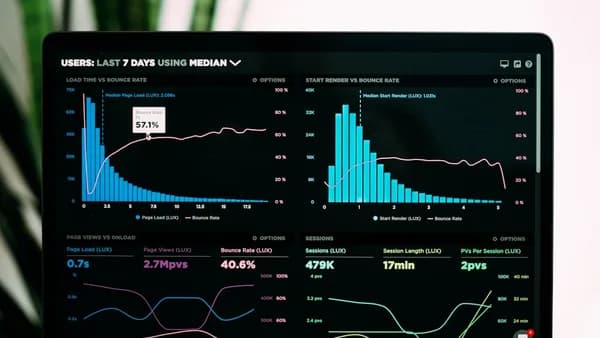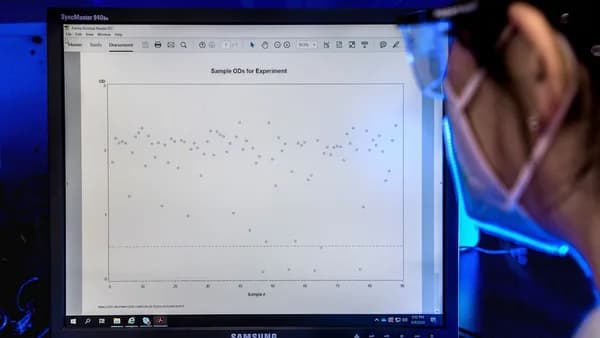
In 2026, the sheer scale and complexity of scientific data demand robust, flexible, and intelligent visualization solutions. Selecting the right tool can be transformative for researchers—enabling discovery, collaboration, and effective communication of results. But with dozens of options available, what are the essential features data visualization software for scientists should offer? This guide distills authoritative research and leading industry recommendations into the 10 must-have capabilities, helping you make an informed choice for your next project.
Importance of Feature-Rich Visualization Tools
Data visualization tools are not just about making charts—they are pivotal in converting intricate scientific data into actionable insights. According to Scaler's "25 Best Data Visualization Tools for 2026," scientists and researchers increasingly rely on these platforms to:
- Extract meaningful patterns from complex datasets
- Communicate results clearly to diverse audiences
- Facilitate data-driven decisions in their research
“Data visualization tools empower businesses, researchers, and individuals to make sense of their data, communicate findings effectively, and drive informed decision-making.”
— Scaler.com, 2026
However, not all visualization software is created equal. The best solutions focus on user needs, scalability, and seamless integration with scientific workflows. Let’s explore the features that matter most for scientific use cases.
1. Support for Diverse Scientific Data Formats
Scientific research is inherently multidisciplinary, drawing on data from genomics, physics, chemistry, and environmental science—each with its preferred formats. The ability to import, process, and visualize a range of scientific data types is foundational for any serious scientific visualization tool.
Why Format Support Matters
- Efficiency: Reduces time spent on data conversion and cleaning.
- Accuracy: Minimizes errors from incompatible file types.
- Versatility: Enables cross-domain research and collaboration.
What to Look For
Leading tools like Tableau and Microsoft Power BI (as noted by Scaler and TheAiOps.com) provide robust data import features, including:
| Tool | Supported Data Sources | Notable Features |
|---|---|---|
| Tableau | Databases, spreadsheets, cloud apps | Data blending, transformation, cleaning |
| Microsoft Power BI | Excel, Azure, SQL, Snowflake, etc. | Extensive integrations, transformation |
“Tableau provides robust tools for cleaning, transforming, and blending data from multiple sources, ensuring data accuracy and consistency.”
— Scaler.com, 2026
Actionable Tip: When evaluating software, check for native support (not just CSV/Excel) for formats like HDF5, NetCDF, or domain-specific databases relevant to your field.
2. Interactive Visualization Capabilities
Interactivity is crucial for exploratory data analysis. Scientists must be able to zoom, filter, and drill down into data to uncover hidden relationships and outliers.
Features That Matter
- Dashboards: Combine multiple visualizations for holistic analysis.
- Drill-Down: Click to explore deeper data levels.
- Dynamic Filtering: Adjust parameters and instantly see results.
| Tool | Interactive Features |
|---|---|
| Tableau | Drag-and-drop dashboards, drill-down |
| Power BI | Live dashboards, slicers, filters |
“Tableau’s interactive dashboards help users gain a deeper understanding of their data by allowing them to drill down into specific details, filter results, and explore data dynamically.”
— Scaler.com, 2026
Actionable Tip: Opt for tools with real-time interaction and AI-assisted dashboard creation for the most efficient data exploration process.
3. High-Quality Export Options for Publications
Scientists often need to publish or present their findings in journals, conferences, or reports. High-resolution, publication-ready exports are vital.
What to Expect
- Vector Graphics: Export to SVG, PDF, or EPS for scalability and clarity.
- Custom Sizing: Set pixel dimensions or DPI for figures.
- Styling Controls: Adjust fonts, colors, and annotations for compliance with publisher guidelines.
| Export Option | Benefit |
|---|---|
| SVG/PDF | High quality for print and presentations |
| PNG/JPEG | Quick sharing and web embedding |
“Customization options to fit specific requirements or branding, and high-quality exports are common features of top tools.”
— Scaler.com, 2026
Actionable Tip: Before committing, verify the tool’s export capabilities match the requirements of your target journals or conferences.
4. Scalability for Large Datasets
Modern scientific projects generate vast amounts of data—sometimes terabytes or more. Visualization software must handle big data smoothly, without lag or crashes.
Key Considerations
- Efficient Data Handling: In-memory processing, streaming, or database connections.
- Performance: Responsive even with millions of data points.
- Incremental Loading: Visualize subsets of data on demand.
| Tool | Scalability Features |
|---|---|
| Power BI | Performance for large datasets, tuning |
| Tableau | Sophisticated algorithms for big data |
“The best tools can also handle big datasets with ease, using sophisticated algorithms and data processing methods to ensure responsive and seamless interactions.”
— Scaler.com, 2026
Actionable Tip: Test the tool with your actual data volumes before purchasing. Some platforms offer demo versions or free trials for this purpose.
5. Integration with Scientific Computing Environments
Seamless integration with data analysis and scientific computing platforms (like Python, R, or cloud-based notebooks) is non-negotiable for advanced research.
Benefits
- Workflow Efficiency: Move data from analysis to visualization without manual export/import.
- Scripting Support: Automate visualization generation from code.
| Integration Platform | Typical Use Case |
|---|---|
| Python (e.g., Pandas) | Data analysis and model building |
| Jupyter Notebooks | Interactive research workflows |
| Cloud Data Warehouses | Large-scale data storage |
“Integration with modern warehouses like Snowflake, BigQuery, Databricks, and cloud databases is now expected.”
— TheAiOps.com, 2026
Actionable Tip: Check for built-in connectors or APIs to your preferred analysis tools and platforms.
6. Customization and Scripting Support
Scientific visualizations often require tailored representations—custom color maps, annotations, or even new chart types. Scripting and customization features are critical for advanced users.
What to Look For
- Custom Visuals: Build or modify chart types beyond defaults.
- Scripting Languages: Support for Python, R, or JavaScript.
- Automation: Generate reproducible visualizations directly from code.
“These tools boast extensive customization options. Users can customize interactive elements, colour schemes, fonts, and other aspects... to meet specific requirements.”
— Scaler.com, 2026
Example: Python for Custom Visualizations
import matplotlib.pyplot as plt
import numpy as np

x = np.linspace(0, 10, 100)
y = np.sin(x)
plt.plot(x, y)
plt.title('Custom Sine Wave Visualization')
plt.xlabel('Time')
plt.ylabel('Amplitude')
plt.show()
Actionable Tip: If your research demands non-standard charts, prioritize platforms with strong scripting capabilities or those supporting embedded Python/R.
7. Real-Time Data Visualization
Some scientific applications—like lab experiments, monitoring, or simulations—require real-time data visualization.
Features
- Streaming Data Support: Visualize incoming data without manual refresh.
- Alerts and Annotations: Highlight anomalies as they occur.
- Low Latency: Immediate updates for time-sensitive applications.
| Use Case | Example Application |
|---|---|
| Laboratory monitoring | Track sensor data in real time |
| Simulation outputs | View evolving model predictions |
| Environmental networks | Monitor live field data feeds |
“Real-time visualization is growing for operations, security, customer support, and streaming data use cases.”
— TheAiOps.com, 2026
Actionable Tip: Confirm the tool’s ability to connect to streaming data sources or APIs before selecting for real-time tasks.
8. Collaboration and Sharing Features
Modern science is collaborative. Visualization tools should make it easy to share insights with colleagues, collaborators, or the public.
What to Expect
- Web Dashboards: Share live, interactive dashboards via URL.
- Role-Based Access: Control who can view or edit data.
- Embedding: Integrate visualizations into lab websites, wikis, or portals.
| Collaboration Feature | Description |
|---|---|
| Sharing | Send dashboards or reports to team members |
| Embedding | Publish interactive visuals on external sites |
| Access Control | Set permissions for editing/viewing |
“Sharing and collaboration features for visualizations are common features.”
— Scaler.com, 2026
Actionable Tip: If your team is distributed or multi-disciplinary, prioritize tools with cloud-sharing and collaboration controls.
9. User-Friendly Interface and Learning Resources
A steep learning curve can stymie adoption and productivity. The best platforms cater to both novices and experts, providing intuitive interfaces and strong learning support.
Indicators of Usability
- Drag-and-Drop Creation: Build charts without coding.
- Clear Menus and Tutorials: Onboarding for new users.
- Large User Community: Access to forums, examples, and troubleshooting tips.
| Tool | Usability Features |
|---|---|
| Tableau | Intuitive drag-and-drop, extensive tutorials |
| Power BI | Familiar Microsoft interface, strong documentation |
“They put the needs of their users first, providing user-friendly interfaces and efficient workflows that appeal to both novice and expert data users.”
— Scaler.com, 2026
Actionable Tip: Explore available documentation, tutorials, and community support before committing to a platform.
10. Security and Compliance Controls
While not highlighted in every research source, security is increasingly critical, especially for sensitive or regulated scientific data.
What Leading Tools Offer
- Role-Based Access Control (RBAC)
- Single Sign-On (SSO), Multifactor Authentication (MFA)
- Audit Logs and Encryption
| Security Feature | Supported By (Example) |
|---|---|
| RBAC, SSO, MFA | Microsoft Power BI |
| Audit Logs | Microsoft Power BI, Tableau |
“Security and compliance controls are becoming major buying factors for enterprise buyers.”
— TheAiOps.com, 2026
Actionable Tip: For research involving patient data, proprietary information, or compliance requirements, verify the tool’s security certifications and controls.
FAQ
What are the most important features data visualization software for scientists should have?
The essentials include support for diverse scientific data formats, interactive dashboards, high-quality export options, scalability for large datasets, integration with scientific computing environments, customization/scripting, real-time visualization, collaboration features, user-friendly interfaces, and strong security controls. (Sources: Scaler.com, TheAiOps.com)
Which data visualization tools are best for large scientific datasets?
Tableau and Microsoft Power BI are consistently recognized for their ability to handle large datasets using sophisticated algorithms and performance tuning. (Scaler.com, TheAiOps.com)
How important is integration with Python or R for scientific visualization?
Integration is critical for seamless workflows, as most scientific analysis is performed in Python or R. Leading tools integrate with these environments and popular data warehouses. (Scaler.com, GitHub Python-Basic-programs)
Can these tools handle real-time data visualization?
Yes, top platforms are increasingly supporting real-time visualization for streaming data and monitoring applications. Check for streaming API and low-latency updating features. (TheAiOps.com)
What export options should scientists look for?
Look for tools that support high-resolution vector exports (SVG, PDF) for publications, as well as customizable sizing and styling for figures. (Scaler.com)
Do these tools support collaboration in multi-institutional projects?
Yes, modern platforms provide cloud-based sharing, role-based access controls, and embedding features suitable for distributed teams. (Scaler.com, TheAiOps.com)
Bottom Line
The right features in data visualization software can dramatically enhance the scientific discovery process. In 2026, the top tools—like Tableau and Microsoft Power BI—stand out for their support of diverse data formats, interactive and real-time analysis, high-quality exports, scalability, and seamless integration with scientific computing environments. Collaboration, usability, and security are now non-negotiable as research becomes more data-driven and collaborative.
“Versatility ensures users can always find the perfect way to present their data, no matter the complexity or audience.”
— Scaler.com, 2026
By prioritizing the 10 essential features outlined above, scientists can ensure their data visualization software is not just a utility, but a catalyst for discovery and impact.