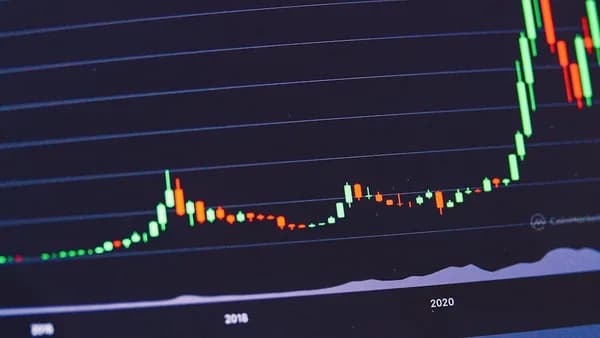
When it comes to maximizing your performance in today’s markets, selecting a stock trading platform equipped with robust charting tools is not just a convenience—it’s a necessity. The right combination of charting capabilities, real-time data, usability, and integrated features can make the difference between a well-informed trade and a costly mistake. This guide breaks down the essential features stock trading platforms charting should offer, based on in-depth research and the most current industry standards in 2026.
Why Charting Tools Are Critical in Stock Trading
At the heart of every successful trading strategy lies informed decision-making, and charting tools are pivotal to this process. According to Pro Trader Dashboard, strong charting capabilities are "essential for technical traders," enabling analysis of price action, trends, and key technical levels. Traders depend on these tools to:
- Visualize market movements in real time
- Identify entry and exit points using technical indicators
- Spot chart patterns and potential reversals
“Strong charting capabilities are essential for technical traders.”
—Pro Trader Dashboard
Without access to advanced charting features, traders risk operating with limited insight, potentially missing out on crucial market signals or falling victim to poor timing.
Real-Time Data and Chart Updates
Timeliness is everything in trading. Platforms must deliver real-time quotes and chart updates to ensure traders can react instantly to market changes. Delayed data might suffice for long-term investors, but for anyone trading intraday or employing technical analysis, streaming real-time quotes are essential (Pro Trader Dashboard).
Key Features to Expect
- Real-Time Quotes: Live price feeds that reflect current market conditions
- Level 2 Data: Depth-of-market (order book) views showing multiple bid and ask levels
- Time and Sales: Displays every executed trade with price, size, and timestamp
| Feature | Description | Use Case |
|---|---|---|
| Real-Time Quotes | Live updates on prices | All trading styles |
| Level 2 Data | Multi-level bid/ask market depth | Active/day traders |
| Time and Sales | Trade-by-trade execution feed | Order flow analysis |
Platforms lacking these features put active traders at a disadvantage, as even seconds of delay can impact trade execution and profitability.
Variety of Chart Types and Time Frames
A top-tier stock trading platform should support an array of chart types and flexible time frames, catering to the diverse strategies traders employ.
Supported Chart Types
Pro Trader Dashboard identifies the following as must-have chart types:
- Candlestick charts: Preferred for showing price action and patterns
- Bar charts (OHLC): Visualize open, high, low, close prices
- Line charts: Quick trend identification
- Area charts: Ideal for range visualization
- Heikin-Ashi: Smoother trends for swing trading
| Chart Type | Best For |
|---|---|
| Candlestick | Technical analysis |
| Bar (OHLC) | Price breakdown |
| Line | Trend spotting |
| Area | Range visualization |
| Heikin-Ashi | Trend following |
Flexible Time Frames
The ability to switch between multiple timeframes is critical:
- Intraday: 1-minute, 5-minute, 15-minute, 1-hour
- Swing: 4-hour, daily, weekly
- Position: Weekly, monthly
“Look for flexibility in chart timeframes. Active traders need intraday and longer-term options.”
—Pro Trader Dashboard
Platforms that restrict chart types or time frames can severely limit a trader’s ability to analyze markets effectively.
Technical Indicators and Customization Options
No charting toolkit is complete without a comprehensive library of technical indicators and customization features. These allow traders to tailor their charts to their unique strategies.
Essential Technical Indicators
According to Pro Trader Dashboard, must-have indicators include:
- Moving Averages (SMA, EMA, WMA)
- RSI (Relative Strength Index)
- MACD
- Bollinger Bands
- Stochastic Oscillator
- Volume Indicators
- ATR (Average True Range)
- VWAP
Drawing and Annotation Tools
High-quality platforms provide:
- Trendlines and channels
- Support and resistance markers
- Fibonacci retracements and extensions
- Horizontal lines and price zones
- Text annotations
| Indicator/Tool | Primary Use |
|---|---|
| Moving Averages | Trend direction, smoothing price |
| RSI | Overbought/oversold conditions |
| MACD | Momentum, trend reversals |
| Bollinger Bands | Volatility, price extremes |
| Fibonacci Tools | Identify retracement/extension zones |
| Trendlines | Pattern and breakout identification |
Customization is also vital—traders should be able to adjust indicator parameters, chart colors, and layouts to suit their workflow.
User Interface and Ease of Navigation
Even the most powerful charting tools are of little use if buried within a cluttered or unintuitive interface. A trading platform must offer:
- Simple, logical navigation for quick access to charts, orders, and data
- Customizable dashboards so traders can arrange tools as they prefer
- Efficient workflow with minimal clicks to execute trades or mark up charts
“Save time and effort using [the platform’s] powerful capabilities.”
—Pro Trader Dashboard
A streamlined UI reduces mistakes, lowers the learning curve, and helps traders remain focused during fast market conditions.
Integration with Trading and Order Execution
Seamless integration between charting and order execution is a defining feature of professional-grade platforms. Pro Trader Dashboard highlights these core requirements:
Supported Order Types
- Market orders
- Limit orders
- Stop-loss orders
- Stop-limit orders
- Trailing stops
- Bracket orders (set profit target and stop-loss simultaneously)
| Order Type | Function |
|---|---|
| Market | Instant execution at market price |
| Limit | Execution at your price or better |
| Stop-Loss | Automatic exit to cap losses |
| Stop-Limit | Combines stop and limit for precise control |
| Trailing Stop | Adjusts as price moves in your favor |
| Bracket | Simultaneous profit/stop-loss on entry |
Execution Speed and Routing
- Fast execution is crucial for minimizing slippage
- Order routing options let users choose between market makers, ECNs, or direct exchange access
A tightly integrated platform allows traders to go from analysis to action in seconds—placing, modifying, or closing positions directly from the chart view.
Mobile Compatibility and Cross-Device Sync
Markets don’t sleep, and neither should your access to them. Modern traders require mobile integration and the ability to sync data across devices.
Why This Matters
- Monitor positions and alerts when away from your desk
- Place trades and manage orders on the go
- Stay responsive to market news and price movements
Pro Trader Dashboard underscores that mobile app integration is important even for desktop-focused traders, ensuring you never miss a trading opportunity.
| Feature | Benefit |
|---|---|
| Mobile App | Trade and analyze anywhere |
| Cross-Device Sync | Seamless transition, consistent data |
Educational Resources and Community Support
A trading platform’s value extends beyond its technical capabilities. For both new and experienced traders, educational resources and community support are vital for ongoing development.
Must-Have Resources
- Integrated news feeds: Real-time event tracking and symbol-filtered news
- Tutorials and guides: Platform walkthroughs, indicator explanations
- Community forums: Learn from and share with other traders
“Integrated news helps you stay on top of market-moving events.”
—Pro Trader Dashboard
A strong educational ecosystem helps traders make better use of platform features and adapt to market changes more quickly.
Security Features and Data Privacy
With increased connectivity comes heightened risk. A trading platform must prioritize the security of user data and transactions.
Core Security Requirements
- Secure login/authentication: Protect accounts from unauthorized access
- Encrypted data transmission: Safeguard sensitive information
- Privacy controls: Options for data sharing and notifications
While the sources reviewed do not detail specific security implementations, it is industry standard by 2026 that platforms offer robust protection in these areas. Always confirm that your chosen provider meets baseline security expectations.
Summary: Prioritizing Features Based on Trading Style
Selecting a trading platform is a personal decision, and the essential features stock trading platforms charting should offer depend on your trading style:
- Active/intraday traders: Need real-time quotes, speedy execution, Level 2 data, and mobile alerts
- Technical analysts: Require advanced chart types, indicator libraries, and drawing tools
- Options traders: Benefit from robust options chains, strategy builders, and risk graphs
- Long-term investors: Look for screening tools, fundamental data, and portfolio tracking
| Trading Style | Must-Have Features |
|---|---|
| Active/Day Trading | Real-time data, fast execution, alerts, Level 2 |
| Technical Analysis | Chart variety, indicators, annotation tools |
| Options Trading | Options chains, strategy tools, risk graphs |
| Long-Term Investing | Research, screening, portfolio management |
FAQ
Q: What chart types are essential for stock trading platforms?
A: According to Pro Trader Dashboard, must-have chart types include candlestick, bar (OHLC), line, area, and Heikin-Ashi charts.
Q: Why is real-time data so important in trading platforms?
A: Real-time quotes and updates are crucial for active traders to respond instantly to market changes and avoid delays that can impact trade outcomes.
Q: What technical indicators should a good platform include?
A: Essential indicators are moving averages, RSI, MACD, Bollinger Bands, stochastic oscillator, volume, ATR, and VWAP.
Q: How should charting integrate with order execution?
A: The platform should allow placing, adjusting, and closing orders (market, limit, stop-loss, stop-limit, trailing, bracket orders) directly from chart views.
Q: Is mobile app support necessary for trading platforms?
A: Yes, mobile integration is important even for desktop users, enabling traders to manage positions and receive alerts on the go.
Q: What security features should I look for?
A: While specifics may vary, look for secure login, encrypted data transmission, and robust privacy controls as baseline protections.
Bottom Line
Based on the latest research, the essential features stock trading platforms charting should offer in 2026 are clear: real-time data, diverse chart types and timeframes, a comprehensive indicator library, efficient order execution, and seamless cross-device accessibility. Additional priorities include educational resources, community support, and ironclad security. By focusing your platform search on these core features—as outlined in the evidence above—you’ll be well-positioned to make informed, confident trading decisions in any market environment.