Choosing a stock trading platform with robust charting tools is a foundational step for any trader aiming to analyze the markets effectively. In 2026, the landscape of trading platforms is more competitive and feature-rich than ever, making it vital to understand which features truly matter and how they align with your trading style. This guide explores the essential features stock trading platforms with charting tools should offer, based on the latest research and comparisons from industry authorities.
Importance of Integrated Charting Tools in Trading Platforms
Integrated charting tools are no longer optional for active traders—they're essential. Fast, reliable charting capabilities enable traders to identify support and resistance levels, track price movements, and apply technical indicators without leaving their trading environment.
"Good charting software is the foundation of technical analysis. Whether you are identifying support and resistance levels, drawing trendlines, or analyzing indicators, you need a platform that is fast, reliable, and fits your trading style."
— Pro Trader Dashboard, 2026
Platforms like TradingView, Thinkorswim, TC2000, and TradeStation highlight that the modern trader expects seamless integration between real-time data, advanced charting, and actionable trading tools. The right charting environment streamlines workflow, reduces decision fatigue, and ensures you never miss a setup.
Real-Time Data and Market Depth Visualization
Access to real-time data is a non-negotiable requirement for effective trading. Platforms must deliver live price updates, tick-by-tick charts, and—ideally—visual representations of market depth.
Why Real-Time Data Matters
- Timeliness: Delayed data can lead to missed opportunities or poor entries.
- Accuracy: Live feeds ensure technical indicators and alerts are based on current market conditions.
StockTraderPro and leading platforms like TC2000 and TradingView provide real-time market data, which is especially crucial for active traders and scalpers.
Market Depth Visualization
Market depth, often visualized through a "depth of market" (DOM) interface, lets traders see the quantity of buy and sell orders at various price levels. According to the Pro Trader Dashboard guide:
- NinjaTrader is recognized for "excellent market replay, C# programming, [and] depth of market," making it a strong choice for futures traders needing detailed order book insight.
"Depth of market" features help traders anticipate price movements by showing supply and demand in real time.
Variety and Customization of Chart Types
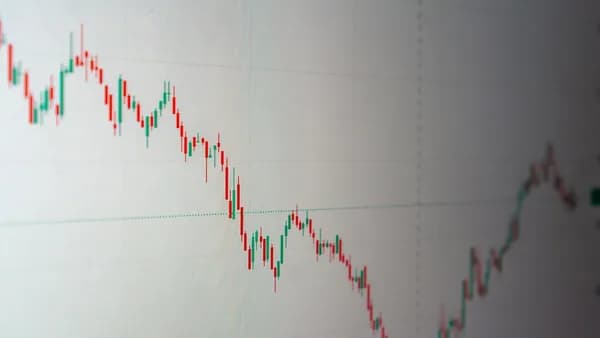
Traders rely on different chart types to suit various strategies—from candlestick and line charts to more advanced visualizations.
Essential Chart Types
Most reviewed platforms, including TradingView, Thinkorswim, and TC2000, support:
- Candlestick charts
- Bar charts
- Line charts
Customization Capabilities
Customization is just as important as variety. Look for platforms that allow:
- Multiple Timeframes: View and compare different timeframes simultaneously (e.g., daily for trends, 5-minute for entries).
- Flexible Layouts: Save and switch between different chart setups based on trading style.
- Drawing Tools: Comprehensive drawing tools—trendlines, channels, Fibonacci retracements—are a must.
"The ability to save drawings and have them persist across sessions is essential."
— Pro Trader Dashboard, 2026
Technical Indicators and Automated Analysis Features
A platform's selection of technical indicators and automation capabilities often determines its usefulness for advanced analysis.
Built-In Indicators
Most platforms offer the basics:
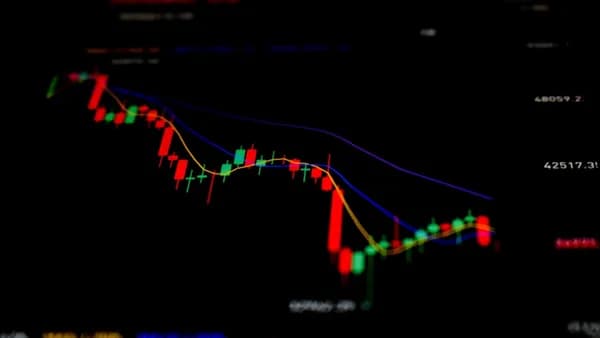
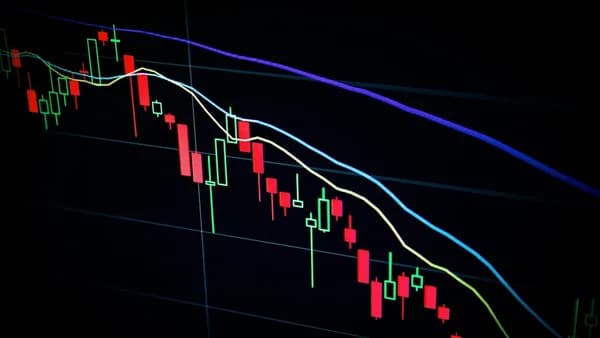
- Moving averages
- RSI (Relative Strength Index)
- MACD (Moving Average Convergence Divergence)
- Bollinger Bands
Thinkorswim stands out with "over 400 technical studies" and TradingView impresses with a vast library of community-contributed scripts and custom indicators via Pine Script.
Custom Scripts and Automated Analysis
- TradingView: Pine Script language for creating custom indicators and strategies.
- Thinkorswim: ThinkScript for custom indicator creation.
- TradeStation: EasyLanguage for advanced programming and backtesting.
Example: Creating a Custom Indicator in TradingView
//@version=5
indicator("Custom Moving Average Crossover", overlay=true)
shortMA = ta.sma(close, 9)
longMA = ta.sma(close, 21)
plot(shortMA, color=color.blue)
plot(longMA, color=color.red)
Automated Alerts
Alerting features are critical for hands-off monitoring:
- Price Alerts: Notifies when a price threshold is reached.
- Indicator Alerts: Triggers based on custom or built-in indicator conditions.
- Delivery Methods: Email, SMS, push notifications (supported by platforms like TradingView and TC2000).
User Interface and Workflow Efficiency
An intuitive, efficient interface is essential, especially when markets move quickly.
Clean Interface and Navigation
TradingView is widely praised for its clean, browser-based interface, making it beginner-friendly and reducing decision fatigue.
Workflow Enhancements
- Watchlist Integration: Organize and monitor multiple stocks efficiently.
- Quick Switching: Save and recall multiple chart layouts for different strategies.
- Persistent Layouts: Drawings and studies should remain intact across sessions and devices.
"A day trading layout might show 1-minute charts, while a swing trading layout shows daily charts."
— Pro Trader Dashboard, 2026
Mobile Compatibility and Cross-Device Syncing
Today's traders require access not just from desktops but also mobile devices and tablets.
Device and Browser Support
- TradingView: Runs in any browser; works on desktops, tablets, and smartphones with seamless sync.
- Thinkorswim: Primarily desktop-focused; at the time of writing, mobile options are more limited.
- TC2000: Desktop-centric, but offers some mobile charting features.
Cross-Device Workflow
The ability to start analysis on one device and continue on another is increasingly important. Platforms like TradingView offer this level of flexibility, syncing drawings, alerts, and watchlists across devices.
Order Execution Speed and Reliability
Order speed can be the difference between profit and loss, especially for intraday traders.
Fast and Reliable Execution
- TC2000: Known for "lightning-fast scanning and charting," popular with day traders for speed.
- TradeStation: Combines powerful charting with a brokerage platform for direct, fast execution.
- NinjaTrader: Offers low-latency charting and order entry, with advanced market replay for performance review.
"TC2000 scans are incredibly fast, often returning results in under a second even for complex criteria."
— Pro Trader Dashboard, 2026
Integration with Brokerage Accounts
Direct integration between charting and brokerage accounts (as with TradeStation and Thinkorswim) ensures orders are executed without delay or error.
Educational Resources and Community Support
Learning and support resources help traders of all levels maximize their platform's features.
Community-Driven Features
- TradingView: Active community sharing ideas, strategies, and custom scripts. Thousands of free scripts are available.
- Thinkorswim: Extensive help documentation and user forums.
Educational Materials
The presence of tutorials, guides, and a supportive user community can ease the learning curve:
- TradingView: Community-published content and scripts.
- Thinkorswim: Rich resource library for technical analysis and options trading.
"The community provides learning resources, and the free tier lets you learn without financial commitment."
— Pro Trader Dashboard, 2026
Security Features and Regulatory Compliance
Security and compliance are vital—especially when dealing with real money and sensitive data.
Security Practices
While the sources do not detail specific encryption or security measures, all major platforms mentioned (e.g., TradeStation, Thinkorswim, TradingView, TC2000) are established industry players that adhere to regulatory standards for brokerage and trading services.
At the time of writing, always check the platform’s own documentation for their latest security and compliance information.
Summary: Prioritizing Features Based on Trading Objectives
Which features should you prioritize? That depends on your trading style and goals. Here’s a comparison table of the top platforms and their key attributes, as described in the source data:
| Platform | Price (2026) | Best For | Key Strengths | Weaknesses |
|---|---|---|---|---|
| TradingView | Free, Pro from $14.95/mo | All traders, social features | Pine Script, large community, cross-device | Free tier limited, data delays |
| Thinkorswim | Free with account | Options, advanced analysis | 400+ studies, ThinkScript, options analysis | Steep learning, desktop-focused |
| TC2000 | Silver $9.99/mo, Gold $29.99/mo | Day traders, scanners | Fastest scanning, persistent alerts | Less modern UI, small community |
| TradeStation | Free with account | Systematic, programmers | EasyLanguage, historical data, backtesting | Dated interface, requires account |
| NinjaTrader | Free (charting), $99/mo (live trading) | Futures, indicator devs | Market replay, C#, depth of market | Futures focus |
FAQ: Features Stock Trading Platforms Charting Tools
Q1: What is the best free stock trading platform with charting tools in 2026?
A: According to Pro Trader Dashboard, TradingView's free tier is the leading no-cost solution, offering quality charts, basic indicators, and access to a large community—though with some data delays and indicator limits.
Q2: Which platform has the fastest scanning and charting?
A: TC2000 is recognized for "lightning-fast scanning and charting," making it a favorite among day traders needing speed.
Q3: Can I create custom technical indicators?
A: Yes, platforms like TradingView (Pine Script), Thinkorswim (ThinkScript), and TradeStation (EasyLanguage) all support user-created custom indicators and strategies.
Q4: What platforms are best for options traders?
A: Thinkorswim is highlighted as the best for options traders, with integrated options chains, Greeks analysis, and options-specific indicators.
Q5: Do these platforms offer mobile or browser-based access?
A: TradingView is fully browser-based and syncs across devices. Thinkorswim and TC2000 are more desktop-focused but may offer some mobile tools.
Q6: Are there community resources or educational tools available?
A: TradingView features a large community sharing scripts and ideas, while Thinkorswim provides extensive documentation and forums.
Bottom Line
For traders in 2026, selecting a stock trading platform with advanced charting tools is about matching features to your strategy. TradingView stands out for its flexibility and community; Thinkorswim excels for options analysis; TC2000 wins on speed for day traders. Key features to look for include real-time data, customizable chart types, a broad range of indicators, automation capabilities, cross-device syncing, rapid order execution, educational resources, and strong security. Prioritize the features that align with your trading objectives, and leverage free trials or tiers to find your best fit before committing.