Choosing the right charting tools for stock trading in 2026 can make or break your trading success. With a crowded market of platforms offering a wide range of features, pricing, and technical capabilities, knowing exactly what to look for—and which tools best match your strategy—has never been more important. In this guide, we’ll break down how to choose charting tools for stock trading based on real research, so you can make an informed decision tailored to your style, budget, and analysis needs.
Introduction to Charting Tools in Stock Trading
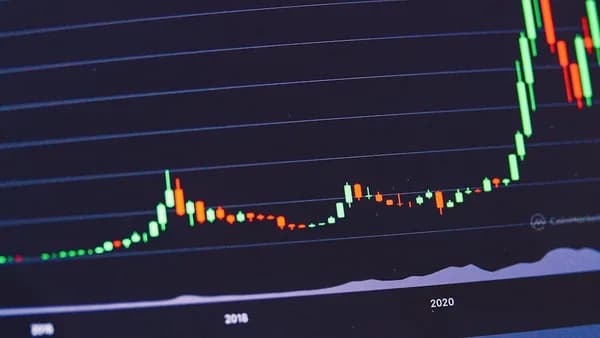
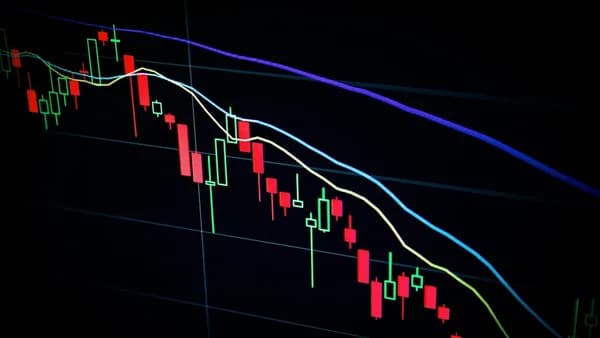
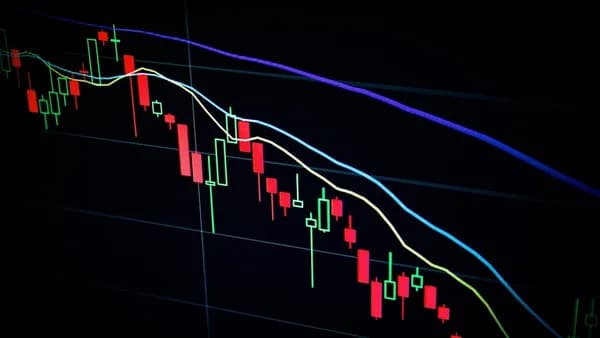
Stock charting tools are the backbone of technical analysis, helping traders visualize price movements, identify trends, and spot trading opportunities. Whether you’re a beginner or an advanced trader, the right charting software can streamline your workflow and provide the actionable insights needed for confident decision-making.
“While stock charts are not the only tool you should use to make trading decisions, they give you more insight than any other tool.”
— Benzinga, 2026
All trading strategies—day trading, swing trading, or long-term investing—rely heavily on charts to interpret market behavior. In 2026, platforms like TradingView, Benzinga Pro, StockCharts.com, TC2000, and others are vying for your attention, each bringing unique features and pricing structures to the table.
Key Features to Look for in Charting Software
When you set out to choose charting tools for stock trading, several essential features should top your checklist. These make technical analysis efficient, effective, and adaptable to your workflow.
Essential Charting Features
- Fast, Reliable Data: Real-time or near real-time updates are critical for active traders.
- Customizable Indicators: Ability to apply and modify technical indicators such as moving averages, RSI, MACD, and Bollinger Bands.
- Drawing Tools: Support for trendlines, channels, Fibonacci retracements, pitchforks, and pattern recognition.
- Multiple Timeframes: Ability to view and compare different time intervals (e.g., 1-minute, hourly, daily).
- Alerts: Price or indicator-based notifications via email, SMS, or push notifications.
- Watchlist Integration: Organize and monitor multiple stocks based on your criteria.
- Chart Layouts: Save and switch between multiple chart configurations.
“Good charting software is the foundation of technical analysis. Whether you are identifying support and resistance levels, drawing trendlines, or analyzing indicators, you need a platform that is fast, reliable, and fits your trading style.” — Pro Trader Dashboard, 2026
Types of Charting Tools: Desktop, Web-Based, and Mobile
Charting platforms come in several formats, each with trade-offs in performance, accessibility, and feature set.
| Platform Type | Examples | Pros | Cons |
|---|---|---|---|
| Desktop | Thinkorswim, TC2000 | Fastest performance, advanced features, deep customization | Requires installation, less portable |
| Web-Based | TradingView, StockCharts | Accessible on any device, easy to update, social/community-rich | May have data delays (free tiers), browser limitations |
| Mobile | StockClock, TradingView | On-the-go monitoring, push notifications, convenient | Typically fewer features, smaller screen real estate |
Platform-Specific Notes
- TradingView: Browser-based, works on any device, strong social/community integration.
- Thinkorswim: Professional-grade, best suited for desktop, free for TD Ameritrade customers.
- StockClock: Designed for mobile with real-time alerts and intuitive navigation.
The right type depends on your trading environment—do you need desktop power, browser flexibility, or mobile convenience?
Comparing Charting Tools for Different Trading Styles
Your trading style plays a pivotal role when you choose charting tools for stock trading. Here’s how popular platforms stack up for day traders, swing traders, and long-term investors:
| Trading Style | Best Platform(s) | Why? | Key Features |
|---|---|---|---|
| Day Trading | TC2000, TradingView | Lightning-fast scanning, real-time data, customizable alerts, clean interface | Fast scanning, multiple timeframes, alerts |
| Swing Trading | TradingView, Benzinga Pro | Multi-timeframe analysis, historical charting, stackable indicators | Customizable layouts, indicators, watchlists |
| Long-Term Investing | StockCharts.com, Thinkorswim | Extensive historical data, fundamental overlays, robust studies | Earnings calendars, dividend overlays |
| Options Trading | Thinkorswim | Integrated options chains, Greeks, probability analysis | Advanced options-specific tools |
| Beginners | TradingView, FINVIZ | Intuitive interface, community scripts, learning resources | Free tier, easy navigation, education |
“TradingView is most beginner-friendly. The interface is intuitive, the community provides learning resources, and the free tier lets you learn without financial commitment.” — Pro Trader Dashboard, 2026
Budget Considerations: Free vs Paid Charting Tools
Choosing between free and paid charting software depends on your needs, but both options have clear trade-offs.
Free Charting Tools
- TradingView: Free tier available, but with limited indicators and data delays.
- StockCharts.com: Offers a free version with limited overlays, indicators, and smaller chart size.
- Thinkorswim: Free for TD Ameritrade account holders.
Paid Charting Tools
- Benzinga Pro: Basic at $37/month, Essential at $197/month.
- StockClock: $10/month, with a 20% discount for annual billing.
- StockCharts.com: Paid plans from $19.95 to $49.95 per month, with a free 1-month trial.
- TradingView: Pro from $14.95/month.
- TC2000: Silver at $9.99/month, Gold at $29.99/month.
- NinjaTrader: Free for charting, $99/month for live trading features.
| Platform | Free Option | Paid Plans (Monthly) | Main Paid Benefits |
|---|---|---|---|
| TradingView | Yes | $14.95+ | More indicators, no data delay, advanced chart layouts |
| Benzinga Pro | No | $37 (Basic), $197 (Essential) | Real-time news, trade alerts, interactive charts |
| StockCharts.com | Yes | $19.95 – $49.95 | More overlays, larger charts, predefined scans |
| TC2000 | No | $9.99 (Silver), $29.99 (Gold) | Fastest scanning, condition-based alerts |
| Thinkorswim | Yes* | N/A | All features free with TD Ameritrade account |
| NinjaTrader | Yes | $99 (for live trading) | Live trading, advanced charting, market replay |
“Depending on how you trade and which indicators you use most often, you may or may not need a paid subscription for charts useful for planning your next trades.” — Benzinga, 2026
Integration with Brokerage Platforms
Having your charting tool integrated with your brokerage streamlines the trading process and can even reduce costs.
- Thinkorswim: Fully integrated with TD Ameritrade, offering seamless order placement, options analysis, and free access to all features.
- TradeStation: Combines brokerage and advanced charting, with EasyLanguage for strategy development.
- Benzinga Pro: Embeds TradingView charts, but is focused on news and alerts rather than direct brokerage integration.
- TC2000: Can integrate with certain brokers for direct order routing.
“TradeStation combines charting with a powerful brokerage platform. Its EasyLanguage programming has been an industry standard for decades.” — Pro Trader Dashboard, 2026
If brokerage integration is a must, prioritize platforms like Thinkorswim or TradeStation, especially if you trade options or need advanced order types.
User Interface and Customization Options
A user-friendly interface and deep customization are critical when you choose charting tools for stock trading.
- TradingView: Clean, modern interface. Drag-and-drop charts, customizable color schemes, and Pine Script for custom indicators.
- Benzinga Pro: Dark background, stackable indicators, interactive and customizable charts.
- StockCharts.com: “Old-school” feel but offers customizable indicators and overlays.
- Thinkorswim: Advanced, but steep learning curve; highly customizable via ThinkScript.
- TC2000: Less modern interface, but fast and functional.
“The intuitive design of StockClock allows users to effortlessly navigate through various chart types, indicators and technical analysis tools, enabling them to make informed trading decisions.” — Benzinga, 2026
Look for platforms that let you save chart layouts, customize workspaces, and adjust indicators to your liking. A cluttered or unintuitive interface can slow down your analysis and cost you trading opportunities.
Evaluating Real-Time Data and Technical Indicators Support
Real-time data and robust indicator support are non-negotiable for active traders.
Real-Time Data
- Benzinga Pro: Delivers real-time streaming news and market data.
- TradingView: Paid plans remove data delays; free tier has slight lag.
- TC2000: Known for ultra-fast real-time scanning and chart updates.
- StockCharts.com: Free version has limitations; paid plans offer more real-time capabilities.
Technical Indicators
- TradingView: Thousands of indicators, Pine Script for custom indicators, community scripts.
- Thinkorswim: Over 400 built-in studies, plus custom indicator creation via ThinkScript.
- Benzinga Pro: Includes all TradingView indicators; stackable and customizable.
- StockCharts.com: Extensive array of technical indicators and overlays, customizable with paid plans.
- ChartPrime: AI-driven analytics, algorithm-based signals, advanced pattern recognition.
| Platform | Real-Time Data | Indicator Customization | Community Scripts | Notes |
|---|---|---|---|---|
| TradingView | Yes (Paid) | Pine Script | Yes | Free tier has data delays |
| Thinkorswim | Yes | ThinkScript | No | Advanced studies, options focus |
| Benzinga Pro | Yes | TradingView indicators | No | Real-time news integration |
| TC2000 | Yes | EasyScan | No | Condition-based alerts |
How to Test Charting Tools Before Committing
The best way to choose charting tools for stock trading is to test-drive them before you commit.
Most major platforms offer:
- Free Trials: StockCharts.com offers a free 1-month trial; StockClock provides a 7-day trial.
- Free Tiers: TradingView, Thinkorswim, and NinjaTrader (for charting).
- Demo Accounts: Some broker-linked tools like Thinkorswim allow practice trading with virtual funds.
Testing Checklist
- Set up watchlists and load your preferred stocks.
- Apply your favorite indicators and customize their settings.
- Draw trendlines and patterns to assess drawing tool capabilities.
- Configure alerts for price or indicator triggers.
- Try switching timeframes and layouts to test performance.
- Explore community scripts (TradingView) or custom studies (Thinkorswim, TC2000).
- Check integration with your broker if needed.
“You can change your strategy at any time, use different charts, adjust your indicators and create a system that works best for you.” — Benzinga, 2026
Testing ensures the platform fits your workflow and that you’re comfortable with its interface and features.
Conclusion: Matching Charting Tools to Your Trading Needs
To successfully choose charting tools for stock trading, align your platform with your trading style, technical requirements, and budget. Here’s a quick recap:
- Active Day Traders: Consider TC2000 or TradingView for fast scanning and real-time data.
- Swing/Long-Term Traders: StockCharts.com or Thinkorswim provide deep historical data and robust indicators.
- Options Traders: Thinkorswim is unrivaled for options analysis.
- Beginners: TradingView offers an intuitive interface, strong community, and a free tier.
- Mobile-First Traders: StockClock delivers real-time alerts and a streamlined mobile experience.
“The best charting platforms share several key features that make technical analysis efficient and effective: fast data, customizable indicators, drawing tools, multiple timeframes, watchlist integration, and alerts.” — Pro Trader Dashboard, 2026
Always test multiple platforms, leverage free trials, and don’t hesitate to change platforms as your strategy evolves.
FAQ
Q: What is the best free charting tool for stock trading in 2026?
A: According to both Benzinga and Pro Trader Dashboard, TradingView’s free tier is the top no-cost option, offering quality charts and access to community scripts, though with some data delays and indicator limitations.
Q: Which platforms are best for day trading?
A: TC2000 and TradingView are highlighted for day traders due to TC2000’s lightning-fast scanning and TradingView’s clean, responsive interface.
Q: Do I need to pay for charting tools to get real-time data?
A: Many platforms offer real-time data only with paid plans (e.g., TradingView). Benzinga Pro and TC2000 include real-time data in their paid tiers, while Thinkorswim provides it free for TD Ameritrade account holders.
Q: Which charting software is best for options analysis?
A: Thinkorswim stands out for options traders, offering integrated options chains, Greeks, and advanced probability analysis directly within charts.
Q: Can I use charting tools on my phone?
A: Yes, platforms like StockClock and TradingView provide mobile apps with real-time alerts and charting features, though some advanced tools may be desktop-only.
Q: How do I know which indicators to use?
A: Start with a few core indicators you understand, such as moving averages, RSI, or MACD. All major platforms support these, and you can expand your toolkit as you gain experience.
Bottom Line
Choosing the right charting tools for stock trading in 2026 hinges on aligning platform features with your trading approach and budget. Platforms like TradingView, TC2000, Thinkorswim, and Benzinga Pro each offer unique strengths—whether it’s real-time data, advanced customization, brokerage integration, or community support. Use free trials, test-drive features, and remember that your needs may change as your skills and strategies evolve. The best charting tool is the one that empowers you to make timely, informed trading decisions.