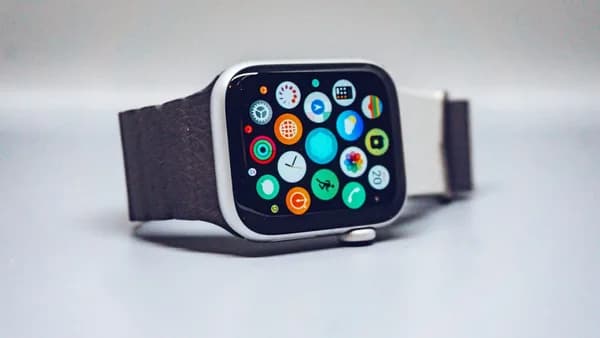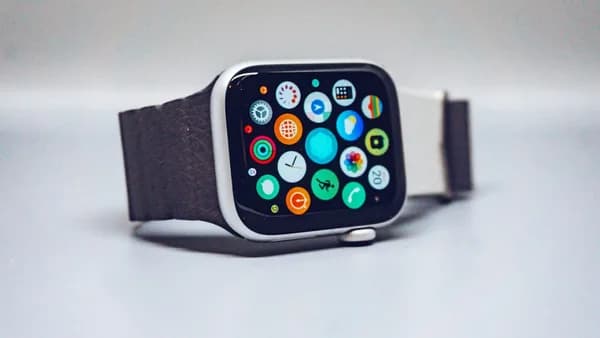
Google used an AI-heavy I/O to make a quieter but more consequential promise for watches: Wear OS 7 should stretch smartwatch battery life by up to 10 percent.
That matters because the wrist is where software ambition hits a hard physical limit. A watch can add AI, richer widgets, better workouts and deeper media controls, but if users have to ration battery by dinner, the feature list becomes secondary. Google unveiled Wear OS 7 at Google I/O, with a release planned later this year for smartwatches including the Google Pixel Watch 4, according to Notebookcheck.
The thesis is simple: Wear OS 7 is less about one splashy new feature than about Google trying to make Android smartwatches feel less needy. Fewer charges. Fewer taps. More actions from the wrist. If that works in real use, Wear OS becomes a stronger daily platform. If it does not, the update risks becoming another feature-heavy release that still misses the core wearable problem.
Wear OS 7 makes battery life the smartwatch battleground Google can’t afford to lose
What We Know: Google says Wear OS 7 should deliver up to 10 percent longer battery life. The company is also bringing widgets, workout standardization, Gemini-related app controls, expanded media output options and watch-face development improvements.
Battery is the strategic center of the announcement. Not because 10 percent is a huge number on paper. It is not. But on a smartwatch, small gains can decide whether a device survives a long day, records a workout, tracks sleep and still has enough charge left for the next morning alarm.
That is the pressure point Google is targeting. Wearables, including Google smart glasses, are judged differently from phones. A phone can recover from a midday charge. A watch that dies during sleep tracking or a GPS workout breaks the habit loop that makes the product valuable.
Why It Matters: Google is trying to improve the experience through software rather than by asking manufacturers to make watches larger, heavier or more battery-dense. That is the cleaner path if it works. It lets Pixel Watch and partner devices feel more reliable without forcing a trade-off in design.
The promise also gives Wear OS 7 a sharper identity. Earlier watch updates often centered on interfaces, apps or health features. This one says the platform has to do more while consuming less.
That is a harder engineering problem than adding another screen. It also creates a clearer test. Users will not judge the claim in a demo. They will judge it after a day with always-on display, notifications, workout tracking, music controls and sleep tracking enabled.
The key Wear OS 7 features: longer battery life, widgets, workout upgrades and AI tools
What We Know: Wear OS 7 replaces the previous full-screen Tiles with widgets available in two formats. These widgets can show information and support interaction. Notebookcheck gives examples such as placing a call to a specific contact or controlling music playback directly.
This is not just a cosmetic change. Widgets can reduce the number of taps required to do basic things on a tiny screen. That makes the watch feel faster even if the processor is unchanged. On a wearable, interface efficiency is performance.
Google is also extending standardization across Wear OS. Workout apps can optionally use the user interface and technology from Google’s system apps. The practical effect: heart-rate measurement and music playback during exercise can behave the same way regardless of which app a user chooses.
That matters because inconsistent workout behavior is one of the easiest ways to make a smartwatch feel unfinished. If one app handles media controls differently from another, or if heart-rate capture feels uneven between services, the platform takes the blame even when a third-party app caused the friction.
AI is the other major layer. Wear OS 7 includes a Gemini API that lets third-party apps connect with the AI assistant and respond to voice commands. Related reporting also describes AppFunctions, which allows apps to expose actions to Gemini. One cited example is starting a run in Samsung Health by speaking to Gemini.
Why It Matters: The wrist is a natural place for voice-first controls, but only if the assistant is fast, accurate and restrained. Tapping through menus on a watch is clumsy. Asking for an action is cleaner. The risk is that AI features add latency, battery drain or unclear privacy boundaries. Google has not supplied enough detail to judge those trade-offs yet.
For more context on the widget and Live Updates shift, see MLXIO’s earlier look at how Wear OS 7 sparks smarter watches with widgets and Live Updates.
The numbers that matter: battery claims, upgrade reach and the smartwatch market race
What We Know: The hard number in Google’s announcement is “up to 10 percent” longer battery life. The timing is “later this year.” The widget formats are two card sizes, described in related coverage as 2x1 and 2x2. Gemini Intelligence is described in related reporting as coming to selected watches launching later in 2026.
Those qualifiers matter. “Up to” is not the same as “every user will get.” Battery gains vary by device, app mix, display settings, sensors and network behavior. A watch used mostly for notifications may benefit differently from one used for GPS workouts and overnight health tracking.
The metrics to watch are not abstract. They are practical: hours of real-world use, drain with always-on display, GPS workout endurance, sleep tracking reliability, LTE impact where supported and charging time. A 10 percent improvement that disappears under heavy workout or AI use would be less meaningful than a smaller gain that holds across daily scenarios.
Upgrade reach is the other variable. Notebookcheck says Wear OS 7 is planned for smartwatches such as the Google Pixel Watch 4. Related reporting says Google has not clearly confirmed every eligible smartwatch. That uncertainty limits how broadly the benefit can be assessed today.
What Is Still Unclear: We do not yet know which existing Pixel Watch models will receive every Wear OS 7 feature. We also do not know how many third-party Wear OS watches will get the full update, how quickly partners will ship it or whether Gemini features will be limited by hardware.
That last point could define the launch. If core improvements such as battery and widgets reach many watches but the most visible AI features land only on select new models, Wear OS 7 may feel split between a platform update and a hardware upsell.
From neglected platform to Android’s wearable comeback: how Wear OS reached this moment
Wear OS 7 arrives at a moment when Google is clearly treating the watch as part of a broader Android-and-Gemini strategy, not as a side project. At I/O, the company spent most of its oxygen on AI and Gemini products. Wear OS still received a meaningful update, and that says something about the role Google wants the wrist to play.
Analysis: The direction is not “make the watch a tiny phone.” Google is moving toward a watch that handles short, contextual tasks better: glance at a widget, act on a Live Update, start a workout, control music output, ask Gemini to trigger an app function.
That is the right shape for a wearable. The best watch interactions are short. A good smartwatch saves a phone pull. A bad one simply moves phone friction to a smaller screen.
The workout changes also show how health and fitness remain central to the product. Google is not only adding another fitness feature. It is giving third-party workout apps the option to borrow the behavior and interface of Google’s system apps. That is a platform-level move.
If developers adopt it, users may see more consistent heart-rate tracking and media controls across workout apps. If they do not, the benefit could remain uneven. Optional standardization only works when enough apps choose the standard.
Google’s broader Gemini push also matters here. MLXIO covered the same AI direction in Google’s work on Android XR smart glasses and Gemini. Wear OS 7 fits that pattern: Google wants AI surfaces across devices, with the assistant moving closer to where users are already acting.
Who wins and who worries: Pixel Watch owners, Android users, developers and hardware partners
Why It Matters: Pixel Watch owners are the most obvious potential winners, assuming their device is eligible for the relevant features. Better battery life would improve daily reliability. Widgets would make information easier to reach. Workout standardization could make fitness sessions feel more polished. Gemini integration could reduce menu digging.
Android users more broadly also benefit if Wear OS 7 lands across enough devices. A stronger watch platform makes the Android phone-watch pairing more coherent. But that depends on rollout discipline. If features arrive slowly or vary sharply by model, the platform still feels fragmented.
Developers get new surfaces, but also new obligations. Widgets create more places to present information and actions. Gemini APIs create ways for apps to respond to voice-driven commands. The workout framework reduces the need to build every exercise interface from scratch.
The trade-off is investment. Developers need clear APIs, predictable performance and enough supported watches to justify the work. A clever widget system does not matter if it reaches too few users or behaves differently across hardware.
Hardware partners face a mixed picture. They benefit from core Wear OS improvements because better battery life, widgets and workout consistency make the whole platform easier to sell. But they may also face pressure if the most advanced Gemini features appear first on selected new watches or Google-branded devices.
What Is Still Unclear: Google has not provided enough detail on feature parity. Will a partner watch get the same widget behavior, Gemini app controls and media output switching as a Pixel Watch? Will older watches receive the battery improvements but miss the AI layer? Those answers will shape how partners position their next devices.
What Wear OS 7 means for the wearable industry: smarter watches must become less needy
Wear OS 7 points to a broader product truth: the next smartwatch fight is not simply about adding more features. It is about reducing friction while adding features.
Google is attacking three forms of friction at once. Battery friction: the watch should last longer. Interface friction: widgets should surface actions faster. App friction: workouts and Gemini commands should behave more consistently across services.
That is the right hierarchy. Users do not want to admire a smartwatch interface. They want the watch to answer, track, remind, guide and get out of the way.
AI could sharpen that value if it turns the watch into a better action surface. A voice command that starts a run, controls playback or triggers a supported app is more useful than a generic chatbot on a small display. The wrist favors intent, not conversation for its own sake.
The risk is feature overload. More AI, more widgets, more real-time updates and more media routing could work against the battery promise if not tightly optimized. Google is effectively making two promises at once: Wear OS 7 will do more, and it will last longer. Those goals can conflict.
Analysis: The most important technical question is whether Google can make the new surfaces efficient by default. Widgets need to update without becoming constant background drains. Gemini actions need to respond quickly without punishing battery life. Workout standardization needs to improve consistency without limiting app differentiation.
If Google gets that balance right, Wear OS 7 becomes a quieter but more durable upgrade than a flashy feature dump.
What happens next: Wear OS 7 will be judged by real-world endurance, not launch-day promises
What To Watch: Reviews and user reports should focus on whether the battery claim survives normal use. The key scenarios are always-on display, sleep tracking, LTE where available, GPS workouts, media playback controls and Gemini-powered actions.
The next watch item is device eligibility. Google has said Wear OS 7 will arrive later this year, but the practical impact depends on which Pixel Watch models and third-party Wear OS devices receive the update, and which features they actually get.
Developer adoption is just as important. Widgets, Gemini APIs and the workout framework only become meaningful when major apps support them. If developers embrace the new tools, Wear OS 7 could make Android watches feel more consistent. If adoption is thin, the update will feel better in Google demos than in daily use.
The clearest confirmation of Google’s thesis would be simple: users report longer battery life without turning off the features that make the watch useful. The clearest warning sign would be the opposite — AI and richer widgets arrive, but owners still manage battery like a scarce resource.
Wear OS 7 is promising smarter watches. The real test is whether they become less demanding ones.
Key Takeaways
- Google says Wear OS 7 can extend smartwatch battery life by up to 10 percent.
- Better battery life could make Pixel Watch and other Wear OS devices more reliable for workouts, sleep tracking and all-day use.
- The update signals Google is focusing on making Android smartwatches less dependent on frequent charging.