
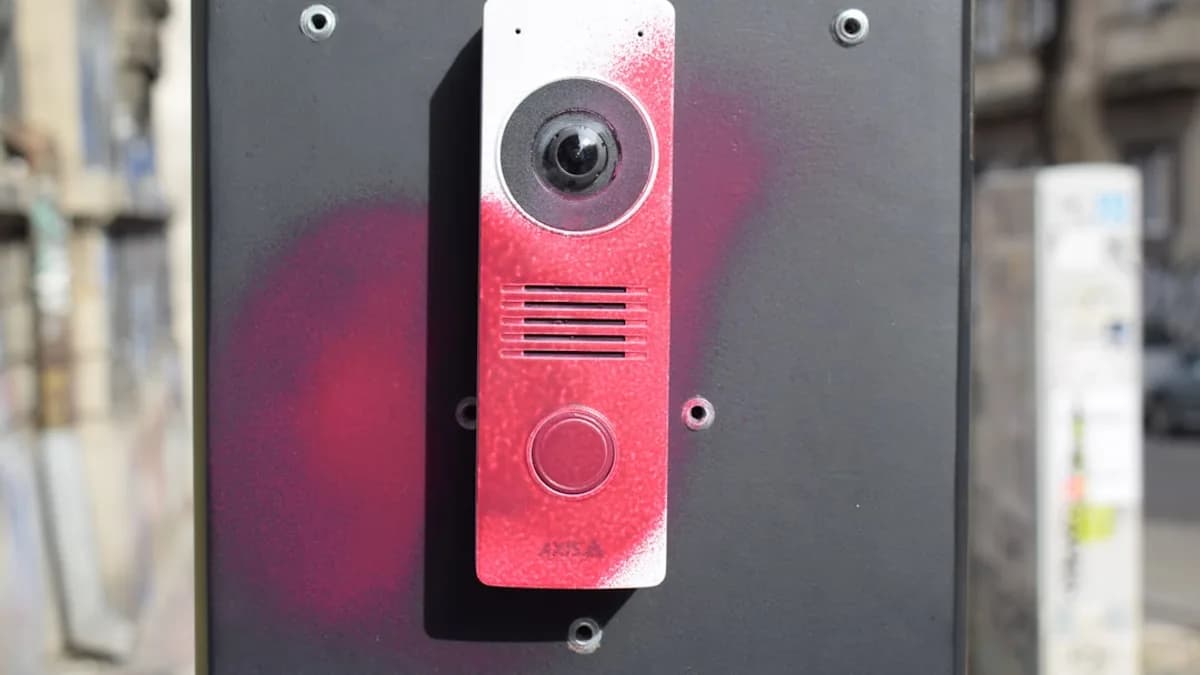
Introduction: Why Invest in a Google Nest Doorbell?
If you’ve ever felt anxious about missing a package delivery or worried about porch pirates stealing your orders, a video doorbell can be a game changer for home security and peace of mind. These smart devices let you monitor your front door in real time—whether you’re relaxing at home or on the go. Among the many options available, Google’s Nest Doorbells stand out for their reliability, feature set, and seamless integration with other Google devices.
Right now, Google’s latest Nest Doorbells are more affordable than ever, with both battery-powered and wired versions hitting their lowest prices of the year. This article will guide you through choosing the right Nest model for your needs, installing it step-by-step, and making the most of its advanced features. Whether you’re a homeowner or a renter, investing in a Nest Doorbell helps you keep tabs on deliveries, greet visitors, and boost your overall security—all from your smartphone [Source: Source].
Choosing Between the Battery-Powered and Wired Nest Doorbell Models
Google currently offers two main Nest Doorbell options: the battery-powered, second-generation model, and the wired, third-generation version. Let’s break down how these differ and which one might be the best fit for your home.
Battery-Powered (Second-Gen) Nest Doorbell:
Ideal for renters or anyone who prefers a simple, wire-free installation, the battery-powered Nest Doorbell can be mounted without drilling into existing doorbell wiring. This model delivers 960p video resolution, which is clear enough for basic monitoring, and offers up to three hours of event-based video history. The battery needs periodic charging but gives you flexibility in placement [Source: Source].
Wired (Third-Gen) Nest Doorbell:
For homeowners or those with existing doorbell wiring, the wired Nest Doorbell is a strong long-term investment. It boasts sharper 2K video resolution and a wider 166-degree field of view, allowing you to see more of your porch area. With continuous power, you never have to worry about charging, and built-in video previews extend up to six hours. The wired model is especially appealing if you want higher video quality and more robust monitoring capabilities [Source: Source].
Current Discounts and Where to Buy:
Both models are currently on sale at their lowest prices of the year:
- Battery-powered (second-gen): $129.99 ($50 off) at Amazon, Google, and Best Buy (originally $179.99)
- Wired (third-gen): $139.99 ($40 off) at Amazon, Google, and Best Buy (originally $179.99)
If you’re a renter or want the flexibility of wire-free installation, opt for the battery model. Otherwise, the wired version is better for a permanent setup and superior video quality. Either way, now is a great time to invest thanks to these significant discounts [Source: Source].
Step-by-Step Installation Guide for the Battery-Powered Nest Doorbell
Setting up the battery-powered Nest Doorbell is straightforward and requires no electrical skills. Here’s how to get started:
Tools and Materials Needed
- Nest Doorbell (battery-powered, second-gen)
- Included mounting bracket and screws
- Screwdriver or drill (optional for tougher surfaces)
- Level (for straight mounting)
- Smartphone with Google Home app installed
Installation Steps
Charge the Doorbell:
Before installation, fully charge the doorbell using the included USB cable. This ensures you have enough power for setup and initial use.Choose the Mounting Location:
Select a spot near your front door with a clear, unobstructed view. Ideally, the doorbell should be about 48 inches from the ground for optimal head-to-toe coverage.Mark and Attach the Mounting Bracket:
Use the included level tool to ensure the bracket is straight. Mark the screw holes and attach the bracket using the provided screws. For brick or stucco, pre-drill holes and use the included anchors.Mount the Doorbell:
Snap the doorbell onto the bracket until it clicks securely in place.Connect to Wi-Fi and the Google Home App:
Open the Google Home app on your smartphone. Tap the "+" icon to add a new device, select the Nest Doorbell, and follow the in-app instructions to connect it to your Wi-Fi network.Test the Device:
Use the app to check the live feed and ensure the doorbell is capturing the desired area. Adjust the angle if necessary.
Tips for Optimal Placement
- Avoid placing the doorbell in direct sunlight to reduce glare.
- Make sure your Wi-Fi signal is strong at the installation point; consider a Wi-Fi extender if needed.
- Position the doorbell to cover both your entryway and package drop zone for complete coverage.
With these steps, you’ll have your wire-free Nest Doorbell up and running in no time, offering instant security and delivery monitoring [Source: Source].
Step-by-Step Installation Guide for the Wired Nest Doorbell
The wired Nest Doorbell provides a more permanent solution with superior video quality, but installation involves basic electrical work. Here’s how to safely install it:
Tools and Safety Precautions
- Nest Doorbell (wired, third-gen)
- Mounting bracket and screws (included)
- Screwdriver, drill, and level
- Wire stripper (if needed)
- Electrical tape
- Smartphone with Google Home app
- Turn off power at your circuit breaker before starting
Installation Steps
Turn Off Power:
Locate your existing doorbell’s circuit breaker and turn off the power to avoid electrical hazards.Remove Existing Doorbell:
Unscrew and disconnect your old doorbell, exposing the wires.Attach Mounting Bracket:
Use the level tool and mark the screw holes. Drill and install the mounting bracket. If installing on masonry, use wall anchors.Connect the Wires:
Attach the two exposed wires to the terminals on the Nest Doorbell. Use electrical tape to secure any loose connections.Mount the Doorbell:
Snap the doorbell onto the mounting bracket.Restore Power:
Turn the power back on at the circuit breaker.Configure in Google Home App:
Open the Google Home app, follow prompts to add the Nest Doorbell, and connect it to your Wi-Fi.Test and Adjust:
Check the live feed, and adjust the angle for optimal coverage.
Advantages of Wired Setup
- Continuous power: No battery charging required.
- Sharper 2K video: Wider 166-degree field of view.
- Up to six hours of video previews: More comprehensive event history.
If you already have wiring in place, the wired Nest Doorbell offers a reliable, high-quality monitoring solution for your home [Source: Source].
Maximizing Your Nest Doorbell’s Features and Integrations
Once installed, the Nest Doorbell offers a suite of smart features to enhance your security and convenience:
Key Features
- Person, package, and animal alerts: Get notified when someone approaches, a package is delivered, or animals are detected—without a subscription.
- Night vision: Clear video even in low-light conditions.
- Two-way audio: Speak with visitors directly from your phone.
- Head-to-toe view: Tall aspect ratio ensures you see both people and packages.
Integrating with Google Devices
Nest Doorbells work seamlessly with Google TV and Nest displays. You can view live feeds on your smart displays or TVs, making it easy to monitor your door from anywhere in your home.
Subscription Options
- Google Home Premium ($10/month):
Gain access to 30 days of event-based video history, Gemini-powered features, and familiar face alerts. - Google Home Premium Advanced ($20/month):
Unlock 24/7 recording, advanced video search, and more descriptive notifications.
These subscriptions provide deeper insights and longer video history, ideal for users who need comprehensive monitoring [Source: Source].
Customizing Notifications and Video History
- Adjust notification sensitivity in the app to avoid false alerts.
- Set up activity zones so only specific areas trigger alerts.
- Review video history to check past events or deliveries, especially useful for resolving package disputes.
By leveraging these features, you maximize the value and effectiveness of your Nest Doorbell, turning it into a central hub for home security and smart monitoring.
Conclusion: Making the Most of Your Google Nest Doorbell Purchase
Choosing the right Google Nest Doorbell and installing it properly ensures you get reliable, high-quality monitoring for your home. With both battery-powered and wired models now available at their best prices of the year, there’s never been a better time to upgrade your security setup. Take advantage of current discounts to enhance your peace of mind, monitor deliveries, and greet visitors smarter than ever. Start your journey toward better home security with a Nest Doorbell today [Source: Source].