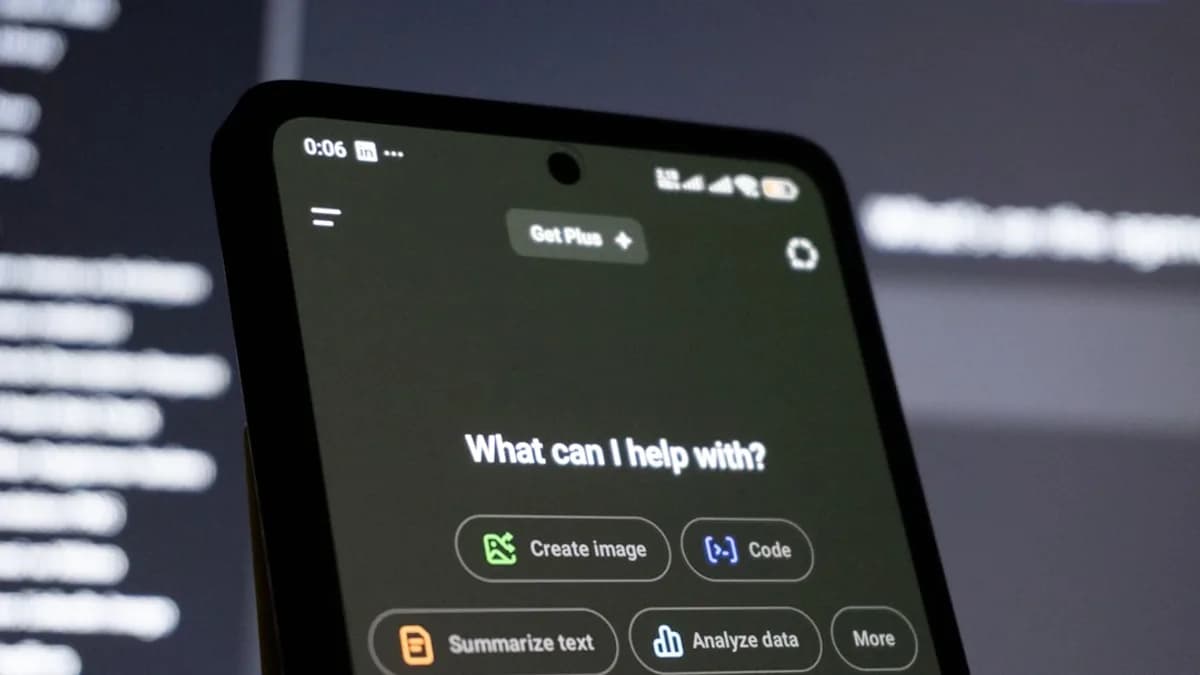
Building custom Large Language Model (LLM) applications has never been more accessible. In 2026, non-developers can now bring powerful AI solutions to life—without writing a single line of code. Thanks to advanced no-code LLM platforms, you can build chatbots, content generators, recommendation engines, and more, simply by describing your ideas in plain English. This tutorial will walk you through every step you need to build custom LLM applications with no coding, using the latest tools, workflows, and best practices—all grounded in real research and expert recommendations.
Introduction to Large Language Models and No-Code Platforms
Large Language Models (LLMs), such as GPT-4o and Mistral Large 2, have set a new standard for natural language understanding and generation. Traditionally, leveraging LLMs required significant programming expertise and technical infrastructure. However, the rise of no-code platforms in 2026 has democratized AI application development.
Vibe coding is the latest evolution in this space. With vibe-coding platforms, users simply describe their app requirements in natural language, and the AI automatically generates the application's logic, UI, and backend—no technical background required (Fuzen.io). These advances make building custom LLM applications no coding a practical reality for entrepreneurs, educators, business leaders, and creative professionals.
Benefits of Building LLM Applications Without Coding
Choosing a no-code approach for LLM-powered apps brings several substantial advantages:
- Accessibility: Anyone can build intelligent applications, regardless of coding experience (Fuzen.io, KDnuggets).
- Speed: Rapid prototyping and deployment—apps can be built and tested in minutes (KDnuggets).
- Cost-Efficiency: No need to hire developers or invest in complex infrastructure.
- Scalability: Platforms handle backend, hosting, and scaling automatically.
- Collaboration: Real-time team collaboration features support distributed workforces (Fuzen.io, LLMStack).
- Maintenance: Update or modify your app by simply describing the desired change; no manual coding required.
“With modern tools, you can build fully functioning AI-driven applications by simply describing your requirements in natural language—without writing code or manually wiring infrastructure.”
—Pushkar Gaikwad, Fuzen.io
Overview of Popular No-Code LLM Platforms in 2026
A variety of no-code LLM app builders are available today, each with unique features and strengths. Here’s how the leading platforms compare:
| Platform | Approach | Key Features | Open Source | Templates | Data Integrations | Collaboration | LLM Support |
|---|---|---|---|---|---|---|---|
| Fuzen | Vibe coding, prompt-based | Describe app in English, AI generates everything, built-in hosting and auth | No | Yes | APIs, databases | Yes | LLM + business logic |
| Flowise AI | Drag-and-drop workflow | Build with Langchain/LlamaIndex, test in chatbot UI, agents | Yes | No | API, SDK, vector stores | Not specified | Open/closed LLMs |
| Langflow | Visual drag-and-drop | Prompt variables, fine-tuning, orchestration, custom components | Yes | No | Chromoa DB, custom | Not specified | LLMs, custom models |
| Dify | Visual canvas | AI workflow orchestration, multimodal apps, monitoring | Yes | No | LLM tools, APIs | Yes | GPT-4o, Mistral, etc. |
| LLMStack | Model chaining | Bring your own data, connect to major LLMs, granular permissions | Not stated | Not stated | PDFs, web, Google Drive, etc | Yes | OpenAI, Cohere, etc. |
| Nodey | Visual drag-and-drop | Build workflows to process queries, extract knowledge, chat UI | Yes | Not stated | Not stated | Not specified | LLMs |
| Airtable | Data-centric, automations | Custom views, automation, LLM-enabled workflows | No | No | Integrates with apps | Not specified | LLM-powered features |
Key Takeaways:
- Fuzen is ideal for business users seeking production-ready solutions from a single prompt.
- Flowise AI, Langflow, and Dify offer flexible, open-source platforms with strong workflow and integration capabilities, suitable for more technical users or organizations favoring open tools.
- LLMStack and Nodey emphasize visual workflow building and easy data integration.
Step 1: Defining Your Application’s Purpose and Use Case
Before you dive into building, it’s critical to clarify your application’s goal. This step will save you time and ensure your app meets user expectations.
Questions to consider:
- What problem does your app solve?
- Who is your target audience?
- What tasks should your app automate or enhance?
Examples of no-code LLM app use cases:
- Chatbots for customer support or internal helpdesks
- Content generators for marketing copy or educational materials
- Recommendation engines for e-commerce or media
- Knowledge extraction tools for document analysis
“It’s important to clearly define all the states of your control. This will save you some precious time.”
—MDN Web Docs
Step 2: Selecting the Right No-Code LLM Platform
Choosing the appropriate platform depends on your use case, technical comfort, and desired features. Here’s how to decide:
Key Platform Selection Criteria
- Prompt-to-app generation: Prioritize platforms like Fuzen for fastest results (Fuzen.io).
- Templates: Accelerate development with ready-made app templates.
- Data and API integrations: Essential for apps needing external data or connecting to existing tools.
- Open-source vs. Proprietary: Open tools (Flowise AI, Langflow, Dify, Nodey) offer flexibility and privacy; proprietary tools (Fuzen, Airtable) may provide more support or ease of use.
- Collaboration features: Look for real-time multi-user support if working in teams.
- LLM support: Ensure your platform can connect to the models you need (e.g., GPT-4o, Mistral, open-source).
Example: Platform Selection Table
| Use Case | Recommended Platform(s) | Reasoning |
|---|---|---|
| Business Chatbot | Fuzen, Dify | Prompt-based, templates, easy deployment |
| Data Automation | Airtable | Powerful automation and data views |
| Custom Workflows | Flowise AI, Langflow, Nodey | Drag-and-drop, open-source, flexible agents |
| Multimodal Apps | Dify, LLMStack | Supports image + text, advanced integrations |
Step 3: Designing Your Application Workflow
A good workflow ensures your app provides a smooth user experience. Most no-code LLM platforms offer visual editors:
- Fuzen: Simply describe the full app behavior using natural language. The AI generates UI, backend, and integrations automatically.
- Flowise AI / Langflow / Nodey: Drag and drop components like LLMs, document stores, memory modules, and prompt templates onto a visual canvas. Connect them to define the flow of data and user interactions.
Workflow Design Example
Suppose you want a chatbot that answers company policy questions:
- Input: User types a question.
- Processing: LLM processes the question, using a knowledge base stored in a vector database.
- Output: Chatbot displays the answer in the UI.
- Optional: Escalate to human support if confidence is low.
This workflow can be constructed visually in Flowise AI, Dify, or Nodey by dragging and connecting relevant modules.
Step 4: Integrating Data Inputs and Outputs
Real-world LLM applications often need to ingest external data and deliver results in user-friendly ways.
Key Features for Data Integration
- Bring your own data: Platforms like LLMStack support importing data from web URLs, PDFs, Google Drive, Notion, and more.
- APIs and external tools: Most platforms support API integration to fetch or send data to other systems (Fuzen, Flowise AI, Dify).
- Custom forms and controls: While most no-code platforms handle standard inputs, you should clearly define all expected behaviors and interactions for any custom controls you add (MDN).
“Import your own data and connect it to LLM models to supercharge your generative AI applications and chatbots.”
—LLMStack
Step 5: Testing and Refining Your LLM Application
Testing is critical to delivering a high-quality user experience.
Best Practices:
- Use built-in dashboards to preview app behavior (Fuzen).
- Test chatbots or workflows in sandbox UIs provided by platforms like Flowise AI and Dify.
- Adjust prompts, logic, and UI based on test feedback.
- Simulate real user interactions, including edge cases (e.g., ambiguous queries, invalid inputs).
Example Testing Workflow
- Launch the app in test mode.
- Input a variety of sample queries or data.
- Review LLM responses for relevance and accuracy.
- Refine prompts, workflow logic, or data sources as needed.
- Retest until performance meets your standards.
Step 6: Deploying and Maintaining Your Application
When your app is ready, deploying it is typically a one-click process with no-code LLM platforms.
Deployment Features (platform-dependent):
- Automatic hosting and SSL (Fuzen)
- Public or restricted sharing (LLMStack: viewer/collaborator roles)
- Integration with websites, CRMs, or internal tools (Fuzen, Airtable)
- Monitoring and analytics dashboards (Dify, Fuzen)
- Easy updates: Simply describe changes in natural language, and the platform adjusts the app logic (Fuzen).
Maintenance Tips:
- Monitor app usage and performance using built-in analytics.
- Use dashboards to identify and resolve issues quickly (Dify).
- Update workflows or prompts as business needs evolve.
- For open-source tools, keep your platform version up-to-date to receive the latest features and security updates.
Tips for Optimizing Performance and User Experience
- Start with Templates: Accelerate development and ensure best practices by leveraging pre-built templates (Fuzen).
- Iterate on Prompts: Small changes in prompt wording can significantly impact LLM output quality.
- Keep UI Simple: Focus on intuitive, familiar controls and avoid unnecessary complexity (MDN guidance).
- Test with Real Users: Gather feedback early to uncover usability or logic gaps.
- Secure Your App: Use built-in authentication and permission settings—restrict access as needed (Fuzen, LLMStack).
- Integrate with Core Tools: Connect your app with the tools your users already rely on for seamless workflows.
- Monitor and Improve: Use analytics to continually refine performance and address user needs.
“They provide monitoring and management features for you to identify and resolve issues.”
—KDnuggets
FAQ
Q1: Can I really build a full-featured LLM application with no coding experience?
Yes. Platforms like Fuzen, Flowise AI, and Dify are designed for non-technical users, allowing you to describe your app in plain English or assemble components visually—no coding required (Fuzen.io, KDnuggets).
Q2: Which no-code LLM platforms are free or open-source?
Open-source options include Flowise AI, Langflow, Dify, and Nodey. Fuzen and Airtable offer varying free tiers and features but are not open-source (KDnuggets, GitHub).
Q3: What types of LLM-powered apps can I build without coding?
Common examples are chatbots, content generators, recommendation engines, document analyzers, and educational tools (Fuzen.io, KDnuggets).
Q4: How do I connect my app to external data sources?
Platforms like LLMStack support importing data from web URLs, PDFs, Google Drive, and more. Many platforms allow API integrations for broader connectivity (LLMStack.ai, Fuzen.io).
Q5: Is my data secure on no-code LLM platforms?
Most platforms provide authentication, permission controls, and the option to restrict app access. For maximum control, consider open-source solutions you can self-host (Fuzen.io, LLMStack, Dify).
Q6: How do I update or improve my app after launch?
You can use built-in dashboards to monitor performance and simply describe changes in plain language for the AI to implement, or adjust workflows visually (Fuzen.io, Dify).
Bottom Line
In 2026, building custom LLM applications with no coding is not just possible—it’s practical and efficient. The best no-code LLM platforms let anyone turn ideas into intelligent apps using natural language or intuitive visual tools. Whether you’re building a chatbot, automating workflows, or enabling new business insights, platforms like Fuzen, Flowise AI, Dify, and LLMStack democratize AI development.
Key takeaways from research:
- You can build, test, and deploy LLM-powered apps in minutes.
- No coding or infrastructure setup is required.
- Choose your platform based on your use case, desired features, and data integration needs.
- Real-time collaboration, built-in templates, and robust monitoring are now standard.
- Continuous improvement is easy—just describe what you want, and let the AI handle the rest.
If you want to build custom LLM applications with no coding, 2026 is the best time to start. With the right platform and a clear vision, anyone can harness the power of large language models to solve real-world problems—no programming required.