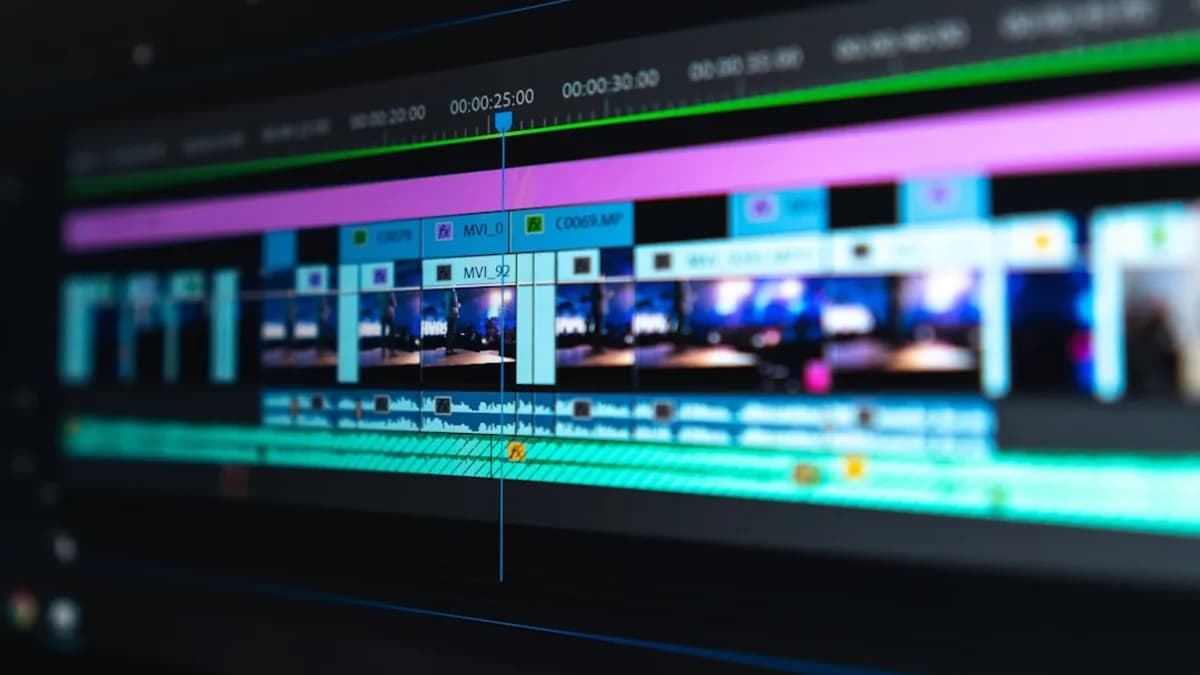
If you’re a beginner eager to start editing videos, the right user-friendly video editing software can make all the difference. In 2026, a wide range of intuitive tools are available—many designed specifically to help newcomers create polished content with minimal frustration. But with so many choices, how do you select software that’s easy to use, affordable, and powerful enough to grow with your skills? This comprehensive, research-driven comparison breaks down the leading options for beginners, so you can confidently pick the best video editor for your needs.
Why User-Friendly Video Editing Software Matters for Beginners
Starting your video editing journey can be daunting. Advanced tools like DaVinci Resolve and Adobe Premiere Pro offer immense power, but their steep learning curves and complex interfaces can overwhelm new users. That’s why user-friendly video editing software is essential for beginners—it lowers the barrier to entry, making creative expression accessible without weeks of study.
Key benefits of beginner-focused editors include:
- Simple, intuitive interfaces that guide you step by step.
- Built-in templates and AI features to automate tricky edits.
- Accessible pricing, including free versions and trials.
- Learning resources like tutorials and community support.
“The order in which they are presented is based on my own experience in both using and reviewing each one on a standard ‘run of the mill’ Win 11 computer…What I do know is that within the software on this page you can get an excellent video editor to suit your needs and the differences between all of them are quite small.”
— DIYVideoEditor.com
Criteria for Evaluating User-Friendly Video Editors
When comparing user-friendly video editing software, especially for beginners, it’s important to focus on the following criteria (as outlined in the source data):
- Intuitive User Interface: Is the layout clear and easy to navigate for newcomers?
- Import & Export Support: Does it accept files from a wide range of sources and export in common formats?
- Editing Tools & Effects: Are there enough features—transitions, filters, AI modules—without being overwhelming?
- Performance: Can it handle modern video formats (like 4K or 360°) smoothly on standard hardware?
- Pricing & Free Trial: Are affordable options or free trials available?
- Learning Resources: Does it offer tutorials, guides, and community support?
Let’s see how today’s top beginner video editors measure up.
Top Video Editing Software Options for Beginners in 2026
Based on real-world testing and expert recommendations, the most user-friendly video editing software for beginners in 2026 includes:
- CyberLink PowerDirector (2026 / 365)
- Wondershare Filmora
- Movavi Video Editor
- ACDSee Luxea Free Video Editor
- CapCut
- Adobe Express Free Online Video Editor
- iMovie (for Mac users)
- Clipchamp
- DaVinci Resolve (free version, for those wanting room to grow)
Below, we’ll compare these options using actual feature data, pricing details, and user experience insights.
Feature Comparison: Interface, Tools, and Templates
Choosing user-friendly video editing software means balancing simplicity with creative flexibility. Here’s how the leading options stack up:
| Software | Interface Style | Key Editing Tools | Templates & Effects | AI Features | Platform Support |
|---|---|---|---|---|---|
| PowerDirector | Sleek, modern, guided | Full timeline, 4K, 360°, trimming, multitrack | Huge built-in effects, transitions | Robust AI-driven modules | Windows, Mac, iOS, Android |
| Wondershare Filmora | Simple, elegant, drag-and-drop | Timeline, effects, transitions, titles | Extensive templates, filters | Growing AI feature set | Windows, Mac |
| Movavi Video Editor | Intuitive, beginner-friendly | Timeline, effects, transitions, audio | Variety of transitions, filters | Not specified | Windows, Mac |
| ACDSee Luxea | Minimalist, easy | Timeline, trimming, keyframing, screen recording | VFX tools | Not specified | Windows |
| CapCut | Drag-and-drop, modern | Timeline, effects, transitions, chroma key | Large template library | Simple AI tools | Windows, Mac, Web |
| Adobe Express | Web, template-driven | Crop, trim, split, transitions, music | Thousands of video templates | AI integration | Web, Mobile |
| iMovie | Clean, Apple-standard | Timeline, transitions, titles | Apple-designed templates | Not specified | Mac, iOS |
| Clipchamp | Web-based, clean | Timeline, transitions, stock assets | Microsoft asset integration | Not specified | Web, Windows |
| DaVinci Resolve | Advanced, dual-mode | Professional timeline, effects, grading | Pro-level effects | Advanced AI (free/paid) | Windows, Mac |
Highlights
- PowerDirector is praised for a “sleek interface” and being “surprisingly easy to use.” It’s packed with features but remains accessible.
- Filmora is “simple, elegant and extremely intuitive,” designed with beginners in mind but also supporting more advanced edits.
- Movavi is called “user-friendly and versatile” with an “intuitive interface allowing users to effortlessly edit videos.”
- Adobe Express stands out for its thousands of free video templates and drag-and-drop, browser-based interface—ideal for ultra-fast edits and social media content.
“Filmora handles everything from import to export and it all happens via an interface that is simple, elegant and extremely intuitive.”
— DIYVideoEditor.com
Pricing Models and Free Trial Availability
Affordability is key for beginners. Here’s what the source data reveals about costs and trial options:
| Software | Free Version | Subscription / One-time Pricing | Trial Notes |
|---|---|---|---|
| PowerDirector | Yes (limited features) | Monthly/annual subscription; perpetual license | Free version acts as a trial; paid unlocks full features |
| Filmora | Yes (watermark/limited) | Not specified in sources | Free trial available |
| Movavi Video Editor | Not specified | Not specified | Not specified |
| ACDSee Luxea | Yes (fully featured) | Pro version available, affordable, discounts | No watermarks in free version; intro/outro branding |
| CapCut | Yes | Free | No significant limitations for basic use |
| Adobe Express | Yes (free online) | Not specified | Free online editor, no watermark |
| iMovie | Free (Mac/iOS) | N/A | Free on Apple devices |
| Clipchamp | Yes (web) | Not specified | Free 1080p exports |
| DaVinci Resolve | Yes (powerful free) | Paid Studio version with more features | Free version allows 4K/60fps exports |
Key Takeaways
- PowerDirector offers both subscription and perpetual license. The free version is best seen as a trial, as it’s “lacking in most areas.”
- ACDSee Luxea Free Video Editor is described as “free and fully featured,” but adds a branded intro/outro unless you upgrade.
- CapCut, Clipchamp, iMovie, and Adobe Express all offer robust free experiences for basic editing, with no watermark for exports.
- Filmora and Movavi offer free trials, but advanced features or watermark-free exports may require upgrading.
“You can subscribe monthly or buy a perpetual license for a one-off cost. There are trade-offs with either, but I think this flexibility is important, especially for newcomers.”
— TechRadar
Learning Curve and Support Resources
A short learning curve and strong support make a big difference for beginners.
| Software | Learning Curve | Tutorials/Community Support | Standout Learning Features |
|---|---|---|---|
| PowerDirector | Mild, welcoming | Loads of tutorials, strong community | Guided interface, many help tools |
| Filmora | Very easy | Actively developed, tutorials | Intuitive design, user guides |
| Movavi | Easy | Not specified | Intuitive workflow |
| ACDSee Luxea | Very easy | Not specified | Minimal interface |
| CapCut | Very easy | Not specified | Drag-and-drop, in-app guidance |
| Adobe Express | Extremely easy | Built-in guidance | Step-by-step templates, auto-save |
| iMovie | Easy | Apple support/resources | Built-in walkthroughs |
| Clipchamp | Easy | Not specified | Clean web UX |
| DaVinci Resolve | Steep (for pros) | Extensive free documentation | Two interface modes |
Highlights
- PowerDirector and Filmora both offer extensive support, tutorials, and active online communities.
- Adobe Express is built for absolute beginners, with in-app guidance and auto-save features.
- ACDSee Luxea is “delightfully easy to use,” though learning resources are not detailed in the sources.
- DaVinci Resolve is included for those who want to grow into more advanced workflows, but does require significant learning.
Performance and Export Options
Smooth editing and flexible exporting are vital, especially on average hardware.
| Software | Performance | Export Options | Notable Limitations |
|---|---|---|---|
| PowerDirector | Fastest in class | All major formats, up to 4K, 360° | Mac version has fewer features |
| Filmora | Smooth, efficient | All common video formats | Not specified |
| Movavi | Efficient | Wide input/output support | Not specified |
| ACDSee Luxea | Lightweight | 1080p (free), higher in Pro | Windows only |
| CapCut | Smooth, 8K supported | 8K/60fps HEVC, H.264, ProRes 422 | None significant |
| Adobe Express | Web-based, quick | MP4 downloads, social media resizing | 1GB file size limit |
| iMovie | Optimized for Mac | 16:9 only, tight Apple ecosystem | Limited aspect ratios |
| Clipchamp | Fast, web | 1080p free exports | Web-based limitations |
| DaVinci Resolve | Pro-level, hardware dependent | 4K/60fps exports (free), advanced in Studio | Steeper requirements |
Performance Insights
- PowerDirector is highlighted as “the fastest kid on the block when it comes to rendering time,” handling 4K and 360° footage smoothly.
- CapCut offers up to 8K exports at 60fps, with broad codec support—even in its free version.
- Adobe Express is ideal for quick, simple projects, with rapid processing and direct social sharing, though file size is capped at 1GB.
Pros and Cons of Each Software
Here’s a concise breakdown of strengths and weaknesses, based on the latest research:
| Software | Pros | Cons |
|---|---|---|
| PowerDirector | + Fast, feature-rich, cross-platform, flexible pricing | - Subtle Mac/PC differences, free version limited |
| Filmora | + Extremely beginner-friendly, actively developed, intuitive | - Free version may add watermark |
| Movavi | + Easy to use, versatile, supports many formats | - Limited info on advanced features in sources |
| ACDSee Luxea | + Free, fully featured, easy, includes screen recording | - Windows only, free version adds intro/outro |
| CapCut | + Free, powerful, 8K support, drag-and-drop interface | - None significant (per sources) |
| Adobe Express | + Free, web-based, loads of templates, instant social sharing | - 1GB file size limit, web-based only |
| iMovie | + Free, very easy, Apple integration | - Only for Mac/iOS, aspect ratio fixed |
| Clipchamp | + Free, browser-based, stock assets | - No advanced features, web limitations |
| DaVinci Resolve | + Professional tools, free version powerful | - Steep learning curve, resource intensive |
Recommendations Based on Different Beginner Needs
Every beginner has unique needs. Here’s how to choose the best user-friendly video editing software based on your goals:
1. Absolute Beginners Wanting Simplicity
- Adobe Express: Free, browser-based, step-by-step templates, ideal for quick social videos.
- iMovie: If you’re on a Mac or iOS device, iMovie is unbeatable for ease.
2. Growing Creators Who Want More Features
- Wondershare Filmora: Simple to start, but supports more advanced editing as you grow.
- Movavi Video Editor: Beginner-friendly but with plenty of features for future projects.
3. Budget-Conscious Beginners
- CapCut: Completely free, supports high-resolution exports, no watermark.
- ACDSee Luxea Free Video Editor: Free, easy, includes screen recording (watch out for intro/outro branding).
4. Speed and Performance Matters
- CyberLink PowerDirector (2026 / 365): Fastest rendering, handles 4K/360° footage, broad device support.
5. Want to Learn Pro Tools Eventually
- DaVinci Resolve: Free version is powerful, though learning curve is steep.
Conclusion: Choosing the Right Software to Start Video Editing
Selecting the right user-friendly video editing software in 2026 depends on your device, your goals, and how quickly you want to start editing. For most beginners, CyberLink PowerDirector, Wondershare Filmora, Movavi Video Editor, and CapCut offer the best blend of ease of use, affordability, and growth potential. If you want the simplest possible experience, Adobe Express and iMovie are excellent choices.
No matter which you choose, take advantage of free versions and trials before committing—they’re widely available and allow you to test-drive features for yourself.
FAQ: User-Friendly Video Editing Software for Beginners
Q1: What is the easiest video editing software for beginners in 2026?
A: According to TechRadar and DIYVideoEditor.com, Wondershare Filmora, Movavi Video Editor, and Adobe Express are among the easiest for absolute beginners, with intuitive interfaces and step-by-step guidance.
Q2: Can I get good video editing software for free?
A: Yes. CapCut, ACDSee Luxea Free Video Editor, iMovie (on Mac), Clipchamp, and Adobe Express all offer robust free versions suitable for beginners, with minimal limitations.
Q3: Does PowerDirector have a free version?
A: Yes. CyberLink PowerDirector offers a free version, but it is best treated as a trial, as many features are limited compared to the paid subscription or perpetual license.
Q4: What’s the best option for editing on both Windows and Mac?
A: PowerDirector, Filmora, and CapCut are all available on both Windows and Mac. iMovie is Mac-only, and ACDSee Luxea is Windows-only.
Q5: Which software is best for social media video creation?
A: Adobe Express and CapCut are particularly well-suited for social videos, offering templates for platforms like TikTok, Instagram, and Facebook, as well as easy resizing and direct sharing.
Q6: Do these editors support 4K or higher resolution exports?
A: Yes. PowerDirector (up to 4K), CapCut (up to 8K/60fps), and DaVinci Resolve (4K/60fps in free version) support high-resolution exports. Check individual limitations for each free plan.
Bottom Line
Research shows that the best user-friendly video editing software for beginners in 2026 combines intuitive interfaces with powerful features, affordable pricing, and strong learning resources. CyberLink PowerDirector stands out for its blend of speed and flexibility, while Wondershare Filmora and Movavi Video Editor are excellent for those wanting a gentle learning curve. For free, capable tools, CapCut, Adobe Express, and iMovie (for Mac) are top choices. Always test with free trials to ensure the software fits your needs and workflow before committing. With these options, anyone can start editing like a pro—no steep learning curve required.