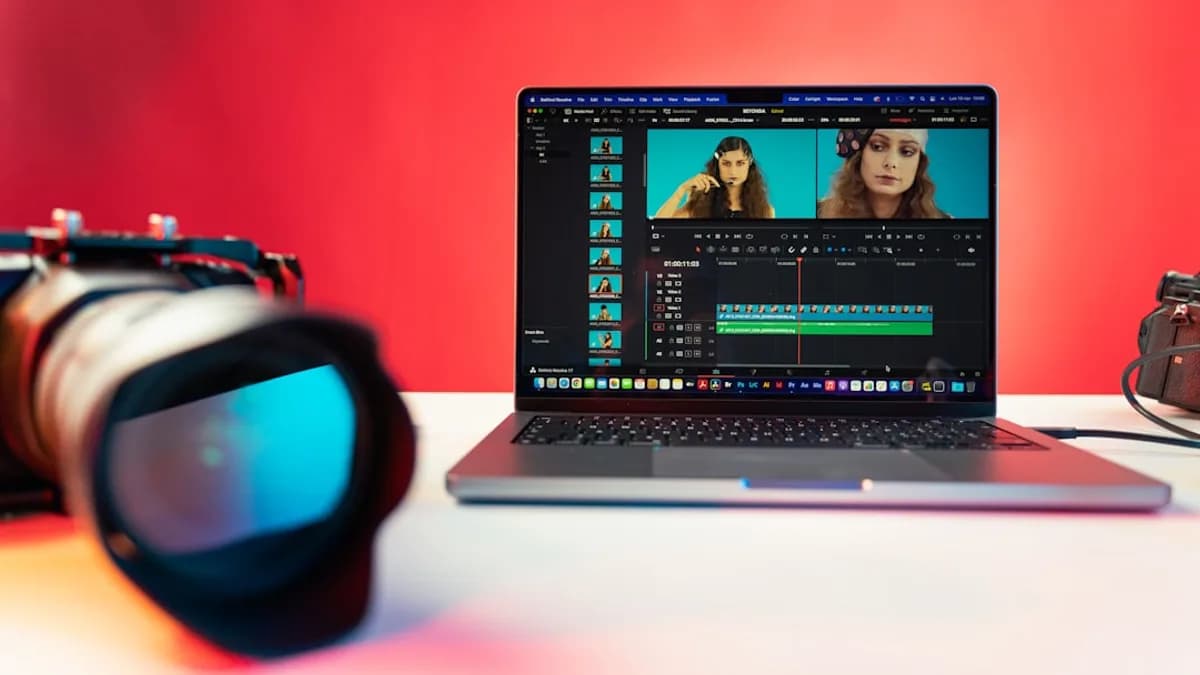
For Mac creators in 2026, the demand for lightweight video editing software Mac options has never been higher. Whether you're crafting quick social videos or editing professional footage on a resource-conscious device, choosing the right editor is crucial. With Apple’s M-series chips powering most modern Macs, efficiency, speed, and usability—not just feature bloat—define the best tools for today’s video storytellers. Below, we break down the leading lightweight Mac video editors, comparing performance, features, ease of use, pricing, and more, so you can pick the right solution for your workflow.
Why Lightweight Video Editors Matter for Mac Users
The rise of content creation and remote work has transformed video editing from a niche skill to a mainstream need for Mac users. Yet, not every project demands (or can accommodate) heavyweight, resource-intensive editing suites.
Key Insight:
"The search for the perfect Mac video editing software is overwhelming… Mac users demand high performance, M-series chip optimization, and an efficient workflow."
— aiarty.com
Lightweight video editing software for Mac addresses several critical pain points:
- Performance: Fast project exports and real-time previews, even on entry-level or older Macs.
- System Impact: Low memory and CPU usage, so you can multitask or work on the go.
- Usability: Streamlined interfaces for quick edits, ideal for social media, vlogs, and rapid publishing.
- Accessibility: Free or affordable options make professional tools available to everyone.
In a landscape crowded with choices, knowing which lightweight video editor best fits your Mac's specs and your creative needs is the first step to efficient, frustration-free editing.
Key Criteria for Evaluating Lightweight Video Editing Software
Before diving into product specifics, it’s important to define what makes software "lightweight" and how to evaluate the best fit for Mac users. According to the Oxford English Dictionary, "lightweight" refers to something "having relatively little weight; not heavy or bulky." Applied to software, this means applications that are easy on system resources and quick to operate.
Essential evaluation criteria include:
- Performance and Resource Usage: How efficiently does the software run on M-series and Intel Macs?
- Feature Set: Does it offer only the essentials, or does it pack in advanced functions without slowing down?
- User Interface: Is the learning curve gentle, or are you trading speed for complexity?
- Price and Value: Are free or budget-friendly options available, and what do you get at each tier?
- Integration and Compatibility: Can it work with other creative tools or platforms you already use?
Pro Tip:
Even top-tier editors like Final Cut Pro or DaVinci Resolve can't fix poor source footage. Consider using AI-powered tools such as Aiarty Video Enhancer before editing to upscale and clean up your clips for best results. (aiarty.com)
Overview of Popular Lightweight Video Editors Compatible with Mac
Based on user ratings, expert reviews, and community buzz, the following video editors are among the most popular lightweight options for Mac in 2026:
| Software | Best For | Core Advantage | Price Model |
|---|---|---|---|
| Final Cut Pro | Apple Ecosystem Pros | Extreme speed, M-chip optimization, Magnetic Timeline | One-Time Purchase |
| DaVinci Resolve | Color Grading, Pros on a Budget | Robust free version, best-in-class color tools | Free / Paid Studio |
| Adobe Premiere Pro | Agencies, Cross-Platform Teams | Creative Cloud integration, industry ubiquity | Subscription (CC) |
| iMovie | Beginners, Simple Projects | Built-in, easy to use, clean interface | Free (Built-in) |
| PowerDirector 365 | All Skill Levels | AI tools, constant updates, simple UI | Free / $4.58/mo Premium |
| CapCut | Social Media Creators | Trendy effects, templates, mobile-friendly | Free / Paid Pro |
| Adobe Express | Quick Social & Web Videos | Browser-based, Adobe Stock templates | Free / Paid Premium |
| Kdenlive | Free Power Users | Advanced open-source NLE, rich transitions/effects | Completely Free |
| OpenShot | Simple Open-Source Editing | Super-simple UI, cross-platform | Completely Free |
Noteworthy Mentions
- WeVideo, Shotcut, VideoPad, Lightworks, Avid Media Composer also make appearances in some rankings, but the above are most cited for their lightweight nature and Mac optimization in 2026.
Performance and System Resource Usage Comparison
When editing video on a Mac, especially an older model or a lower-powered laptop, performance is non-negotiable. Here’s how top lightweight editors compare based on real-world experience and expert reviews:
| Software | Resource Usage | M-Series Optimization | Notable Performance Features |
|---|---|---|---|
| Final Cut Pro | Low | Yes | Lightning-fast exports, minimal lag |
| DaVinci Resolve | Medium-High | Yes | Fast, but best with powerful hardware |
| PowerDirector | Low | Yes | Runs well on new Macs, AI acceleration |
| iMovie | Very Low | Yes | Seamless playback, few slowdowns |
| CapCut | Low | Yes (mobile focus) | Quick rendering for social videos |
| Kdenlive | Low-Medium | Partial | Good on most Macs, occasional stutter |
| OpenShot | Low | Partial | Basic tasks are fast |
| Adobe Premiere | Medium-High | Yes | Stable, but heavier than others |
| Adobe Express | Very Low | Web-based | Depends on browser, good for quick edits |
Expert Opinion:
"Final Cut Pro is the undisputed speed champion for dedicated Apple users seeking a high-performance video editing Mac solution."
— aiarty.com
Summary:
- Final Cut Pro and iMovie are standouts for speed and efficiency on Mac, thanks to Apple’s hardware-software synergy.
- PowerDirector 365 also offers excellent performance, especially with its AI-powered tools and constant updates.
- DaVinci Resolve is robust but can be demanding; best suited for newer Macs or those with ample RAM and GPU power.
- Open-source editors like Kdenlive and OpenShot are generally efficient but may lack deep Apple Silicon optimization.
Feature Set Analysis: Essential Tools vs. Advanced Options
Not all lightweight editors are stripped-down; some strike a balance between simplicity and sophistication.
| Software | Essential Tools | Advanced Features | Limitations |
|---|---|---|---|
| Final Cut Pro | Yes | Multicam, Magnetic Timeline, ProRes | Steeper learning curve |
| DaVinci Resolve | Yes | Color grading, VFX, Fairlight audio | Complex interface |
| PowerDirector | Yes | AI motion tracking, sky replacement | Stock content behind paywall |
| iMovie | Yes | Basic transitions, titles, audio | Limited effects, no VFX |
| CapCut | Yes | Templates, trending filters | Geared for short videos |
| Kdenlive | Yes | Transitions, effects, non-linear editing | Occasional instability |
| OpenShot | Yes | Basic transitions, keyframes | Limited to basic edits |
| Adobe Premiere | Yes | Creative Cloud, advanced effects | Requires subscription |
| Adobe Express | Yes | Web templates, Adobe Stock assets | Limited timeline editing |
Note:
"DaVinci Resolve… is divided into Pages, each one representing an area of post-production - timeline editing, color correction, effects, and audio. Each Page is worthy of a professional in the corresponding field."
— cyberlink.com
Key Takeaways
- iMovie, CapCut, PowerDirector, and OpenShot are best for quick, essential edits without feature overload.
- Final Cut Pro and DaVinci Resolve offer pro-level features that remain fast, but require more learning and hardware power.
- Adobe Express is ideal for ultra-simple editing and fast social video output, but not for complex timelines.
User Interface and Ease of Use for Creators
The interface can make or break your editing experience, especially for new users or those who edit infrequently.
| Software | Ease of Use | Learning Curve | Best Audience |
|---|---|---|---|
| iMovie | Extremely Easy | Minimal | Beginners, casual users |
| CapCut | Very Easy | Minimal | Social creators |
| PowerDirector | Easy | Gentle | All skill levels |
| OpenShot | Very Easy | Minimal | Occasional editors |
| Final Cut Pro | Moderate | Intermediate | Pros, advanced users |
| DaVinci Resolve | Challenging | Steep | Post-production experts |
| Kdenlive | Moderate | Moderate | Experienced editors |
| Adobe Express | Very Easy | Minimal | Quick web/social edits |
| Adobe Premiere | Moderate | Intermediate | Agency teams |
User Review:
"PowerDirector’s easy-to-use interface means you can edit a video on Mac right away."
— cyberlink.com
Standout Editors for UI:
- iMovie: Apple’s signature minimalism, drag-and-drop editing, and built-in availability.
- CapCut, PowerDirector, and OpenShot: Clear layouts for instant productivity.
- Final Cut Pro: Polished but requires acclimation to the Magnetic Timeline philosophy.
- DaVinci Resolve: Powerful, but expect to spend time learning.
Pricing Models and Value for Money
Budget is often a top concern, especially for students, hobbyists, or small creators. Here’s how the leading lightweight Mac editors stack up:
| Software | Price (2026) | Free Tier Available | Notable Notes |
|---|---|---|---|
| iMovie | Free (built-in) | Yes | Included on all Macs |
| CapCut | Free / Paid Pro | Yes | Free core, paid for extra assets |
| PowerDirector | Free / $4.58 per mo | Yes | Stock content in paid version |
| DaVinci Resolve | Free / $295 Studio | Yes | Robust free version |
| Final Cut Pro | One-time, price N/A* | No | Single purchase, no subs |
| Kdenlive | Free | Yes | Open source, no paid tier |
| OpenShot | Free | Yes | Open source, no paid tier |
| Adobe Express | Free / Paid Premium | Yes | Premium for more assets |
| Adobe Premiere | Subscription (CC) | No | Creative Cloud monthly fee |
*Exact 2026 Final Cut Pro price was not listed in sources.
Best Value Picks:
- iMovie, Kdenlive, OpenShot: 100% free, ideal for basic needs.
- PowerDirector 365: Premium features for as low as $4.58/month, making it very competitive for creators wanting more without pro-level costs.
- DaVinci Resolve: Free version is "incredibly robust," only pay for Studio if you need advanced tools.
- CapCut and Adobe Express: Free core features, with paid upgrades for more assets and templates.
Integration with Other Content Creation Tools
For many creators, seamless workflow with other apps is a must.
| Software | Integration Strength | Highlights |
|---|---|---|
| Adobe Premiere | Very Strong | Tight Creative Cloud, Photoshop, AE |
| Final Cut Pro | Strong (Apple only) | Deep macOS/iOS integration |
| PowerDirector | Moderate | Direct upload to social platforms |
| CapCut | Moderate | TikTok, Instagram workflows |
| iMovie | Good | Easy transfer to Final Cut, iOS devices |
| DaVinci Resolve | Moderate | Blackmagic Cloud collaboration |
| Kdenlive | Basic | Linux/Mac cross-platform |
| OpenShot | Basic | File export/import only |
| Adobe Express | Web-based | Adobe Stock assets, design templates |
Industry Insight:
"Adobe Premiere Pro offers unmatched integration with Adobe Creative Cloud (Photoshop, After Effects) and industry ubiquity."
— aiarty.com
Summary:
- Adobe Premiere is best for those embedded in the Adobe ecosystem.
- Final Cut Pro excels for all-Apple workflows.
- CapCut, PowerDirector, and iMovie make direct social sharing simple.
- Open-source tools focus on core editing, less on integrations.
Pros and Cons of Each Software
Here’s a concise look at strengths and weaknesses, grounded in user and expert reviews:
| Software | Pros | Cons |
|---|---|---|
| Final Cut Pro | Extreme speed, deep Apple integration, pro features | Learning curve, Apple-only, upfront cost |
| DaVinci Resolve | Best free pro tools, color grading, VFX | Steep learning curve, heavy on older Macs |
| PowerDirector | All-levels UI, AI tools, low-cost premium | Stock libraries gated by subscription |
| iMovie | Free, built-in, ultra-simple | Limited features, not for advanced editing |
| CapCut | Trendy effects, easy templates, mobile-first | Best for short clips, less control for pros |
| Kdenlive | Powerful open source NLE, free | Occasional stability issues, basic interface |
| OpenShot | Simple, free, cross-platform | Limited to basic edits, few advanced features |
| Adobe Premiere | Creative Cloud, industry standard | Subscription only, heavier resource usage |
| Adobe Express | Fast web edits, Adobe Stock | Limited to simple edits, premium for assets |
Final Recommendations Based on User Needs and Workflow
Choosing the ideal lightweight video editing software for Mac ultimately depends on your needs, hardware, and creative ambitions:
For Absolute Beginners & Quick Clips
- iMovie (free, built-in): Nothing to install, ideal for trimming, simple titles, and voiceovers.
- OpenShot: For open-source fans seeking simplicity across platforms.
For Social Media Creators
- CapCut: Best for TikTok, Instagram, and fast, trending content.
- PowerDirector 365: For those needing more polish and AI tools without a steep learning curve.
For Pros and Advanced Amateurs
- Final Cut Pro: If you want the fastest, most Apple-optimized solution and are willing to invest.
- DaVinci Resolve: If you need broadcast-level color and effects—free for most features.
For Collaborative & Cross-Platform Teams
- Adobe Premiere Pro: Ideal for those already using Creative Cloud and needing robust integrations.
- DaVinci Resolve: For cloud-based collaboration without a subscription.
For Open Source & Budget-Conscious Users
- Kdenlive: Advanced free editing with rich features.
- OpenShot: For essential, no-frills editing.
FAQ: Lightweight Video Editing Software for Mac
Q1: What is the best free lightweight video editor for Mac in 2026?
A: According to both aiarty.com and cyberlink.com, iMovie, Kdenlive, and DaVinci Resolve (free version) are top choices, offering a balance of ease and features at zero cost.
Q2: Which lightweight Mac video editor is best for social media?
A: CapCut leads for social creators with its templates, filters, and mobile-first workflow, while PowerDirector 365 offers direct uploads and trendy effects.
Q3: Can I do professional work with free Mac video editors?
A: Yes. DaVinci Resolve's free tier delivers professional-grade color, audio, and effects, and Kdenlive is robust for advanced editing needs.
Q4: Which Mac video editor runs fastest on M-series chips?
A: Final Cut Pro is specifically optimized for Apple Silicon, making it the fastest for real-time playback and exports on modern Macs.
Q5: Is open-source video editing reliable on Mac?
A: Kdenlive and OpenShot are stable and feature-rich for most lightweight tasks, though they may lack the deep Apple integration and polish of paid apps.
Q6: How much does PowerDirector 365 cost for Mac?
A: As of 2026, PowerDirector 365 offers a free version and a premium subscription at $4.58 per month (source: cyberlink.com).
Bottom Line
The landscape for lightweight video editing software Mac in 2026 is rich with high-performing, affordable, and easy-to-use options. Final Cut Pro and iMovie remain the benchmarks for Mac-native speed and simplicity. DaVinci Resolve delivers the most powerful free toolkit for serious editors. PowerDirector 365 and CapCut are leading choices for fast social content and creators who value both ease and modern effects. Open-source tools like Kdenlive and OpenShot ensure there’s a capable, no-cost option for every workflow.
Final Advice:
Define your editing needs, test 2-3 editors from the above list, and focus on software that feels fast, intuitive, and efficient on your Mac. The right lightweight video editor isn't just about features—it's about empowering you to create with speed, confidence, and joy.