WhatsApp Prepares Major UI Overhaul with Liquid Glass Design
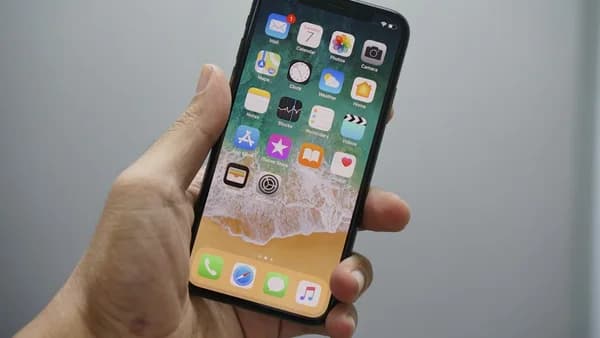
WhatsApp is gearing up for its most dramatic visual update in years, borrowing cues from Apple’s Liquid Glass design language and signaling a hard pivot toward a sleeker, more translucent interface. The overhaul, uncovered by WABetaInfo, reveals an incoming in-chat redesign with a floating chat bar and frosted-glass navigation elements—none of which are live even for beta users yet, but already running behind the scenes, according to Gsmarena.
This isn’t a scattered tweak. The Liquid Glass look—first rolled out by Apple across iOS 15 and 16—emphasizes subtle transparency and light diffusion, a sharp contrast to WhatsApp’s current utilitarian layout. The upcoming update, expected to land in late 2025, aims to modernize the WhatsApp experience after years of incremental changes. Small UI components, including buttons and chat lists, are already getting test redesigns that hint at the larger shift.
The timing is pointed. WhatsApp, with over 2 billion users globally, sees this as a chance to hold its ground as rivals like Telegram and Signal experiment with new features and bolder designs. A full interface refresh isn’t just cosmetic—it’s a statement that WhatsApp plans to match the pace of Apple’s own design innovations and retain iOS users who expect visual polish.
How WhatsApp’s Liquid Glass UI Will Enhance User Experience
The Liquid Glass overhaul isn’t just about aesthetics. By introducing floating chat controls and translucent navigation, WhatsApp is betting that users will find conversations more immersive and the app itself easier on the eyes. A floating chat bar, for example, lets users reply or react without scrolling, trimming friction and making one-handed use less clunky.
Translucent design isn’t just a style play—it’s a usability experiment. Light-diffusing backgrounds and semi-transparent elements reduce visual clutter, letting primary content (like messages and media) stand out. This “lighter” feel mirrors changes seen in iOS’s Control Center and Apple’s stock apps, where actions float above blurred content, giving a sense of depth and hierarchy.
User engagement numbers could see a lift. Past redesigns by social apps support this: Instagram’s 2020 overhaul increased daily active usage by 5% in its first quarter post-release, while Telegram’s introduction of animated backgrounds in 2021 drove a measurable spike in session length. WhatsApp, which still dominates in emerging markets but faces stiffer competition in mature ones, can’t afford to look dated. A more intuitive, visually engaging UI could nudge retention—especially among younger users who gravitate toward apps with a “premium” feel.
What to Expect Next: WhatsApp’s Rollout Timeline and User Adoption
WhatsApp’s new design will not hit everyone at once. The company historically leans on cautious rollouts, seeding updates to a limited beta group before pushing to the general public—a pattern seen with its “Communities” feature and message reactions. Expect the Liquid Glass UI to follow this pattern: first, a closed beta for power users and testers, likely in Q3 or Q4 2025, with general availability staggered into 2026.
WABetaInfo’s leak shows WhatsApp is already refining the design based on behind-the-scenes toggles, which means the final look could shift based on early user feedback. WhatsApp has reversed or adjusted UI decisions in the past, most notably when it backtracked on a controversial Status layout after user pushback in 2017. This iterative approach minimizes backlash but can slow adoption, especially for users on Android, where OS-level support for translucency varies widely by device.
The broader strategy is clear: WhatsApp wants to stay sticky in a market where design is now as much of a differentiator as encryption or features. If the Liquid Glass refresh lands well, expect rapid iterations across chat themes, media viewers, and even how notifications display. For users, the advice is simple—keep your app updated and watch beta channels for opt-in opportunities. As WhatsApp’s interface catches up to Apple’s visual standards, the bar for messaging app design just got higher.
Why It Matters
- WhatsApp’s Liquid Glass redesign could make the app more visually appealing and easier to use.
- The overhaul positions WhatsApp to compete more directly with Apple’s design standards and retain iOS users.
- A major UI upgrade reflects WhatsApp’s commitment to staying relevant as rivals innovate with new features and styles.