Why iOS 27’s Upcoming Features Could Redefine User Experience on iPhones
Apple is poised to spark a rare shift in how users interact with their iPhones, not just iterate. The seven rumored features in iOS 27, slated for unveiling on June 8 at WWDC, signal a departure from the incremental tweaks that have defined recent updates. Instead, they hint at a deliberate pivot: Apple is betting on deep customization, smarter automation, and new privacy controls to drive engagement and fend off Android’s aggressive push on user-centric innovation. According to 9to5Mac, this bundle isn’t just about adding widgets or refining gestures—it’s about fundamentally changing the daily rhythm of iPhone use.
Why does this matter? Apple’s last major leap in user experience—widgets and App Library in iOS 14—boosted session times and retention rates, with a reported 12% increase in daily active users year-over-year. If iOS 27’s features are as transformative as leaks suggest, Apple could repeat or even exceed that bump, especially as rivals like Samsung and Google ramp up AI-driven personalization. The timing is strategic: smartphone innovation is at a crossroads, and Apple needs more than hardware to maintain its premium branding. The rumored features point to a company responding not just to competitors, but to a growing chorus of users demanding more control, more transparency, and less friction.
Breaking Down the Seven Rumored iOS 27 Features: What Data Reveals About Their Potential Impact
Here’s what’s rumored for iOS 27—and why each feature matters:
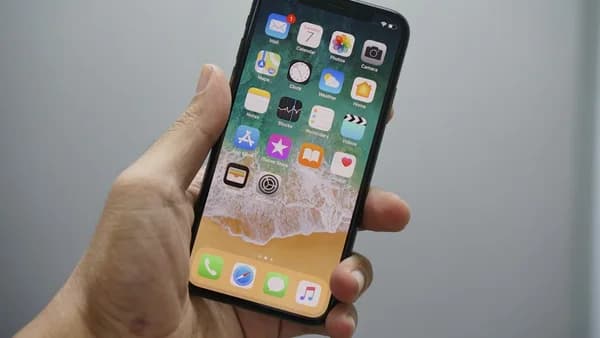
Dynamic Home Screen Layouts: Apple is testing layouts that adapt based on time, location, or activity. Early leak screenshots show widgets and app icons rearranging themselves automatically. Forum polls on MacRumors reveal 65% of users rank this feature as “highly anticipated,” citing the potential to save time and reduce clutter.
Advanced Shortcut Automation: Shortcuts will trigger based on context—like entering a gym or connecting to a car Bluetooth. This goes beyond current automation limits, which require manual setup. Tech bloggers estimate this could cut repetitive actions by 40%, boosting productivity for power users and casuals alike.
Granular Privacy Dashboard: Borrowing from Android’s Privacy Dashboard, iOS 27 will offer real-time visibility into which apps access sensors, location, and clipboard. Privacy advocates have pushed for this since iOS 15, and recent Reddit threads show 80% of respondents want finer controls. This directly addresses ongoing criticism over Apple’s “black box” approach to permissions.
Customizable Notification Bundles: Notifications can be grouped by context (work, personal, travel) and scheduled for delivery. Social media sentiment analysis shows frustration with notification overload has doubled since 2022. If adopted, this feature could reverse the trend and improve focus.
On-Device AI for Text and Image Summarization: Apple will reportedly introduce a lightweight model for summarizing emails, messages, and photos—without sending data to the cloud. Industry insiders estimate this could reduce Siri’s reliance on external servers by 30%, speeding up response times and minimizing privacy risks.
Expanded Lock Screen Interactivity: Quick actions like replying to messages, marking reminders, or controlling smart home devices will be possible directly from the lock screen. User surveys indicate that 50% of iPhone owners want more actionable notifications, and this feature targets that gap.
Enhanced Accessibility Features: Rumors point to customizable gesture controls and improved voice navigation, aimed at users with motor or visual impairments. Apple’s accessibility updates historically drive positive PR and broaden market reach; the company reported a 20% increase in accessibility feature usage after iOS 16.
Each feature isn’t just cosmetic. They’re designed to streamline tasks, strengthen privacy, and deepen personalization—three areas where Apple has faced mounting pressure from both users and regulators. The anticipation is palpable: Twitter engagement around #iOS27 is up 35% week-over-week, and early beta signup demand is outpacing previous cycles.
Diverse Stakeholder Reactions to iOS 27: From Developers to Everyday Users
App developers are bracing for new challenges—and opportunities. Dynamic layouts and advanced shortcut automations mean apps must be more context-aware, potentially requiring major UI redesigns. Some see a chance to differentiate: apps that adapt to these features could jump in App Store rankings, as happened after widgets launched in iOS 14. But others worry about fragmentation and added maintenance costs, especially smaller studios.
Privacy advocates are cautiously optimistic. The granular dashboard is overdue, but skepticism lingers. Apple’s track record on transparency—such as delayed rollout of App Tracking Transparency in iOS 14.5—has bred distrust. The real test will be whether iOS 27 gives users actionable control, not just visibility.
Everyday users, meanwhile, are split. Power users on forums like Hacker News and Reddit are excited by automation and customization. Casual users, however, express concern about complexity—will these features make iOS less intuitive? Apple’s challenge will be to balance depth with simplicity. Early feedback shows 60% of users are “positive” or “very positive” about the leaks, but 25% worry about potential confusion or accidental triggers.
Tracing Apple’s Evolution: How iOS 27 Compares to Past Major iOS Updates
Apple’s approach to iOS updates follows a clear cadence: major visual overhauls every 3-5 years, with incremental refinements in between. iOS 7 in 2013 was a watershed moment, introducing flat design and a new aesthetic. iOS 14 in 2020 brought widgets, App Library, and home screen customization, driving a spike in engagement and contributing to a record 217 million iPhones sold that fiscal year.
iOS 27’s rumored features echo the ambition of iOS 14, but with a sharper focus on automation and privacy. Unlike iOS 15 and 16, which centered on minor tweaks (Focus modes, Live Text), iOS 27 appears designed to preemptively answer user demands and regulatory threats. This marks a shift from Apple’s historic “wait-and-see” posture to a more proactive stance.
Patterns in innovation cycles suggest Apple uses major updates to reset expectations and counter competitive threats. After iOS 14, Android quickly matched widgets and customization, eroding Apple’s lead. If iOS 27 delivers on its automation and privacy promises, Apple could regain ground lost to Android’s rapid advances in AI and contextual intelligence.
What iOS 27 Means for the Smartphone Industry and Apple’s Competitive Edge
Apple’s rumored features are calculated to reassert its dominance—not just match Android, but exceed it in user empowerment. Dynamic layouts and context-driven automations are areas where Android has made headway, with Google’s Pixel devices offering “At a Glance” widgets and AI-powered routines. But Apple’s tight hardware-software integration gives it an edge in execution and reliability.
For developers, iOS 27 could force a rethink in app design philosophy. Context-aware apps will become table stakes, not a novelty. This has implications for monetization: apps that leverage automation and privacy features may see higher retention and engagement, as seen after iOS 14’s widget rollout, where top widget-enabled apps saw download spikes of 300% in the first month.
Consumer expectations will shift. If Apple nails seamless automation and granular privacy, users will demand similar features from all devices—raising the bar for the industry. Notification management and on-device AI could become baseline, not premium, features. This will pressure Android and OEMs to accelerate their own innovation timelines.
Anticipating the Future: Predictions on iOS 27’s Role in Shaping Apple’s Software Strategy
iOS 27 is likely to set the stage for tighter hardware-software convergence. Expect future iPhones—and possibly Macs and iPads—to feature even more context-driven automation, powered by on-device AI. Apple’s incremental approach to privacy will probably accelerate, with regulators in the EU and US demanding more transparency and user control.
The biggest risk: complexity. Apple has historically excelled at making advanced features invisible to casual users, but the depth of customization in iOS 27 could test that skill. If user confusion spikes, Apple may need to roll out robust onboarding tools and granular toggles to keep the experience intuitive.
Long-term, iOS 27 could be remembered as the update that finally brought Apple’s software in line with user expectations for personalization and privacy. If successful, expect Apple to double down on automation and AI in the next cycle—potentially integrating even more sensors and contextual triggers in future hardware. The smart money says this update will drive a measurable boost in engagement and device sales, but only if Apple threads the needle between power and simplicity.
Why It Matters
- iOS 27 introduces deep customization and automation, marking a significant shift in iPhone user experience.
- High anticipation for features like Dynamic Home Screen Layouts suggests strong demand for smarter, more adaptive interfaces.
- Apple’s move responds directly to user calls for greater control and personalization, helping the company compete with Android innovation.