On June 8, 2026, Apple turned last year’s full iPhone icon redesign into unfinished business: iOS 27 changes many default app icons again, just one software cycle after iOS 26 refreshed the full lineup.
That timing is the story. Apple unveiled iOS 27 on June 8, and the developer beta is available now, according to 9to5Mac . The visible change is not just a new coat of paint. It is another pass at many built-in iPhone app icons, arriving unusually soon after the prior systemwide redesign.
June 8: Apple Reopens the iPhone Icon File One Year After iOS 26
The most useful way to read this update is not as a routine cosmetic pass. It is a fast follow-up to a major visual system that Apple introduced only last year.
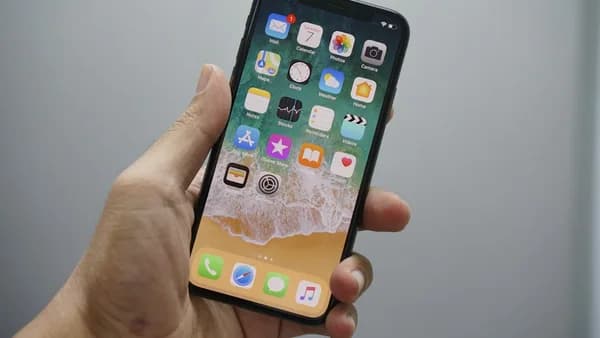
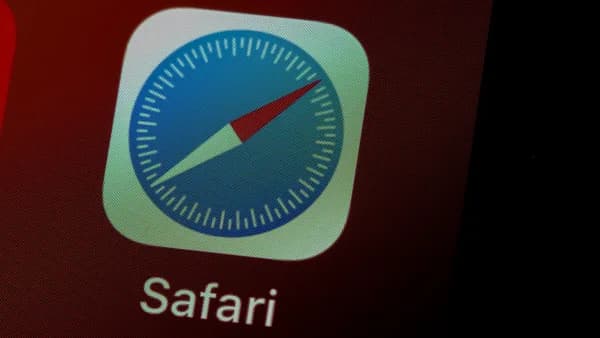
iOS 26 redesigned Apple’s full lineup of iPhone app icons. iOS 27 beta 1 now revises many of them again. 9to5Mac says the changes apply to many Apple apps, with only a handful of exceptions. That gives the update broad visual reach even without a full app-by-app count.
The most concrete reading is that Apple is adjusting the look and finish of icons that users see every time they unlock an iPhone. 9to5Mac notes that some users noticed iOS 26 icons could appear blurry. The report says that is “not at all the case” with iOS 27’s revisions.
MLXIO analysis: Apple is not saying iOS 26’s icon work failed. But the one-year turnaround suggests Apple saw enough friction in the first redesign to sharpen the visual language quickly rather than wait for a later design cycle.
Beta 1 Removes the Shimmer and Makes Liquid Glass Less Gimmicky
The biggest concrete change beyond the new icon drawings is the removal of the motion-based shimmering effect that iOS 26 introduced when users moved an iPhone around.
9to5Mac says that effect appears to have been “entirely removed” in iOS 27 beta 1. That is a stronger signal than simply redrawing icons. Apple is not only refining shapes and detail; it is cutting a visible behavior from the Liquid Glass design system.
| Area | iOS 26 | iOS 27 beta 1 |
|---|---|---|
| Icon lineup | Full Apple app icon redesign | Many Apple app icons revised again |
| Visual character | New visual system introduced | Many icons adjusted in beta 1 |
| Sharpness | Some users noticed icons could appear blurry | 9to5Mac says the revised icons do not show that same issue |
| Motion effect | Shimmering effect when moving iPhone | Effect no longer present in beta 1 |
This fits a broader iOS 27 pattern. Apple is pairing headline AI work, including Apple Maps’ iOS 27 AI and iOS 27 CarPlay AI, with interface cleanup. As we argued in iOS 27 Bets on Fixing Your iPhone Before AI Takes Over, the release is not only about new intelligence features. It is also about making the phone feel more controlled, readable, and responsive.
The icon changes sit inside that same logic. They are small objects, but they are everywhere. Before a user opens Messages, Maps, Photos, or Mail, the icon has already done part of the product’s work.
Fall Release Pressure: These Icons Now Have a Beta Cycle to Survive
Apple says iOS 27 is coming this fall. That leaves the icon set inside a live beta process, where the current designs may not be final.
The source material gives three firm timing points:
- June 8, 2026: Apple unveiled iOS 27.
- Developer beta: Available now.
- Fall 2026: iOS 27 public release window, according to Apple.
The useful data is not a stock price or adoption number. It is the cadence. Apple redesigned the full icon lineup in iOS 26, then revised many icons in iOS 27 one year later. For a company whose software identity is judged at the pixel level, that is a meaningful acceleration.
MLXIO analysis: The beta cycle now becomes a test of whether these icons are a coherent visual cleanup or an intermediate pass. Watch whether Apple keeps the current direction through later betas, restores any motion treatment, or changes specific icons again before fall.
For developers, beta 1 is also the first practical signal. Apple’s own icons set the visual tone for third-party apps that want to feel native beside system apps. That does not mean every app maker must redesign immediately. But if Apple’s icons remain clearer-looking and less shimmer-heavy, apps that copied the first version of the look too aggressively may age fast.
Siri AI Gets the Headline, but the Icons Show Apple Fixing the Surface Layer
The irony of iOS 27 is that the biggest marketing push is not the icon refresh. Apple’s preview leads with Siri AI, conversational assistance, personal context, AI photo editing, Siri mode in Camera, child safety features, and system improvements.
Yet the icons may tell us more about Apple’s software priorities than their size suggests.
Apple describes iOS 27 as bringing:
- Siri AI: A more capable assistant powered by Apple Intelligence.
- Photos upgrades: Spatial Reframing, Extend, and upgraded Clean Up.
- Safari changes: Topic grouping and page monitoring through Notify Me.
- Child safety tools: New parental controls, Ask to Browse, and expanded Communication Safety.
- Design refinements: Revised app icons and broader interface polish.
The icon work connects to that last point. Apple is trying to make the iPhone feel more intelligent while also making the interface less visually ambiguous. That balance matters. If the system grows more AI-driven but the surface feels blurry, inconsistent, or distracting, the intelligence layer inherits a trust problem.
This is also why the removal of shimmer matters. Motion can signal depth, but it can also feel like decoration. By stripping that effect from beta 1 icons, Apple appears to be favoring clarity over spectacle.
For more context on how Apple is containing the risk around its new assistant layer, see MLXIO’s earlier read on Tiny iPhone Fixes Reveal iOS 27's Siri Safety Net. The same theme shows up here: iOS 27 is not just adding. It is editing.
iPhone Owners Will Notice the Change Before They Notice the Strategy
For everyday users, the practical effect is simple: familiar Apple app icons may look different after installing iOS 27.
Some users will welcome the sharper look. Others may need time to adjust, especially if they rely on visual habit and Home Screen position more than app labels. The source does not provide user survey data, so any stronger claim about reception would be guesswork.
Because these designs are appearing first in beta, Apple still has room to soften, revise, or standardize the transition before the public release. The important point for users is that the Home Screen may not look exactly like it did in iOS 26, even though the change is not a full reset.
For Apple, the reputational stakes are larger than the icon size suggests. The company is judged harshly when software design feels imprecise. A blurred icon or distracting shimmer can become shorthand for a broader critique: that the software no longer feels as meticulous as the hardware.
MLXIO analysis: If iOS 27’s revised icons feel clearer across the Home Screen, Apple gets to frame the update as disciplined refinement. If they feel like another partial reset, the one-year turnaround could feed the opposite reading — that last year’s redesign needed more repair than Apple would say publicly.
The Next Signal Is Whether Apple Keeps Tweaking Before Fall
The next decision point is the iOS 27 beta cycle.
Evidence that would strengthen the refinement thesis: Apple keeps the clearer icon direction, maintains the removal of shimmer, and uses later betas to make small consistency adjustments rather than wholesale reversals.
Evidence that would weaken it: major icon changes keep arriving across betas, the motion effect returns without a clear reason, or the final fall release leaves Apple’s own apps feeling uneven.
The icons are not the biggest iOS 27 feature. Siri AI is. But the icon revisions reveal something more immediate: Apple is still tuning the visual identity it introduced with iOS 26, and it is doing so quickly. If that pace continues, the iPhone’s look may start changing less like a once-in-a-decade redesign and more like an actively managed product surface.
Key Takeaways
- Apple is revisiting a major iPhone visual redesign just one year after launching it.
- The removal of shimmer suggests Apple is toning down effects that may have felt distracting or gimmicky.
- Sharper default app icons affect the everyday iPhone experience because users see them constantly.