On June 9, 2026, Apple’s CarPlay story became less about one flashy dashboard feature and more about how much of the car experience the iPhone can quietly absorb through an iOS update.
June 9 beta launch: CarPlay gets AI, video apps, and a sharper interface
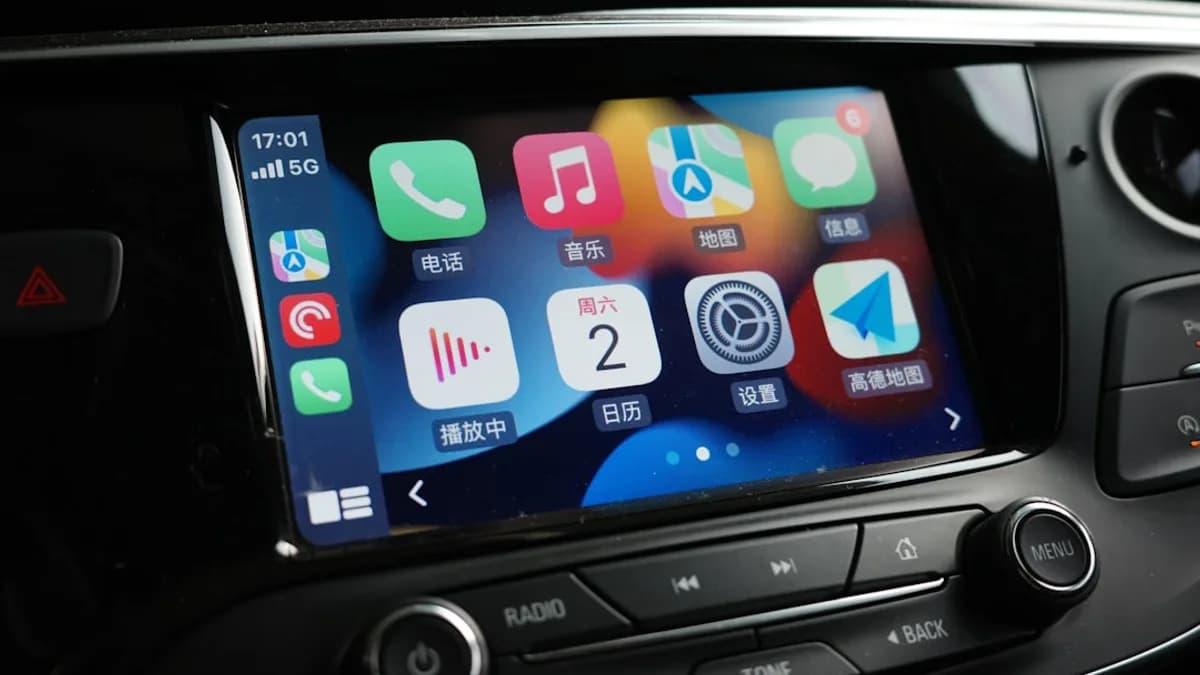
iOS 27 is now available in beta, and its CarPlay update adds a short but telling list of changes: Siri AI, dedicated video app support, new wallpapers, refreshed Liquid Glass app icons, a new MiniPlayer for media apps, and audio scrubbing on the Now Playing screen, according to 9to5Mac.
The feature list is not huge. That is the point. Apple is not trying to make standard CarPlay look radically different in this release. It is making the car screen feel more like a natural extension of the iPhone: better voice continuity, better media controls, visual consistency with iOS 27, and a new path for video apps when the car is not moving.
That matters because CarPlay lives at the intersection of three groups that do not always want the same thing: drivers who want familiar software, developers who want access to the dashboard, and automakers that control the hardware. iOS 27 CarPlay improves Apple’s side of that equation, but several of the most interesting pieces still depend on vehicle support, app support, and beta-to-release execution.
For MLXIO readers tracking Apple’s broader iOS interface push, the Liquid Glass angle connects naturally with our coverage of how iOS 27 reopened Apple’s iPhone icon fight after one year, our look at Pocket Casts’ Liquid Glass redesign, and the iOS 27 AirPods beta. CarPlay is now part of that Liquid Glass design system, not a detached accessory screen.
The new CarPlay features solve small but real dashboard problems
The most consequential addition is Siri AI in CarPlay. 9to5Mac describes it as part of Apple’s larger Siri overhaul in iOS 27, with a new CarPlay UI that appears as “a glowing orb at the bottom-center of the screen.” The design is closer to the pre-iOS 18 Siri interface, but with less color.
The more important change is functional. Siri in CarPlay is described as better at answering a wider range of questions, closer in behavior to ChatGPT and Google Gemini, and better at retaining the context of the current conversation. For drivers, the practical value is obvious: fewer follow-up taps, less phone handling, and less need to restate what was already asked.
There is also continuity. Conversations started through CarPlay sync automatically to the Siri app on iPhone, where the full history can be browsed. A car icon marks conversations that happened via CarPlay. That turns voice sessions in the car into part of the broader iPhone record rather than one-off interactions that vanish when the drive ends.
Video is the headline-grabber, but with caveats. Apple added video in the car with iOS 26, limited to AirPlay streaming. In iOS 27, developers can build dedicated CarPlay video apps so users can browse videos directly on the CarPlay display in compatible vehicles.
Apple’s developer-facing language is explicit:
“With iOS 27 you can create apps to browse and play videos in new cars that support the video in car feature. If your app supports AirPlay video streaming, no changes are needed.”
That last phrase matters. Existing AirPlay video support still works without app changes. The new opportunity is native browsing from the CarPlay display.
The smaller interface changes may land harder in daily use:
- MiniPlayer: Media apps now get a MiniPlayer in the top-right corner, showing artwork and player controls instead of the previous waveform icon.
- Audio scrubbing: The Now Playing screen now supports scrubbing through audio using a larger progress indicator.
- Wallpapers: New CarPlay wallpapers match the visual direction of iOS 27 and macOS Golden Gate.
- Liquid Glass icons: Refreshed iOS 27 app icons extend into CarPlay, keeping the dashboard aligned with the phone.
None of those rewrite the driving experience. But audio scrubbing alone addresses a frequent pain point for podcast and long-form audio listeners: jumping within a track without reaching for the phone.
July public beta and fall release: the rollout has three choke points
The rollout is staggered. The developer beta is available now. A public beta is expected in July, with the full iOS 27 release arriving as a free software update this fall, according to paultan.org.
The update path has three layers of friction.
| Layer | What has to happen | Why it matters |
|---|---|---|
| iPhone update | Users need an iPhone running iOS 27 | No iOS 27, no new standard CarPlay features |
| App support | Developers need to build or update CarPlay video apps | Video browsing depends on developer adoption |
| Vehicle support | Automakers must support the video-in-car feature | Video apps will not appear automatically in every CarPlay vehicle |
There is also a device caveat for Siri AI. Paultan.org reports that Siri AI in CarPlay requires an iPhone 15 Pro or newer. Older iPhones can receive the other CarPlay improvements, but not the smarter assistant.
That split is important. The most visible AI feature is also the one with the clearest hardware gate. The rest of the update is broader, but the full iOS 27 CarPlay experience will not be uniform across every iPhone-and-car combination.
For readers focused on CarPlay usability rather than AI branding, our earlier piece on CarPlay in iOS 26 hiding a screen fix drivers need is useful context: Apple’s in-car interface gains often arrive as narrow fixes, not dramatic reinventions.
From parked video to synced Siri history, Apple is tightening the iPhone-to-car loop
The safest way to read iOS 27 CarPlay is as a refinement release with one strategic expansion: Apple is moving more iPhone behaviors into the car screen while keeping the familiar CarPlay frame.
Video is the clearest example. Apple is not saying every dashboard becomes a streaming hub. The feature is tied to supported cars, and paultan.org says video playback works only when the car is parked. That restriction keeps the feature positioned around waiting, charging, or stationary use rather than active driving.
Siri AI points in a different direction. Voice becomes more persistent. If CarPlay conversations sync back to the Siri app on iPhone, the car is no longer a disconnected voice endpoint. It becomes another place where Apple’s assistant gathers and resumes user context.
MLXIO analysis: this is the more durable shift. Video apps will depend heavily on automaker support and developer interest. A more capable Siri, if it works reliably, can affect every trip where a driver asks for information, messages, media, or follow-up actions without looking down.
Automakers and developers now control how much of iOS 27 CarPlay users actually see
Drivers will likely judge iOS 27 CarPlay by reliability and friction, not by Apple’s feature labels. A better MiniPlayer, scrubbable audio, cleaner icons, and stronger Siri context are only valuable if they reduce awkward dashboard interactions.
Developers get a new surface with video apps, but it is not a blank canvas. Apple’s WWDC language frames video around cars that support the feature and apps that browse and play content on the CarPlay display. That creates an incentive to optimize for parked sessions, but it also narrows the addressable base.
Automakers remain the gatekeepers. 9to5Mac says automakers need to sign on for video app support, so the feature “won’t be available automatically in every car.” That single caveat limits the near-term reach of the most visually obvious upgrade.
The source material does not establish how regulators, safety advocates, or automaker business teams will respond. The grounded takeaway is narrower: Apple is adding more capability to CarPlay, but some of that capability stops at the boundary of vehicle implementation.
After iOS 27, CarPlay’s next test is consistency across cars
For iPhone users, iOS 27 should make CarPlay feel more connected to the rest of iOS: Siri sessions sync back to the phone, the dashboard inherits Liquid Glass design, and media controls become more direct.
For EV owners, the parked-video use case may be more relevant than it first sounds. Paultan.org specifically points to charging stops as one scenario Apple has in mind. That does not mean iOS 27 adds new battery routing or charging intelligence based on the supplied material. It means CarPlay is becoming more useful during stationary time inside the vehicle.
The next evidence to watch is practical, not promotional:
- Automaker support: Which vehicles actually enable dedicated CarPlay video apps?
- Developer adoption: Which major video apps build CarPlay browsing interfaces?
- Siri reliability: Does Siri AI retain context well enough in real driving conditions to reduce repeat commands?
- Beta changes: Which CarPlay features survive unchanged from developer beta to public beta to fall release?
If those pieces line up, iOS 27 will look less like a modest CarPlay refresh and more like another step in Apple’s effort to make the dashboard a high-value iPhone screen. If automaker support stays thin or Siri AI feels inconsistent, the update will remain useful — but uneven.
Key Takeaways
- iOS 27 makes CarPlay feel more integrated with the iPhone through Siri AI, Liquid Glass icons, and improved media controls.
- Video app support expands CarPlay’s role, but it will depend on safety limits, vehicle support, and developer adoption.
- The update shows Apple continuing to push deeper into the dashboard without radically redesigning standard CarPlay.