Introduction to iOS 26.5: What iPhone Users Need to Know
Apple is about to shake up the way you message on your iPhone. The iOS 26.5 update is set to land soon, bringing big changes not just to your messaging app, but to other parts of your device too. Apple usually rolls out these updates in late spring, so you can expect iOS 26.5 to arrive for most users between late May and mid-June. If you’re curious, developers already have access to beta versions for iPadOS 26.5, watchOS 26.5, and macOS Tahoe 26.5 as well [Source: Google News].
These updates matter because Apple rarely makes major changes to its core apps. This time, messaging is getting a facelift after 15 years. That means millions of iPhone users will need to adjust—and there are ripple effects for iPads, watches, and Macs, too. If you have more than one Apple device, you might notice things syncing better or looking a bit different. Let’s dig into what’s coming and why it matters.
Key Messaging Upgrades in iOS 26.5: Why Apple Wants You to ‘Stop Texting’
The biggest headline in iOS 26.5 is the overhaul of Apple’s messaging app. For years, iMessage and SMS have worked side-by-side. Now, Apple wants you to use richer ways to communicate and cut back on plain texting. The company is introducing new features that make sharing photos, videos, and even interactive content easier and safer [Source: Google News].
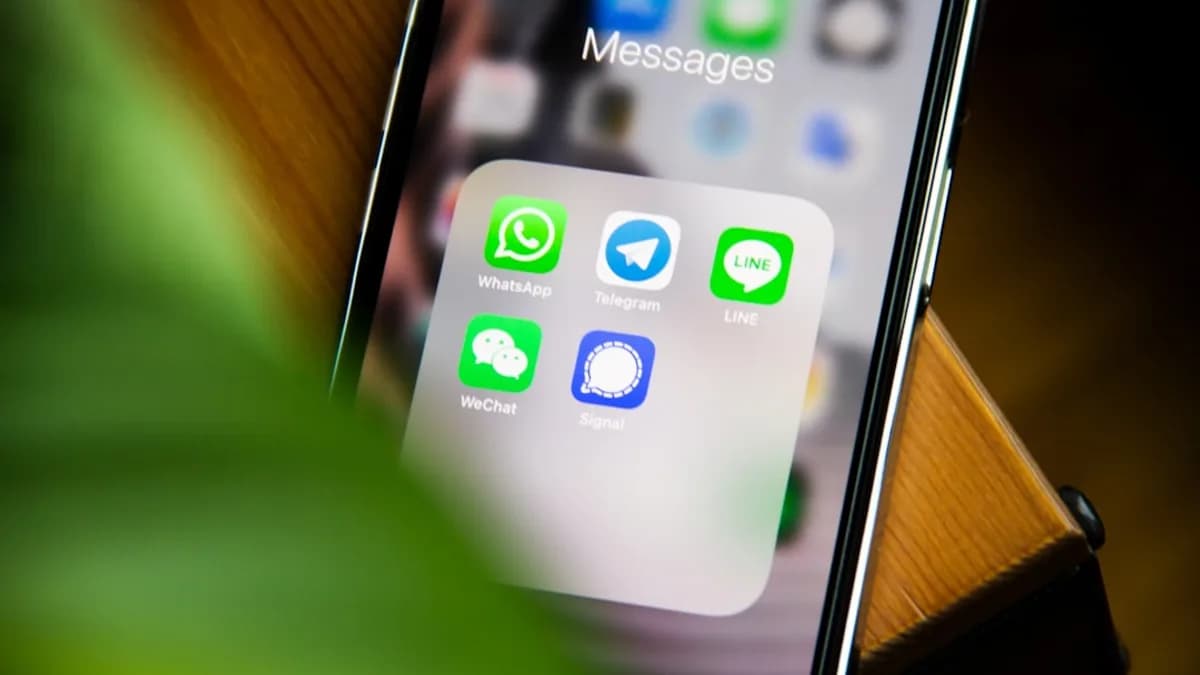
One major upgrade is support for RCS (Rich Communication Services). RCS lets you send high-quality photos, videos, and group messages—even to Android users. It also brings read receipts, typing indicators, and better encryption. This means your messages can look and act more like chats in WhatsApp or Telegram, instead of old-school SMS. Apple’s move to RCS also helps bridge the gap between iPhone and Android users, cutting down on those “green bubble” frustrations.
With iOS 26.5, Apple is also bolstering security. New settings let you choose who can message you, and there are smarter spam filters. If you’re worried about privacy, these tools will help you keep unwanted texts out of your inbox.
Another change is how you share content. Apple is making it easier to send files, stickers, and memoji, right from your conversation. For example, you might be able to drag and drop a photo or use built-in editing tools without leaving the app. This is part of Apple’s push to make messages more interactive and fun.
These upgrades mark a big shift for Apple. For 15 years, texting on iPhones looked and acted much the same. Now, Apple wants you to spend more time in its messaging app—and use it for richer, more secure chats. If you love texting, you’ll find more ways to express yourself. If you care about privacy, you’ll get new controls. And if you switch between iPhone and Android, your conversations will finally feel more seamless.
Other Notable Features in iOS 26.5 and Related Apple OS Updates
iOS 26.5 isn’t just about messaging. One change that might surprise you: Apple plans to add ads to the Maps app. For the first time, when you search for places or directions, you may see sponsored listings—like promoted restaurants or stores [Source: Google News]. This puts Apple in line with Google Maps, which has shown ads for years. It’s a new way for Apple to make money from its apps, but it could mean you’ll need to sift through ads before finding what you want.
On top of iOS, Apple is updating iPadOS 26.5 and watchOS 26.5. The beta versions are already out for developers. These updates include improved syncing between devices, tweaks to notifications, and fresh health features for the Apple Watch. For example, the Watch may get better sleep tracking or reminders to move.
Mac users aren’t left out. The third beta of macOS Tahoe 26.5 is now available, with updates focused on speed and stability [Source: Google News]. Apple is also fine-tuning how Macs work with iPhones and iPads, so sharing files and messages between devices should feel smoother.
Together, these updates show Apple’s push to make its devices work better as a team. Whether you’re using a phone, tablet, watch, or computer, things should feel more connected and convenient.
Understanding the Impact: How iOS 26.5 Changes Affect Apple Ecosystem Users
The messaging upgrade in iOS 26.5 could change how millions of people use their phones. By bringing RCS and better encryption, Apple is making messaging more like modern chat apps. That could mean fewer people using third-party apps like WhatsApp or Signal for everyday conversations. Apple’s push to “stop texting” is really a push to start using richer, safer chats that work across brands.
For families and friends who mix iPhones and Androids, the new features help break down barriers. You’ll see typing indicators, read receipts, and high-quality media—even if you’re texting someone with a Samsung or Pixel. This could cut down on misunderstandings and make group chats less messy.
The privacy upgrades matter, too. Apple has always made privacy a selling point, and now it’s doubling down. Smarter spam filters and controls mean you get fewer unwanted messages. That’s helpful as more scams and spam hit mobile phones each year.
But the addition of ads in Maps is a big shift. Apple has long bragged about its ad-free apps. Now, users may be annoyed or worried about privacy. Sponsored listings could clutter your search results or push businesses who pay to the top. Apple says it will keep ads relevant and not track users across apps, but some people will still be cautious.
Developers may also feel the impact. Apple’s tighter integration across devices means apps need to work well on phones, tablets, watches, and Macs. Messaging upgrades could make it harder for third-party apps to compete, while ads in Maps could open new ways for businesses to reach customers.
All these changes are part of Apple’s bigger plan: make its ecosystem more useful and sticky. The more you use Apple’s built-in apps, the more likely you are to buy another Apple device. For users, this means more convenience—but also more choices to make about privacy, ads, and which apps to trust.
How to Prepare for the iOS 26.5 Update: Tips for a Smooth Transition
If you want early access to iOS 26.5, you can join Apple’s beta program. Just sign up with your Apple ID and follow the instructions to install the beta on your device. Remember, beta versions can be buggy, so use them on a secondary device if possible.
Before updating, always back up your phone. Use iCloud or plug into a computer to save your photos, contacts, and messages. Check if your apps are compatible with the new update—some older apps may break or need updates to work.
Once you update, take time to explore the new messaging features. Try out RCS, test the new privacy controls, and get comfortable with sharing content in new ways. If you use Maps often, look for ads and see how they affect your experience. Adjust your privacy settings as needed to keep your data safe.
If you use other Apple devices, update them too. This helps keep everything in sync and makes new features work smoothly across your gadgets.
Conclusion: What iOS 26.5 Means for the Future of iPhone Messaging and User Experience
iOS 26.5 is a big step forward for iPhone messaging. With RCS, better privacy, and richer content sharing, Apple is making texting smarter, safer, and more fun. Ads in Maps mark a new direction for Apple’s apps, and tighter integration between devices helps you stay connected.
These updates show Apple’s focus on making its ecosystem more useful—and more competitive with rivals like Google and WhatsApp. If you’re an iPhone user, you’ll get new tools to communicate and protect your privacy. If you care about ads or app choices, pay attention to how things change.
Stay curious and keep your devices up to date. The next wave of Apple software will shape how you talk, share, and explore on your phone—and beyond.
Why It Matters
- iOS 26.5 introduces RCS, improving messaging between iPhone and Android users.
- Enhanced security and smarter spam filtering help users manage their messages more safely.
- Major messaging changes require users to adapt, impacting millions across Apple devices.