Introduction to Honor 600 and 600 Pro: Affordable Flagships with iPhone-Inspired Design
Honor’s new phones, the 600 and 600 Pro, look just like iPhones—but they run Android. The shape, the camera bump, and even the orange color on the Pro feel very familiar. Some people might confuse them for Apple devices at first glance. But these phones come with features you don’t always find on iPhones, like a huge 6,400mAh battery and IP69K water resistance, which protects them from strong water jets. Both models use a bright 6.57-inch OLED screen, making videos and games look sharp. Honor calls these “accessible flagships,” meaning they pack strong features at lower prices than top-tier phones [Source: The Verge]. If you’re looking for an Android that feels like an iPhone—without the Apple price—these phones are worth a look. Let’s walk through how to pick the right one, get it set up, and use it to its full potential.
How to Choose Between Honor 600 and 600 Pro Based on Your Needs
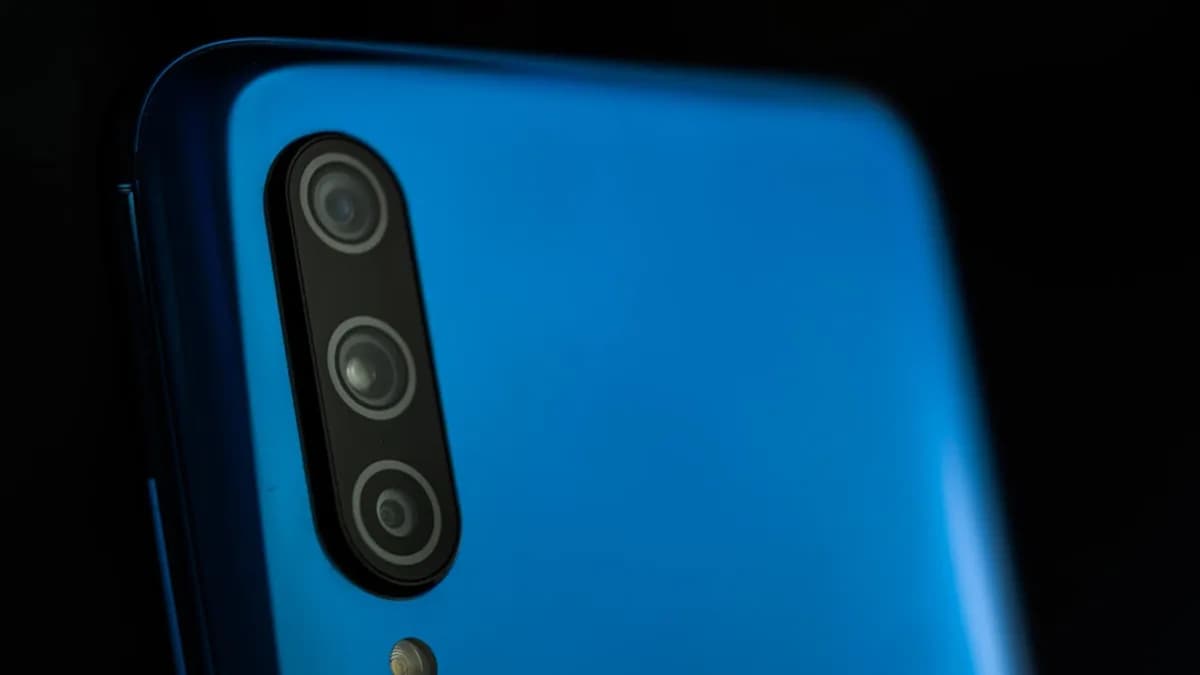
Picking between the Honor 600 and 600 Pro mostly comes down to the camera and price. The 600 Pro has three cameras on the back, including a 3.5x telephoto lens. This setup is great for zooming in on faraway subjects, like sports or wildlife, without losing detail. The camera bump and flash layout are almost identical to what you see on the latest iPhones [Source: The Verge]. If you’re into photography, the Pro is the stronger pick.
The regular Honor 600 skips the telephoto lens, so its camera setup is simpler. You still get solid photos for everyday use, but you’ll miss out on zoom and some advanced features. This also means the 600 will cost less than the Pro, making it a good choice if you don’t need all the camera extras.
Both phones share a 6.57-inch OLED screen, which is midsize—not as big as a tablet, but big enough for watching videos or scrolling social media. The 6,400mAh battery in both models lasts longer than many rivals. For comparison, most iPhones offer batteries around 3,000mAh to 5,000mAh, so Honor’s phones should get you through a full day and then some.
IP69K water resistance means both phones can handle rain, spills, and even strong water jets. If you’re often outdoors or want extra peace of mind, this is a big plus. But the Pro’s camera and slightly higher price might make sense if you want all the bells and whistles. The 600 is more budget-friendly but still tough and reliable.
Step-by-Step Guide to Setting Up Your Honor 600 or 600 Pro for Optimal Use
Getting started with your Honor phone is simple, but a few tweaks can make it even better. Here’s how to set it up:
- Turn It On and Choose Language: Press and hold the power button to start. Select your language and region—these affect settings like time, keyboard, and app recommendations.
- Connect to Wi-Fi: Hook up to a strong Wi-Fi connection. This helps with updates and downloading apps faster.
- Sign In with Google Account: Enter your Google account details. This unlocks the Play Store, syncs your contacts, and lets you use Gmail and other Google apps.
- Update Software: Check for software updates right away. This keeps your phone safe and running smoothly.
- Customize the Look: If you want your phone to feel more like an iPhone, try Honor’s built-in themes or download a launcher from the Play Store. Many launchers let you copy iOS icons and layouts. Or stick with the default Android setup if you prefer.
- Set Up Cameras: If you have the Pro, open the camera app and explore its modes. Try Portrait, Night, and Pro (manual) mode for best results. Adjust the 3.5x telephoto lens for zoom shots. On the regular 600, stick to standard modes for quick, easy photos.
- Enable Water-Resistance Precautions: Don’t charge your phone if it’s wet. Check the settings for water-resistance tips. You might want to activate alerts for moisture detection.
- Turn on Battery-Saving Modes: Go to Settings > Battery and enable power-saving. This stretches the 6,400mAh battery even further, especially if you stream a lot or play games.
Honor’s setup process is fast, but taking a few extra steps gives you more control. Play with the settings until your phone feels just right.
How to Maximize Photography on Honor 600 Pro’s iPhone-Like Triple Camera System
The Honor 600 Pro’s triple camera system is its star feature. Here’s how to get the most out of it:
- Know Your Lenses: The Pro has a main lens for everyday photos, a wide lens for landscapes, and a 3.5x telephoto lens for zoom. Use the telephoto for sharp shots of distant subjects—think birds, concerts, or sports.
- Use the Flash Layout: The flash is placed next to the cameras, just like on iPhones [Source: The Verge]. This helps when shooting in low light. Try using Night mode for dark scenes, then add flash if needed for extra clarity.
- Try Camera Modes: Explore Portrait mode for close-ups with blurred backgrounds. Use Pro mode to adjust settings like ISO, focus, and shutter speed. This is handy for tricky lighting or artistic effects.
- Manual Settings: Don’t just rely on auto. In Pro mode, tweak the white balance to match indoor or outdoor light. Change exposure for brighter or darker photos. Play with focus for dreamy or sharp shots.
- Compare with iPhones: Honor’s Pro camera is close to iPhone quality, but not quite as sharp in some cases. Colors may look a bit different, and low-light shots can be grainy. Still, for the price, you get impressive results that rival other Android phones.
- Share and Edit: Use built-in editing tools to crop, adjust colors, or add filters. Share your best shots directly to social media.
If you’re moving from an iPhone or want iPhone-style photos, Honor’s Pro camera gets you most of the way there. Try different modes and settings to see what works best for your style.
How to Protect and Maintain Your Honor 600 Series Phone with IP69K Water Resistance
IP69K is a tough rating. It means your Honor phone can handle high-pressure water jets, not just splashes or rain. But even with this strong protection, you still need to be careful.
- Cleaning: Use a damp cloth to wipe the phone. Avoid harsh chemicals or rough scrubbing. Don’t open SIM trays or charging ports when wet.
- Water Use: If your phone gets wet, dry it before charging. IP69K protects against water, but electricity and moisture don’t mix well.
- Precautions: Don’t test the rating by spraying your phone directly with a hose. It’s safe for accidental spills or rain, not for extreme water exposure.
- Battery Care: The 6,400mAh battery is big, but don’t let it drain to zero often. Charge between 20% and 80% for longer life. Avoid charging overnight unless you use Honor’s battery protection feature.
- Case or Screen Protector: Even with water resistance, a case helps against drops and scratches. Screen protectors keep the OLED display clear.
Honor’s phones are built for tough use, but treating them with care keeps them working longer.
Analyzing the Impact of Honor’s iPhone-Inspired Design on Android Market Choices
Honor’s choice to make its phones look like iPhones is smart—and risky. Many Android users want fancy features without paying Apple prices. By copying the iPhone’s look, Honor attracts buyers who like the style but want Android’s flexibility.
This approach has upsides. You get a familiar design, strong cameras, and extras like big batteries and water resistance. But some people may feel Honor is copying too much, losing its own identity. Others might worry about Apple’s legal actions, but so far, Honor keeps finding ways to launch these phones, even outside Asia [Source: The Verge].
For Android shoppers, this means more choices. You can get flagship features in a phone that feels premium but costs less. As more brands try this, the line between Android and iPhone design gets blurry. In the past, Samsung and Xiaomi also borrowed design ideas from Apple, but Honor’s copies are even closer.
This trend could push all phone makers to improve design and features, making phones better for everyone. But it also means consumers need to look closely at specs, not just style, to get the best value.
Conclusion: Making the Most of Your Honor 600 or 600 Pro Experience
Honor’s 600 and 600 Pro let you enjoy flagship features—like big batteries, bright screens, and solid cameras—at prices lower than most iPhones. Choosing between models comes down to your camera needs and budget. Setting up your phone with careful tweaks makes a big difference in daily use.
Understanding the iPhone-inspired look and unique features helps you decide if these phones fit your style. Sharing your experience can help others pick the right device. As phone designs keep evolving, knowing what matters to you—whether it’s photography, battery life, or water resistance—will help you get the most from your Honor phone. Try it out, explore the features, and see if Honor’s take on affordable flagships works for you.
Why It Matters
- Honor offers iPhone-like design and features at more accessible prices for Android users.
- The 600 Pro’s advanced camera options give photo enthusiasts a strong alternative to pricier flagships.
- Large battery and high water resistance make both models appealing for users who value durability and longevity.