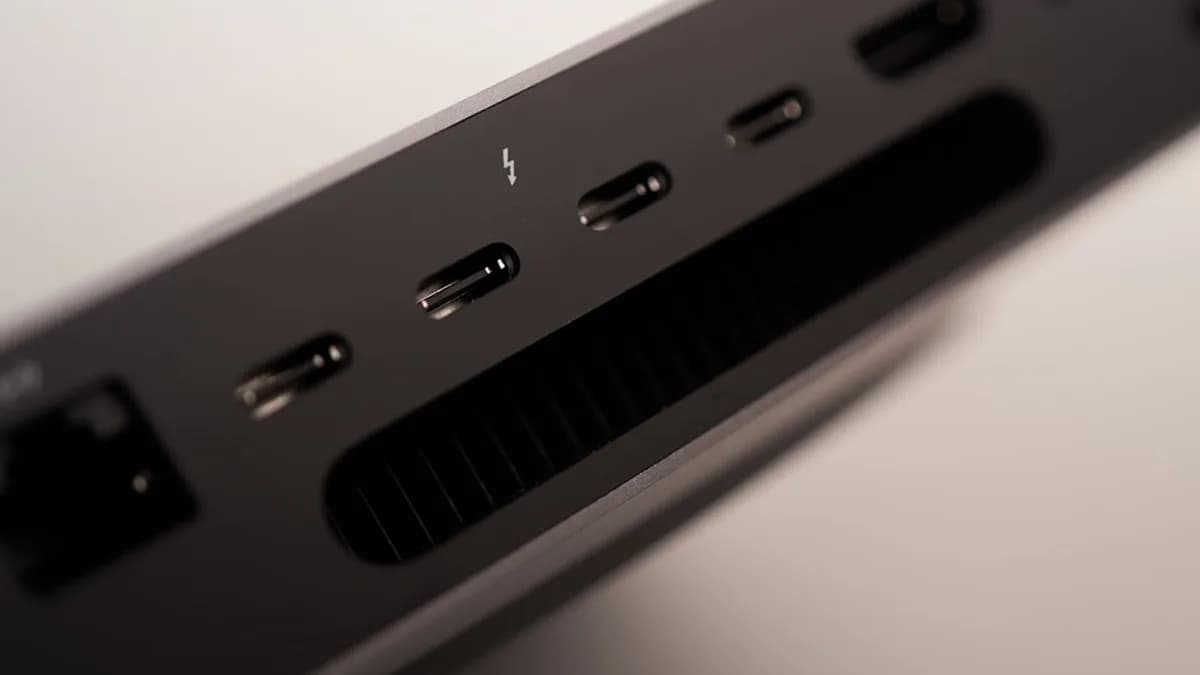
26 ports, support for four 6K displays, and 10 Gbps Ethernet put iVanky’s new FusionDock Ultra squarely in the “only if your desk is already out of ports” category. The dock is now available through Amazon for $650, but the headline capability comes with a hard limit: it is built for Macs with Apple’s own SoCs, not Windows PCs or older Macs, according to Notebookcheck.
FusionDock Ultra debuts with support for four 6K displays and 10Gbps connectivity
The FusionDock Ultra is a premium desktop expansion dock aimed at Mac users who need far more than a typical USB-C hub. iVanky is pitching it around display density, fast wired networking, charging, storage access, audio, and broad peripheral support in one unit.
The dock does not use a single host cable. It connects to a Mac through two separate cables, a design choice that immediately separates it from simpler docking stations and explains part of its workstation focus.
Power delivery is also part of the package. Connected laptops such as MacBooks can be charged through the dock, with a maximum supported output of 140 watts for devices including MacBooks, iPhones, and iPads. Notebookcheck also says wireless headphones can be charged.
The video side is the main draw. FusionDock Ultra includes four USB-C ports for video output, plus DisplayPort 2.1 and HDMI 2.0. The maximum display setup depends on the host Mac, not just the dock.
| Capability | FusionDock Ultra detail |
|---|---|
| Total ports | 26 ports |
| Host connection | Two separate cables to the Mac |
| Display outputs | 4 USB-C, DisplayPort 2.1, HDMI 2.0 |
| Networking | 10 Gbps Ethernet |
| Charging | Up to 140 watts maximum output |
| Storage slots | UHS-II SD and microSD card readers |
| Audio | Three 3.5 mm audio jacks plus optical audio output |
That makes the dock less a travel accessory and more a fixed desk anchor. It is designed to turn a MacBook or compact Mac workstation into a multi-display command center without forcing users to plug half a dozen cables directly into the machine.
Four-display 6K support targets creators, traders, engineers, and power users
The most aggressive display claim applies only to specific Macs. Notebookcheck reports that a Mac mini M1 supports only one 6K display at most, while a Mac Studio with M4 Max and M3 Ultra can connect four 6K displays at 60Hz through the FusionDock Ultra. Two 8K displays are also possible.
Lower resolutions or fewer monitors can allow higher refresh rates. That detail matters for buyers who may care less about maximum pixel count and more about responsiveness across fewer screens.
| Host Mac cited | Display support cited |
|---|---|
| Mac mini M1 | Up to one 6K display |
| Mac Studio with M4 Max | Up to four 6K displays at 60Hz |
| Mac Studio with M3 Ultra | Up to four 6K displays at 60Hz |
| Supported Macs generally | Varies by device |
For video editors, engineers, 3D designers, software developers, and traders, the value is not just “more screens.” It is the ability to keep high-resolution timelines, dashboards, terminals, preview windows, chat, storage tools, and monitoring apps visible at the same time.
The 10 Gbps Ethernet port gives the dock another workstation-grade angle. Notebookcheck specifically points to high-performance access to network storage, which is a practical fit for large media files, backups, shared project storage, and office networks built around fast wired infrastructure.
The broader design choice is clear: iVanky is not trying to solve the average laptop owner’s shortage of USB-A ports. It is targeting users whose laptop or compact desktop has become the center of a heavier production setup.
That Mac focus also intersects with the kind of premium hardware cycles MLXIO readers follow, including Apple’s pro-device roadmap in Apple Bets Big on OLED MacBook Pro Despite Delay Rumors and creator-adjacent gear like Insta360 Luna Ultra Packs Remote and Case, Shaking DJI’s Grip. Neither changes the FusionDock Ultra’s compatibility limits, but both sit near the same high-end buyer budget conversation.
26 ports are only useful if your Mac can actually drive them
FusionDock Ultra’s main caveat is not hidden in fine print: Windows PCs and older Macs are out. The dock works only with Macs powered by Apple’s in-house SoCs.
That narrows the audience sharply. It also means buyers need to check their exact Mac model before treating the “four 6K displays” figure as a guaranteed setup.
The port count is unusually broad. Beyond video and Ethernet, the dock includes UHS-II readers for both SD and microSD, three analog audio jacks, and an optical audio output. For photo, video, and audio workflows, that reduces the need for separate adapters.
The two-cable host setup is the trade-off. It can deliver more aggregate connectivity than a simpler dock, but it also consumes more Mac ports and makes desk layout more important.
Independent review material in the supplied sources adds a useful caution. AppleInsider reported a peak of 48.7 DBa in a 41.1 DBa office space when the dock was loaded with multiple monitors and I/O. Cult of Mac listed “runs warm despite dual fans” as a con.
That does not undercut the specs. It does remind buyers that a dock designed to carry multiple displays, high-speed Ethernet, card readers, audio, charging, and USB devices is still a thermal and bandwidth balancing act.
Price, Mac model, and real workloads decide whether $650 makes sense
At $650, FusionDock Ultra is not competing with commodity hubs. It is a workstation accessory for users who can name the devices they plan to plug into most of its 26 ports.
The strongest case is a Mac Studio or high-end Mac setup that can actually use the multi-display ceiling, especially where 10 Gbps Ethernet and card readers matter every day. The weakest case is a user with a Mac that cannot drive the promised displays or a desk that only needs a few peripherals.
The practical checklist is simple:
- Confirm the Mac: Apple SoC support is required, and display limits vary by model.
- Map the monitors: Four 6K displays at 60Hz is not universal across all supported Macs.
- Plan the cabling: The dock needs two host connections, not one.
- Check the network: 10 Gbps Ethernet only pays off if the rest of the wired setup can match it.
- Mind heat and noise: Early review data points to active cooling that may be audible under load.
The next test is not whether FusionDock Ultra has enough ports. On paper, it has more than most desks can fill. The question is whether a specific Mac, monitor stack, network, and peripheral load can turn that port count into a stable daily workstation.
Key Takeaways
- FusionDock Ultra targets high-end Mac workstation users who need extensive display and peripheral expansion.
- Its four 6K display support, 10 Gbps Ethernet, and 140-watt charging make it far beyond a typical USB-C hub.
- The $650 price and Apple Silicon-only support make compatibility and need important buying considerations.