Google is adding a selfie video as an account-recovery fallback, and the real bet is not on your face — it is on Google’s ability to tell a live human from an AI-generated imitation when the normal login chain has already failed.
Google’s selfie recovery puts the weakest login moment on camera
Google’s new recovery option lets locked-out users regain access by recording a short video of their face, according to Notebookcheck. The rollout has been taking place in phases since July 23, and users can check eligibility at g.co/signin-selfie.
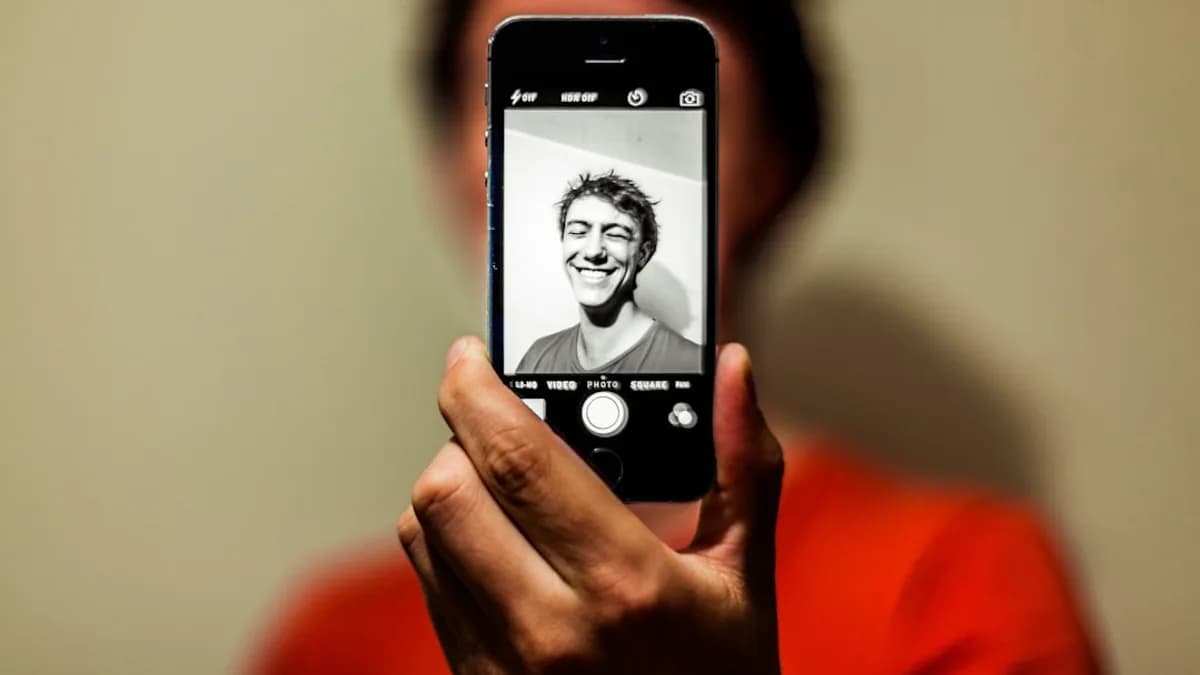
The setup is simple. A user records a video while following guided head movements, giving Google multiple angles of the face. If that user later loses access to the account and does not have the usual phone or computer available, Google asks for a fresh selfie video and compares it with the saved one.
That makes this less like a daily login tool and more like a recovery rail. It does not replace a password or passkey. It joins existing recovery options, including recovery contacts, and Google recommends setting up several recovery methods rather than relying on one.
The trade-off is sharp. Recovery is where platforms have to be forgiving enough to help real users and strict enough to block attackers. A face video may beat weaker recovery paths such as text-message recovery, which Notebookcheck notes is vulnerable to SIM swapping. But it also creates a sensitive new dependency: Google’s ability to verify that the moving face on screen is real, live, and the rightful account holder.
The protection works best against crude fakes, not camera-bypass attacks
Google says the selfie flow uses multiple layers against fake photos and videos. The most visible layer is liveness detection: the user has to perform small movements so the system can reject a printed photo or old video replay.
“When you use a selfie to sign in, we use multiple layers of security to help prevent impersonation attempts like fake photos and videos (i.e., deep fakes),” Google wrote, according to the supplied TechCrunch context.
That protection has obvious value. A static image should fail. A basic replay should struggle. A user who has lost access to a familiar device gets another way back in without depending only on a phone number.
The harder case is not a photo held up to a webcam. Notebookcheck highlights the more dangerous attack: injection, where a fake live video is fed directly into the app as if it came from the camera. Motion prompts do not solve that by themselves, because the attacker is not trying to fool the lens. They are trying to bypass it.
A widely cited study presented at the USENIX Security Conference in 2022 showed that commercial liveness detection systems can be automatically circumvented. Notebookcheck also notes that certification schemes such as ISO 30107-3, iBeta, and FIDO typically test attacks in front of the camera, not injection attacks.
MLXIO analysis: That distinction matters more than the marketing language around “deepfake detection.” The relevant question is not whether Google can catch bad face swaps in ordinary camera use. It is whether the recovery flow treats the video as one signal inside a broader fraud system, rather than as a final proof of identity.
Google’s own exclusions reveal where the risk line sits
The selfie-video option will not be available for Workspace accounts, children’s accounts, or accounts enrolled in the Advanced Protection Program. That last exclusion is telling.
Advanced Protection is aimed at users who need stronger account security. Notebookcheck calls out the irony: the groups with the greatest need for protection are excluded from the new recovery method. Ars Technica’s supplied context adds that Advanced Protection requires a security key, restricts third-party app access, and runs more Gmail scans to detect phishing.
That does not make selfie recovery useless. It defines its lane.
| Recovery or login method | Source-supported strength | Source-supported weakness |
|---|---|---|
| Text-message recovery | Familiar and widely accessible | Vulnerable to SIM swapping, per Notebookcheck |
| Selfie-video recovery | Better than simple photo or old-video attacks through liveness checks | Modern deepfakes and injection attacks are harder cases |
| Passkeys / hardware keys | Notebookcheck says these remain stronger for actual login | Not positioned as the new recovery method here |
| Advanced Protection Program | Designed for higher-risk accounts | Selfie sign-in is excluded |
This fits a broader Google pattern: pushing users toward stronger authentication while still maintaining mass-market recovery options. We saw a different side of that balancing act in Google Play Lets Third-Party App Stores In—Keeps Fees, where user choice, platform control, and security all collide. The same tension is present here, only the asset is identity rather than app distribution.
The privacy bargain is narrower than it first sounds — but still real
Google says the stored video is encrypted, used by default only for signing in, and can be deleted at any time. The company may use the video to improve detection only if the user consents. Ars Technica’s supplied context says the setup flow includes an optional toggle for improving facial-recognition technology, and a Google spokesperson confirmed that it is not required for the recovery feature.
That reduces one concern but does not erase the bigger one. A password can be changed. A face cannot.
The practical privacy question is not just “Is the video encrypted?” It is whether users understand what they are enrolling in, when deletion actually removes the recovery asset from future use, and how often Google may ask them to update the selfie video. Ars Technica’s supplied context says Google notes it may ask users to update selfie videos on occasion.
MLXIO analysis: The consent design will matter. If the recovery feature is framed as a convenience but the user is nudged into contributing face data for model improvement, the privacy risk becomes less about one encrypted video and more about normalization. That concern sits close to the issue we covered in AI Memory Trap: ChatGPT and Gemini Save Your Secrets: users often underestimate how long sensitive data can remain useful to a platform after the original task is done.
The right users should treat this as a backup, not a security upgrade
For everyday users, Google selfie-video recovery can be worthwhile as one more way back into an account after lockout. It may be especially useful when the user does not have the usual phone or computer available. That is the scenario Google designed it for.
But the hierarchy should stay clear:
- Best for recovery redundancy: Use selfie video as one of several fallback options.
- Not a password replacement: Google says it replaces neither password nor passkey.
- Not the strongest login method: Notebookcheck says passkeys and hardware keys remain stronger for the actual login process.
- Not for highest-risk users: Accounts in the Advanced Protection Program cannot use it, and Notebookcheck says particularly high-value targets should avoid the face video.
For enterprises, the immediate implication is limited because Workspace accounts are excluded. That does not make the feature irrelevant to corporate security teams. Employees still use personal Google accounts, and consumer recovery methods often shape expectations about what “easy” account recovery should feel like.
For attackers, the new target is the recovery workflow. Notebookcheck’s strongest technical warning is that motion checks can defeat simple presentation attacks but not necessarily injected fake video. Security firms have also reported a sharp rise in injection attacks over the past two years, according to the source material.
The next test is whether Google keeps the selfie in its proper place
The most secure version of this feature is boring: selfie video as a useful signal, checked alongside other standard security practices, never treated as a magic identity stamp.
Google says it also uses its standard security practices to detect and help prevent suspicious sign-in attempts. That matters. If selfie recovery sits inside a broader risk engine, it can reduce low-effort abuse while helping legitimate users recover accounts. If it becomes the decisive gate, the system inherits every weakness of face-based verification at the worst possible moment: after the user is already locked out.
The evidence to watch is practical, not promotional. Does Google publish clearer detail on deletion, retention, and consent? Does it explain how the system handles injection-style attacks rather than only fake photos and videos? Does it expand, restrict, or keep the exclusions for Workspace, children’s accounts, and Advanced Protection users?
For now, the sensible setup is simple: keep passkeys or hardware security keys for strong login, maintain more than one recovery method, and treat selfie-video recovery as a convenience with real limits. It may beat SMS in many lockout scenarios. It should not become the face-shaped single point of failure.
Impact Analysis
- Account recovery is often the weakest point in login security.
- Selfie video checks may help block crude photo or video replays.
- The system raises new privacy and security questions around biometric-style recovery data.