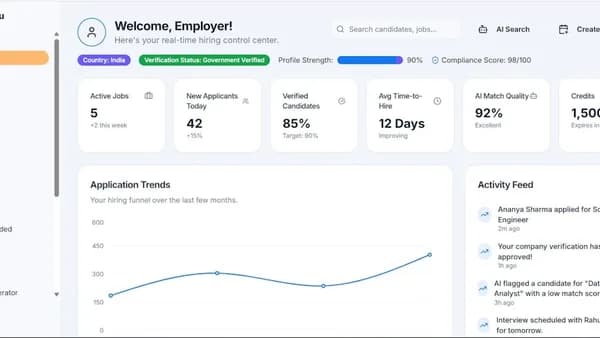
Choosing the best HR software for remote teams in 2026 can be the make-or-break factor for seamless distributed workforce management. With remote work now the norm, businesses face unique HR challenges that require specialized solutions—simple employee self-service, cross-border compliance, integrated payroll, and robust analytics. This guide walks you through each step to evaluate, compare, and implement the best HR software for your remote team, grounded in real user experiences and expert recommendations.
Understanding HR Challenges with Remote Teams
Managing HR for remote teams introduces complexities far beyond the traditional office environment. According to real-world user discussions and expert reviews, the main challenges include:
- Multi-state and cross-border compliance: Handling payroll taxes, labor laws, and benefits for employees in different states or countries is a major pain point. As noted by Reddit user experiences, “wrangling fifty different state rules” is a common headache for distributed HR teams.
- Employee self-service: Without in-person support, remote employees need robust self-service portals to update information, access documents, and manage requests independently.
- Visibility and engagement: Managers worry about team members feeling isolated and disconnected, making real-time insights into morale, performance, and engagement critical.
- Inefficient processes: Outdated or manual systems (like spreadsheets) can’t keep up with onboarding, leave management, and reporting needs, leading to errors and wasted time.
“The HRIS choice matters but the real friction shows up later when leadership wants to understand risk, comp fairness, and what is actually happening across the org.”
—u/DueInsurance5036, Reddit
Essential Features for Remote HR Software
When searching for the best HR software for remote teams, certain features are non-negotiable. These features address the unique needs of distributed teams and ensure smooth operations, regardless of geography.
| Feature | Why It Matters for Remote Teams |
|---|---|
| Employee Self-Service Portal | Empowers staff to access HR tasks and info independently |
| Time & Leave Management | Real-time tracking of hours, PTO, and remote attendance |
| Multi-State & Global Payroll | Handles complex tax, legal, and payroll compliance seamlessly |
| Recruitment & Onboarding | Centralizes documentation, automates new hire processes |
| Performance Management | Enables regular reviews, feedback, and pulse checks |
| Document Management | Securely stores policies, contracts, and handbooks in the cloud |
| Integrations | Connects HR with payroll, comms, and productivity tools |
| Reporting & Analytics | Provides insights into turnover, engagement, and compliance |
| Mobile Access | Ensures HR tools are available on the go (iOS/Android) |
| Security & Compliance | Protects data, supports digital signatures, and regulatory needs |
Source: HRLocker, SoftwareFinder, Reddit
Evaluating Security and Compliance Needs
Security and compliance are critical—especially when handling sensitive employee data across state and national lines. The leading HR software for remote teams in 2026 emphasize:
- Compliance Automation: Automatically track and report on local labor laws, tax regulations, and leave policies. Tools like Deel and SAP SuccessFactors are highlighted for their localization and compliance support.
- Document Management: Secure storage and categorization of contracts, policies, and agreements, with digital signature capabilities.
- Data Protection: Adherence to data protection standards is a must. Look for platforms that emphasize encryption, access controls, and audit trails.
- Global Support: Cross-border solutions need to address separate logins, reporting, and support teams for each country—a recurring issue in user reviews.
“SAP SuccessFactors does country localization better than anyone in my opinion. Super customizable.”
—u/TrophyDynamite, Reddit
Step 1: Define Your Remote Team’s HR Requirements
Before you start researching products, clarify your team’s unique needs. Consider:
- Team Size & Distribution: Are you fully remote, hybrid, or spread across multiple countries?
- Key Use Cases: Is payroll, time tracking, or performance management your biggest pain point?
- Existing Gaps: Are you struggling most with compliance, onboarding, or employee engagement?
- Budget: What is your price range? Some platforms offer per-user pricing, others custom quotes.
- Growth Plans: Will you need to scale up or add new regions in the next 12–24 months?
Action steps:
- List all HR processes you want to automate or improve (e.g., onboarding, payroll, leave).
- Gather feedback from HR staff and remote employees about current frustrations.
- Prioritize must-have vs. nice-to-have features.
Step 2: Research and Shortlist Potential Software
Use credible sources and real user feedback to identify a shortlist. The following platforms are repeatedly recommended for remote teams, each with its own strengths:
| Product | Best For | Starting Price | Key Features |
|---|---|---|---|
| Paycom | Unified HR + Payroll | Custom | Employee self-service, payroll, talent management |
| Deel | Global payroll & compliance | $5/employee/month | Cross-border hiring, global payroll, compliance experts |
| Gusto | Payroll for small teams | $49/mo + $6/user | Payroll, benefits, time tracking, reporting |
| Rippling | Global workforce management | $8/employee/month | Global payroll, benefits, workflow automations |
| BambooHR | Performance reviews, onboarding | $10/user/month | Recruiting, onboarding, time tracking |
| HRLocker | All-in-one & customer support | Custom | Leave, performance, onboarding, iOS/Android apps |
| Paycor | US payroll + self-service | Custom | Time, onboarding, access controls, 30-day trial |
| Zoho People | Budget-friendly HRIS | $1.50/user/month | Self-service, doc mgmt, performance tracking |
| Apploye | Time tracking & productivity | $2.50/user/month | Time monitoring, proof of work, reporting |
| Oyster | Global payroll | Custom | Payroll, compliance, contractor management |
Sources: SoftwareFinder, HRLocker, Apploye, Reddit
Explore detailed reviews, pricing, and real-life user stories on sites like SelectSoftware and Reddit to gather further insights.
Step 3: Compare Features and User Reviews
Comparing shortlisted platforms side-by-side is essential. Focus on features that matter most to remote teams and review user feedback for insights into real-world experience.
Feature Comparison Table
| Feature / Platform | Paycom | Deel | Gusto | Rippling | BambooHR | HRLocker | Apploye |
|---|---|---|---|---|---|---|---|
| Global Payroll | ✔ | ✔ | ✔ | ✔ | Limited | Limited | ✗ |
| Employee Self-Service | ✔ | ✔ | ✔ | ✔ | ✔ | ✔ | ✔ |
| Recruitment/Onboarding | ✔ | ✔ | ✔ | ✔ | ✔ | ✔ | ✗ |
| Performance Mgmt | ✔ | ✔ | ✔ | ✔ | ✔ | ✔ | ✔ |
| Compliance Tools | ✔ | ✔ | ✔ | ✔ | ✔ | ✔ | ✔ |
| Time & Attendance | ✔ | ✔ | ✔ | ✔ | ✔ | ✔ | ✔ |
| Integrations | ✔ | ✔ | ✔ | ✔ | ✔ | ✔ | ✔ |
| Mobile App | ✔ | ✔ | ✔ | ✔ | ✔ | ✔ | ✔ |
| Starting Price | Custom | $5 | $49+6 | $8 | $10 | Custom | $2.50 |
| Free Trial | ✗ | ✗ | ✗ | ✗ | ✗ | ✗ | ✗ |
Source: SoftwareFinder, HRLocker
Real User Insights
- Deel: “Global payroll services make it easy to manage remote teams… immigration and visa support in 25 countries.”
—SoftwareFinder - Rippling: “Hands down my best HRIS experience… worked with multiple global orgs with a fully remote HRIS.”
—Reddit - BambooHR: “Flexible HRIS features for onboarding, PTO, and performance management.”
—Apploye
“What sets HRLocker apart is its integrated HRIS database… and award-winning customer support.”
—HRLocker
Look out for recurring complaints about login complexity, disjointed country support, or poor customer service.
Step 4: Consider Integration with Existing Tools
Integration is vital for minimizing workflow disruption. The best HR platforms for remote teams connect seamlessly with:
- Payroll providers: Automate pay runs, taxes, and compliance.
- Communication tools: Slack, Zoom, Microsoft Teams for real-time updates.
- Document storage: Google Workspace for secure file management.
- Project management: Asana, Trello, or custom tools for task tracking.
- Single Sign-On (SSO): Simplifies user management and boosts security.
Some platforms (like Rippling and Deel) are praised for robust APIs and integration ecosystems, while others require manual workarounds.
Step 5: Trial Periods and Vendor Support
Testing is crucial. At the time of writing, most top HR software for remote teams offer demos rather than full-featured free trials, with the exception of Paycor and Zoho People, which have 30-day trial options. Consider:
- Free Demos: Most vendors provide guided demos to showcase their features and answer questions.
- Trial Periods: Use any available free trials to simulate real workflows with your team.
- Customer Support: Look for platforms with 24/7 support and high user satisfaction—HRLocker, for instance, is repeatedly praised for its “award-winning customer support.”
- Community & Documentation: Active user communities and comprehensive guides can shorten the learning curve.
Step 6: Making the Final Decision
After piloting and reviewing your options, finalize your choice by considering:
- Total Cost: Factor in per-user fees, add-ons, and setup charges.
- Scalability: Will the platform grow with your team and support new regions or business lines?
- Contract Terms: Consider length, cancellation policies, and renewal terms.
- References: Ask vendors for references from similar remote or distributed organizations.
“Always going to support Rippling on here, love it… Justworks is my rec… Or Sequoia.”
Remember, some solutions excel for small businesses (e.g., Gusto, BreatheHR), while others are geared toward mid-sized or international organizations (Rippling, Deel, SAP SuccessFactors).
Tips for Successful HR Software Implementation
Smooth implementation ensures you realize the full value of your HR investment. Follow these best practices:
- Create an Implementation Plan: Define milestones, assign responsibilities, and set a realistic timeline.
- Clean Your Data: Audit and migrate accurate employee data to avoid issues post-launch.
- Train Your Team: Use vendor training resources, tutorials, and internal champions to ramp up users.
- Run a Pilot: Roll out to a small group, gather feedback, and iterate before full deployment.
- Communicate Clearly: Keep remote employees informed of what’s changing and how it benefits them.
- Monitor and Optimize: Use built-in analytics to track adoption, address issues, and refine processes.
FAQ: Best HR Software for Remote Teams
Q1: What is the best HR software for international remote teams in 2026?
A: Based on expert reviews and user feedback, Deel and Rippling are top choices for global payroll, compliance, and cross-border hiring. SAP SuccessFactors is also noted for best-in-class localization.
Q2: Which HR software platforms offer employee self-service for remote teams?
A: Most leading platforms, including Paycom, Deel, Gusto, Rippling, BambooHR, and HRLocker, offer robust self-service portals so employees can manage their own information and HR tasks.
Q3: How much does HR software for remote teams cost?
A: Pricing varies. For example, Deel starts at $5/employee/month, Rippling at $8/employee/month, Gusto at $49/month plus $6 per user, BambooHR at $10/user/month, and Apploye at $2.50/user/month. Many offer custom quotes based on features and team size.
Q4: What should I look for in remote HR software integrations?
A: Look for platforms that integrate with your payroll provider, communication tools (Slack, Zoom), document management (Google Workspace), and project management systems. SSO support is recommended for ease of access and security.
Q5: Do these HR platforms support mobile access?
A: Yes, most top HR platforms (including HRLocker, Rippling, Deel, BambooHR) provide mobile apps or mobile-friendly web portals for remote access.
Q6: Are there free trials available for remote HR software?
A: At the time of writing, Paycor and Zoho People offer 30-day free trials. Most other platforms provide demos or require a purchase to access the full feature set.
Bottom Line
Choosing the best HR software for remote teams in 2026 hinges on matching your unique needs with the platform’s strengths. Start by assessing your team’s requirements, then shortlist and compare solutions like Deel, Rippling, Paycom, Gusto, and HRLocker—all highly rated for remote-friendly features. Prioritize compliance, self-service, integration, and support. Pilot your top picks, involve your team, and roll out with a clear plan.
By grounding your choice in real user feedback and expert recommendations, you’ll empower your remote workforce, streamline HR operations, and future-proof your HR strategy for the distributed workplace era.