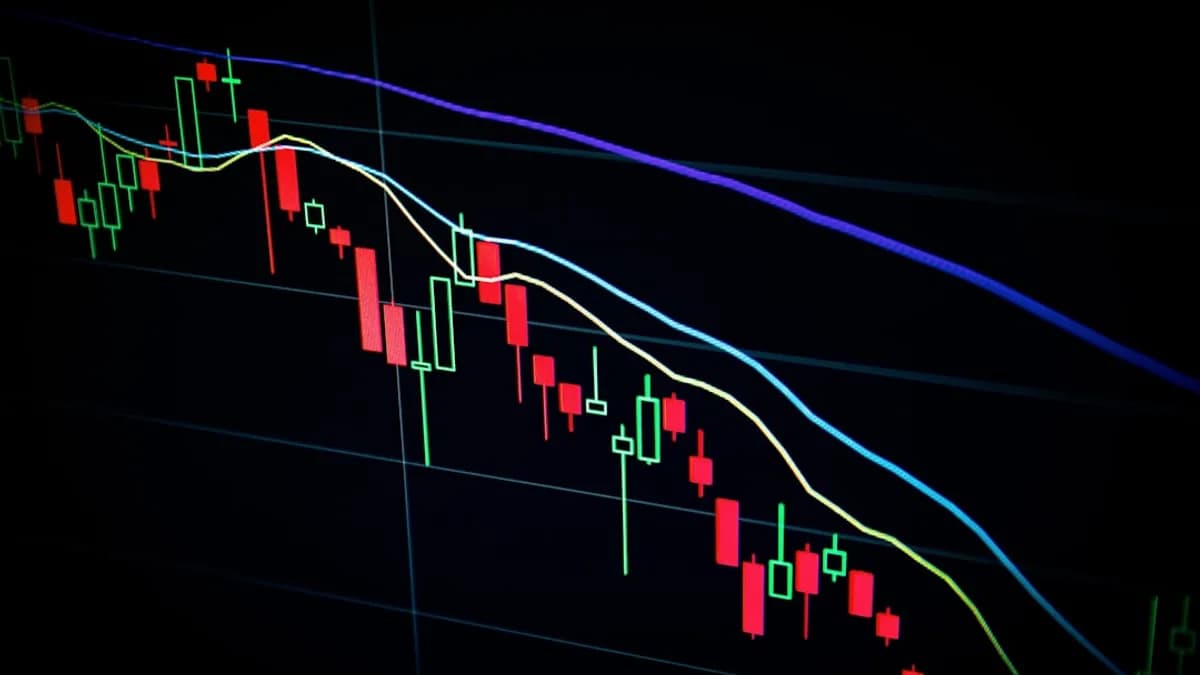
Technical analysis remains at the forefront of modern stock trading strategies, especially for those seeking to capitalize on intraday price action and historical trends. In 2026, traders have unprecedented access to sophisticated charting tools, hundreds of indicators, and highly customizable platforms. But with so many options, choosing the best stock trading platforms for technical analysis is crucial for effective decision-making and trading success.
Below, we break down the top 7 platforms for technical analysis, grounded in real data and hands-on reviews, so you can select the right fit for your trading ambitions.
Introduction to Technical Analysis in Stock Trading
Technical analysis is the practice of forecasting price movements by analyzing statistical trends from trading activity—such as price, volume, and chart patterns. It’s pivotal for day traders, swing traders, and even long-term investors who want to optimize entry and exit points.
“For day traders, technical analysis is often the backbone of successful trading. By examining price movements, volume, and historical trends, you can make more informed decisions and precisely spot entry and exit points.”
— Paul Holmes, Broker Analyst (DayTrading.com)
In 2026, the best stock trading platforms for technical analysis offer far more than just basic charting. They deliver a combination of:
- Extensive chart types and timeframes
- Large indicator libraries
- Advanced drawing tools
- Custom scripting and automation
- Reliable, real-time data feeds
Let’s explore the criteria that separate the best from the rest.
Criteria for Evaluating Trading Platforms
When choosing a platform for technical analysis, consider these essential factors—each directly impacts your trading workflow and effectiveness:
| Feature | Why It Matters | Top Performers (2026) |
|---|---|---|
| Chart Types | More visual options aid different strategies | TradingView, ProRealTime |
| Timeframes | Precise analysis across multiple perspectives | cTrader, MT5, ProRealTime |
| Indicator Library | More indicators = deeper technical analysis | TradingView, ProRealTime |
| Drawing Tools | Essential for custom analysis and trend spotting | TradingView, cTrader |
| Usability | Fast, intuitive platforms speed up decision-making | TradingView, cTrader |
| Customizability | Build your own indicators/algos | TradingView, ProRealTime |
| Speed & Reliability | Fast, stable execution crucial for day trading | ProRealTime, MT5 |
| Device Compatibility | Trade from desktop, web, or mobile | All top platforms |
Additional Considerations
- Community & Social Features: Some platforms have active user communities and shared scripts.
- Automated Trading Support: For systematic traders, scriptability and bot integration matter.
- Learning Curve: Beginners may want simplicity, while advanced users seek depth.
1. TradingView: Unmatched Charting Variety and Community
TradingView stands out as the most versatile and intuitive technical analysis platform in 2026. Its variety of chart types, indicators, and social features make it suitable for traders of all levels.
Key Features
- Chart Types: 20+ (line, bar, candlestick, Renko, Heikin Ashi, Kagi, and more)
- Indicators: 100+ built-in, plus thousands of user-generated scripts
- Drawing Tools: Extensive—pitchfork, regression channels, Fibonacci, Gann, and more
- Device Support: Desktop, web, and mobile
- Usability: 5/5—intuitive interface with minimal learning curve
- Customizability: 5/5—Pine Script for custom indicators and strategies
- Community: Large social network for sharing ideas and strategies
Pros
- Unbeatable chart variety for any market and trading style
- Extensive indicator library and user-contributed scripts
- Highly intuitive interface—ideal for both beginners and pros
- Active community with shared analysis and ideas
Cons
- Speed/Reliability: 4/5—slightly behind ProRealTime and MT5 for execution speed in some scenarios
- Automation: While Pine Script is powerful, it may not match MT5’s depth for some algorithmic traders
“TradingView’s clean, highly intuitive interface and robust social features make it accessible to beginners and efficient for pros.”
— DayTrading.com Review
2. ProRealTime: Precision and Customization for Advanced Traders
ProRealTime excels in delivering advanced technical analysis capabilities with a focus on custom scripting and reliable cloud-based performance.
Key Features
- Chart Types: 8+ (including Point & Figure, Heikin Ashi, unique visualizations)
- Indicators: 100+ built-in, plus ProBuilder for custom indicators
- Drawing Tools: Extensive—Fibonacci, channels, and more
- Timeframes: 15+ (from intraday to yearly)
- Device Support: Desktop, web, mobile
- Customizability: 5/5—deep customization with ProBuilder language
- Speed/Reliability: 5/5—cloud-based, robust performance
Pros
- Custom indicator and strategy creation supports advanced analysis
- Highly reliable and fast, suitable for precision trading
- Wide range of chart types and timeframes
Cons
- Usability: 4/5—interface is powerful but may be overwhelming for beginners
- Community: Smaller than TradingView’s, but strong among advanced users
“Ideal for advanced traders needing robust technical analysis tools and reliable, cloud-based performance.”
— DayTrading.com
3. cTrader: User-Friendly Charting with Algorithmic Power
cTrader strikes a balance between advanced charting, usability, and algorithmic trading—making it perfect for intermediate to advanced users.
Key Features
- Chart Types: 4 (line, bar, candlestick, Heikin Ashi)
- Indicators: 70+ built-in
- Drawing Tools: Advanced—Fibonacci, Gann angles, and others
- Timeframes: 26—the most of any platform reviewed
- Device Support: Desktop, web, mobile
- Customizability: 5/5—supports C# programming for bots and custom indicators
- Usability: 4.5/5—sleek, modern interface
Pros
- Best for multi-timeframe analysis (26 timeframes)
- Easy-to-use interface reduces learning time
- Great for algorithmic traders thanks to C# scripting
Cons
- Indicator library smaller than TradingView or ProRealTime
- Chart type variety more limited
“cTrader is user-friendly with sophisticated charting for technical analysis. Perfect for intermediate to advanced traders, especially those prioritizing charting, algo trading and fast execution.”
— DayTrading.com
4. MetaTrader 5 (MT5): Comprehensive Market Access
MetaTrader 5 (MT5) builds on the legacy of MT4, offering more timeframes, indicators, and advanced automated trading capabilities. It’s a favorite for active traders across multiple markets.
Key Features
- Chart Types: 3 (line, bar, candlestick)
- Indicators: 30+ built-in, plus custom scripts
- Drawing Tools: Expanded—Fibonacci, Gann, trendlines
- Timeframes: 21
- Device Support: Desktop, web, mobile
- Customizability: 4.5/5—powerful scripting for automation and custom tools
- Speed/Reliability: 5/5
Pros
- Broad market access (forex, stocks, futures)
- Advanced automation capabilities
- Highly reliable execution
Cons
- Chart type and indicator variety less than TradingView/ProRealTime
- Interface may be less intuitive for beginners
“MT5 builds on MT4’s reliability with more timeframes and indicators. Suited for active traders wanting comprehensive market access and advanced automated trading.”
— DayTrading.com
5. MetaTrader 4 (MT4): The Reliable Classic
MetaTrader 4 (MT4) remains a go-to platform for traders who value simplicity, stability, and a strong community—especially in forex markets.
Key Features
- Chart Types: 3 (line, bar, candlestick)
- Indicators: 38+ built-in, plus custom scripts
- Drawing Tools: Basic—trendlines, shapes, some expanded tools
- Device Support: Desktop, mobile
- Customizability: 4/5—supports custom indicators and expert advisors
- Speed/Reliability: 4.5/5
Pros
- Simple, stable, and reliable
- Strong community support and shared resources
- Great for forex trading
Cons
- Limited chart types and drawing tools
- Not as modern or visually rich as newer platforms
“A reliable classic for technical analysis. MT4’s simplicity and strong community support make it excellent for those starting in forex trading.”
— DayTrading.com
6. Google Finance: Basic Technical Analysis for Beginners
While Google Finance isn’t a direct competitor to the platforms above, it offers essential charting and market data for beginners or those who need quick overviews.
Key Features
- Free access to charting for global stocks, ETFs, and indices
- Simple interface for viewing price changes, volume, and sector performance
- Device Support: Web-based (desktop/mobile browser)
- Drawing/Indicators: Basic support—primarily for visualizing price and volume
Pros
- Completely free and easy to access
- Integrates with Google ecosystem for portfolio tracking
Cons
- No advanced indicators, drawing tools, or custom scripting
- Limited to basic technical analysis
“Google Finance provides free stock quotes, up-to-date news, portfolio management resources, and international market data that help you manage your financial life.”
— Yahoo Finance snippet
7. Yahoo Finance: Accessible Charting with Market News
Yahoo Finance offers free charting, news, and portfolio management tools, making it a good starting point for casual traders who want to perform basic technical analysis.
Key Features
- Free charts with essential overlays (moving averages, volume, etc.)
- Market news and data aggregation
- Device Support: Web, mobile app
- Drawing Tools/Indicators: Basic—moving averages, Bollinger Bands, RSI
Pros
- No cost to use basic features
- Integrated news and data feed
Cons
- Lacks advanced drawing tools, custom indicators, or automation
- Not suitable for advanced technical analysis
“At Yahoo Finance, you get free stock quotes, up-to-date news, portfolio management resources, international market data, and social interaction features.”
— Yahoo Finance
Platform Comparison Table
| Platform | Chart Types | Indicators | Drawing Tools | Customization | Usability | Speed/Reliability | Device Support | Best For |
|---|---|---|---|---|---|---|---|---|
| TradingView | 20+ | 100+ | Extensive | 5/5 | 5/5 | 4/5 | Desktop/Web/Mobile | All levels, versatility |
| ProRealTime | 8+ | 100+ | Extensive | 5/5 | 4/5 | 5/5 | Desktop/Web/Mobile | Advanced, customization |
| cTrader | 4 | 70+ | Advanced | 5/5 | 4.5/5 | 4.5/5 | Desktop/Web/Mobile | Algo, multi-timeframe traders |
| MT5 | 3 | 30+ | Expanded | 4.5/5 | 3/5 | 5/5 | Desktop/Web/Mobile | Automated, active traders |
| MT4 | 3 | 38+ | Basic/Expanded | 4/5 | 4/5 | 4.5/5 | Desktop/Mobile | Beginners, forex |
| Google Finance | 1+ | Basic | Basic | N/A | 5/5 | 5/5 | Web | Beginners/quick overviews |
| Yahoo Finance | 1+ | Basic | Basic | N/A | 5/5 | 5/5 | Web/Mobile | Beginners/news integration |
Conclusion: Best Platform for Different Trader Types
Choosing the best stock trading platform for technical analysis in 2026 depends on your trading style, experience level, and need for customization:
- For All Levels: TradingView is the most versatile, with unmatched chart and indicator variety, community features, and ease of use.
- For Advanced Customization: ProRealTime offers precision and power for those who want to create their own indicators and strategies.
- For Algorithmic/Multi-Timeframe Traders: cTrader delivers sophisticated charting, the most timeframes, and full C# scripting support.
- For Active, Automated Trading: MetaTrader 5 combines market access, reliability, and strong automation tools.
- For Beginners or Forex: MetaTrader 4 remains a solid, community-driven classic.
- For Quick, Free Overviews: Google Finance and Yahoo Finance are suitable for basic charting and market news but lack advanced analysis capabilities.
“The right platform depends on your technical needs, trading style, and how much you value customizability versus simplicity.”
— DayTrading.com
FAQ: Stock Trading Platforms for Technical Analysis
Q1: Which platform offers the most chart types in 2026?
A: According to DayTrading.com, TradingView offers over 20 chart types, more than any other platform tested.
Q2: What platform has the largest indicator library?
A: TradingView leads with 100+ built-in indicators and thousands of user-created scripts. ProRealTime also offers 100+ indicators and custom creation tools.
Q3: Which platform is best for advanced custom indicators?
A: Both ProRealTime (ProBuilder) and TradingView (Pine Script) allow for advanced custom indicator and strategy development.
Q4: Is there a platform suitable for beginners?
A: TradingView is highly intuitive and suitable for all levels. MetaTrader 4 is also recommended for beginners, especially in forex.
Q5: Which platform is best for algorithmic trading?
A: cTrader (with full C# scripting support) and MetaTrader 5 are optimal for algorithmic and automated trading strategies.
Q6: Can I use these platforms on mobile devices?
A: Yes, all top platforms (TradingView, ProRealTime, cTrader, MT4, MT5) offer mobile compatibility, except Google Finance (browser only).
Bottom Line
The stock trading platforms for technical analysis landscape in 2026 is rich with options for every trader profile. Whether you need comprehensive charting, deep indicator libraries, or robust customization, there’s a platform built for your workflow.
TradingView remains the all-around leader, but ProRealTime, cTrader, MetaTrader 5, and MetaTrader 4 each offer distinct strengths. For quick, free analysis, Google Finance and Yahoo Finance are available, albeit with basic features.
Assess your needs—chart variety, automation, community, or simplicity—and choose the stock trading platform that fits your technical analysis journey.