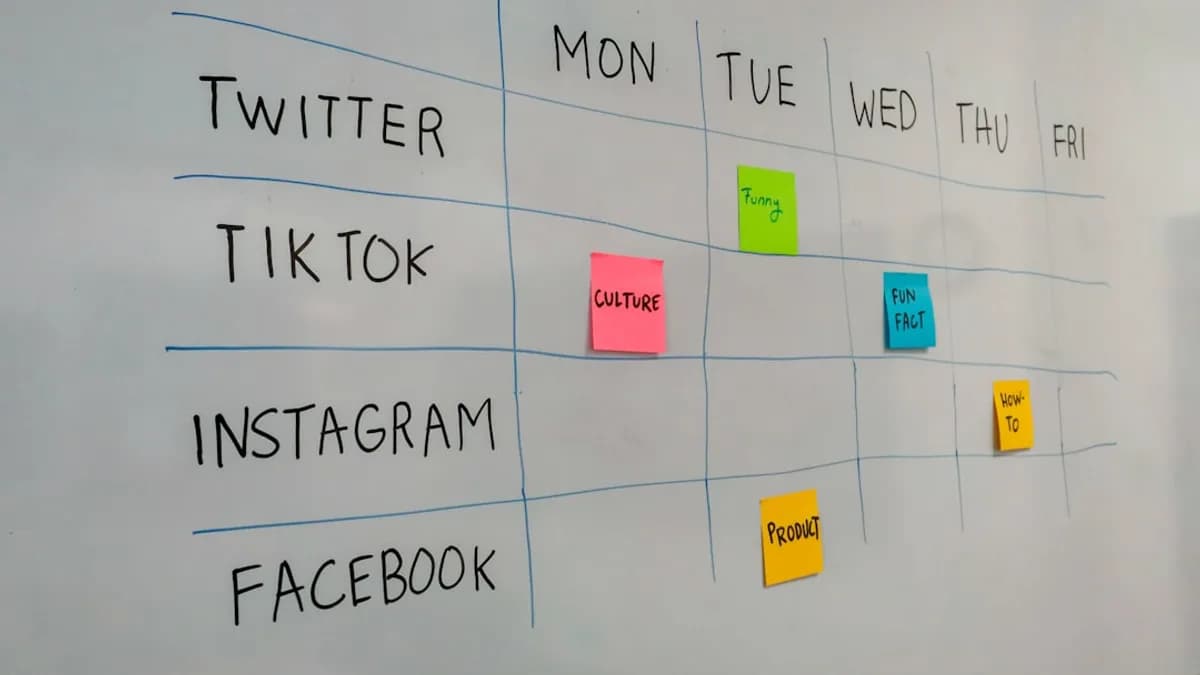
Small creator teams face a unique set of challenges when managing their social presence: time and resource constraints, the need for efficient content workflows, and the pressure to deliver consistent engagement across multiple platforms. The right social media management tools for small teams can transform this chaos into a streamlined, data-driven process—freeing up more time for creativity and actual audience interaction. This in-depth comparison draws on real 2026 research to help you choose the best fit for your team, focusing on features, pricing, ease of use, and value for money.
Why Small Creator Teams Need Specialized Tools
Small creator teams juggle content creation, community management, and performance analysis—often with just a handful of people. Unlike enterprise teams with dedicated roles and deep budgets, small teams need tools that centralize publishing, analytics, and engagement without overwhelming complexity or cost.
"The right social media management tools for small business centralize everything in one place, so you spend less time on logistics and more time building real connections with your audience."
— Sprout Social Insights, 2026
Key challenges for small teams include:
- Limited time: Lean teams must minimize context-switching and repetitive manual tasks.
- Budget constraints: Premium enterprise platforms are often out of reach.
- Need for simplicity: A steep learning curve or feature bloat can waste precious time.
Choosing a tool designed for small teams ensures you get essential features—like scheduling, analytics, and collaboration—at a fair price, with minimal setup and training.
Key Features to Look for in Social Media Management Tools
Not all social media management tools for small teams are created equal. The best options for 2026, as identified in independent tests and reviews, consistently offer:
- Unified Scheduling: Queue and schedule content across multiple platforms (Instagram, Facebook, X/Twitter, LinkedIn, and more) from one dashboard.
- Visual Content Calendar: See your entire publishing plan at a glance.
- Engagement Inbox: Manage comments, mentions, and DMs from all platforms in a single feed.
- Analytics and Reporting: Track reach, engagement, and growth with clear, actionable reports.
- Collaboration Workflows: Assign tasks, manage approvals, and coordinate with teammates.
- AI & Automation: Leverage AI for caption writing, best time recommendations, and content recycling.
- Platform Coverage: Ensure support for the networks that matter most to your audience.
- Transparent Pricing: Understand exactly what you’ll pay as you add users or channels.
"The key difference between tools aimed at small businesses versus enterprise suites is cost and complexity. Small business tools prioritize ease of use and affordable pricing over advanced features."
— Postiv.ai, 2026
Tool 1: Sprout Social
Overview
Sprout Social stands out as an all-in-one platform now tailored to small businesses and creator teams. It consolidates publishing, analytics, engagement, and reporting for every major social platform.
Key Features:
- Smart Inbox (consolidated engagement)
- Social listening and monitoring
- ViralPost® optimization (suggests best posting times)
- Unified analytics dashboard
Pros
- Comprehensive: Handles scheduling, engagement, and analytics from one place.
- Industry-leading reporting: Deep analytics, including cross-platform performance tracking.
- Grows with you: Used by major brands but accessible for small teams.
Cons
- Pricing: No free plan; Essentials plan starts at $79/month (Sprout Social source).
- Complexity: May be more than needed for very small or solo teams.
- Higher seat cost: Toolradar.com lists Sprout Social at $249 per seat/month for higher-tier plans, so costs scale quickly for teams.
Tool 2: Buffer
Overview
Buffer is renowned for its simplicity and transparent, low-cost pricing. It is a favorite for solo creators and small teams seeking a no-fuss content scheduling solution.
Key Features:
- Clean, intuitive interface
- Modular pricing: $5 per connected channel/month
- Supports Mastodon and Bluesky (rare among competitors)
- Basic analytics (engagement, reach, clicks)
- AI Assistant for captions (basic level)
Pros
- Affordable: Pay only for what you use; 3 channels cost $15/month.
- Free plan: Covers 3 channels with 10 scheduled posts each.
- User-friendly: Minimal onboarding and learning curve.
Cons
- Limited analytics: Only provides surface-level engagement metrics.
- No unified inbox: Cannot manage DMs or comments across platforms.
- No social listening: Lacks advanced monitoring features.
- AI is basic: Caption generation is generic and often needs rewriting.
Tool 3: Later
Overview
Later is built for visual-first brands and creator teams with a strong presence on Instagram and TikTok. Its visual planner and aesthetic tools are unmatched for those platforms.
Key Features:
- Drag-and-drop visual calendar
- Instagram grid preview
- Asset Library for storing and reusing media
- Linkin.bio (turns your IG feed into a clickable landing page)
- Best-time-to-post recommendations
Pros
- Best in class for Instagram: Visual planning features are unrivaled.
- Linkin.bio integration: Adds actionable links and analytics to your feed.
- Affordable starter: $25/month for 1 social set (1 profile per platform), 1 user, and up to 30 posts/profile/month.
Cons
- No AI content generation: Does not generate captions or suggest content.
- Analytics are basic: Lacks depth compared to Sprout Social or Metricool.
- Posting limits: 30 posts per profile/month on the Starter plan may be restrictive for active accounts.
Pricing Comparison and Value for Money
Understanding the cost structure of each tool is crucial for small teams. Here’s a side-by-side look at the latest 2026 pricing for the top contenders:
| Tool | Free Plan | Starting Price | Users Included | Social Profiles Included | Key Value Notes |
|---|---|---|---|---|---|
| Sprout Social | No | $79/month (Essentials) | 1 | Multiple | All-in-one, industry-grade analytics |
| Buffer | Yes (3 channels) | $5/channel/month | 1 | Pay-per-channel | Transparent, budget-friendly, modular |
| Later | No | $25/month (Starter) | 1 | 1 profile/platform | Visual Instagram planning, limited posts |
| Metricool | Yes (1 brand) | $22/month (Starter) | 1 | 5 brands | Strong competitor analytics, Twitch support |
| SocialBee | No | $29/month (Bootstrap) | 1 | 5 profiles | Evergreen scheduling, strong AI, category-based |
"Free plans are a legitimate starting point for solopreneurs managing 1-3 accounts. Once you need team seats, more profiles, or advanced analytics, expect to spend $25-$100/month."
— Postiv.ai, 2026
Buffer is the most affordable for basic scheduling, while Sprout Social justifies a higher price with comprehensive analytics and engagement tools. Later offers unique value for Instagram-centric teams but can get expensive if you need more users or posts.
User Experience and Customer Support Insights
Onboarding & Ease of Use
- Buffer: Widely praised for its minimal setup time and clean interface. Most users are able to connect accounts and schedule the first post in minutes.
- Sprout Social: Offers robust onboarding but can feel overwhelming due to its depth. Better suited for teams willing to invest in learning the platform.
- Later: The drag-and-drop planner is highly intuitive for visual users, but some learning curve exists around advanced features.
Support Quality
- Buffer: Responsive email support, extensive help center.
- Sprout Social: Dedicated support channels, onboarding resources, and priority support for higher tiers.
- Later: Knowledge base, email support, and community forums.
"We timed the setup process from first signup to first scheduled post. Buffer and Later were fastest; Sprout Social took longer but offered the most onboarding guidance."
— Postiv.ai, 2026
Integration Capabilities with Other Creator Platforms
Small creator teams often use a mix of design, analytics, and workflow tools. Integration flexibility is crucial for seamless workflows.
| Tool | Notable Integrations | Unique Integration Notes |
|---|---|---|
| Sprout Social | All major social platforms | Unified inbox, analytics, and listening in one dashboard |
| Buffer | Instagram, Facebook, X, LinkedIn, Mastodon, Bluesky | Rare support for decentralized networks |
| Later | Instagram, Facebook, TikTok, Pinterest, LinkedIn | Linkin.bio for Instagram, asset library |
- Buffer stands out for supporting Mastodon and Bluesky, making it future-proof for emerging platforms.
- Sprout Social provides the deepest analytics and engagement integrations but does not offer a free tier.
- Later specializes in Instagram and TikTok, with tools for visual planning and shoppable posts.
"Your social media tool should connect with your other software. Check for native integrations before committing."
— Postiv.ai, 2026
Final Recommendations Based on Team Size and Needs
For Solo Creators or Micro-Teams (1-2 people)
Buffer
- Why: Ultra-affordable, intuitive, and quick to set up. Perfect for managing up to 3-5 social channels with basic analytics.
SocialBee
- Why: If evergreen content rotation is your primary strategy, SocialBee’s category-based scheduling and solid AI Copilot features automate much of your content calendar.
For Visual/Instagram-Heavy Teams
- Later
- Why: Best-in-class visual planner, Instagram grid preview, and Linkin.bio make it essential for creators whose brand is built on visual storytelling.
For Data-Driven Small Teams
- Metricool
- Why: Provides robust competitor analysis and in-depth analytics at a reasonable price, ideal for those who prioritize measurement and optimization.
For Small Teams Requiring Collaboration and Scalability
- Sprout Social
- Why: Combines advanced scheduling, unified engagement inbox, and industry-grade analytics. Invest if you need a platform that scales as your team grows.
Conclusion: Choosing the Right Tool for Your Small Creator Team
Selecting the best social media management tools for small teams in 2026 requires balancing your top pain points, budget, and growth plans. Buffer excels for those who want simplicity and low cost. Later is unparalleled for visual-first brands. Sprout Social brings enterprise-grade analytics and engagement within reach for growing teams, while SocialBee and Metricool serve niche needs around evergreen content and data-driven decision making.
"A tool that feels clunky during the trial will not improve after you pay."
— Postiv.ai, 2026
Always start with a free trial, test your real workflow, and choose the platform that not only fits your budget, but also aligns with how your team works. The right choice will give your small creator team the foundation to scale, engage, and thrive across every social channel that matters.
FAQ
Q1: Which social media management tool is the most affordable for small teams?
A: According to the 2026 research, Buffer is the most affordable, with a free plan for 3 channels and paid plans at $5 per channel/month.
Q2: What tool is best for Instagram-focused creator teams?
A: Later offers unmatched Instagram grid previews and visual planning tools, making it ideal for visual-first brands and Instagram-heavy teams.
Q3: Do any of these tools offer strong analytics for small teams?
A: Sprout Social and Metricool provide the deepest analytics. Sprout Social excels in unified cross-platform analytics, while Metricool is favored for competitor tracking and detailed reports.
Q4: Are there tools with robust AI content generation features?
A: SocialBee's AI Copilot is highlighted as one of the best for generating captions, content variations, and even images. Buffer and Metricool offer basic AI, but Later does not provide AI content generation as of 2026.
Q5: Which tool is best for evergreen content scheduling?
A: SocialBee specializes in category-based, evergreen content rotation, making it ideal for creators with a repeatable content library.
Q6: How do these tools handle team collaboration?
A: Sprout Social and Loomly are noted for structured collaboration features like approval workflows and team roles. Buffer and Later are more solo-creator oriented, with fewer collaborative features on entry plans.
Bottom Line
The best social media management tools for small teams in 2026 cater directly to your workflow, platform priorities, and budget. Buffer is the most affordable and user-friendly, Later is essential for visual brands, and Sprout Social provides pro-level analytics and scaling for growing teams. Always match your tool to your most pressing needs—whether that's content creation, analytics, or streamlined scheduling—to ensure your small team achieves maximum impact with minimal hassle.