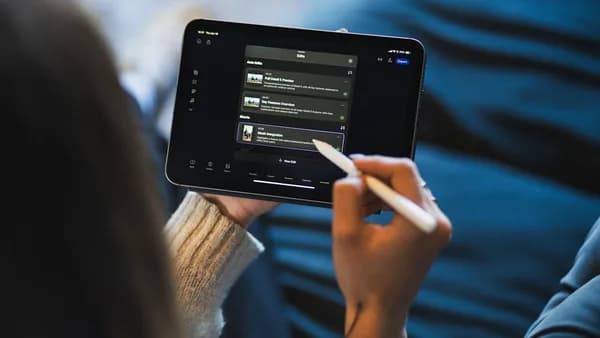
In 2026, small creators face more pressure—and more opportunity—than ever before to grow their audience, stay organized, and drive real business results through social media. As content strategies and platform algorithms evolve, the right social media management tools for small creators can make the difference between burnout and breakthrough. This guide digs into the feature sets, pricing, and user experiences of the leading solutions available now, so you can invest in the best platform for your creative business.
Why Small Creators Need Social Media Management Tools
For solo creators, freelancers, and small teams, managing social media means wearing many hats: content strategist, customer support rep, analytics guru, and more. The sheer volume of tasks—juggling content creation, responding to comments, tracking analytics—can quickly become overwhelming.
"The right social media management tools for small business centralize everything in one place, so you spend less time on logistics and more time building real connections with your audience."
— Sprout Social, 2026
Without a centralized tool, creators are forced to switch between disparate apps, risking missed messages, inconsistent posting, and lost growth opportunities. The best social media management tools for small creators in 2026 are designed to:
- Save time by automating repetitive tasks like scheduling and reporting.
- Boost consistency with content calendars and reminders.
- Increase engagement through timely responses from a unified inbox.
- Track performance with actionable analytics, helping creators double down on what works.
Key Features to Look for in 2026
Before diving into specific platforms, let’s break down the most important features for small creators to prioritize this year.
Must-Have Features
- Multi-platform Scheduling: Ability to schedule posts across top platforms like Instagram, Facebook, X (Twitter), TikTok, YouTube, Pinterest, and newer entrants like Bluesky and Mastodon.
- Content Calendar / Visual Planner: Drag-and-drop or Kanban-style boards make planning campaigns and seeing your content flow easier.
- AI Assistance: Smart caption generators, best-time-to-post recommendations, and content ideas driven by AI are now standard on many tools.
- Analytics & Reporting: At a minimum, engagement, reach, and click tracking. Advanced tools offer competitor benchmarking and hashtag analytics.
- Unified Inbox: Managing comments and direct messages across networks from a single dashboard.
- Evergreen Content Recycling: Automate reposting of top-performing or evergreen content to maximize reach without extra effort.
- Integrations: Seamless connections with design tools (like Canva), affiliate marketing platforms, or ecommerce stores.
- Affordable Pricing: Transparent, scalable plans that fit solo creators and small teams—without enterprise-level costs.
Nice-to-Have Features
- Link in Bio Tools: Built-in mini landing pages to drive traffic from social profiles.
- Collaboration Tools: Assign tasks, comments, and approval workflows for teams with multiple contributors.
- Social Listening: Track brand mentions or trending topics in real-time.
- Customer Support: Responsive support, onboarding guidance, and active user communities.
Top Tools Overview: Buffer, Hootsuite, Later, Sprout Social, and More
Let’s compare the top-rated social media management tools for small creators based on real-world tests and user feedback in 2026. This roundup includes both all-in-one solutions and specialized tools for different content styles or business needs.
| Tool | Best For | Standout Features | AI Capabilities | Price (Starting) | Free Plan |
|---|---|---|---|---|---|
| Buffer | Solo creators, small teams, budget users | Kanban board, Link in Bio, multi-platform scheduling | Basic caption AI | $5-$6/channel/mo | Yes (3 channels) |
| Sprout Social | All-in-one, scaling small businesses | Smart Inbox, unified analytics, social listening | Moderate | $79-$249/mo | No |
| Later | Visual-first, Instagram-heavy creators | Drag-and-drop planner, grid preview, Linkin.bio | None | $25/mo | No |
| SocialBee | Evergreen content automation | Category-based scheduling, AI Copilot, content recycling | Strong | $29/mo | No |
| Hootsuite | Teams needing CRM/integration | Social selling tools, CRM integration, strong analytics | Strong | $149/mo | No |
| Canva | Design + scheduling in one place | Design templates, built-in scheduling, content creation tools | Not specified | $15/mo | Yes (trial) |
| Metricool | Data-driven analytics | Competitor tracking, performance dashboards, hashtag analytics | Basic | $22/mo | Yes |
| Planable | Team collaboration | Approval workflows, real-time editing, calendar | None | $33-$39/mo | Yes (limited) |
1. Buffer
- Best for: Solo creators and small teams who want simplicity and budget flexibility.
- Key features: Kanban board for workflow, AI caption assistant, multi-platform support (including Bluesky, Mastodon).
- Pricing: $5–$6 per channel per month; free plan for up to 3 channels and 10 scheduled posts each.
2. Sprout Social
- Best for: Small businesses scaling up, needing unified analytics and engagement.
- Key features: Smart Inbox, unified analytics, social listening, ViralPost® scheduling.
- Pricing: Essentials plan starts at $79/month; full features at $249/seat/month. No free plan.
3. Later
- Best for: Creators focused on Instagram and visual storytelling.
- Key features: Drag-and-drop visual planner, Instagram grid preview, Linkin.bio for landing pages.
- Pricing: Starts at $25/month for 1 user and 1 set of social profiles. No AI captioning.
4. SocialBee
- Best for: Creators who want to automate and recycle evergreen content.
- Key features: Category-based scheduling, strong AI Copilot for captions and images, content recycling.
- Pricing: Starts at $29/month for 5 profiles. No free plan.
5. Hootsuite
- Best for: Teams needing CRM integration and social selling tools.
- Key features: CRM integration, social selling, strong analytics and engagement.
- Pricing: Starts at $149/month. No free plan.
"Buffer charges $5 per channel. Sprout Social charges $249 per seat. Both let you schedule a post to Instagram. So what exactly are you paying for? The answer: it depends entirely on what you actually need."
— ToolRadar, 2026 Test Results
Pricing Comparison and Value for Money
Pricing is a top concern for small creators, often working with limited budgets. Here’s a side-by-side breakdown of costs based on 2026 source data:
| Tool | Free Plan | Paid From | Notes |
|---|---|---|---|
| Buffer | 3 channels, 10 posts each | $5–$6/channel/mo | Transparent, scalable pricing; unlimited posts on paid |
| Metricool | 1 brand, 50 posts/mo | $22/mo | Analytics focus, supports up to 5 brands |
| Later | No | $25/mo | 1 user, 1 social set, 30 posts/profile/mo |
| SocialBee | No | $29/mo | 5 profiles, category scheduling |
| Sendible | No | $29/mo | Agency/client dashboards |
| Planable | 50 posts total | $33–$39/mo | Team collaboration |
| Loomly | 5 posts/mo | $42/mo | Calendar and collaboration |
| Agorapulse | 3 profiles | $79/user/mo | Community management |
| Hootsuite | No | $149/mo | Large teams, advanced analytics |
| Sprout Social | No | $79–$249/mo | Essentials at $79/mo, full at $249/seat/mo |
- Buffer stands out for solo users, with the lowest entry price and flexibility.
- Later and SocialBee offer affordable plans with visual or automation strengths, respectively.
- Sprout Social and Hootsuite are premium-priced, offering advanced analytics and collaboration—overkill for many small creators.
Ease of Use and User Interface
For small creators, an intuitive interface is critical. Here’s how the top tools stack up:
Buffer
"The interface is the cleanest in this category. No bloated dashboards, no confusing menu layers. You write a post, pick your channels, schedule it."
— ToolRadar, 2026
- Kanban-style board for easy content workflow
- Drag-and-drop post creation and scheduling
- Minimal learning curve
Later
- Visual drag-and-drop planner especially for Instagram
- Grid preview to see your feed before publishing
Sprout Social
- Unified dashboard combines publishing, analytics, and engagement
- More features can mean a steeper learning curve
SocialBee
- Category-based calendar for automated scheduling
- AI Copilot streamlines content creation, though setup can take time
Hootsuite
- Enterprise dashboard with many tabs and analytics
- More complex, designed for teams and advanced users
Scheduling and Automation Capabilities
Efficient scheduling and automation are must-haves for creators seeking consistency without daily manual posting.
| Tool | Scheduling Limits | Automation Features | Content Recycling |
|---|---|---|---|
| Buffer | Unlimited on paid plans | Queue, best-time recommendations, AI | None |
| Later | 30 posts/profile/mo | Visual drag-and-drop, best-time posting | None |
| SocialBee | 5 profiles (Bootstrap) | Category automation, AI Copilot | Yes (evergreen) |
| Sprout Social | Unlimited | ViralPost®, Smart Inbox, social listening | No |
| Hootsuite | Unlimited | Bulk scheduling, advanced calendar | No |
- Buffer: Unlimited scheduling on paid plans, AI recommends best posting times.
- Later: Visual schedule, but 30-posts-per-profile cap on starter.
- SocialBee: Unique category-based automation and content recycling for evergreen posts.
- Sprout Social: ViralPost® optimizes posting times, smart inbox for engagement.
- Hootsuite: Bulk scheduling, but high price for access.
Analytics and Reporting Features
Data-driven creators need more than just post counts—they need insights into what’s working.
| Tool | Analytics Depth | Unique Features |
|---|---|---|
| Buffer | Basic (engagement, reach, clicks, 2-year history) | Custom link-in-bio analytics |
| Metricool | Deep (competitor tracking, dashboards, hashtags) | Up to 100 competitors, Twitch support |
| Later | Basic | Linkin.bio analytics, best-time-to-post |
| SocialBee | Not specified | AI analytics for categories |
| Sprout Social | Unified, advanced | Cross-platform, social listening, team reports |
| Hootsuite | Strong | CRM integration, social selling reports |
- Buffer: Engagement, reach, clicks, but analytics for business profiles only.
- Metricool: Best for competitive benchmarking and hashtag analytics.
- Sprout Social: Most advanced analytics suite for small businesses ready to scale.
- Later: Basic metrics, but actionable best-time-to-post.
Integration with Other Platforms and Apps
Today’s creators often need to connect their social tool with design, analytics, or affiliate platforms.
- Buffer: Supports Facebook, Instagram, Threads, TikTok, LinkedIn, YouTube, X/Twitter, Pinterest, Google Business Profile, Bluesky, Mastodon.
- Later: Deep Instagram and Linkin.bio integration.
- Sprout Social: Publishes across all major networks, plus social listening.
- Canva: Unique for design-to-schedule workflow.
- Metricool: Only tool supporting Twitch.
"Buffer also supports Mastodon and Bluesky — a small thing, but notable when most competitors still don't."
— ToolRadar, 2026
Customer Support and Community Feedback
Support is critical for creators who can’t afford downtime. Here’s what the research shows:
- Buffer: Known for responsive, helpful support and an active online community.
- Sprout Social: Offers onboarding guidance, but live support is prioritized for higher-tier plans.
- Later: Self-service help center and email support.
- SocialBee: Email and chat support, with user guides for onboarding.
- Hootsuite: Priority support for enterprise tiers.
Community forums and peer groups exist for most major platforms, but the level of participation and helpfulness varies.
Final Recommendations Based on Creator Needs
Choosing the best social media management tools for small creators in 2026 comes down to your specific goals, platforms, and budget. Here are data-backed recommendations:
For budget-conscious solo creators:
Buffer is the best balance of price, usability, and essential features. The Kanban workflow and AI tools help streamline content planning and publishing.For visual-first brands or Instagram-heavy creators:
Later stands out with its drag-and-drop grid planner and Linkin.bio for maximizing Instagram engagement.For creators who want automation and evergreen content:
SocialBee’s category-based scheduler and strong AI Copilot make it easy to recycle and automate posts, saving hours each week.For data-driven marketers:
Metricool is the analytics leader, offering in-depth competitor tracking and hashtag insights.For creators planning to scale or with advanced analytics needs:
Sprout Social is powerful, but its $79–$249 pricing only makes sense if you need unified analytics, social listening, and team features.For those who prioritize design and content creation:
Canva offers integrated design and scheduling, ideal for visually-driven campaigns.
FAQ: Social Media Management Tools for Small Creators
Q1: What is the cheapest social media management tool for small creators in 2026?
A: According to source data, Buffer offers the lowest entry price at $5–$6 per channel per month, with a free plan for up to 3 channels.
Q2: Which tool is best for Instagram planning and aesthetics?
A: Later is specifically highlighted for its drag-and-drop visual planner and Instagram grid preview, making it ideal for creators focused on Instagram aesthetics.
Q3: Can I manage multiple social platforms from one tool?
A: Yes. Tools like Buffer, Sprout Social, Later, and Metricool support multi-platform scheduling, including Facebook, Instagram, X (Twitter), TikTok, and more.
Q4: Are there tools with strong AI content generation?
A: SocialBee and Buffer offer AI assistants for caption writing and content ideas. SocialBee’s AI Copilot is noted for generating both captions and images.
Q5: Which tool offers the best analytics for tracking performance?
A: Metricool stands out for deep analytics, including competitor tracking and hashtag analysis. Sprout Social offers advanced unified analytics for higher-tier users.
Q6: Is there a free plan available for these tools?
A: Buffer offers a limited free plan (3 channels, 10 scheduled posts each). Metricool and Planable also provide free plans with restrictions.
Bottom Line
The landscape of social media management tools for small creators in 2026 is more diverse than ever. Based on real product tests and user feedback, Buffer, Later, and SocialBee emerge as the best-value choices for most creators, offering essential features without the bloat or enterprise pricing. For creators who need visual excellence, deep analytics, or advanced automation, specialized tools like Later, Metricool, and SocialBee are strong contenders.
"If all you need is 'write, schedule, post,' Buffer does it well."
— ToolRadar, 2026
Invest in the tool that matches your workflow, budget, and growth ambitions—and let your creativity, not logistics, drive your social success.