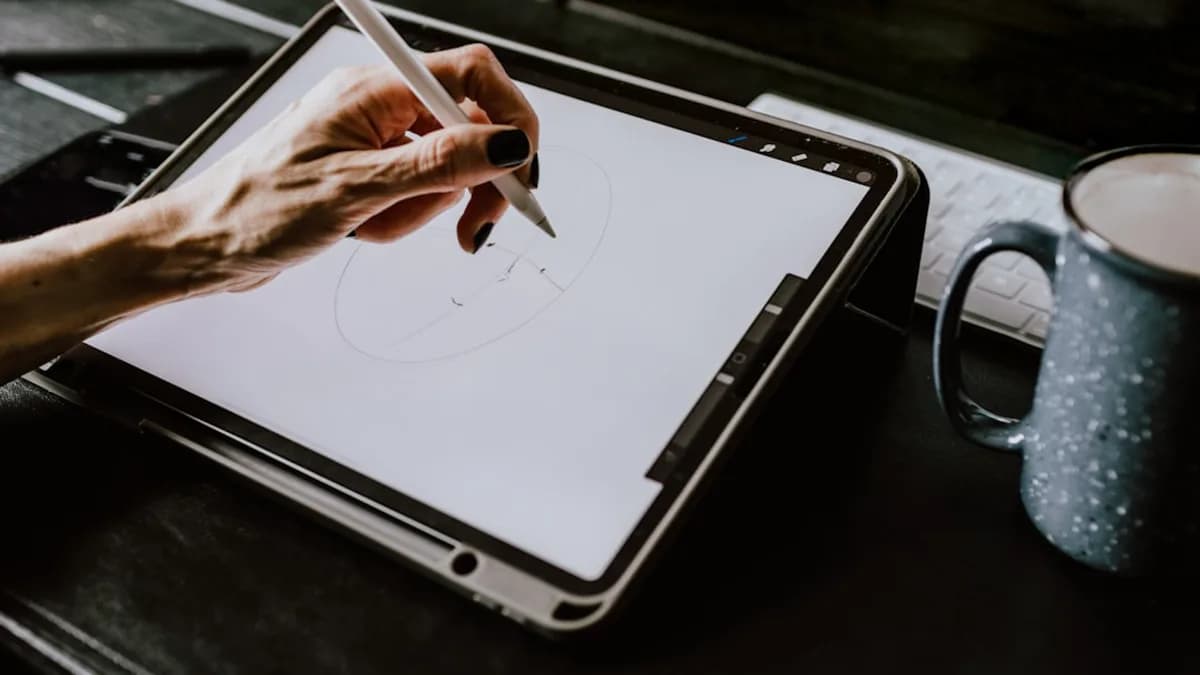
Tablets have redefined the digital art landscape, empowering creators to sketch, paint, and design directly on vivid screens with responsive styluses. In 2026, the search for the best tablets for digital artists is more nuanced than ever—balancing stylus accuracy, display quality, software compatibility, and portability. This guide draws on extensive hands-on testing and expert reviews to compare the top tablets for digital artists in 2026, ensuring you find the perfect fit for your creative process.
Why Tablets Are Essential for Digital Artists
Tablets have become an indispensable tool in the digital artist’s arsenal. According to testing by thebestpicker.com and ZDNET, today’s best tablets for digital artists offer a level of creative flexibility and workflow efficiency unattainable with traditional tools or even conventional computers. Whether you’re a professional illustrator, a concept artist, or a hobbyist, modern tablets provide:
- Direct, natural drawing experience: High-performance styluses with pressure and tilt sensitivity mimic the feel of pen on paper.
- Portability: Take your entire studio anywhere, from the classroom to the client’s office.
- Seamless integration: Tablets now run industry-standard creative apps (like Adobe Photoshop, Procreate, and more) with desktop-class performance.
- Brilliant displays: High-resolution, color-accurate screens perfect for professional art, photo editing, and digital painting.
“Creative tablets in 2026 are more powerful, precise, and versatile than ever. After hands-on testing focused on drawing performance, stylus responsiveness, display quality, and real-world creative workflows, these tablets stood out as the best options for artists, designers, and students.”
— thebestpicker.com
Key Features Digital Artists Should Prioritize
Selecting the best tablet for digital artists in 2026 means focusing on the features that directly impact your workflow and final artwork quality. Based on expert reviews, here are the critical attributes to prioritize:
Stylus Performance
- Pressure Sensitivity: Look for devices with at least 8,192 levels; the latest pro models offer up to 16,384 levels for ultra-fine control.
- Tilt Support: Essential for natural shading and brush effects.
- Latency: Lower is better for real-time responsiveness.
Display Quality
- Resolution: Higher resolutions (4K or QHD) deliver sharper images and more precise work.
- Color Accuracy: Coverage of sRGB, AdobeRGB, or DCI-P3 color spaces ensures what you create is what you see.
- Laminated Screens: Minimize parallax (the gap between stylus tip and digital line).
Software Ecosystem
- App Support: Compatibility with leading digital art applications is vital.
- Operating System: Consider whether you need iPadOS, Windows, Android, or a standalone pen display.
Portability & Battery Life
- Weight and Size: For artists on the move, thinner and lighter is better.
- Battery Life: All-day battery supports extended creative sessions without interruption.
Value
- Price-to-Performance: Not all artists need the most expensive tablet; some mid-range and budget options offer tremendous value.
Top 6 Tablets for Digital Art in 2026
Drawing from hands-on testing and expert rankings, here are the six standout tablets for digital artists in 2026:
| Tablet | Display Size | Stylus Support | Best For | Price |
|---|---|---|---|---|
| Apple iPad Pro 13-inch (M5) | 13-inch | Apple Pencil (2nd Gen) | All-around creative work | $1,099.97 |
| Wacom Cintiq Pro 27 | 27-inch | 8192 Pressure Pen | Studio/pro artists | $3,499.95 |
| HUION Kamvas Pro 16 V2 | 15.6-inch | PenTech 4.0, 16K Levels | Pro performance, value | Not listed |
| Samsung Galaxy Tab S9 Ultra | 14.6-inch | S Pen | Advanced design on-the-go | $1,299.99 |
| XPPen Artist Pro 19 Gen2 | 18.4-inch | Dual Stylus, 4K UHD | High-res digital art | $459.99 |
| XPPen Magic Note Pad | 10.95-inch | Standalone Android, 16K | Portable drawing tablet | Not listed |
Honorable mentions: Microsoft Surface Pro 12, HUION Kamvas Pro 24, XPPen Artist 13.3 Pro, Wacom MovinkPad 11.
What Makes These Tablets the Best?
- iPad Pro 13-inch (M5): Top-tier performance, all-day battery, and seamless Apple Pencil integration.
- Wacom Cintiq Pro 27: Massive, color-accurate display and professional-grade pen support.
- HUION Kamvas Pro 16 V2: Exceptional pen precision and value, with a full-laminated anti-glare display.
- Samsung Galaxy Tab S9 Ultra: Large AMOLED screen, S Pen, multitasking for illustrators on the move.
- XPPen Artist Pro 19 Gen2: 4K UHD resolution and dual stylus for detail-rich artwork.
- XPPen Magic Note Pad: Portable, standalone Android tablet with high-pressure levels for sketching anywhere.
Stylus Performance and Pressure Sensitivity Comparison
The quality of your stylus can make or break your digital art experience. Here’s how the top contenders stack up in 2026:
| Tablet | Pressure Levels | Stylus Technology | Tilt Support | Noteworthy Features |
|---|---|---|---|---|
| HUION Kamvas Pro 16 V2 | 16,384 | PenTech 4.0 | Yes | Paper-like feel, battery-free |
| XPPen Magic Note Pad | 16,000 | XPPen Stylus | Not listed | 90Hz refresh, portable |
| XPPen Artist Pro 19 Gen2 | 8,192 | Dual Stylus | Not listed | 4K UHD, 156% sRGB |
| Wacom Cintiq Pro 27 | 8,192 | Pro Pen 3 | Yes | Industry-standard for pros |
| Apple iPad Pro (M5) | Not specified | Apple Pencil 2nd Gen | Yes | Ultra-low latency, wireless charge |
“The PenTech 4.0 stylus delivers 16,384 levels of pressure sensitivity, and I immediately noticed the difference when creating subtle gradient transitions in my illustrations.”
— findingdulcinea.com
Key Takeaways:
- 16K pressure levels (HUION, XPPen) offer a noticeable leap in smooth shading and nuanced strokes.
- Wacom Pro Pen 3 remains the industry reference for reliability and precision.
- Apple Pencil (2nd Gen), while not listing a number, is universally praised for its ultra-low latency and natural feel.
Display Quality: Resolution, Color Accuracy, and Size
A great display ensures your colors, gradients, and details are exactly as you intend. Here’s a side-by-side:
| Tablet | Resolution | Color Coverage | Display Type | Size | Notable Features |
|---|---|---|---|---|---|
| iPad Pro 13-inch (M5) | Ultra Retina XDR | Wide P3, HDR, 1600 nits | Liquid Retina XDR | 13-inch | True-to-life color |
| HUION Kamvas Pro 16 V2 | Full HD | 120% sRGB | Full-laminated, anti-glare | 15.6-inch | Minimal parallax |
| XPPen Artist Pro 19 Gen2 | 4K UHD | 156% sRGB | Dual Stylus Display | 18.4-inch | High-res, vibrant |
| Wacom Cintiq Pro 27 | Not specified | Not specified | Large, color-accurate | 27-inch | Studio-grade |
| Samsung Galaxy Tab S9 Ultra | Not specified | Not specified | AMOLED | 14.6-inch | Deep blacks, vivid |
“The full-laminated display eliminates the gap between the glass and screen, which means virtually no parallax. My pen tip lands exactly where I expect it to on every stroke.”
— findingdulcinea.com
Display Quality Insights:
- iPad Pro 13-inch (M5) leads with extreme brightness (up to 1600 nits), HDR, and P3 color for critical color work.
- XPPen Artist Pro 19 Gen2 offers 4K UHD and 156% sRGB—ideal for detail-rich professional artwork.
- HUION Kamvas Pro 16 V2’s anti-glare, full-laminated display is praised for its “paper-like” feel and minimal parallax.
Software Ecosystem and Compatibility
Compatibility with creative software is essential for a productive workflow. Here’s how the top tablets compare:
| Tablet | OS / Platform | Software Compatibility |
|---|---|---|
| iPad Pro 13-inch (M5) | iPadOS | Adobe Photoshop, Procreate, Final Cut Pro, more |
| Wacom Cintiq Pro 27 | Windows/Mac Input | Any desktop creative software (Photoshop, etc) |
| HUION Kamvas Pro 16 V2 | Windows/Mac/Linux | Works as pen display for all major apps |
| Samsung Galaxy Tab S9 Ultra | Android | Clip Studio Paint, Adobe Suite, mobile apps |
| XPPen Magic Note Pad | Android 14 | Standalone drawing apps |
Key Findings:
- iPad Pro stands out for its seamless integration with the Apple Pencil and a robust library of creative apps.
- Wacom/Huion/XPPen pen displays connect to computers, supporting any desktop creative software—ideal for those who need full Photoshop or Illustrator.
- Samsung Galaxy Tab S9 Ultra and XPPen Magic Note Pad run Android, supporting a growing ecosystem of professional-grade art apps.
Portability and Battery Life
Digital artists may create anywhere—so battery life and size matter:
| Tablet | Weight (approx.) | Battery Life | Portability Notes |
|---|---|---|---|
| iPad Pro 13-inch (M5) | Not listed | All-day | Slim, lightweight, portable |
| HUION Kamvas Pro 16 V2 | 2.65 lbs | N/A (powered) | Needs external power |
| Wacom Cintiq Pro 27 | Heavy | N/A (powered) | Studio use, not portable |
| Samsung Galaxy Tab S9 Ultra | Not listed | Not listed | Large, but thin and portable |
| XPPen Magic Note Pad | Not listed | Not listed | Standalone, portable Android |
Insights:
- iPad Pro is consistently praised for all-day battery life and portability—ideal for mobile artists.
- Wacom Cintiq Pro 27/Huion Kamvas Pro 16 V2 are designed as desktop solutions, requiring external power and less suited for travel.
- Samsung Galaxy Tab S9 Ultra balances a large screen with a thin, portable form factor.
Price and Value Analysis
Here's a price comparison for the top tablets, based on published data:
| Tablet | Price (USD) | Value Proposition |
|---|---|---|
| Apple iPad Pro 13-inch (M5) | $1,099.97 | Premium all-around, top features |
| Wacom Cintiq Pro 27 | $3,499.95 | Ultimate pro studio, high cost |
| HUION Kamvas Pro 16 V2 | Not listed | Pro performance at mid-range price |
| Samsung Galaxy Tab S9 Ultra | $1,299.99 | Large, advanced, premium Android tablet |
| XPPen Artist Pro 19 Gen2 | $459.99 | High-res, affordable for the features |
| HUION Kamvas Pro 16 | $270.74 | Best for budget/pro performance |
| GAOMON PD1161 | $159.99 | Entry-level for beginners |
Value Observations:
- The iPad Pro 13-inch (M5) offers top-tier features for its price, but may be overkill for some.
- Wacom Cintiq Pro 27 is a significant investment, justified only for full-time professionals needing the largest, most color-accurate display.
- HUION and XPPen deliver much of the pro experience at a fraction of the cost.
User Feedback and Professional Artist Insights
Across professional reviews and user testing, certain trends emerge:
- Apple iPad Pro 13-inch (M5): Universally praised for its “ultra-fast performance,” “brilliant display,” and “seamless app support.” Users highlight its ability to run resource-intensive apps and the natural feel of the Apple Pencil.
- HUION Kamvas Pro 16 V2: Artists appreciate its “exceptional pen precision,” “paper-like anti-glare surface,” and “minimal parallax.” However, some note its brightness may be insufficient for very bright studios.
- Wacom Cintiq Pro 27: Continues to be the gold standard for studio professionals, with unmatched pen accuracy and massive, color-accurate workspace.
- XPPen Magic Note Pad: Lauded for portability and 16K pressure levels, making it a favorite for sketching on location.
“After spending three weeks with the HUION Kamvas Pro 16 V2, I can confidently say this is the best drawing tablet I have tested for artists who want professional performance without paying Wacom prices.”
— findingdulcinea.com
Conclusion: Best Tablet for Different Artist Needs
Based on hands-on testing and expert reviews, here’s our recommendation for the best tablets for digital artists in 2026, according to your needs:
| Artist Type / Need | Best Tablet | Why |
|---|---|---|
| All-around Professional | Apple iPad Pro 13-inch (M5) | Top-tier performance, display, battery |
| Studio / High-End Pro | Wacom Cintiq Pro 27 | Largest, most accurate, pro standard |
| Best Value Pro Performance | HUION Kamvas Pro 16 V2 | 16K pressure, great display, affordable |
| Advanced Android, Mobile Workflow | Samsung Galaxy Tab S9 Ultra | Large, premium, multitasking |
| High-Res, Large Display, Value | XPPen Artist Pro 19 Gen2 | 4K UHD, 156% sRGB, affordable |
| Portable, Standalone Android | XPPen Magic Note Pad | 16K pressure, portable |
| Beginner / Budget | HUION Kamvas Pro 16 | Responsive stylus, vibrant display |
FAQ: Best Tablets for Digital Artists 2026
Q1: What’s the best overall tablet for digital artists in 2026?
A: The Apple iPad Pro 13-inch (M5) is widely regarded as the best overall, thanks to its Ultra Retina XDR display, M5 chip, seamless Apple Pencil integration, and all-day battery life. (Sources: thebestpicker.com, zdnet.com)
Q2: Which tablet offers the best stylus performance?
A: The HUION Kamvas Pro 16 V2 and XPPen Magic Note Pad stand out with 16,384 pressure levels, while the Wacom Pro Pen 3 remains the professional standard for accuracy. (Source: findingdulcinea.com)
Q3: Are iPads or Wacom tablets better for professional artists?
A: iPads excel in portability, app support, and battery life, while Wacom’s Cintiq Pro series offers the largest, most color-accurate displays for studio use. The choice depends on whether you prefer mobility or a fixed, high-end studio setup. (Sources: zdnet.com, thebestpicker.com)
Q4: Is there a good budget option for beginners?
A: Yes, the HUION Kamvas Pro 16 and GAOMON PD1161 are highly recommended for beginners, offering responsive styluses and vibrant displays at a fraction of the cost of premium models. (Source: thebestpicker.com)
Q5: Which tablet is best for Android users?
A: The Samsung Galaxy Tab S9 Ultra and XPPen Magic Note Pad are top Android options, both supporting advanced drawing apps and high-pressure stylus input. (Sources: thebestpicker.com, findingdulcinea.com)
Q6: What about battery life for long drawing sessions?
A: The iPad Pro 13-inch (M5) features all-day battery life, making it ideal for extended creative work. Most pen displays (Wacom, Huion, XPPen Artist) require external power and are less portable. (Sources: zdnet.com, thebestpicker.com)
The Bottom Line
Choosing the best tablet for digital artists in 2026 depends on your workflow, platform preference, and budget. The Apple iPad Pro 13-inch (M5) remains the most versatile choice for most artists, while the Wacom Cintiq Pro 27 is unmatched for high-end studio work. For those seeking value, HUION and XPPen offer remarkable performance at more accessible prices. Prioritize stylus performance, display quality, and software compatibility to find your perfect creative companion.
No matter your style or specialty, 2026’s tablet landscape ensures there’s a powerful, inspiring tool ready to elevate your digital art to the next level.