Apple Moves to Streamline Liquid Glass in iOS 27
Apple is preparing major interface changes for iOS 27, targeting its signature Liquid Glass design across system apps like Camera, Safari, and Weather. The stated goal: "streamline" the look and feel, signaling Apple’s intent to rethink one of its most recognizable visual signatures. This comes just weeks ahead of WWDC, according to 9to5Mac.
Streamlining Liquid Glass isn’t just a matter of aesthetics. Apple’s visual language has always been a lever for influencing how users interact with their devices. A shift here hints at a recalibration of what Apple thinks “intuitive” and “delightful” should look and feel like in 2026.
What We Know: Targeted Changes to Core Apps
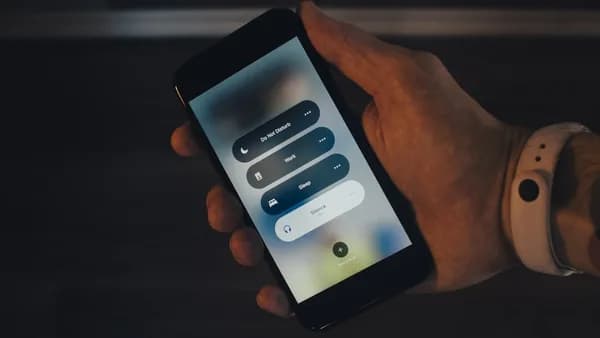
The report points to iOS 27 introducing new design directions for core apps—Camera, Safari, Weather, and others. Details on specific UI elements remain scarce, but the use of “streamline” suggests Apple will pare back or rework the glossy, multi-layered Liquid Glass textures that have defined its interface since their debut.
No hard data on user interaction or app performance is cited in the source. But focusing redesign efforts on flagship apps signals Apple’s confidence that the new approach will be visible immediately—not just in system menus, but in daily use cases. This method usually means Apple expects tangible improvements in perceived speed, clarity, or usability.
Why It Matters: User Experience and Apple’s Design Philosophy
Apple’s design refreshes reliably trigger debate inside and outside the developer community. The decision to modify Liquid Glass—rather than simply tweak colors or animations—suggests a strategic push. A streamlined look could address criticisms of visual clutter or accessibility hurdles, but it also risks alienating users who value the distinctive glassy aesthetic.
In the past, major design pivots have set the tone for the broader industry, with Apple’s choices rippling through app guidelines and third-party design systems. If “streamlining” means flatter layers, sharper contrasts, or simpler iconography, that’s Apple signaling a new direction for what “modern” mobile UI should be.
What Remains Unclear: Scope, Rationale, and Reception
The 9to5Mac report withholds specifics on exactly how the Liquid Glass visuals will change, how deep the redesign will go, or what motivated the shift. No concrete feedback from developers, designers, or users is included. There’s no data on usability testing, accessibility improvements, or performance gains—just a clear pointer that this redesign will be a headline feature.
It’s also unclear whether this move is a response to technical constraints, accessibility requirements, or simply a desire to refresh the brand. The lack of specifics makes it impossible to gauge the scale of developer work required, or how radical the changes might be.
What to Watch: WWDC, Developer Guidance, and User Pushback
All eyes now turn to WWDC, where Apple is expected to reveal iOS 27 and clarify its vision for Liquid Glass. The real test: how the developer community responds to new guidelines, and whether early betas surface complaints or praise about usability, accessibility, or the loss of familiar aesthetic cues.
If Apple provides migration tools or detailed design documentation, that would signal a major overhaul with implications for third-party apps. Conversely, a light refresh with minimal impact on developer workflows would suggest this is an evolution, not a revolution.
For users, the first hands-on demos will reveal whether “streamlining” delivers a more focused, usable experience—or just a less distinctive one.
MLXIO Analysis: Apple’s willingness to touch a core design element like Liquid Glass shows a company still betting on interface innovation as a differentiator. But with so little concrete detail, the stakes remain speculative. The coming weeks will clarify whether iOS 27’s design changes mark a bold new chapter—or simply another iterative polish.
Why It Matters
- Apple's redesign of Liquid Glass in iOS 27 marks a significant shift in its user interface philosophy.
- Streamlining core apps could improve usability and address complaints about visual clutter or accessibility.
- Major design changes may impact user satisfaction and set trends across the mobile software industry.