Introduction: Why Now Is the Perfect Time to Upgrade to the Apple Watch Series 11
The Apple Watch Series 11 is currently available at its best-ever price, making it an ideal moment for anyone considering an upgrade. Major retailers—including Amazon, Best Buy, and Target—are offering a $100 discount on both the 42mm and 46mm GPS models. That means you can purchase the 42mm version for about $299 (down from $399) and the larger 46mm for $329 (down from $429), with multiple colors and band styles in stock [Source: Source].
If you’re holding onto an older Apple Watch, particularly the Series 5 or Series 6, this sale presents a compelling opportunity. The Series 11 delivers notable improvements in speed, durability, and battery life, while adding valuable health and smart features. Whether you’re after a more responsive display, longer battery endurance, or the latest health-tracking tools, upgrading now ensures you get the most advanced Apple Watch experience at a significant discount.
Step 1: Choosing the Right Apple Watch Series 11 Model for You
Before clicking “buy,” it’s important to select the Apple Watch Series 11 model that fits your lifestyle. The Series 11 comes in two sizes: 42mm and 46mm. The 42mm model is generally considered ideal for smaller wrists or those who prefer a lighter feel. Its bright, wide-angle OLED display remains easy to read at a glance, but is slightly more compact. The 46mm version, by contrast, offers a bigger screen for easier interaction and slightly longer battery life—especially handy if you prefer large text or use your watch for intensive workouts [Source: Source].
Next, consider whether you want the GPS-only version or the LTE-equipped model. The GPS-only Series 11 connects to your iPhone for internet access and calling, making it a solid choice for daily use. Opt for the LTE version if you need the freedom to leave your phone behind, as it allows for independent calls, texts, and streaming. Thanks to Apple’s power-efficient 5G modem, LTE connectivity doesn’t drain the battery as quickly as in past generations.
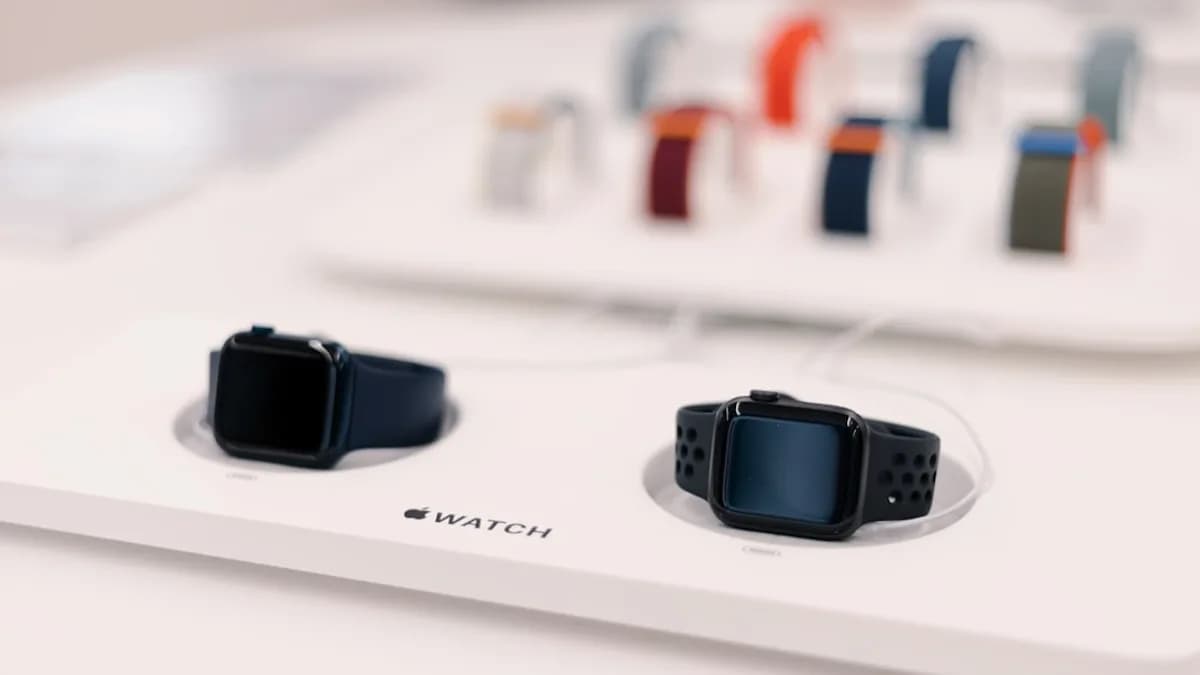
Finally, Apple offers a wide variety of colors and bands, so you can match your watch to your personal style or swap bands for different occasions. Whether you prefer a sporty silicone band or a classic leather strap, there’s a combination to suit every taste.
Step 2: Where and How to Purchase the Apple Watch Series 11 at the Best Price
To take advantage of the $100 discount, shop at trusted retailers like Amazon, Best Buy, and Target. At the time of writing, the 42mm GPS model is priced at $299 and the 46mm GPS model at $329 at all three stores. For those who prefer to shop online, Amazon often has the widest selection of colors and fast shipping, while Best Buy and Target offer the option for in-store pickup or easy returns [Source: Source].
When purchasing, always verify that you’re buying directly from the retailer or from an authorized seller. Avoid third-party listings that may offer slightly lower prices but lack Apple’s warranty or support. Check for the “shipped and sold by” label, and review customer feedback for the seller if you’re unsure.
It’s also wise to understand each retailer’s return policy and warranty coverage. Apple Watch Series 11 is covered under Apple’s one-year limited warranty, but retailers may offer extended protection plans. Confirm whether you can return or exchange the watch if you change your mind, and keep your receipt or order confirmation for warranty claims.
Step 3: Setting Up Your New Apple Watch Series 11
Once your Apple Watch Series 11 arrives, start by unboxing and giving it an initial charge. While the device usually ships with some battery, it’s best to let it charge to at least 80%—which only takes about 30 minutes thanks to fast charging—before setting it up. This ensures you don’t encounter interruptions during the setup process [Source: Source].
To pair your watch with your iPhone, make sure both devices are nearby and powered on. Open the Apple Watch app on your iPhone, tap “Start Pairing,” and follow the on-screen prompts. You’ll be asked to position the watch’s screen within your phone’s camera view to establish the connection. Next, choose whether to restore from a previous backup or set up as new, and sign in with your Apple ID.
Customizing your Series 11 can greatly enhance your experience. Begin by selecting a watch face that suits your needs—whether you prefer a simple time display, activity rings, or a calendar view. Press and hold the current face, then swipe to browse options or tap “+” to add new ones.
Dive into notification settings to control which alerts you receive on your wrist. You can allow all notifications, or fine-tune which apps are allowed to ping you. Finally, browse the App Store on your watch or in the Watch app to install your favorite apps—whether for fitness, productivity, or entertainment.
Step 4: Maximizing Health and Wellness Features on the Apple Watch Series 11
One of the standout aspects of the Apple Watch Series 11 is its suite of advanced health and wellness features. To start, enable FDA-cleared hypertension notifications in the Health app. The Series 11 can alert you to irregular heart rhythms or signs of high blood pressure, empowering you to share this data with your healthcare provider [Source: Source].
Sleep tracking is simple to set up: open the Sleep app on your watch, configure your bedtime and wake-up schedule, and enable sleep tracking. The device will monitor your sleep patterns and provide detailed scores in the morning. For users interested in ovulation tracking and menstrual health, the Health app allows you to log cycles, symptoms, and predict fertile windows. Apple’s new sleep apnea detection can also help highlight potential breathing issues while you sleep, prompting you to seek medical advice if needed.
Fall detection is especially valuable for older users or anyone with mobility concerns. By default, it’s enabled for users age 55 and up, but you can toggle it in the Emergency SOS settings. If the watch detects a hard fall, it will prompt you to respond, and can automatically contact emergency services if you don’t.
With the latest watchOS 26, you can access features like Workout Buddy, which provides real-time coaching during exercise sessions. Gesture controls—including wrist flick and double tap—let you interact with the watch hands-free. For example, you can answer calls or pause workouts simply by double-tapping your fingers, which is convenient during workouts or when your hands are full.
Step 5: Utilizing Smart Features for Everyday Convenience
The Apple Watch Series 11 isn’t just a health tracker; it’s a powerful smart device that can streamline your daily life. To set up Apple Pay, open the Wallet app on your iPhone, select “Add Card,” and follow the instructions to link your preferred credit or debit card. Once set, you can make secure, contactless payments with a double-click of the side button—even if your phone isn’t nearby.
Siri is always ready to help. Raise your wrist and say “Hey Siri” to set reminders, send messages, check the weather, or control smart home devices. If you’re listening to music or podcasts, use your watch to skip tracks, adjust volume, or switch playlists directly from your wrist.
The Series 11 also introduces intuitive gesture controls like wrist flick and double tap, which let you navigate menus, answer calls, or control apps without touching the screen. These features make the watch more accessible and convenient, especially when your hands are occupied.
Conclusion: Making the Most of Your Apple Watch Series 11 Purchase
Upgrading to the Apple Watch Series 11 now means enjoying the most advanced features at the lowest price yet—a $100 discount that’s tough to beat [Source: Source]. Whether you’re seeking better health insights, smarter daily tools, or simply a more stylish and durable wearable, the Series 11 is a worthwhile investment.
Explore everything your new watch can do, from heart rate monitoring and sleep tracking to contactless payments and hands-free controls. The more you personalize and utilize these features, the more value you’ll get from your purchase. Have you recently upgraded or discovered a favorite Series 11 feature? Share your experiences and tips to help others make the most of their Apple Watch journey.