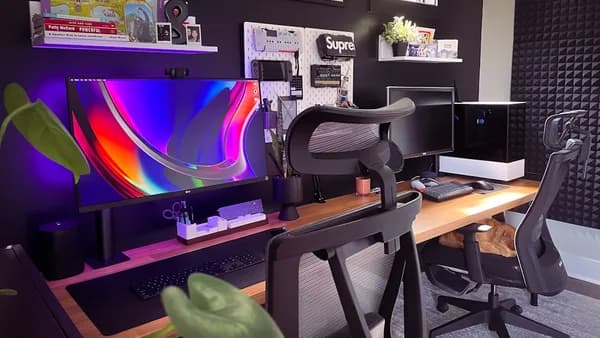
Building a remote tech career portfolio is no longer just a "nice-to-have"—it's a core component for anyone aiming to stand out in the global remote job market. In 2026, remote employers rely heavily on portfolios to evaluate not only your technical expertise, but also your ability to collaborate, communicate, and deliver results without in-person supervision. This tutorial offers a step-by-step, research-backed guide to help you create a remote work portfolio that demonstrates your unique value and increases your chances of landing top remote roles.
Understanding the Importance of a Remote Work Portfolio
The need to build a remote tech career portfolio is stronger than ever. According to roamjobs.com, 68% of remote employers review portfolios before scheduling interviews, compared to just 42% for traditional in-office roles. The portfolio is your virtual workspace—a place for proof, not just promises.
“Remote portfolios that show actual work artifacts get 4x more interview callbacks than resume-only applications.”
— roamjobs.com, 2026 Guide
Why Portfolios Matter More for Remote Positions
In remote hiring, employers can't simply walk by your desk or observe your day-to-day habits. This creates a "remote trust gap": the difference between what’s on your resume and what can be verified. Your portfolio bridges this gap by providing:
- Evidence of self-direction: Projects you initiated and completed independently.
- Communication quality: Case studies and documentation demonstrate your async communication skills.
- Tangible technical proficiency: Live demos, code samples, and clear project outcomes.
- Professional judgment: Selection and presentation of projects shows you know what matters.
A compelling remote portfolio is not a replacement for a resume—it’s the proof behind every claim you make.
Choosing the Right Platform for Your Portfolio
Selecting where and how to host your portfolio is a strategic decision. Your platform choice affects discoverability, credibility, and the impression you make on remote tech recruiters.
Platform Options: Comparison Table
| Platform Type | Best For | Features & Advantages | Considerations | Pricing (2026, source data) |
|---|---|---|---|---|
| Static Site Generators | Developers, tech professionals | Full design control, SEO, showcases coding ability | Requires setup & maintenance, hosting costs | $50-200/year for domain/hosting |
| Website Builders | Designers, non-coders | No-code, rapid setup (Webflow, Framer, Wix) | Less technical showcase, platform branding | Varies by platform |
| Portfolio Platforms | Creatives, writers, generalists | Templates, quick start (Notion, Cargo, Squarespace) | Less custom, platform policy dependency | Varies |
| GitHub/GitLab | Developers | Code as portfolio, open source contributions | Needs context via separate site | Free |
| Industry-Specific (e.g., Behance, Kaggle, Contently) | Designers, data scientists, writers | Employer discovery, established networks | Not primary—supplement only | Platform dependent |
| LinkedIn (supplement only) | All tech professionals | Projects in "Featured," rich media, articles | Not a standalone portfolio | Free |
“Portfolios hosted on custom domains are perceived as 45% more professional than those on free platforms.”
— roamjobs.com, 2026
Custom domains (yourname.com) offer the most control and are seen as more professional.
Key Platform Considerations
- Technical skill showcase: Building your own site with Astro, Next.js, or Hugo can itself be a portfolio piece.
- No-code/low-code options: Website builders like Webflow and Wix are ideal for non-developers.
- Industry platforms: Designers (Dribbble, Behance), writers (Medium, Contently), data scientists (Kaggle) should supplement, not replace, a primary portfolio you control.
- GitHub/GitLab profiles: For developers, maintain clean, well-documented repositories and pin your best work.
Showcasing Technical Skills and Certifications
Remote employers want proof, not just claims. Your portfolio should clearly demonstrate your technical expertise, certifications, and relevant tooling.
How to Structure Technical Showcases
- Projects: Each should include a problem statement, your contribution, and the result.
Example (from remoteworks.pro):Redesigned the landing page, improving conversion rates by 30% in two months through strategic layout changes and user feedback analysis. - Skills: List relevant programming languages, frameworks, or tools employers seek—based on job postings you’ve researched.
- Certifications: If you hold credentials (AWS, GCP, CompTIA, etc.), dedicate a section and link to verifiable certificates.
- Live demos: Where possible, include links to live applications, dashboards, or interactive notebooks.
- Repositories: Link to GitHub/GitLab; ensure READMEs are clear and your code is well-documented.
The Power of Evidence
"Candidates with professional portfolios receive 3.2x more responses from remote job applications."
— roamjobs.com, 2026
Don’t just list skills—demonstrate them by showing the work.
Highlighting Remote Collaboration Projects
Remote work isn’t just about independent achievement—it’s about thriving in distributed teams. Your portfolio should showcase your experience collaborating asynchronously and across time zones.
How to Highlight Collaboration
- Project context: Clearly state if a project was part of a remote team.
Example:Collaborated with a team spanning UTC-5 to UTC+8, using async workflows in Notion and recorded Loom walkthroughs. - Tools used: Note the platforms (Slack, Zoom, Notion, Jira) that enabled your remote work.
- Your role: Be transparent about your specific contributions versus team outcomes.
- Documentation artifacts: Screenshots, Loom videos, or public documentation links add credibility.
"Remote companies aren’t just hiring for technical ability. They’re hiring for a specific way of working."
— remoteworks.pro
Incorporating Soft Skills and Communication Examples
Soft skills are critical for remote teams, where most interaction is written or async. Employers want to see evidence of communication, adaptability, and self-management.
What to Include
- Async communication: Projects with written updates, documentation, or recorded video walkthroughs (e.g., Loom).
- Problem solving: Project stories that highlight overcoming remote-specific challenges.
- Documentation: Examples of contributing to wikis, writing specs, or creating onboarding guides.
- Self-management: Instances of leading projects, meeting deadlines without supervision, or creating your own productivity systems.
How to Present Soft Skills
Rather than a bland "Soft Skills" section, weave these examples into your project narratives and bio. For instance:
“Managed cross-timezone delivery by organizing a shared Notion workspace and documenting all process changes for async handoff.”
Using Multimedia and Interactive Elements
Rich multimedia and interactive features can bring your remote tech career portfolio to life and appeal to various learning styles.
Effective Portfolio Enhancements
- Screenshots and videos: Show your UI/UX designs, dashboards, or code in action.
- Loom walkthroughs: Record yourself explaining a project. This showcases both the work and your communication style.
- Interactive demos: Embed live apps, Jupyter notebooks, or code sandboxes.
- Case studies: Present before/after visuals, code snippets, or user feedback.
- Downloadable assets: Offer sample reports, briefs, or whitepapers.
"Live demos, code repositories, and detailed breakdowns prove you can actually build what you claim..."
— roamjobs.com, 2026
Optimizing for ATS and Recruiter Searches
Today’s remote tech hiring often begins with a recruiter or automated system scanning your site for relevant keywords and skills. Optimization increases your discoverability and engagement.
Key Optimization Steps
- SEO basics: Use your target role(s) in headings and meta titles (e.g., "Remote Frontend Developer Portfolio").
- Clear navigation: Simple menus help ATS tools crawl your site and assist human recruiters.
- Keyword inclusion: Mirror language from job postings—skills, certifications, and tools.
- Alt text: Use descriptive image tags for accessibility and better indexing.
- Mobile optimization: Ensure your portfolio is mobile-friendly, as many recruiters review on tablets or phones.
- Recent updates: Portfolios updated within the last 3 months receive 2.7x more engagement.
| Optimization Area | Why It Matters | Source Data Insight |
|---|---|---|
| SEO & Keywords | Improves search ranking and recruiter discovery | Employers search by role, skill, tool |
| Mobile-Friendly | Many recruiters view on mobile devices | Fast loading, clean design = higher engagement |
| Recent Content | Demonstrates active engagement and relevance | 2.7x more recruiter engagement if updated |
Maintaining and Updating Your Portfolio Regularly
A portfolio isn’t “set and forget.” Keeping it fresh and relevant is essential in remote tech hiring.
Why Regular Updates Matter
“Active portfolios updated within the last 3 months receive 2.7x more engagement from recruiters.”
— roamjobs.com, 2026
Update Checklist
- Add new projects: Feature recent, relevant work.
- Refine descriptions: Improve clarity, add results, update skills/tools.
- Remove outdated content: Keep the focus sharp.
- Check links: Ensure all demos, repositories, and contact info work.
- Review layout: Confirm mobile responsiveness and fast load times.
Set a quarterly reminder to review and refresh your portfolio.
Tips for Sharing Your Portfolio Effectively
A great portfolio only works if employers see it. Promote your work strategically to maximize visibility in the remote job market.
Sharing Best Practices
- Custom domain email: Use a professional portfolio URL in your email signature.
- LinkedIn: Add your portfolio to the "Featured" section and every job entry.
- Job Applications: Link directly to specific portfolio projects relevant to each application.
- Online profiles: Update GitHub, Stack Overflow, Behance, and Kaggle with your main portfolio link.
- Networking: Share your portfolio in remote work communities, Slack groups, and relevant forums.
- Personal branding: Mention your portfolio on your resume, cover letters, and professional bios.
FAQ: Building a Remote Tech Career Portfolio
Q: How many projects should I include in my remote portfolio?
A: Research (remoteworks.pro) indicates 3-5 projects is ideal—enough to show range, but focused to avoid overwhelming recruiters.
Q: Should I use a free portfolio platform or a custom domain?
A: Portfolios on custom domains are seen as 45% more professional (roamjobs.com). Free platforms can supplement, but always maintain a primary site you control.
Q: How often should I update my portfolio?
A: Every 3 months is recommended. Portfolios updated within this window see 2.7x more recruiter engagement (roamjobs.com).
Q: What’s the difference between a resume and a portfolio for remote jobs?
A: A resume lists experiences; a portfolio proves them with work samples, case studies, and evidence of remote collaboration (roamjobs.com, remoteworks.pro).
Q: How do I highlight remote-specific skills?
A: Weave examples of async communication, timezone flexibility, and self-management into your project stories and bio (remoteworks.pro, insights.bestjobtool.com).
Q: Is LinkedIn enough for my remote portfolio?
A: No—use LinkedIn to supplement your main portfolio, not as a replacement (roamjobs.com).
Bottom Line
Research from 2026 makes it clear: to build a remote tech career portfolio that stands out, you must move beyond listing skills. Demonstrate your technical expertise, async communication, and remote collaboration with real work artifacts, live demos, and clear project outcomes. Host your portfolio on a professional, custom domain for maximum credibility, and update it regularly to stay relevant. Tailor your portfolio to your target audience and promote it across every channel where remote employers may look.
“Your portfolio is your virtual workplace. For remote jobs, it’s not just a supplement to your resume—it’s the proof that you can work, collaborate, and deliver from anywhere.”
— roamjobs.com, 2026
By following these evidence-based steps, you’ll dramatically improve your chances of getting noticed, building trust, and landing your next remote tech opportunity.