Thinking about making your home smarter but feeling overwhelmed by the options? You’re not alone. The landscape of smart home gadgets for beginners in 2026 is more accessible and user-friendly than ever, but knowing where to start is key. This comprehensive guide cuts through the confusion, focusing on easy setup, effortless integration, and essential features. Whether you’re moving into your first apartment or upgrading a family home, you’ll find actionable advice and specific product recommendations—all grounded in real-world research—to help you build a smart home ecosystem with confidence.
Introduction to Smart Home Technology for Beginners
A smart home uses internet-connected gadgets to automate and control everything from lighting and temperature to security and entertainment. As a beginner, your journey usually starts with a central platform—Amazon Alexa, Google Assistant, or Apple HomeKit—enabling you to command devices with your voice, phone, or even routines that run automatically.
According to research from USA TODAY and Home Starter Guide, the foundation of a smart home is about more than just convenience. Modern smart home gadgets are designed with simple app-based setup, broad compatibility, and features that bring both comfort and peace of mind to everyday living.
“When I bought my house in 2023, it already came loaded with smart tech—and I quickly realized I’d been missing out. Integrating your lighting, climate and more into one fluid ecosystem has been a total game-changer.”
— Rachel Cortez, USA TODAY, 2026
Benefits of Starting with Smart Home Gadgets
Why should beginners invest in smart home gadgets? The advantages go beyond just cool tech—they can make life easier, safer, and even more affordable.
Convenience and Automation
- Hands-Free Control: Use voice assistants to dim lights, play music, or set reminders without lifting a finger.
- Automated Routines: Set up routines (like “Good Night”) that lock doors, turn off lights, and adjust the thermostat with a single command.
Energy Efficiency and Cost Savings
- Smart Thermostats: Devices like the Nest Thermostat adapt to your schedule, reducing energy waste and lowering utility bills.
- Smart Lighting: Automate schedules and dimming to avoid unnecessary energy use.
Security and Peace of Mind
- Remote Monitoring: Video doorbells and security cameras let you check in from anywhere.
- Instant Alerts: Get notified if a door is unlocked or a package arrives.
“Many devices, such as smart thermostats and lighting, are designed to reduce energy consumption. This translates to lower monthly bills—a huge advantage when you’re juggling mortgage payments and household expenses.”
— Home Starter Guide, 2026
Criteria for Choosing Beginner-Friendly Gadgets
Selecting the right smart home gadgets for beginners means focusing on devices that are easy to install, simple to use, and widely compatible. The research highlights several criteria:
| Criteria | Why It Matters |
|---|---|
| Ease of Setup | Look for plug-and-play devices with clear, app-based instructions. |
| Platform Compatibility | Choose devices that work with your chosen ecosystem (Alexa, Google, or Apple). |
| Matter Support | Devices with the “Matter” logo work across major platforms, reducing future headaches. |
| Essential Features | Start with gadgets that deliver core benefits: lighting, security, and climate control. |
| Security & Privacy | Opt for devices with strong privacy controls and up-to-date security practices. |
| Budget | Many beginner gadgets offer affordable entry points and frequent discounts. |
“If you plan on using both Google and Alexa, try to look for the 'Matter' logo on the box. It’s a newer tech standard that ensures the device will work with almost any platform.”
— USA TODAY, 2026
Top Smart Home Devices for Easy Setup
Based on expert recommendations and user experiences, the following smart home gadgets are ideal for beginners due to their simple installation, intuitive controls, and reliable performance.
1. Smart Speakers and Displays
| Product | Key Features | Best For |
|---|---|---|
| Amazon Echo Dot | Voice assistant, built-in sensors, triggers routines automatically | All-in-one starter device |
| Amazon Echo Show 5/8/15 | Touch display, video calls, camera viewing, digital photo frame, family calendar | Home command center, entertainment |
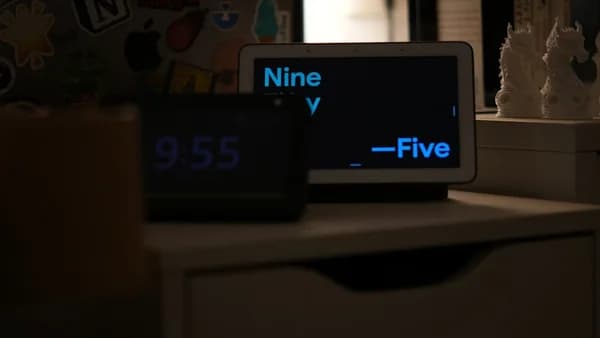
| Google Nest Hub | Smart dashboard, visual timers, family calendar, digital photo frame | Kitchen or living room control |
| Google Nest Hub Max | 10-inch display, built-in camera, personalized "Face Match" notifications | Video calls, home monitoring, multitasking |
“Having a master smart display in the kitchen is a must. It’s the easiest spot to grab quick control of everything, doubles as a digital photo frame, and is always a conversation starter.”
— USA TODAY, 2026
2. Smart Lighting
- Philips Hue Starter Kit: Dimmable, color-changing bulbs, easy app or voice control, automation schedules.
- LIFX Bulbs: Wi-Fi enabled, no hub required, customizable colors.
3. Smart Thermostats
- Nest Thermostat: Learns your schedule, adjusts heating/cooling for comfort and efficiency. App-based setup guides are beginner-friendly.
4. Smart Security Devices
| Product | Features | Use Case |
|---|---|---|
| Ring Video Doorbell | See and speak to visitors remotely, motion alerts | Front door security |
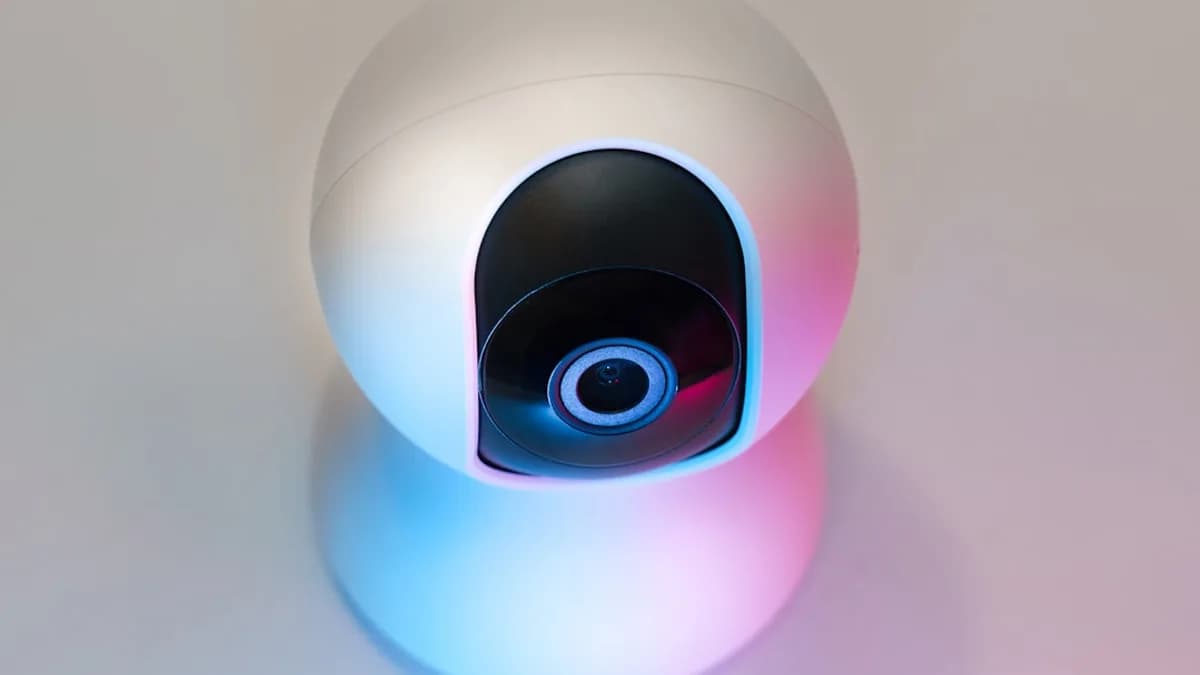
| Eufy Security Cameras | Indoor/outdoor monitoring, app notifications | Whole-house monitoring |
| August Wi-Fi Smart Lock | App, keypad, or fingerprint access | Keyless entry, access sharing |
5. Smart Plugs and Appliances
- Smart Plugs: Control lamps and small appliances via app or voice.
- Smart Appliances: Coffee makers and refrigerators with scheduling and inventory tracking.
Compatibility with Popular Smart Home Ecosystems
When starting out, choosing your main ecosystem—Alexa, Google, or Apple—simplifies setup and integration.
| Ecosystem | Compatible Devices (From Source Data) | Setup Experience |
|---|---|---|
| Amazon Alexa | Echo Dot, Echo Show, Ring Video Doorbell, smart plugs | Seamless control via Alexa app |
| Google Home | Nest Hub, Nest Hub Max, Nest Thermostat, smart lights | Unified dashboard, routines |
| Apple HomeKit | Not specifically detailed in sources, but Matter support ensures future compatibility | Use with Siri, iOS integration |
“You can mix and match a little, but trust me—it’s much less of a headache if everything flows through one app.”
— USA TODAY, 2026
Tip: Look for the Matter logo to ensure new devices work easily with all major platforms.
Security and Privacy Considerations
Smart home gadgets bring new responsibilities regarding data security and privacy. Here’s what beginners should prioritize:
Protecting Your Network
- Strong Passwords: Set unique, complex passwords for Wi-Fi and device accounts.
- WPA3 Encryption: Use the latest Wi-Fi security standard if available.
- Guest Networks: Create a separate network for smart devices to isolate them from main personal devices.
Managing Device Privacy
- Review Permissions: Disable unnecessary data sharing in device apps.
- Delete Voice Recordings: For example, Amazon Alexa allows regular deletion.
- Update Regularly: Keep device firmware and apps up to date to patch vulnerabilities.
“Don’t stick with factory-set usernames and passwords. Update your devices and apps regularly to patch potential vulnerabilities.”
— Home Starter Guide, 2026
Budget-Friendly Options
You don’t need to spend a fortune to start with smart home gadgets. Many beginner-friendly devices are available at accessible prices, with regular discounts—especially during sales events.
| Device Type | Example Product(s) | Typical Use Case |
|---|---|---|
| Smart Speaker | Echo Dot (5th Gen) | Voice control, music, routines |
| Smart Lighting Kit | Philips Hue Starter Kit | Mood lighting, automation |
| Smart Doorbell | Ring Video Doorbell | Entryway security, visitor alerts |
| Smart Plug | Generic Wi-Fi Smart Plug | Appliance scheduling, remote control |
- Free Tier: Many platforms offer free basic features—no subscription needed for core controls.
- Sales Events: For example, Amazon’s Big Spring Sale offered up to 60% off select smart tech devices in 2026.
Example Setups:
- Small Apartment: Echo Dot, a few smart bulbs, and a Ring Video Doorbell.
- Townhouse/Condo: August Wi-Fi Smart Lock, motion-sensing Wyze Bulbs.
Step-by-Step Setup Tips
Getting started is easier than you think. Most devices come with straightforward installation guides, but here are general steps and tips for beginners:
- Choose Your Ecosystem: Decide on Alexa, Google, or Apple for smoother integration.
- Download the App: Each device has a companion app—install and create an account.
- Plug In and Power Up: Many gadgets (speakers, plugs, bulbs) just need to be plugged in.
- Connect to Wi-Fi: Use the app to connect devices to your 2.4 GHz Wi-Fi network (recommended for most gadgets).
- Add to Your Platform: Follow prompts in the app to add each new device.
- Name and Organize: Assign clear names (e.g., “Living Room Lamp”) for easy voice control.
- Set Up Routines: Use the app to create automations for daily activities.
“Smart bulbs simply screw into existing sockets and connect via Wi-Fi or Bluetooth. Smart thermostats may require some wiring knowledge, but brands like Google Nest Thermostat offer straightforward guides and videos.”
— Home Starter Guide, 2026
Common Troubleshooting and FAQs
Even beginner-friendly smart home gadgets can hit snags. Here’s how to troubleshoot common issues:
Troubleshooting Table
| Problem | Solution |
|---|---|
| Device won’t connect | Check Wi-Fi signal strength; ensure you’re on 2.4 GHz; restart router |
| App can’t find device | Reset device and try again; check for firmware/app updates |
| Voice commands not working | Ensure device is linked to platform; verify device name in app |
| Automation not triggering | Check routine settings; ensure sensors (motion, temperature) are enabled |
FAQ: Smart Home Gadgets for Beginners
Q: What’s the easiest smart device for beginners to start with?
A: According to Home Starter Guide, smart speakers like the Amazon Echo Dot or Google Nest Hub are ideal first devices. They centralize control and are easy to set up.
Q: Do I need a hub for my smart home gadgets?
A: Not always. Many devices (like smart plugs and Wi-Fi bulbs) work directly with your phone or voice assistant. Hubs become more useful as you add devices, especially for automation.
Q: How do I ensure my gadgets will work together?
A: Choose a primary platform (Alexa, Google, or Apple) and look for the Matter logo, which signals broad compatibility.
Q: Are smart home gadgets secure?
A: Security depends on your practices. Use strong passwords, update devices regularly, and review privacy settings as recommended by Home Starter Guide and USA TODAY.
Q: Can I set up smart gadgets myself, or do I need a professional?
A: Most beginner devices are DIY-friendly, with app-based setup. For complex installations (like smart thermostats), check your wiring or consult a pro if needed.
Q: What if I have connectivity issues?
A: Most problems can be resolved by checking Wi-Fi strength, using 2.4 GHz networks, or restarting the router, per Home Starter Guide.
Conclusion: Building Your Smart Home Ecosystem
Starting with smart home gadgets for beginners in 2026 doesn’t have to be intimidating. By choosing easy-to-install, widely compatible devices—and focusing on the essentials like speakers, lighting, thermostats, and security—you can create a home that’s more convenient, energy-efficient, and secure. Prioritize devices with Matter support and strong security features, and don’t hesitate to take advantage of sales and starter kits for added savings.
“It’s more than just the luxury of dimming the lights from bed—it’s the peace of mind that comes from checking whether the garage is shut after leaving for a long trip or getting a notification the second a package hits the porch.”
— USA TODAY, 2026
Bottom Line: Smart home technology is now truly accessible to everyone. With careful planning, a focus on compatibility, and attention to privacy, beginners can quickly enjoy the benefits of a connected home—without the headaches.