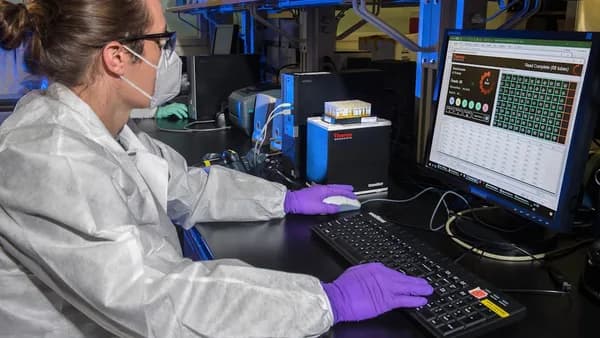
In 2026, the landscape of computational science is rapidly evolving, and selecting the right research software tools is more vital than ever for accelerating discovery, ensuring reproducibility, and optimizing workflow efficiency. Whether you’re modeling molecular dynamics, analyzing large datasets, or managing complex collaborative projects, the right computational science software can make all the difference. This guide curates the top 10 research software tools for computational science, grounded in expert recommendations and documented usage, to help you make informed choices for your next research endeavor.
Introduction to Computational Science Software
Computational science relies on specialized software tools to collect, manage, analyze, and share research data. These tools underpin nearly every stage of the scientific process, from experiment design and simulation to data analysis and publication. As described in sources like Wikipedia and SymbolicData, research software tools are essential for:
- Automating repetitive tasks
- Reducing human error
- Enabling collaboration and version control
- Ensuring transparent, reproducible workflows
“Research runs on software. Whether you are simulating a protein, analysing survey data, or drafting a manuscript, the right tool can accelerate discovery, cut human error, and keep your work reproducible.”
— Research Software Tools: The Complete 2025 Guide
With computational science spanning domains from physics to social science, the demand for robust, flexible, and community-supported tools has never been higher.
Criteria for Selection
Choosing the best research software tools for computational science in 2026 is guided by clear, research-backed criteria:
- Active Development: Tools must be under active development (updated 2023–2026 per SymbolicData).
- Broad Adoption: Cited in at least 100 scholarly works or recommended by disciplinary societies.
- Cross-Platform Support: Availability on Windows, macOS, Linux, or as a web-based service.
- Academic Accessibility: Free tier or academic pricing available when possible.
- Specialization & Generality: Both domain-specific (e.g., GROMACS for molecular dynamics) and general-purpose (e.g., Python) tools included.
- Reproducibility & Collaboration: Support for transparent workflows and team science.
Tool 1: Python Ecosystem (NumPy, SciPy, pandas, scikit-learn)
Overview:
Python is the cornerstone of modern computational science, thanks to its open-source nature and a vast library ecosystem tailored for scientific computing, statistics, and machine learning.
Key Features:
- NumPy: Fast array operations and vectorized mathematics
- SciPy: Optimization, signal processing, and linear algebra routines
- pandas: Data frame support for tabular data wrangling
- scikit-learn: Classical machine learning algorithms
- Integration with TensorFlow and PyTorch for deep learning (per SymbolicData)
Use Cases:
- Data-heavy scientific analysis
- Rapid prototyping and teaching environments
- Machine learning and AI research
Pros:
- Free and open source
- Massive user community and ongoing development
- Extensible for nearly any research need
Cons:
- Steeper learning curve for non-programmers
- Performance can lag behind compiled languages for some tasks
Tool 2: MATLAB
Overview:
MATLAB remains a dominant proprietary environment for engineering and scientific computation, offering a high-level language and thousands of specialized toolboxes.
Key Features:
- Interactive IDE with advanced plotting and visualization tools
- Simulink for model-based design
- Domain-specific toolboxes (e.g., control systems, bioinformatics, econometrics)
- Academic site licenses widely available
Use Cases:
- Engineering simulations
- Signal processing and control systems
- Legacy code compatibility in research institutions
Pros:
- Intuitive interface for scientists and engineers
- Comprehensive documentation and support
- Powerful for matrix computations and visualization
Cons:
- Proprietary (license required); cost can be a barrier outside academia
- Some toolboxes require additional fees
Tool 3: GROMACS
Overview:
GROMACS is an open-source package specialized for molecular dynamics (MD) simulations, extensively used in biochemistry and drug discovery.
Key Features:
- Simulates nanosecond to microsecond trajectories
- Supports CPU and GPU computing (MPI + CUDA)
- Free energy calculations and coarse-grained force fields
- Adopted in top-500 HPC clusters
Use Cases:
- Protein folding and membrane protein studies
- Drug discovery and biochemical research
Pros:
- Free and open source
- Highly optimized for both CPUs and GPUs
- Backed by a strong research community
Cons:
- Steep learning curve for setup and advanced features
- Domain-specific; less useful outside molecular modeling
Tool 4: Jupyter Notebook / JupyterLab
Overview:
Jupyter Notebook and JupyterLab provide web-based, interactive environments for combining code, narrative text, and data visualization.
Key Features:
- Executable notebooks: Integrate code, text, and figures in a single document
- Supports Python, R, Julia, and more
- JupyterLab adds multi-tab IDE features, terminals, and git plug-ins
Use Cases:
- Teaching and reproducible research supplements
- Collaborative scientific workflows
- Sharing research code and results
Pros:
- Free and open source
- Widely adopted for education and publication
- Facilitates reproducibility
Cons:
- Not ideal for very large or complex computational projects
- Versioning notebooks can be challenging compared to scripts
Tool 5: SPSS
Overview:
SPSS (by IBM) is a paid statistical analysis package known for its intuitive, point-and-click interface and wide deployment in social sciences and market research.
Key Features:
- Comprehensive suite for statistical analysis
- Intuitive GUI, reducing the need for programming
- Supports a broad range of statistical tests
Use Cases:
- Statistical data analysis in psychology, healthcare, and social science
- Quick adoption by non-programmers
Pros:
- Starts at $99 (per scijournal.org)
- Established standard for statistical analysis in many fields
- Simplifies data interpretation
Cons:
- Paid software; ongoing costs for access
- Less flexible for custom or highly technical analyses
Tools 6–10: Brief Summaries and Highlights
6. NVivo
- Best for: Qualitative data analysis, coding, and theming for interviews or focus groups
- Key features: Advanced data organization, efficient coding, visualizations
- Pricing: Academic version at $849 yearly; free trial available
7. Qualtrics
- Best for: Survey design, distribution, and analysis
- Key features: Advanced branching, panels, robust analytics
- Pricing: Free version available; premium starts at $2,500 per year
8. Tableau
- Best for: Data visualization and reporting
- Key features: Interactive dashboards, real-time updates, customizable reporting
9. Zotero
- Best for: Reference management and literature organization
- Key features: Browser save button, local PDF sync, integration with Word/LibreOffice
- Pricing: Free and open source
10. GitHub
- Best for: Collaborative project & workflow management
- Key features: Git version control, issue tracking, continuous integration, linking with Zenodo for DOI-minted releases
Comparison Table of All Tools
| Tool | Type | Free Tier / Price | Key Features | Ideal Use Cases | Platform |
|---|---|---|---|---|---|
| Python (NumPy, etc.) | Scientific Computing | Free | Numerical computing, ML, data frames, visualization | Data science, ML, prototyping | Cross-platform |
| MATLAB | Scientific Computing | Academic license required | IDE, Simulink, toolboxes | Engineering, signal processing | Cross-platform |
| GROMACS | Molecular Dynamics | Free | MD simulation, GPU/CPU support | Biochemistry, protein studies | Cross-platform |
| Jupyter Notebook/Lab | Interactive Notebook | Free | Executable code, narrative, multi-language | Teaching, reproducible research | Web/Cross-platform |
| SPSS | Statistical Analysis | Starts at $99 | GUI, robust stats, wide test support | Social science, psychology | Cross-platform |
| NVivo | Qualitative Analysis | $849/year (academic) | Coding, theming, visualization | Qualitative research, interviews | Cross-platform |
| Qualtrics | Survey/Collection | Free, $2,500+/year | Survey design, analytics, panels | Survey research | Web |
| Tableau | Data Visualization | Pricing not specified | Dashboards, real-time, customizable | Data visualization, reporting | Cross-platform |
| Zotero | Reference Management | Free | PDF sync, citation tools | Literature management | Cross-platform |
| GitHub | Project Management | Free tier available | Version control, CI, issues | Collaboration, workflow management | Web/Cross-platform |
Final Recommendations Based on Research Needs
The most effective research software tools for computational science in 2026 align with the specific needs of your project and discipline. Here’s how to decide:
For data-heavy, general-purpose computation:
Python (with NumPy, SciPy, pandas, scikit-learn) is essential for most data-driven research due to its flexibility and vast ecosystem.For specialized engineering and simulation:
MATLAB remains a go-to for its toolboxes and Simulink integration, especially where academic licensing is available.For molecular dynamics and biochemistry:
GROMACS is the clear leader, with proven performance on both CPUs and GPUs, and a strong open-source community.For reproducible, collaborative coding and teaching:
Jupyter Notebook/Lab offers an interactive approach and is universally adopted for sharing research code.For statistical analysis and non-programmers:
SPSS offers a user-friendly GUI and solid statistical functionality, making it ideal in psychology and social sciences.For qualitative research:
NVivo is unmatched for coding and analyzing qualitative data, though it comes at a higher price.For survey-based research:
Qualtrics leads in survey design and analytics, particularly for large-scale or complex studies.For data visualization:
Tableau is the industry standard for interactive, shareable dashboards.For reference management:
Zotero provides a free, open-source solution with strong integration features.For collaborative project management:
GitHub remains the backbone of reproducible, team-based research workflows.
“Better researchers use the right tools, not more tools... Adaptability and continuous testing of new software ensures your research process remains efficient and innovative.”
— 30+ Essential Software for Researchers
FAQ
Q1: What is the best research software tool for computational science overall?
At the time of writing, Python (with its scientific libraries) is the most widely recommended due to its versatility, free access, and massive ecosystem.
Q2: Which tool should I use for molecular dynamics simulations?
GROMACS is the top open-source choice for molecular dynamics in biochemistry, drug discovery, and related fields.
Q3: Are there free options for statistical analysis in computational science?
Yes, Python (with SciPy, pandas, scikit-learn) is free. For point-and-click GUIs, JASP and Jamovi (built on R) offer free statistical analysis, though not detailed above.
Q4: What tool is best for qualitative data analysis?
NVivo is highly recommended for qualitative research, though it carries a significant academic license fee.
Q5: How can I manage my bibliography and references efficiently?
Zotero is a robust, free, and open-source reference manager noted for its browser integration and citation tools.
Q6: What software supports reproducible and collaborative workflows?
Jupyter Notebook/Lab and GitHub (with version control and CI support) facilitate collaborative, transparent, and reproducible research.
Bottom Line
The top research software tools for computational science in 2026 combine power, flexibility, and community support. From general-purpose programming (Python) to domain-specific simulation (GROMACS) and workflow management (GitHub), each tool has a distinct role in advancing computational research. Your optimal toolkit should match your project’s data types, analysis needs, and collaborative requirements—always prioritizing reproducibility, adaptability, and accessibility. Stay current, test new tools, and let your research questions guide your software choices.