When it comes to safeguarding your crypto assets in 2026, the security differences between hardware wallets and software wallets are more crucial than ever. With billions lost to cryptocurrency theft in recent years, understanding which wallet type best protects your private keys can make the difference between peace of mind and catastrophic loss. This comprehensive guide compares the security features, usability, risks, and real-world scenarios of hardware wallets vs software wallets security—so you can make an informed decision for your digital assets.
Introduction to Crypto Wallets: Hardware vs. Software
Crypto wallets are the essential tools that allow you to store, manage, and transact your digital currencies. But not all wallets are created equal. Hardware wallets and software wallets represent the two primary choices, each with distinct approaches to storing and safeguarding your private keys:
- Hardware wallets: Physical devices that store your private keys offline—isolated from internet threats.
- Software wallets: Digital applications (on your phone, desktop, or browser) that keep keys encrypted on your device, always connected to the internet.
Key Insight:
“The main difference between a hardware and software wallet is that a hardware wallet stores your private key offline in a separate device, while a software wallet keeps it in your phone or browser.”
— Coin Bureau
Your choice impacts not only your assets’ security, but also how you interact with decentralized finance (DeFi), NFTs, and the broader crypto ecosystem.
How Hardware Wallets Secure Private Keys
Offline by Design: The Core of Hardware Wallet Security
At the heart of hardware wallets’ reputation for robust security is their cold storage approach. These devices generate and hold your private keys entirely offline, never exposing them to the internet or vulnerable software environments.
How Hardware Wallets Work:
- Private key generation: Created and stored within the wallet’s secure chip (secure element).
- Transaction signing: When you initiate a transaction, only the unsigned data is sent to the device.
- Internal signing: The device signs the transaction using your private key, which never leaves the hardware wallet.
- Broadcasting: The signed transaction (not the key) is sent back to your app or computer for broadcast to the blockchain.
Security Highlight:
“At no point is the private key exposed, copied, or transferred. Even when interacting with DApps...the transaction signing process happens entirely within the device.”
— Coin Bureau
Types of Hardware Wallets
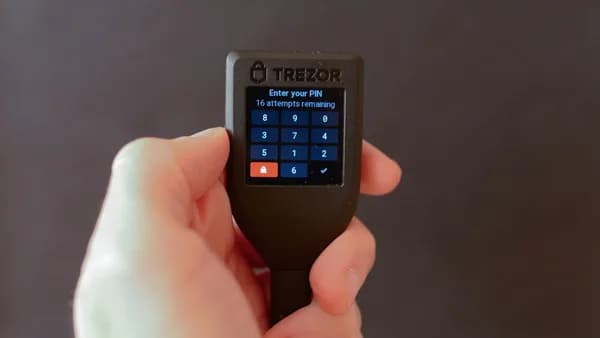
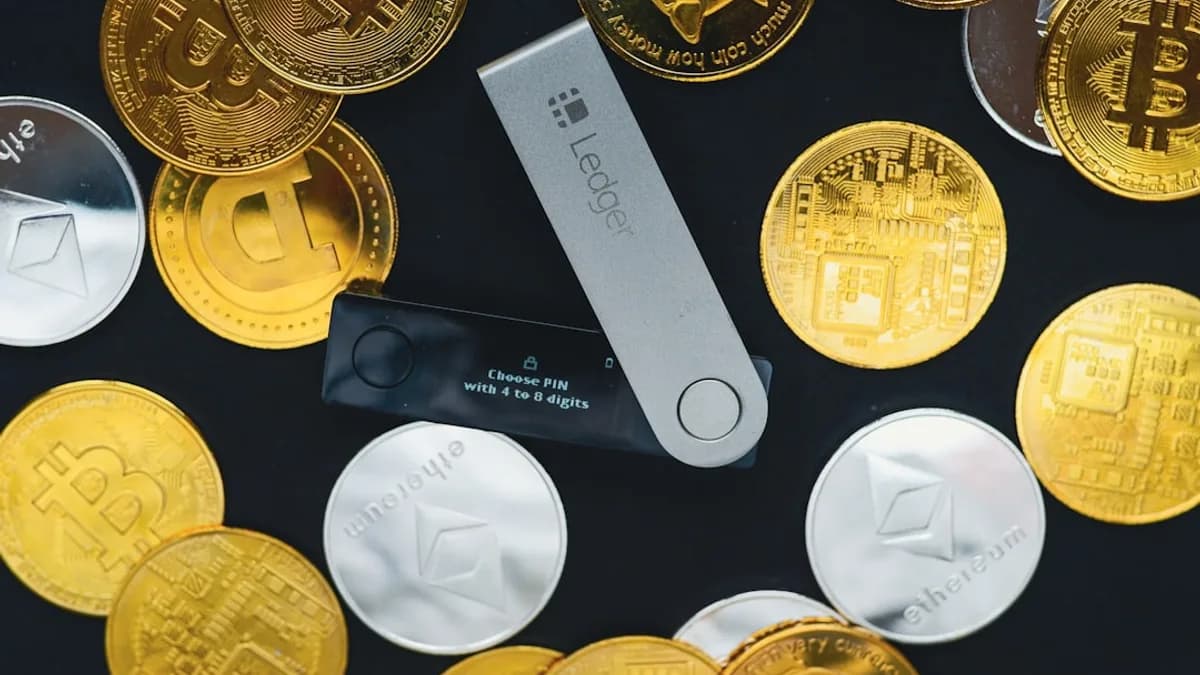
- USB Wallets: Connect to computers via USB (e.g., Ledger Nano S Plus, Trezor Model One).
- Bluetooth Wallets: Enable wireless connections for use with mobile devices (e.g., Ledger Nano X).
- Air-gapped Wallets: Never connect directly, using QR codes or NFC for communication (e.g., Keystone 3 Pro).
Leading Hardware Wallet Brands
| Brand | Notable Models | Key Features |
|---|---|---|
| Ledger | Nano S Plus, Ledger Stax | Wide crypto support, DApp integration, Bluetooth |
| Trezor | Model One, Model T | Open-source, touchscreen (Model T) |
| Keystone | Keystone 3 Pro | Air-gapped, QR code signing |
Security Advantages
- Offline Storage: Immune to online hacking and malware.
- No Internet Exposure: Private keys are never online, even during transactions.
- Tamper-Resistant Chips: Physical extraction of keys is extremely difficult.
- Manual Confirmation: Physical device interaction required for each transaction.
Software Wallet Security Mechanisms and Vulnerabilities
What is a Software Wallet?
Software wallets—also called hot wallets—are applications or browser extensions that store your private keys in encrypted form on your device or in your browser’s memory. They’re the go-to choice for those who need speed and convenience, but this ease comes with increased risk.
Types of Software Wallets
| Wallet Type | Platform | Key Considerations |
|---|---|---|
| Mobile | Smartphone apps | Ultra-portable, but vulnerable if phone is compromised |
| Desktop | PC/Mac programs | More control, but tied to a single device |
| Web | Browser-based | Most convenient, but least secure (third-party servers) |
Security Features
- Encryption: Private keys are encrypted with your password.
- Password Protection: Limits unauthorized access.
- Multi-Factor Authentication (MFA): Some wallets offer MFA for added security.
- Seed Phrase Backups: Recovery if you lose your device.
Key Vulnerabilities
Critical Warning:
“Software wallets, also known as hot wallets, are constantly connected to the internet, which makes them more susceptible to hacking attempts, malware, and phishing attacks.”
— Transak
- Malware & Phishing: If your device is compromised, so is your wallet.
- Device Theft/Loss: If your phone or computer is stolen or lost and you haven’t backed up your seed phrase, you can lose all access.
- Third-Party Risks: Web wallets, especially, may store keys on external servers, increasing the attack surface.
Notable Software Wallets (Cited)
- MetaMask
- Trust Wallet
- Exodus
- Electrum
Comparing User Experience and Accessibility
User experience is where the contrast between hardware and software wallets is most pronounced.
| Feature | Hardware Wallets | Software Wallets |
|---|---|---|
| Setup | Requires purchase, device initialization, seed storage | Download app/extension, simple guided setup |
| Access | Physical device required, slower for daily use | Instant access on phone, desktop, browser |
| Convenience | Less convenient for frequent transactions | Highly convenient, ideal for active trading |
| Integration | Supported by many DApps, but extra steps | Native integration with exchanges, DeFi, NFTs |
User Experience Insight:
“Hardware wallets require you to physically connect the device ... making them slower and less convenient for quick exchanges. However, this slower process is a trade-off for better security.”
— Komodo Platform
Risks of Online and Offline Wallets
Online Exposure (Software Wallets)
- Always-Connected: Software wallets are exposed to the internet 24/7.
- Susceptible to Hacks: Malware, keyloggers, and phishing are persistent threats.
- Third-Party Risks: Especially with web wallets, your keys may be on someone else’s server.
Offline Protection (Hardware Wallets)
- Immune to Remote Attacks: Keys never touch internet-connected environments.
- Physical Security Required: Theft or loss of the physical device is the main risk. However, without the PIN or recovery phrase, stealing funds remains extremely difficult.
Security Summary:
“Hardware wallets offer cold storage, meaning that the private keys are stored offline and are immune to online attacks. This makes hardware wallets highly secure, especially for long-term storage of large amounts of crypto.”
— Komodo Platform
Backup and Recovery Options for Both Wallet Types
Hardware Wallets
- Seed Phrase: Generated during initial setup; write down and store securely offline.
- Manual Recovery: If lost/stolen, recover assets using the seed phrase on a new device.
- No Cloud Backup: All recovery is manual and offline, reducing online attack risk.
Software Wallets
- Seed Phrase: Also provided at setup; must be backed up securely.
- Cloud Backup: Some apps allow encrypted cloud backups for convenience (but increases exposure).
- Device Sync: Some wallets support syncing across multiple devices.
Best Practice Reminder:
“If your device with the software wallet is lost, stolen, damaged, or wiped clean, you could lose access to your crypto if you haven't properly backed up your private key.”
— Transak
Cost Considerations and Value for Security
| Wallet Type | Cost Range | Ongoing Fees |
|---|---|---|
| Hardware Wallet | $59–$200+ one-time | Network fees only |
| Software Wallet | Free to use | Network fees, potential platform fees |
- Hardware Wallets: Require an upfront investment for the device. The cost reflects premium, tamper-resistant hardware and advanced security features.
- Software Wallets: Free or very low-cost, making them accessible to all. However, the trade-off is higher security risk.
Cost Insight:
“Hardware wallets ... require purchase, slower access, less convenient on the go. Software wallets ... usually free or low cost, accessible for anyone.”
— Komodo Platform
Use Cases: When to Choose Hardware or Software Wallets
When to Use a Hardware Wallet
- Long-Term Storage: Ideal for holding large crypto amounts (cold storage).
- Security-Focused Users: For those who prioritize safeguarding over convenience.
- Minimal Activity: Great for HODLers who do not need daily access.
When to Use a Software Wallet
- Active Trading: Perfect for users making frequent trades, payments, or interacting with DApps/NFTs.
- Beginners: Simple setup and user-friendly interfaces.
- Small Balances: Suitable for managing smaller amounts where the risk is acceptable.
Combined Approach
Many advanced users combine both:
- Store the majority of assets in a hardware wallet
- Keep a small amount in a software wallet for daily use
Expert Tip:
“The right wallet depends on how you use your crypto. ... When combining both, it might offer the best of both worlds.”
— Coin Bureau
Expert Recommendations for Secure Crypto Storage
- For Beginners: Start with a software wallet to learn the basics, but upgrade to hardware as your holdings grow.
- For Large Holders: Use hardware wallets, and never share or store your seed phrase online.
- For Traders: Use software wallets for active funds, but periodically transfer profits to a hardware wallet.
- Backup Practices: Always secure your recovery/seed phrase offline, and never share it with anyone.
Conclusion: Making an Informed Wallet Security Choice
When comparing hardware wallets vs software wallets security in 2026, the core trade-off remains unchanged: hardware wallets provide unmatched protection for long-term and high-value holdings, while software wallets deliver unrivaled convenience for daily trading and rapid access. The right solution depends on your priorities, risk tolerance, and crypto usage patterns.
Bottom Line:
Hardware wallets are the gold standard for securing substantial crypto assets due to their complete offline isolation. Software wallets, while convenient and accessible, carry inherent risks from their perpetual internet connectivity. Most users benefit from using both: hardware wallets for storage, software wallets for spending and trading.
FAQ
Q1: Are hardware wallets immune to all types of hacks?
No wallet is 100% immune, but hardware wallets drastically reduce online attack vectors by keeping private keys offline. Physical theft remains a risk, but without the PIN and recovery phrase, accessing funds is extremely difficult.
Q2: Can I use a hardware wallet for daily trading?
You can, but it is less convenient due to the need for physical device access and extra steps for every transaction. For frequent trading, software wallets are typically favored.
Q3: What happens if I lose my hardware wallet?
If you have securely stored your recovery seed phrase, you can restore your funds on a new device. Without the seed, recovery is not possible.
Q4: Are software wallets safe for large amounts of crypto?
Generally, software wallets are not recommended for storing large balances due to their online exposure and higher susceptibility to hacking.
Q5: Can I transfer crypto between hardware and software wallets?
Yes, you can transfer assets between wallet types by generating an address in one wallet and sending assets from the other.
Q6: Do hardware wallets support all cryptocurrencies?
Most hardware wallets support a wide range of popular cryptocurrencies, but not all coins or tokens. Always check the wallet’s compatibility list before purchasing.
Remember: Your crypto security is only as strong as your weakest link. Choose your wallet based on your needs, but always practice diligent backup and never share your recovery phrase.