ZSA Launches Navigator Trackpad Add-On for Voyager Keyboard with Full Multi-Touch Support
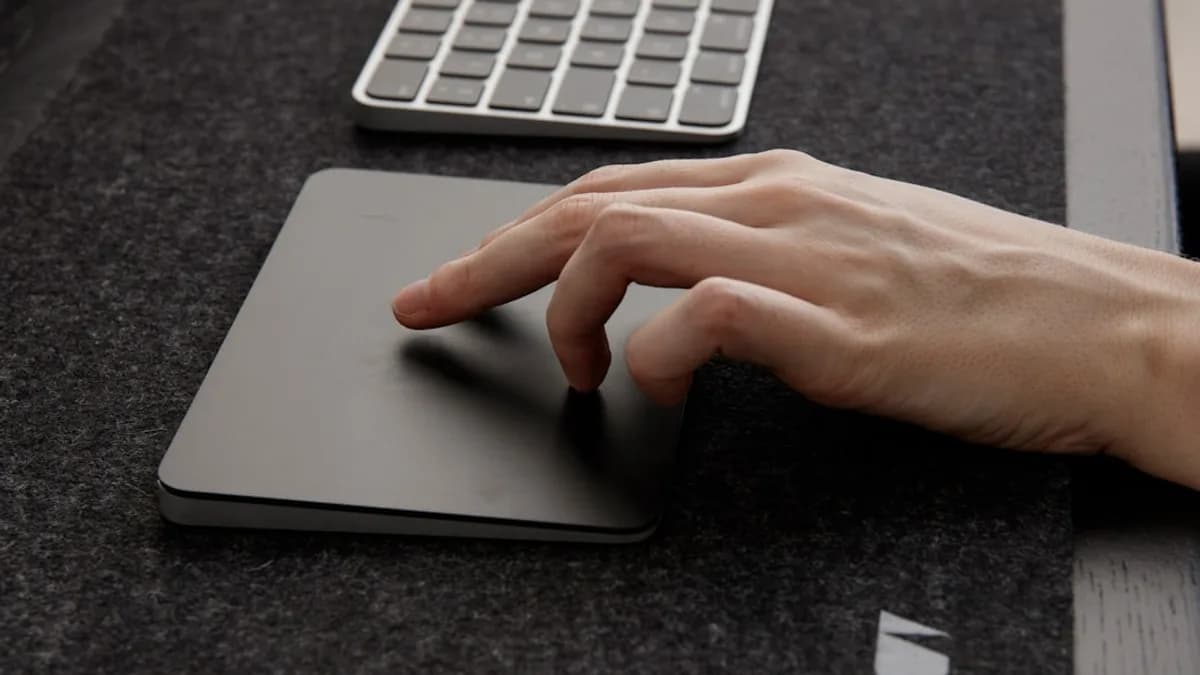
ZSA just raised the bar for modular keyboards, releasing the Navigator Trackpad add-on for its Voyager low-profile ergonomic mechanical keyboard. The company claims this new module offers a true mouse alternative, complete with full multi-touch gesture support and minimal setup required — a first for ZSA’s Voyager line, according to Notebookcheck.
The Navigator Trackpad slots directly into the existing ZSA Navigator add-on system. ZSA emphasizes that users can drop it into their current Voyager setups without breaking compatibility with other modules. The company is pitching the device as an ergonomic upgrade, aiming to keep hands anchored on the keyboard and reduce reliance on traditional mice.
Minimal configuration is a core selling point. Users are promised a plug-and-play experience, with full gesture support right out of the box. Multi-touch gestures — a feature once limited to laptops or high-end standalone touchpads — are now available to Voyager users without additional hardware or software headaches.
How the Navigator Trackpad Changes the Ergonomic Equation
The significance for mechanical keyboard fans is clear: ZSA is betting that built-in, multi-touch input will streamline workflows for users who prize both ergonomics and customization. The move targets professionals and enthusiasts who want to minimize desk sprawl and wrist movement.
For the Voyager, a keyboard already known for its low profile and split ergonomic design, the addition of a touchpad directly addresses a long-standing gap. Until now, Voyager owners seeking integrated pointing controls had to look elsewhere or rely on external devices. The Trackpad’s “minimal configuration” promise suggests users won’t need to tinker endlessly to get up and running.
Multi-touch gesture support sets the Navigator apart from basic pointing modules. Users can expect familiar controls like scrolling, pinch-to-zoom, and possibly more advanced gestures — though ZSA hasn’t published a full gesture list. The real-world impact depends on how well these gestures are implemented and whether they play nicely with the Voyager’s customizable firmware.
Backwards compatibility with the ZSA Navigator add-on system means the Trackpad coexists with other modules, protecting existing investments and modular setups. That’s a critical detail for users who have already bought into the ZSA ecosystem.
What Remains Unclear About the Navigator Trackpad
Key details are still missing. ZSA hasn’t released technical specs on the touch surface size, gesture recognition capabilities, or how the Trackpad integrates with Voyager’s firmware and layer system. There’s no mention of support for advanced features like palm rejection, customizable gesture mapping, or firmware updates.
User feedback is also an open question. The real test will come as Voyager owners try the Trackpad in daily workflows. Will the multi-touch gestures feel natural? Will the touchpad’s placement and ergonomics actually reduce strain, or introduce new issues? Without reviews or hands-on reports, these are still question marks.
What to Watch: User Adoption and Future Updates
The next few months will reveal whether the Navigator Trackpad is a must-have for the Voyager, or just another niche add-on. ZSA’s modular approach means users can experiment without overhauling their setups, but adoption will hinge on execution — especially the quality of gesture support and integration with the keyboard’s core features.
Potential software updates or firmware tweaks could expand gesture support or customization options, but there’s no official roadmap yet. For now, the Trackpad is available through ZSA’s site as part of the Voyager add-on lineup.
Analysis: If ZSA delivers on its promises of true multi-touch and seamless integration, the Navigator Trackpad could become a reference point for ergonomic keyboard design. But until real-world testing confirms the device’s capabilities and comfort, the impact remains to be seen.
Why It Matters
- The Voyager's new touchpad brings full multi-touch gesture support directly to mechanical keyboard users, enhancing productivity.
- Backwards compatibility allows current Voyager owners to upgrade without replacing existing hardware, protecting their investment.
- This innovation could reduce reliance on external mice and improve ergonomics for professionals seeking streamlined desk setups.