Xbox Mode’s Single-Display Lockup Is a Dealbreaker for Multi-Monitor PC Gamers
Microsoft’s Xbox Mode, pitched as a way to bring the console experience to gaming PCs, comes with a non-negotiable catch: once enabled, all additional monitors are switched off. For anyone who has built their workflow around a multi-monitor setup, that’s not just a quirk—it’s a hard stop. According to Notebookcheck, the console-inspired UI disables secondary displays entirely, forcing users into an all-or-nothing mode.
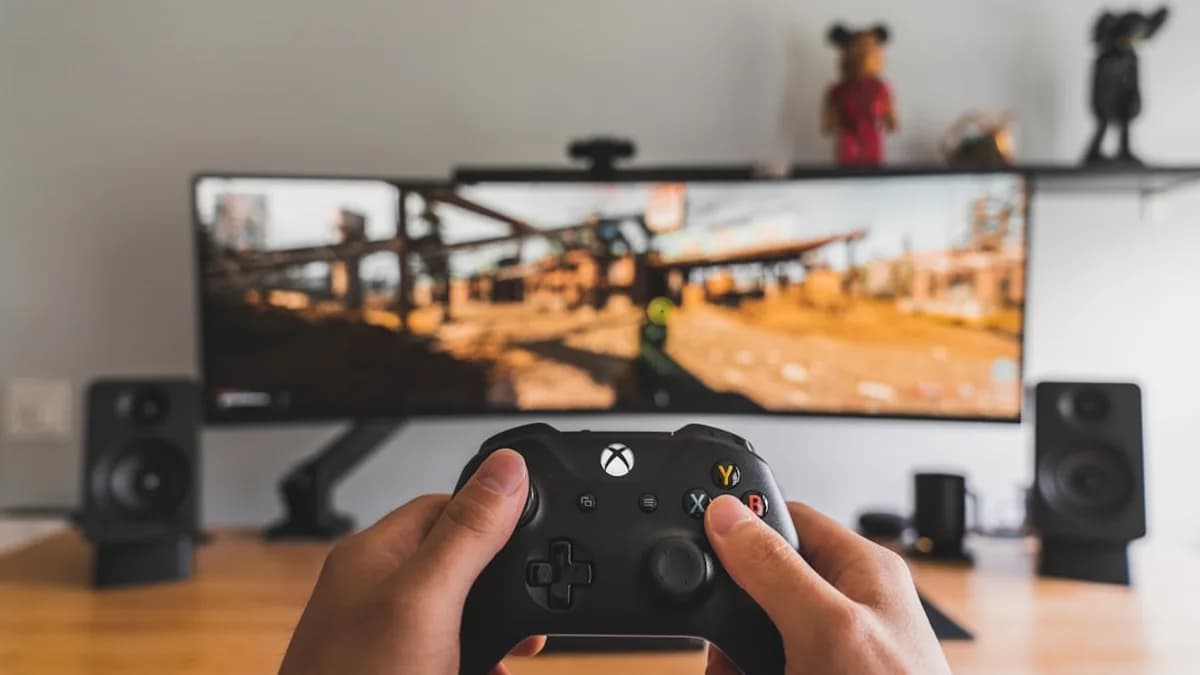
On a living room TV, this might be a non-issue. But on a gaming rig with Discord on one monitor, Twitch chat on another, and a game in the center, Xbox Mode isn’t just inconvenient—it’s disruptive. PC gamers, especially those who stream, multitask, or do creative work, depend on persistent access to multiple screens. For them, the feature feels like a step backward, reminiscent of the console world’s single-focus philosophy, not the flexibility that defines the PC experience.
This tradeoff is particularly jarring because the appeal of Xbox Mode is obvious: a unified, controller-friendly interface, simplified navigation, and visual consistency with Microsoft’s console vision. But for power users, those advantages are immediately undercut by the sudden blackout of their extra screens. The friction is real—the UI designed to make gaming “easier” ends up handicapping the very workflows that keep PC gaming vibrant.
No Hard Numbers—But the Frustration Is Palpable
The source offers no statistics on how many PC gamers run multi-monitor setups or how Xbox Mode affects system performance. Without data, the scale of the issue remains speculative. We don’t know what percentage of users are affected, how often Xbox Mode is used, or how many have voiced complaints through official channels.
What is clear: the disabling of secondary displays is not a minor bug, but an intentional design choice. There are no performance benchmarks comparing Xbox Mode enabled versus disabled, and no feedback metrics or complaint volumes are cited. The only measurable outcome is the experience itself—when Xbox Mode is enabled, multi-monitor workflows are interrupted, and users lose access to all but one screen.
MLXIO analysis: The lack of hard data makes it impossible to quantify the impact, but the design decision itself signals Microsoft’s priorities. Simplicity and a console-like focus win out over the flexibility that many PC gamers expect. The outcry—however large or small—stems from this fundamental mismatch.
Who Gains, Who Loses: UI Purists vs. Power Users
Stakeholder perspectives diverge sharply. For gamers who crave an immersive, living room-style experience on their PC, Xbox Mode delivers exactly what it promises: a seamless, controller-friendly UI stripped of desktop clutter. For this group, the single-display enforcement is almost a feature, not a bug—it replicates the console experience faithfully.
Productivity-minded users and power gamers, on the other hand, see the restriction as a dealbreaker. For them, the ability to multi-task—monitor streams, chat, browse guides—while gaming is non-negotiable. Xbox Mode’s rigidity feels tone-deaf, especially when the PC’s key advantage is customization and workflow flexibility.
Microsoft’s rationale, as inferred from the source, is clear: Xbox Mode is optimized for the upcoming Project Helix Xbox console and for scenarios where a PC is connected to a TV. In these contexts, multi-monitor support is irrelevant. But this excludes a significant chunk of PC gamers who expect their machine to do more than just play games.
Industry experts (by MLXIO inference) would likely warn that UI design isn’t one-size-fits-all. The best interfaces accommodate both simplicity and advanced use cases, or at least offer toggles and options. Xbox Mode, as currently conceived, picks a side.
Console UIs on PC: A History of Compromises
Attempts to graft console UI elements onto PCs are nothing new. Steam’s Big Picture mode, for example, tried to bridge the gap for couch gamers—offering a controller-friendly overlay that didn’t fully replace Windows, and crucially, didn’t shut down extra monitors. Microsoft’s own Windows Game Bar and various “gaming modes” have all wrestled with the tension between focus and flexibility.
The lesson: PC users are accustomed to choice. Whenever an overlay, launcher, or mode has forced a single-use workflow, backlash has followed. The expectation is clear—console-inspired UIs are welcome, as long as they remain optional and don’t restrict the underlying power of the PC.
User expectations have only hardened over time. With streaming, content creation, and multitasking now the norm, UI designers can’t ignore the reality that many gamers need more than one screen. Every failed attempt at “console-izing” the PC has stumbled on this point.
Strategic Risks: Alienating the Multi-Monitor Majority
For anyone who uses multi-monitor setups for streaming, chat, or research, Xbox Mode’s limitations are more than a nuisance—they’re a reason to avoid the feature entirely. That’s a risk for Microsoft, especially as it tries to unify its console and PC gaming strategies ahead of Project Helix.
The danger isn’t just user frustration. If Xbox Mode becomes the default or is tightly integrated with future hardware, Microsoft could end up alienating some of its most dedicated PC users—the very audience that drives innovation and engagement on the platform. The move could also fragment the user base, with some sticking to traditional Windows workflows while others embrace the console UI.
As for solutions, the current state of Xbox Mode offers no workarounds. The source doesn’t mention any toggle, option, or beta feature to enable multi-monitor support. If Microsoft wants Xbox Mode to succeed beyond the living room, it will need to find a way to reconcile the simplicity of the console interface with the needs of PC power users.
What’s Next: Will Microsoft Loosen Xbox Mode’s Grip?
The next phase for Xbox Mode will hinge on whether Microsoft listens to feedback from multi-monitor gamers. Iterative improvements—such as optional multi-display support or a hybrid UI that allows for background apps—could soften the blow. The integration with Project Helix and new Xbox consoles will be telling: if the single-screen restriction persists, it signals a strategic commitment to console purity. If Microsoft adds flexibility, it’s a sign that PC workflows still matter.
The lack of hard user data leaves the future in doubt. Evidence that would confirm a shift includes public statements from Microsoft, updates patching in multi-monitor features, or beta releases with improved workflow support. Until then, multi-monitor gamers have a clear message: don’t force console limitations onto PC hardware. Microsoft’s next move will reveal whether it’s listening.
What remains unclear: Microsoft’s official stance on user complaints, the technical reasons for disabling additional displays, and the timeline for any planned updates. Watch for announcements tied to Project Helix, as they’ll likely set the direction for Xbox Mode’s evolution.
Why It Matters
- Xbox Mode disables all additional monitors, disrupting workflows for PC gamers who rely on multi-display setups.
- The feature limits multitasking and streaming, making it less appealing for power users accustomed to PC flexibility.
- Microsoft's push for console-inspired UI clashes with the needs of PC gamers, prompting reconsideration of its usability.