Prepare Your Bluetooth Speakers for an Upgrade Without Replacing Them
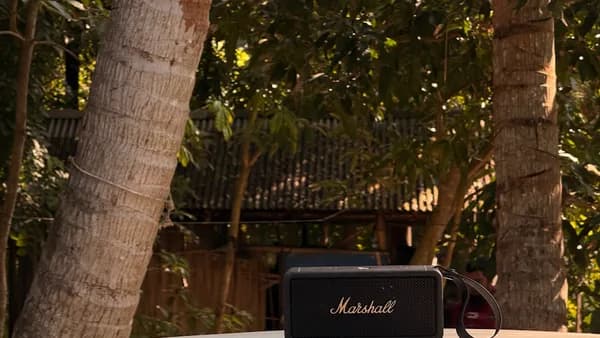
Upgrading your Bluetooth speakers can save you hundreds, even thousands, compared to buying new smart audio gear. A few targeted tweaks can unlock better sound, smarter features, and wider wireless coverage—without tossing your current setup. First, check your speakers for physical wear: loose connections, frayed cables, or degraded batteries. Next, test their performance. Play a high-quality track and note any distortion, dropouts, or weak bass. Pinpoint what bugs you most—maybe the sound feels flat, or the Bluetooth signal keeps cutting out at the far end of the house.
List your upgrade goals and match them to possible fixes: external amplifiers for punchier audio, Bluetooth adapters for stronger signal, voice assistants for hands-free control. Gather tools like screwdriver sets, audio cables, and extension cords. For digital upgrades, make sure your phone, tablet, or smart hub is compatible and updated. As ZDNet reports, a little prep goes a long way—most Bluetooth speakers aren’t obsolete, just under-utilized.
Enhance Sound Quality by Adding External Amplifiers and DACs
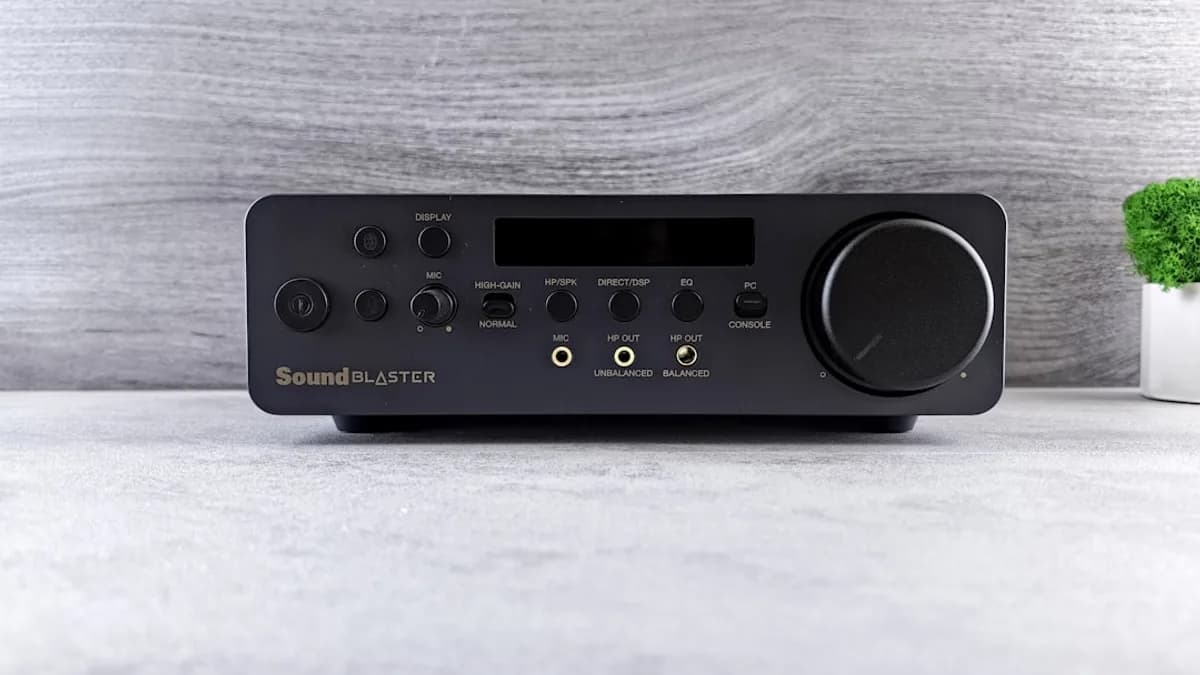
Most Bluetooth speakers ship with middling amplifiers and basic digital-to-analog converters (DACs). That’s why the sound often plateaus at “good enough”—not audiophile territory. An external amplifier can boost power and clarity, especially for speakers with auxiliary or RCA inputs. Look for compact amps under $100, such as the Fosi Audio BT20A or Audioengine N22. These models deliver real wattage, not just marketing hype: a 50-watt amp can double the volume and dynamic range versus a stock 10-watt chip.
Connecting a DAC is the next step for cleaner audio. Choose a DAC that supports at least 24-bit/96kHz playback; the AudioQuest DragonFly and iFi Uno are popular picks. Plug the DAC into your phone or computer, then run a cable from the DAC’s output to your amplifier or directly into the speaker’s aux port. If your Bluetooth speaker only has wireless input, use a Bluetooth receiver with built-in DAC—such as the EarStudio ES100—which bridges the gap.
Test your setup with lossless tracks from Tidal or Qobuz. You’ll hear tighter bass, crisper vocals, and a wider soundstage. Watch out for mismatched impedance or voltage—check your speaker and amp specs before connecting, or you risk distortion or damage. Upgrading in this way can easily rival $500 “smart” speakers for a fraction of the price.
Improve Wireless Connectivity with Bluetooth Adapters and Range Extenders
Bluetooth’s biggest drawback is range. Most speakers max out at 30 feet, and thick walls or appliances can slash that further. Upgrading to adapters supporting Bluetooth 5.0 or 5.2 protocols improves range and stability—these versions offer up to 800 feet in open space, plus faster pairing and lower latency. The TaoTronics BT Adapter and Avantree Oasis Plus are reliable, widely compatible options.
Install a Bluetooth range extender halfway between your source and speakers to crush dead zones. Extenders like the Miccus Home RTX 2.0 can relay your signal upstairs or out to the patio. Place adapters and extenders away from Wi-Fi routers, microwaves, and dense metal furniture to minimize interference. For best results, keep your Bluetooth source elevated and unobstructed—signal drops by up to 60% if you hide devices in drawers or behind TVs.
If your home’s layout is a challenge, consider mesh Bluetooth networks, which piggyback multiple adapters to blanket larger spaces. This approach costs less than rewiring for whole-home audio, and it works with nearly any speaker. Wireless stability is crucial for parties, movie nights, or work calls—laggy or interrupted audio is the fastest way to kill the vibe.
Add Smart Features to Your Speakers Using Voice Assistants and Smart Hubs
You don’t need a new Sonos or Apple HomePod for hands-free control. Pair a voice assistant device—like an Amazon Echo Dot or Google Nest Mini—with your Bluetooth speaker. Enable Bluetooth pairing in the assistant’s settings, then connect to your speaker as the default audio output. Now you can trigger music, podcasts, or smart home routines with a simple voice command.
Smart hubs such as Samsung SmartThings or Apple HomeKit can coordinate multi-room audio and automation. Link your speakers to the hub via Bluetooth or Wi-Fi. In the hub’s app, set up groups (e.g., “Living Room” or “Outdoor”) and schedule playback. For deeper integration, add routines like “Play news at 8am” or “Turn off all speakers at midnight.” Some hubs support custom triggers—motion sensors, doorbells, or lights—so music follows you room to room.
Configure privacy and access settings carefully. Disable microphone sharing if you don’t want your speaker listening for every command. Update firmware regularly; vulnerabilities in Bluetooth stacks have led to rare but serious exploits, as seen in the BlueBorne threat (2017). Smart features can transform basic hardware into a versatile hub for music, calls, and automation—without the sticker shock of new gear.
Maintain and Customize Your Upgraded Bluetooth Speakers for Long-Term Use
Routine maintenance keeps your upgraded speakers performing like new. Check for firmware updates monthly—manufacturers often release patches for bugs, Bluetooth improvements, or compatibility tweaks. Update not just your speaker, but also any connected adapters, DACs, and smart devices.
Customize sound profiles with equalizer apps (like Wavelet or Equalizer FX) or hardware controls. Adjust bass, treble, and midrange to suit your room or taste; small tweaks can compensate for acoustics or speaker limitations. If your speaker has removable batteries, swap them every 18-24 months to avoid sudden dropouts.
Clean speaker grilles and ports with compressed air or a soft brush. Dust and debris degrade sound clarity and can cause overheating. Inspect cables and connectors for fraying or corrosion—replace as needed. These steps extend your speaker’s lifespan, preserving the value of your upgrades.
Quick Recap: How to Upgrade Your Bluetooth Speakers for a Cost-Effective Home Entertainment Boost
A few strategic upgrades—amplifiers, DACs, Bluetooth adapters, and smart hubs—can elevate Bluetooth speakers far beyond their stock performance. You’ll get richer audio, smarter control, and wider coverage for a fraction of the cost of new smart speakers. As ZDNet and industry experts suggest, upgrading beats replacing unless your hardware is truly dead. Take stock of your gear, pick your upgrades, and start experimenting—most improvements are reversible, so you risk little and stand to gain plenty.
Next step: Try one upgrade at a time, testing each change for impact. If you hit a snag, consult online forums or manufacturer support—most fixes are documented and easy to apply. Upgrading is about squeezing value, not chasing hype. Your old speakers might surprise you yet.
Why It Matters
- Upgrading extends the life of existing audio equipment and saves money.
- Targeted fixes can unlock better sound and smarter features without waste.
- Readers can avoid unnecessary purchases and reduce electronic waste.