Why Samsung’s Penup Update Signals a Shift in Mobile Digital Art Tools
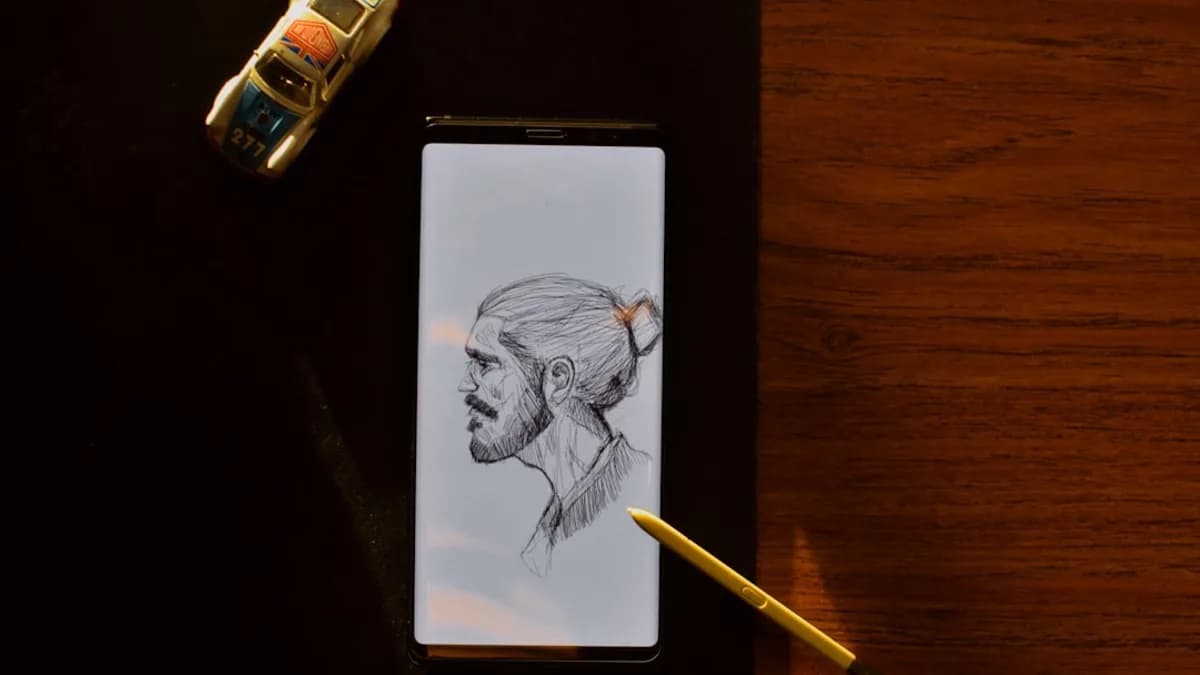
Samsung isn’t just patching bugs with its latest Penup update—it’s signaling a new phase for mobile drawing software. The rollout of version 3.9.22.23 delivers a handful of features that, taken together, hint at Samsung’s desire to close the gap between hobbyist sketching and serious digital artistry on Galaxy devices. The fact that Penup now syncs with Samsung accounts and formally supports landscape mode points to a push for workflow continuity—a pain point that has long limited mobile-first creativity. These changes matter because they show Samsung isn’t treating Penup as an afterthought, but as a core piece of its Galaxy user experience. Gsmarena confirms the update is now available in the Galaxy Store for all compatible devices.
MLXIO analysis: By investing in Penup’s feature set, Samsung is not just keeping pace with user expectations but actively shaping the standards for what a smartphone-based drawing tool should deliver. This is less about headline-grabbing innovation and more about removing friction from creative workflows, which is where retention and user growth often live or die.
Breaking Down the New Features of Samsung Penup Version 3.9.22.23
The new brush is a straightforward but welcome addition—every serious drawing app lives and dies by the quality and range of its brushes. Now, Penup users get not only a fresh brush but also dual brush support, making it possible to blend two brush types in a single stroke. While the source doesn’t detail the mechanics, the implication is clear: Samsung wants to empower more complex mark-making, a staple of desktop-class software.
Exporting files as drafts introduces a new layer of flexibility. Users can now save works-in-progress in a way that preserves their unfinished state, supporting iterative workflows and collaboration. Again, the specifics remain vague, but the concept is a clear nod to users who outgrow simple “save as image” models.
The Lasso tool’s new auto-selection option signals a push toward smarter object manipulation—reducing the tedium of manual selections and likely speeding up editing. Landscape mode support is late to the party (most pro apps have had this for years), but its arrival means users are no longer forced into portrait-only orientation when drawing. Finally, Samsung account syncing promises a future where device handoffs and cloud continuity are the norm, not the exception.
Quantifying the Impact: What We Know and What’s Still Missing
Concrete adoption numbers and user engagement metrics are not available in the source material. We don’t know how many users have downloaded the update, how often the new features are used, or whether session lengths have changed post-update. These are the numbers that would reveal whether Samsung’s refinements are moving the needle.
What we do know: The update is live for all Galaxy devices running Penup, and it’s not tied to any specific OS version. Every user can access the new brush, dual brush, Lasso improvements, draft export, landscape mode, and account syncing—if they update via the Galaxy Store.
MLXIO analysis: Without hard user data, it’s impossible to quantify the update’s effect on engagement or market share. But the breadth of new features suggests Samsung is targeting both power users (with dual brush and Lasso upgrades) and casual doodlers (with draft exports and account syncing).
Diverse Stakeholder Perspectives
The primary beneficiaries here are digital artists who rely on flexible tools and cross-device access. Exporting drafts, improved selection tools, and landscape mode directly address workflow bottlenecks common in mobile art creation. Casual users—those who draw for relaxation or social sharing—may find the update’s biggest win is account syncing, which promises that their sketches won’t vanish if they swap or reset devices.
Samsung’s developer and product teams are likely positioning these features as evidence of their commitment to deepening the Galaxy ecosystem. Each addition ties Penup more tightly to Samsung’s cloud services and device continuity, which is a strategic lever for long-term user lock-in.
Tracing the Evolution of Samsung Penup
Penup started as a simple coloring and doodling app—more digital coloring book than artist’s studio. Over time, Samsung has layered in more sophisticated features: advanced brushes, selection tools, and now, real draft management and account syncing. This latest update isn’t Penup’s first step toward professionalization, but it’s one of the most comprehensive in scope. The move from “just another preloaded app” to a viable digital sketchbook mirrors the rising expectations of mobile users who want their pocket devices to handle more than just notes and casual sketches.
What Samsung Penup’s Update Means for Mobile Artists and the Creative Industry
For mobile artists, the most immediate win is the promise of fewer interruptions—draft saving and syncing mean less risk of losing work mid-flow, and the dual brush feature unlocks new stylistic possibilities. For Samsung, these incremental upgrades are an attempt to make Penup sticky, keeping users inside the Galaxy walled garden. If Penup continues to mature, it may become a genuine differentiator for Samsung hardware, rather than an afterthought.
MLXIO analysis: These updates chip away at the remaining gap between mobile and desktop art tools. While Penup still isn’t as feature-dense as professional desktop suites, Samsung is betting that convenience and device integration will matter more to most users.
Forecasting the Future: What To Watch Next
The obvious next steps for Penup would be deeper cloud integration, smarter selection tools (possibly AI-driven), and more robust cross-device collaboration. If Samsung pushes Penup into the realm of real-time co-editing or automated image suggestions, it will signal a major escalation in its ambitions for mobile creativity.
What remains uncertain: whether Samsung’s current user base will embrace these features at scale, and whether future updates will target professional-grade needs or double down on accessibility and fun. Evidence of rising user engagement, new feature rollouts focused on AI, or announcements of desktop/tablet interoperability would confirm Samsung’s intent to make Penup a core pillar of its ecosystem.
For now, the Penup update is a clear message: Samsung wants to be taken seriously in mobile digital art, and it’s putting in the work to get there.
Why It Matters
- Samsung's Penup update adds advanced features like dual brush support and draft exports, narrowing the gap with professional drawing tools.
- Improved workflow continuity with Samsung account syncing and landscape mode makes mobile art creation more seamless and appealing.
- These upgrades signal Samsung's commitment to creative users, potentially driving more artists to adopt Galaxy devices for digital art.