
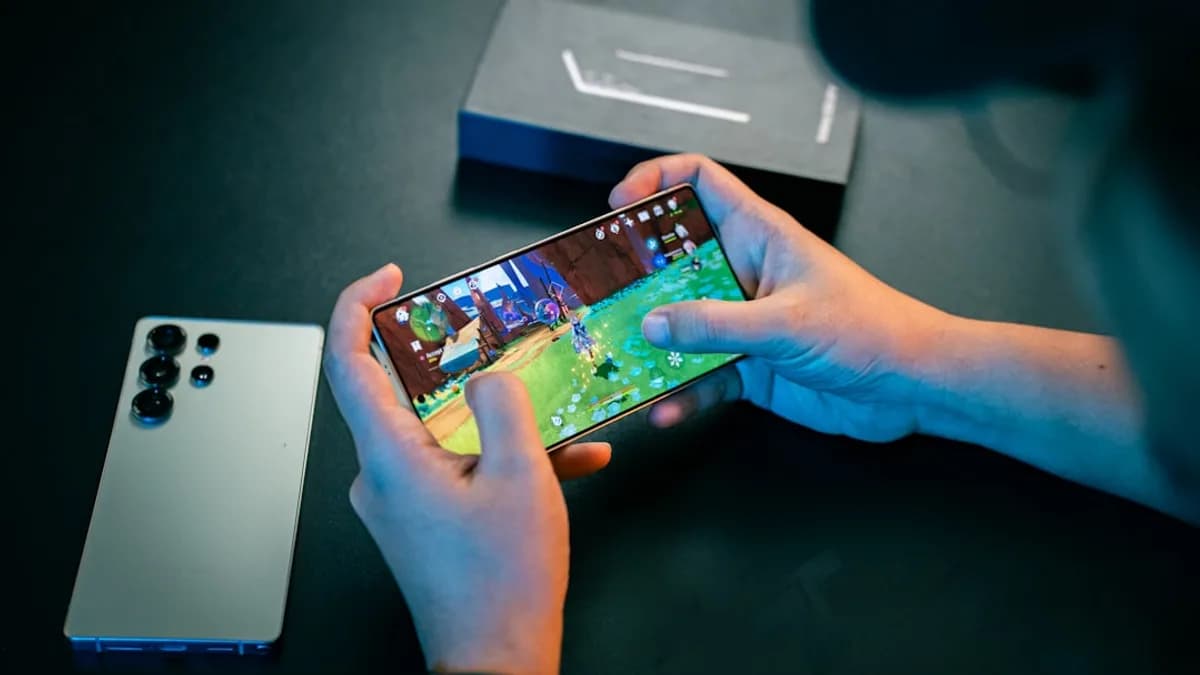


Introduction to Samsung Galaxy S25's One UI 8.5 Beta Update
Samsung is doubling down on artificial intelligence, and the latest One UI 8.5 beta update for the Galaxy S25 series is its boldest statement yet. This update doesn’t just offer routine tweaks or cosmetic upgrades—it introduces four new AI-powered features that could reshape how users interact with their phones every day. What makes this rollout especially intriguing is Samsung’s decision to bring select AI enhancements originally designed for the upcoming Galaxy S26 to existing Galaxy S24 devices as well, signaling a more inclusive approach to software innovation [Source: Source]. For millions of Galaxy users, One UI 8.5 isn’t just another beta—it’s a glimpse into the future of mobile AI, and a chance to experience next-gen features months before the official release.
How to Join the One UI 8.5 Beta Program on Your Galaxy S25
If you’re eager to test-drive Samsung’s latest AI breakthroughs, joining the One UI 8.5 beta program is straightforward but requires a few preparatory steps:
- Check Eligibility: The One UI 8.5 beta is initially available for Galaxy S25 models in select regions. Ensure your device is eligible and that you’re running the latest official firmware.
- Backup Your Data: Beta software can be unstable. Use Samsung’s Smart Switch or your preferred backup tool to save your important files, photos, and settings.
- Charge and Clear Space: Ensure your phone is charged (at least 50% battery recommended) and that you have sufficient free storage to accommodate the update—typically, at least 5GB.
- Join the Beta Program:
- Open the Samsung Members app (pre-installed on all Galaxy devices).
- Sign in with your Samsung account.
- Navigate to the 'Notices' or 'Beta Program' banner on the app’s home screen.
- Read the terms, then tap 'Join Beta Program' and confirm your participation.
- Download and Install:
- After enrolling, go to Settings > Software Update > Download and Install.
- The One UI 8.5 beta should appear. Tap 'Download' and follow the prompts to install.
Precautions: Beta software may introduce bugs or incompatibilities with certain apps. Consider installing the beta only if you’re comfortable troubleshooting issues, or on a secondary device if possible.
Once installed, you’ll receive future beta updates over the air, and you can report bugs or feedback directly via the Samsung Members app—a vital way to help refine the final release.
Exploring the Four New AI Features in One UI 8.5 on Galaxy S25
Samsung’s One UI 8.5 beta takes a leap forward with AI, packing four standout features that are as practical as they are futuristic:
AI-Powered Photo Remastering: Leveraging advanced neural networks, this feature automatically enhances your photos—boosting clarity, reducing noise, and intelligently adjusting lighting. Unlike generic filters, Samsung’s AI analyzes each image to tailor improvements, rivaling dedicated photo-editing apps and even some desktop tools. You can access this feature directly from the Gallery app by selecting a photo and tapping 'Remaster.'
Contextual Smart Replies: Taking cues from Google’s Smart Reply, Samsung’s version integrates deeply with messaging apps, offering context-aware suggestions not just for replies but also for actions—like sharing a calendar invite or attaching a recent photo. Over time, it learns your conversation style, making suggestions more natural and relevant.
AI Summarizer for Notes and Articles: Integrated into Samsung Notes and the browser, this tool condenses long articles or meeting notes into concise summaries. For students, professionals, and anyone drowning in information overload, this can be a major timesaver. Tap the 'Summarize' button in Notes or the browser to generate a digest.
Intelligent Device Automation: Powered by on-device AI, this system learns your routines—like muting notifications during meetings or dimming the screen at bedtime—and suggests automations. Accessible via Settings > Advanced Features > Device Automation, it’s designed to reduce manual setup and bring true smart-home intelligence to your phone.
Expert Insight: What sets these features apart is their on-device processing. By handling AI tasks locally, Samsung enhances privacy and reduces latency, a move increasingly demanded by privacy-conscious consumers.
How to Optimize Your Galaxy S25 Experience with One UI 8.5 AI Features
Unlocking the full potential of these AI features requires a bit of experimentation and customization:
- Photo Remastering: Try remastering photos taken in challenging conditions—low light, backlit subjects, or high-contrast scenes. If the AI’s changes are too aggressive, you can revert to the original with a single tap. For creative users, compare results with third-party apps to appreciate Samsung’s AI edge.
- Smart Replies: Enable this across your favorite messaging apps via Settings > Advanced Features > Smart Suggestions. Customize how often suggestions appear, or mute them in apps where you prefer manual replies.
- AI Summarizer: Use this feature to prep for meetings or quickly digest news articles. If the summaries miss key details, provide feedback via the Samsung Members app—the AI will improve with user input.
- Device Automation: Start with Samsung’s suggested routines, then tweak triggers and actions in the Device Automation menu. If automations malfunction, check that conflicting apps (like third-party automation tools) aren’t interfering.
Troubleshooting Tips: If you encounter glitches—such as slow response from AI features or crashes—restart your device and ensure all related apps are updated. If problems persist, you can opt out of the beta via the Samsung Members app and revert to stable firmware.
Understanding the Impact of One UI 8.5 Beta on Galaxy S24 and Future Devices
Perhaps the most significant strategic move in this update is Samsung’s decision to backport several Galaxy S26 AI features to the Galaxy S24 series via One UI 8.5 [Source: Source]. This is a notable shift in a market where manufacturers often reserve headline features for new hardware to drive upgrades.
For Users: Older Galaxy S24 users are essentially getting a free taste of next-generation AI, extending the useful life and capabilities of their devices. This move could set a new industry standard for long-term software support, echoing Apple’s approach with iOS updates for older iPhone models.
For Samsung: By decoupling major AI advances from hardware releases, Samsung is betting on software as the main driver of value—and user loyalty. This also positions the company to compete more aggressively with Google and Apple, both of whom are investing heavily in on-device intelligence.
Implications: For consumers, this means more powerful features without mandatory hardware upgrades. For the industry, it raises the bar for what constitutes long-term device support and may accelerate the pace of AI innovation across brands.
Conclusion: Maximizing Your Samsung Galaxy Experience with One UI 8.5 Beta
The One UI 8.5 beta isn’t just another software update—it’s a hands-on preview of Samsung’s AI-driven vision for the future of mobile technology. By rolling out advanced features like AI photo remastering, contextual smart replies, and intelligent automation, Samsung is making premium-grade intelligence accessible to everyday users—not just early adopters. If you’re comfortable with the risks of beta software, this is the perfect opportunity to shape the next wave of Galaxy innovation by providing direct feedback. As always, back up your data, proceed with caution, and stay tuned for the official release—because the best in AI-powered mobile experiences is yet to come.