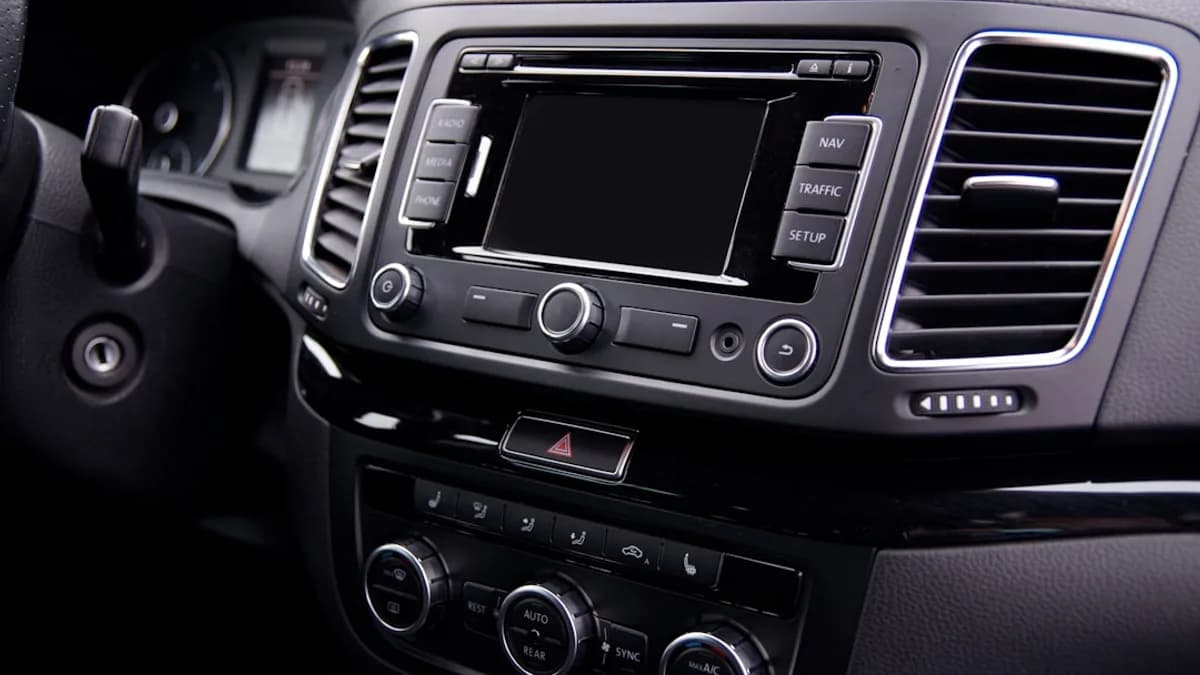
CarPlay and Android Auto are usually treated as maps-and-music layers, but Ottocast is pitching the car display as a summer soccer screen.
That is the real tension inside Ottocast’s Summer Soccer Celebration campaign: the dashboard screen was not built as a living-room TV, yet Ottocast’s OttoAibox E2, OttoAibox P3 Pro, and Play2Video Ultra aim to make compatible car displays useful for match-day streaming, scores, commentary, media, and split-screen multitasking without replacing the built-in head unit, according to 9to5Mac.
The article is a sponsored post, so the claims should be read as product marketing. Still, the pitch is specific enough to analyze. Ottocast is not selling a new car. It is selling a way to stretch the screen already in the dashboard.
CarPlay Was Built for the Drive; Ottocast Wants the Wait Time Too
The expected use case for a car display is simple: navigation, calls, audio, and phone projection. Ottocast’s campaign pushes into the dead time around driving — parking lots, errands, road-trip stops, and passengers following a match while the route stays visible.
That framing matters. The source material repeatedly points to moments when the driver is not simply watching a full match from the couch. It describes missing an early goal while picking someone up, wanting a score update during a long drive, or letting a passenger follow commentary while navigation remains on screen.
MLXIO analysis: the credible version of this product category is not “watch video while driving.” It is parked-car entertainment, passenger use, and multitasking during travel days. The stronger Ottocast makes that boundary in product design and messaging, the easier the pitch is to take seriously.
The before-and-after is the point:
- Before: Car display handles maps, music, calls, and basic phone projection.
- After: Compatible display adds wireless phone projection, streaming apps, match updates, media, and split-screen workflows.
- Constraint: The setup only makes sense if the car and product are compatible, and if video is used responsibly.
That screen-expansion logic is showing up well beyond cars. MLXIO has covered similar pressure on familiar displays in Dasung Link 2 Bets Your iPhone Needs an E Ink Face and Instagram for TV Grabs Samsung TVs—and Your Couch Time. Ottocast is applying that same instinct to the dashboard.
Three Ottocast Devices, Three Different CarPlay Upgrade Jobs
Ottocast’s featured products all sit in the same broad category: plug-in devices that add wireless connectivity and richer media functions to compatible car screens. But they are not aimed at the same buyer.
| Product | Best fit | Source-supported role |
|---|---|---|
| OttoAibox E2 | Mainstream smart-car upgrade | Positioned for compatible car displays that need wireless phone projection, match-day media, scores, and split-screen-style workflows; buyers should verify detailed hardware, software, connectivity, storage, and update claims directly with Ottocast before purchase |
| OttoAibox P3 Pro | Higher-end AI Box experience | Presented as the more capable smart-car box for smoother multitasking, heavier app use, and a fuller dashboard interface; specific processor, memory, storage, OS, AI-assistant, CloudSIM, and HDMI details are not established by the supplied source material |
| Play2Video Ultra | Streaming-first wireless adapter | Framed as a compact option for wireless CarPlay or Android Auto plus entertainment on compatible displays; supported apps, storage, RAM, and update mechanisms should be checked against Ottocast’s current product information |
The OttoAibox E2 is the practical middle. Its strongest match-day feature is not raw power; it is the combination of CloudSIM and split-screen. CloudSIM lets the E2 stay online without depending on a phone hotspot, while split-screen keeps maps and media visible at the same time.
The OttoAibox P3 Pro is the more ambitious option. The source positions it for faster startup, smoother multitasking, heavier app use, and a fuller smart-car interface. Its support for Gemini and ChatGPT is notable, but the supplied material does not give examples of what those AI features do in daily use.
The Play2Video Ultra is narrower. It is for buyers who mainly want wireless CarPlay or Android Auto plus built-in entertainment apps. The tradeoff is implied by the product role: less of a full smart-car box, more of a compact streaming-focused upgrade.
Compatibility Is the Dealbreaker Ottocast Buyers Cannot Ignore
The most important buying question is not whether soccer season is busy. It is whether the car works with the adapter.
Ottocast’s own compatibility flow asks whether the vehicle has factory wired CarPlay and offers a “30-Second Self-Test”: start the car, plug in an iPhone through the USB data port, and check whether the CarPlay icon appears. The company also says compatibility varies by trim and that the vehicle’s physical configuration prevails.
That makes compatibility risk part of the price. A 15% discount is useful only if the device works cleanly with the car’s infotainment system, the buyer’s preferred phone, and the apps they actually want to use.
“For a limited time, Ottocast is giving 9to5Mac readers 15% off with code TC15.”
The code TC15 applies to OttoAibox E2, OttoAibox P3 Pro, and Play2Video Ultra, according to the sponsored post. Ottocast is also adding a bonus for Summer Soccer Celebration match season: starting June 11, website orders for the OttoAibox E2 or OttoAibox P3 Pro include a car cleaning kit and sports towel as free gifts while supplies last.
The 15% Discount Helps, but the Real Math Is Use Frequency
Ottocast’s promotion works because it lowers the friction around an accessory purchase. But the better way to judge the deal is not “15% off.” It is whether the device solves a frequent enough problem.
A buyer should pressure-test the purchase through six questions:
- Compatibility: Does the vehicle support the required wired CarPlay or Android Auto setup for the specific device?
- Apps: Are the desired streaming, score, music, or messaging apps supported on that product?
- Connectivity: Is CloudSIM important, or is a phone hotspot enough?
- Multitasking: Is split-screen a must-have, or is simple wireless CarPlay sufficient?
- Setup tolerance: Is plug-and-play enough, or will firmware updates and app quirks become annoying?
- Real use: How often does the buyer actually wait in the car during matches, errands, pickups, or road trips?
The source’s strongest use case is not the daily commute. It is the awkward gap between home and destination — the moment when a match starts before the errand ends.
The Dashboard Gap Ottocast Is Trying to Fill
Car infotainment has moved from radio and CD playback to Bluetooth, built-in navigation, smartphone projection, and now app-like experiences. The friction is that many cars still depend on cable-based CarPlay or Android Auto even when buyers expect wireless convenience.
Ottocast’s adapter model attacks that gap without requiring a head-unit replacement. That is the appeal. It is less invasive than changing the dashboard hardware, and the source says setup is designed around plugging the device into the car’s USB port, connecting, and using the car screen as the interface.
The weakness is just as clear. Adapter-style products depend on the car, the phone, the product software, and the app layer all behaving together. OTA updates can improve the experience over time, but they also make software support part of the purchase.
That is where the three-product lineup makes strategic sense. Ottocast can sell the same broad idea at different levels: wireless convenience, streaming, or a more complete Android-based car interface.
Automakers and Platforms Are Mostly Outside This Record
The supplied source does not include comments from automakers, Apple, Google, streaming providers, regulators, or safety groups. That limits how far the analysis can go.
What can be said from the record is narrower: Ottocast is inserting its own device between a compatible factory screen and the user’s entertainment needs. That benefits buyers who want more from an existing display. It also raises obvious product-design pressure around distraction, app reliability, and clear usage boundaries.
For families, road trippers, tailgaters, and people who spend time waiting in or around the car, the product fit is easy to understand. For buyers who only want cable-free CarPlay, the higher-end AI Box approach may be more than they need.
Ottocast’s Soccer Push Turns the Car Into a Second Screen—If the Caveats Check Out
The practical takeaway is simple: OttoAibox E2, OttoAibox P3 Pro, and Play2Video Ultra can make a compatible car display more useful for match-day media, wireless phone projection, and split-screen workflows. The discount code TC15 makes the pitch cheaper, but it should not rush the decision.
The best-fit customer is someone with a compatible wired setup who regularly waits in the car, travels with passengers, follows live sports, or wants streaming access without replacing the built-in head unit. The weaker fit is someone unsure about compatibility, dependent on unsupported apps, or expecting every streaming workflow to behave like a living-room TV.
The next evidence to watch is not another coupon. It is product-level proof: clearer compatibility guidance, stable OTA updates, reliable split-screen behavior, transparent app support, and stronger controls around when video features should be used. If Ottocast delivers there, the 15% promotion will look less like a seasonal soccer gimmick and more like a test of how far drivers want the dashboard screen to go.
Key Takeaways
- Ottocast is positioning the dashboard screen as more than a navigation and music interface.
- The practical use case is parked entertainment, passenger viewing, and travel-day multitasking rather than driver video watching.
- Because this is a sponsored post, readers should treat the product claims as marketing and evaluate compatibility and safety carefully.