Why the CrowView Note 14 Transforms Portable Computing for Makers and Developers
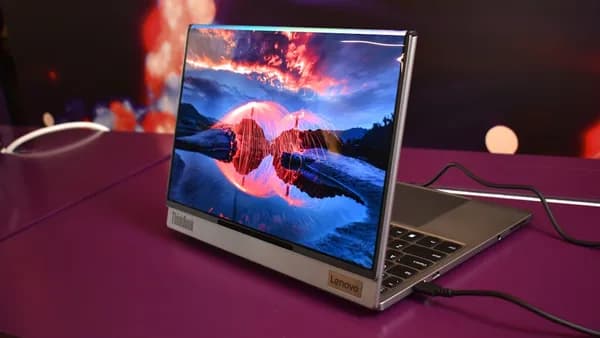
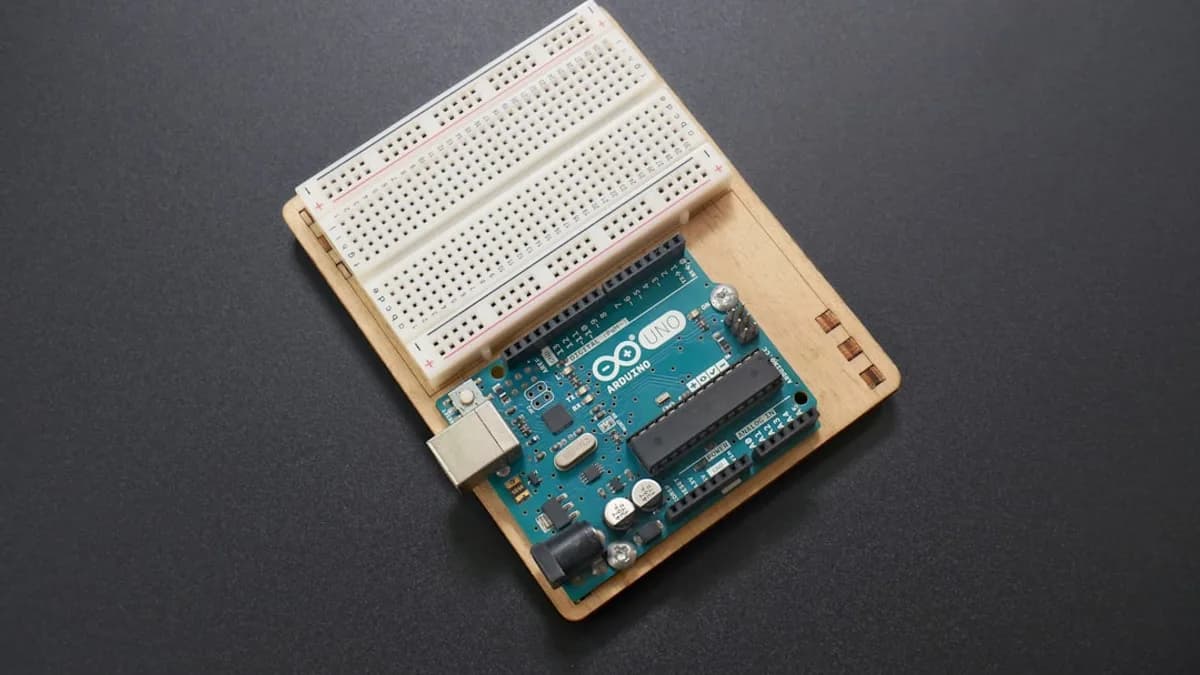
Most single-board computers—think Arduino or Raspberry Pi—force users to juggle a tangle of cables, separate displays, and makeshift keyboards when working outside the lab. These setups barely qualify as portable, let alone convenient for fieldwork or rapid prototyping. The CrowView Note 14 cuts through this friction. It fuses a portable display with a laptop-style case, allowing everything from a Pi 5 to a microcontroller to function as a self-contained, mobile workstation.
For hobbyists and educators, that means less time wrestling with gear and more time actually building or teaching. Professionals working with embedded systems on-site can finally ditch the suitcase of peripherals. According to Notebookcheck, the Note 14’s all-in-one approach is designed to make working with small computers dramatically easier, especially for on-the-go development and hardware testing.
By merging display, physical protection, and device integration, the CrowView Note 14 aims to streamline the creative process from concept to code—no more balancing boards and screens on a park bench or in a crowded classroom.
How the CrowView Note 14 Converts Single-Board Computers into Fully Functional Laptops
The CrowView Note 14’s hardware is its core differentiator. Instead of a generic portable monitor, it comes as a true laptop case—hinged, protective, and compact. Users slot in their single-board computer of choice, be it a Raspberry Pi 5, Arduino, or other small device, and instantly get a laptop-like experience. The single-board computer acts as the system’s brain, while the Note 14 supplies the display, keyboard, and trackpad.
This setup is intentionally device-agnostic. The case doesn’t restrict you to one board or OS. If your project starts with a Pi but shifts to another board, the Note 14 adapts. Plugging in is as simple as connecting the computer to the display and peripherals; the specifics depend on the board’s ports and power requirements.
Portability is the headline here. By consolidating screen, input, and housing, the Note 14 lets users carry a single, ready-to-code package rather than a jumble of loose components. Power management isn’t detailed in the source, but the form factor suggests field use was a design priority. For makers who jump between classroom, workshop, and field site, this combo can mean the difference between a missed opportunity and a finished prototype.
What Unique Features Does the CrowView Note 14 Camera Kit Bring to Embedded Projects?
Unlike most portable display cases, the CrowView Note 14 ships with a dedicated camera kit. That’s a big deal for developers working in computer vision, robotics, or security—domains where image recognition is no longer optional. The kit’s integration means users can build, test, and demo vision-enabled projects without lugging extra peripherals or hacking together temporary mounts.
Real-world applications range from image recognition for sorting systems, to mobile robotics, to DIY security. For instance, a classroom might deploy the Note 14 as a complete vision workstation for machine learning workshops, using the camera to capture training data and run inference on the fly. Likewise, a field engineer could use it to test object detection algorithms directly on-site.
This camera kit transforms the Note 14 from just another portable computer shell into a foundation for advanced, sensor-driven projects—lowering the technical and logistical barriers for hands-on experimentation.
How Does the CrowView Note 14 Enhance Productivity and Learning for Tech Enthusiasts?
A compact, all-in-one laptop for embedded development is more than a convenience play. For coders, makers, and educators, it means faster iteration—no more hunting for a spare HDMI cable mid-hackathon, or improvising a keyboard in a remote classroom.
Workshops and STEM classes benefit from the zero-setup approach: students can focus on programming and testing, not untangling wires. For developers in the field, projects that once required a backpack of accessories now travel in a single case. Imagine a robotics researcher integrating live camera input, tweaking code, and deploying—all from the same device, without ever returning to the office.
One plausible use case: an engineer building a prototype for environmental monitoring. With the CrowView Note 14, they boot up their Raspberry Pi, connect the camera, and immediately start coding sensor data analysis—directly at the test site. This workflow, which usually demands extra monitors and input devices, shrinks to a single, portable package.
What Should You Consider Before Choosing the CrowView Note 14 for Your Embedded Projects?
Compatibility is the first hurdle. While the Note 14 claims broad support for common single-board computers, users need to verify their specific hardware—especially for less mainstream boards or custom peripherals. Screen size, battery life, and total device weight also matter; the Note 14’s compactness is an asset, but it may not suit every project’s visibility or runtime needs.
Compared to generic portable monitors or DIY laptop kits, the Note 14’s all-in-one design saves space and setup time. However, those with highly specialized requirements (unusual I/O, oversized boards) might face constraints.
The original Notebookcheck report doesn’t specify pricing, sales channels, or support details, so interested buyers will need to dig deeper before committing.
What We Know, What’s Still Unclear, and What to Watch
The CrowView Note 14 promises to streamline portable embedded development by merging display, case, and camera integration into one device. Its value is clear for anyone tired of makeshift portable setups, especially in education, robotics, and field testing.
But the source leaves critical gaps: no information on battery life, display specs, keyboard quality, or real-world durability. There’s no word on price, warranty, or long-term support. Until hands-on reviews surface, whether the Note 14 delivers on its promise is an open question.
Watch for independent reviews that stress-test compatibility, battery performance, and day-to-day workflow improvements. For now, the CrowView Note 14 signals a shift toward more professional, ready-to-use mobile workstations for hobbyists and developers—but the details that matter most are still under wraps.
Key Takeaways
- CrowView Note 14 makes portable computing with single-board computers much easier for makers and developers.
- Its integrated laptop case reduces setup time and minimizes the need for extra peripherals during fieldwork.
- Device-agnostic design allows flexible prototyping and teaching with a wide range of boards in a self-contained package.