Liquid Glass Design: Apple Pushes UI Boundaries in Developer App
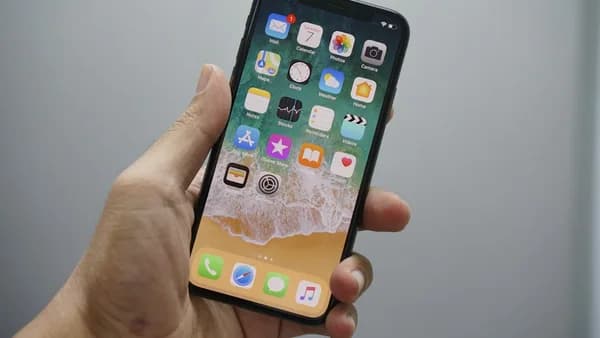
Apple’s decision to overhaul its Developer app with a new Liquid Glass design is more than a visual refresh—it signals a strategic shift in how the company thinks about its developer-facing tools. The update, released just ahead of WWDC 2026, debuts a design language that appears purpose-built to tee up iOS 27’s own aesthetic changes, according to 9to5Mac.
The Liquid Glass look marks a break from the flat, minimal style Apple has leaned on for years. While prior versions of the Developer app stuck to well-worn Apple design cues—clean lines, subtle gradients—this update introduces a more dynamic, translucent interface. It’s a move that suggests Apple is ready to experiment with depth and motion in ways that could ripple through its entire software lineup.
From a developer perspective, this matters. The Developer app is a daily tool for many, and a bolder, more immersive UI could boost engagement and signal that Apple is once again prioritizing visual innovation. If Liquid Glass is a preview of iOS 27, developers are getting an early look at the design sensibility that will shape the next cycle of consumer apps.
New iMessage Stickers: Building Community One Icon at a Time
Version 11.0 of the Apple Developer app doesn’t just change how things look—it also introduces new iMessage stickers, a subtle but savvy addition ahead of WWDC. While the source doesn’t detail the sticker pack’s contents, Apple’s timing is no accident. Stickers are a lightweight way to spark conversation, foster a sense of shared identity, and keep the developer community engaged during the run-up to Apple’s biggest event.
These stickers aren’t just playful; they embed Apple’s design language directly into developer conversations. In a world where community building is increasingly digital, the right set of stickers can punch above their weight—driving interaction in group chats and social channels alike.
This move also dovetails with Apple’s broader strategy: make every element, even the smallest, reinforce the brand and platform stickiness.
What We Know: Data and User Sentiment Remain Under Wraps
The release of Apple Developer 11.0 is too fresh for hard data on adoption rates or user feedback. As of now, 9to5Mac provides no statistics on download spikes, App Store ratings, or sentiment analysis.
Without numbers, it’s impossible to say how the new design is landing with developers. There’s no clear picture yet of whether users see Liquid Glass as an overdue update or a jarring shift. We also don’t know whether the new iMessage stickers are driving increased usage or engagement.
Historically, Apple’s major design changes spark lively debate in developer circles—some praise the visual polish, others grumble about usability quirks. That pattern may repeat here, but for now, the data is missing.
Multiple Perspectives: Official and Community Response Still Forming
There are no public statements from Apple executives about the strategic intent behind the Liquid Glass redesign or the new sticker pack. Developer and designer reactions are also absent from the initial coverage.
That leaves the update’s impact an open question. UI/UX designers will likely dissect Liquid Glass for clues about Apple’s evolving design priorities—especially how the new look balances playfulness with clarity. Developers, meanwhile, will focus on whether the app remains fast and functional, or if the design shift introduces friction.
For now, the only clear signal is that Apple wants the Developer app to stand out visually and serve as a harbinger of design trends to come.
Liquid Glass in Context: Tracing Apple’s Shifting Design Philosophy
The Apple Developer app has evolved slowly, often lagging behind consumer-facing apps in adopting new design cues. This Liquid Glass update breaks that pattern, suggesting Apple is willing to use its developer tools as a testbed for UI innovation.
Other developer platforms rarely make visual design a priority—functionality and clarity usually win. Apple’s move here is a calculated risk: push the envelope on aesthetics and hope the community welcomes the shift.
This also reflects a broader pattern in Apple’s history. Big design changes often arrive first in flagship apps or developer tools, setting expectations for the next OS cycle.
Why It Matters: iOS 27 and the Future of Developer Tools
Liquid Glass isn’t just about looks. If the Developer app is a preview, iOS 27 may bring a wave of translucency, depth, and motion to the whole Apple experience. Developers who get comfortable with these aesthetics now will have an edge when building apps for the new OS.
For those preparing for WWDC 2026, the update is a signal to pay attention. Apple is unlikely to overhaul one of its most important tools without a plan to roll those changes across the platform. With the Developer app as a sandbox, Apple can fine-tune the balance between visual flourish and everyday usability before iOS 27 lands in millions of hands.
What Remains Unclear: Features, Performance, and Developer Reception
Critical details remain unknown. There’s no granular breakdown of Liquid Glass’s technical underpinnings—no word on whether it’s built with new frameworks, whether it impacts battery or performance, or how deeply it will integrate with upcoming iOS APIs.
Reception from the developer community is also a mystery. Will the new look and sticker set draw praise, or spark backlash from users who value speed and simplicity? These questions can only be answered with time and usage data.
What to Watch: Will Liquid Glass Set the Standard?
The next few weeks will reveal whether Apple’s gamble pays off. Key signals to monitor include:
- Download and engagement stats post-update
- Social media sentiment from prominent developers and designers
- Any WWDC 2026 sessions that reference Liquid Glass or related UI frameworks
- Evidence that the Developer app’s design is seeding into other Apple apps or OS betas
If adoption is strong and feedback positive, expect Liquid Glass to become a signature of Apple’s design language in the iOS 27 era. If not, Apple may tweak or walk back some of these changes before the new OS launches. Either way, this update is a rare public window into Apple’s design lab—and a test of how much risk developers will tolerate when it comes to the look and feel of their daily tools.
Why It Matters
- Apple's new Liquid Glass design signals a shift toward more dynamic and immersive user interfaces for developers.
- The update offers developers an early preview of potential design changes coming with iOS 27, helping them prepare for future app updates.
- New iMessage stickers foster stronger community engagement among developers, enhancing collaboration ahead of WWDC.